Tag: automotive seo

  • What Is SEO and How Does It Work for Car Dealerships

    What Is SEO and How Does It Work for Car Dealerships

    Let’s get straight to it. SEO, or Search Engine Optimization, is simply the practice of making sure your dealership shows up first when a local customer searches for a car online. It’s how you get your inventory in front of people who are actively looking to buy, turning your website into your most effective lead-generation machine.

    Your Dealership's Guide to Winning Online
    A vibrant street scene outside a car dealership with parked cars, featuring a purple banner promoting 'WIN LOCAL SEARCH'.

    Think of your website as a digital storefront. Without SEO, it’s like being tucked away on a quiet side street—only people who already know your exact address can find you. A solid SEO strategy moves your dealership to the busiest intersection on the internet's main highway: Google.

    This isn’t about luck. It's a deliberate process. When a potential buyer types "used Honda Civic near me" into their phone, SEO is what makes your dealership appear at the top of the search results. You're sending clear signals to search engines that you have the most relevant and trustworthy answer to that person's query.

    Why SEO Is No Longer Optional for Modern Dealerships

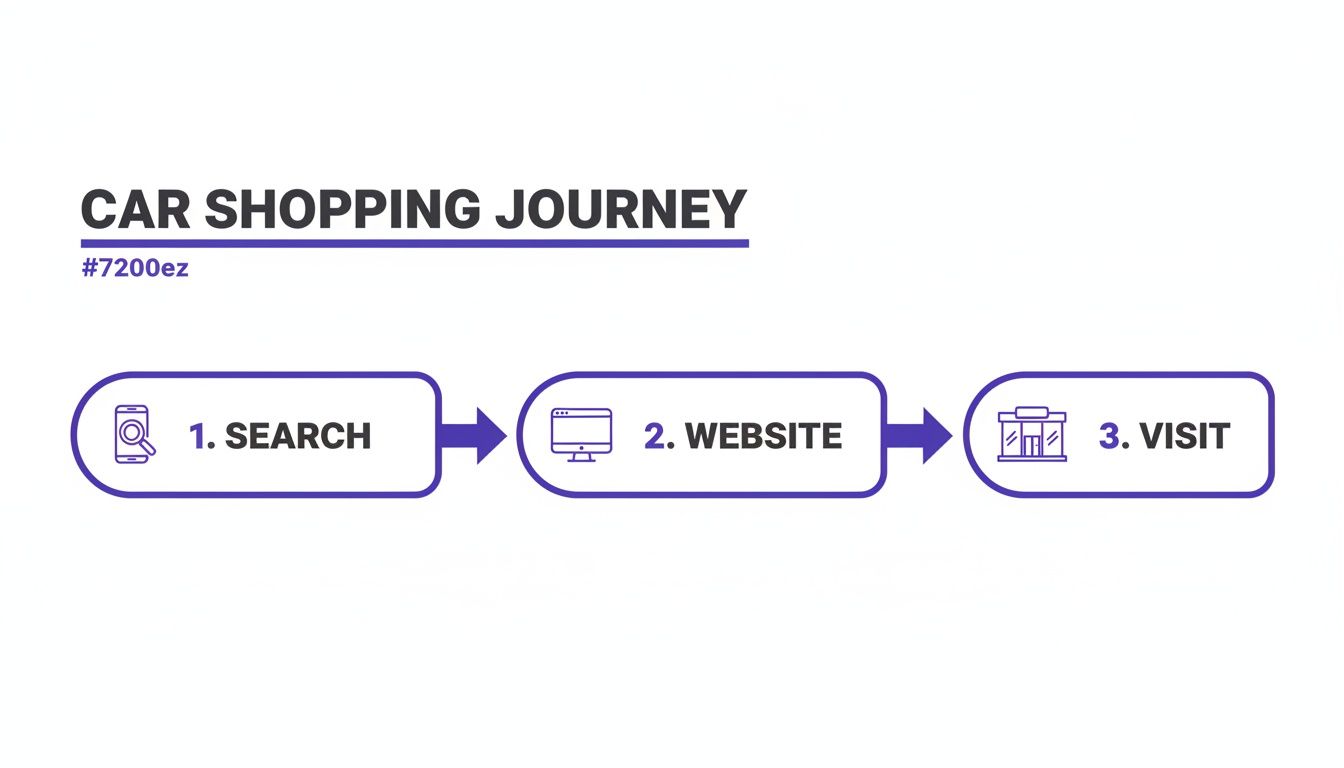
    The days of relying solely on foot traffic are over. The modern car-buying journey almost always starts with a Google search. A high percentage of car buyers research online before they ever set foot on a lot.

    Your online visibility isn't just a nice-to-have; it's the very foundation of your sales funnel.

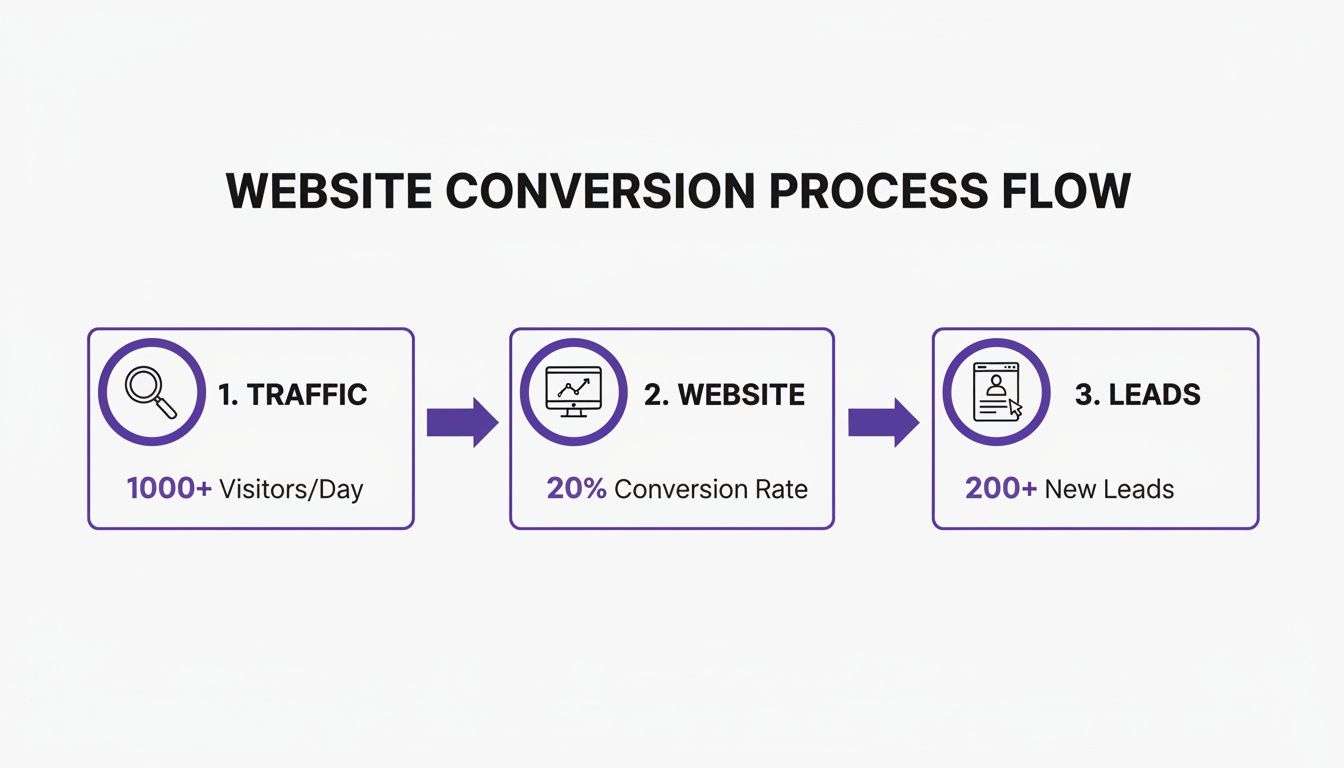
    Good SEO does more than just bring in website visitors. It builds a steady, predictable stream of high-quality leads. These aren't just random browsers; they are local buyers who have raised their hand and are actively looking for a vehicle you have in stock.

    The Core Pillars of Automotive SEO

    To really get a handle on what SEO is and how it works, it’s best to break it down into its core pillars. Each one plays a critical role in boosting your online presence and connecting you with local buyers.

    Here’s a look at the essential SEO terms every dealership needs to understand. This table breaks down the core concepts and explains exactly what they mean for your business.

    SEO at a Glance Key Concepts for Dealerships

    Concept What It Means for Your Dealership
    Technical SEO This is the engine of your website. It’s all about site speed, mobile-friendliness, and a secure connection. A technically sound site is easy for Google to crawl and understand, which is the first step to ranking well.
    On-Page SEO This is everything a customer sees—from your homepage to your vehicle detail pages (VDPs). It involves using the right keywords and providing detailed, helpful information about your inventory and services.
    Off-Page SEO Think of this as your dealership's reputation around the web. It’s built through positive reviews on Google, local business listings, and getting mentioned by other reputable websites in your community.
    Local SEO This is your secret weapon for winning the neighborhood. It focuses on optimizing your Google Business Profile to capture every important "near me" search in your area, driving real customers to your physical lot.

    Understanding these pillars is the key to a successful strategy. They're not separate tasks but interconnected parts of a system designed to attract the right kind of attention online.

    A well-executed SEO strategy doesn't just attract more visitors; it attracts the right visitors. By aligning your website with what local car shoppers are actively searching for, you turn your online presence into your most valuable salesperson.

    Each of these elements works together to create a powerful system that drives traffic, generates qualified leads, and ultimately sells more cars. For an even deeper look tailored to the auto industry, this comprehensive Car Dealer SEO Guide is an excellent resource. And of course, platforms like AutoFire™ are built from the ground up to handle these complexities for you.

    How Search Engines Rank Your Dealership
    A laptop displaying toy cars on a desk, with 'Crawl Index Rank' text in the background.

    Ever wondered how Google decides which dealership website gets the top spot when a customer searches for a car? It’s definitely not random. Search engines use a methodical, three-step process to find, understand, and organize every page on the internet.

    Let's simplify it. Imagine Google has a fleet of tiny, automated shoppers. Their job is to visit every single dealership website out there. These shoppers—officially called crawlers or "spiders"—follow a very specific mission that boils down to three key tasks.

    This entire process, from discovery to display, is what ultimately determines where your dealership shows up online. Getting a handle on how it works is the first step toward influencing your own rankings.

    Step 1: Crawling — The Discovery Phase

    The first job for these automated shoppers is crawling. This is all about discovery. Search engines send out their crawlers to find new and updated web pages, and they do this by following links from one page to the next, constantly mapping the web.

    For your dealership, this means they’re discovering your homepage, your service center page, and, most critically, every single one of your Vehicle Detail Pages (VDPs). If a page isn't properly linked from somewhere else on your site, these crawlers might never find it.

    This is exactly why a well-organized website is so important. A clean site structure acts like a clear map, guiding crawlers to every vehicle in your inventory and making sure nothing gets overlooked.

    Step 2: Indexing — The Filing Phase

    Once a crawler finds a page, it moves on to step two: indexing. Think of this like the crawler returning to Google’s headquarters—a massive digital library—to file away all the information it just gathered.

    During the indexing stage, the search engine analyzes the page's content—the text, images, and videos—to figure out what it's all about. It categorizes the VDP for that “2022 Ford F-150” alongside other similar pages, taking note of all its key details.

    A page can only rank in search results if it has been successfully indexed. If Google’s crawlers can't access or understand your page, it's as if that vehicle doesn't even exist online.

    Proper indexing depends on a lot of things, from how fast your page loads to the way you describe your vehicles. For example, giving your photos descriptive file names helps crawlers understand what’s in the picture, which is why it's so important to learn how to optimize images for the web.

    Step 3: Ranking — The Final Decision

    The last and most crucial step is ranking. This is the magic that happens the moment a customer types a search like "used SUVs for sale in Austin." In a split second, Google combs through its enormous index to pull up the most relevant and trustworthy results.

    To decide the final order, Google’s algorithm looks at hundreds of different signals. The big ones include:

    • Relevance: How well does the content on your page match what the person searched for?
    • Authority: How many other reputable websites link back to your site?
    • User Experience: Is your site fast, mobile-friendly, and a breeze to navigate?

    This idea of using links to measure authority isn't new. The game really changed back in 1998 when Google rolled out its PageRank algorithm, which analyzed the web's link structure instead of just counting how many times a keyword appeared. Each link to a page acted like a vote of confidence.

    This was a revolutionary concept, and it worked so well that by 2000, even Yahoo partnered with Google to power its search results, introducing millions of people to the platform.

    In the end, it’s simple: a website that’s easy to crawl, straightforward to index, and meets all the criteria for quality and relevance is the one that will win the top spot.

    The Four Pillars of Automotive SEO
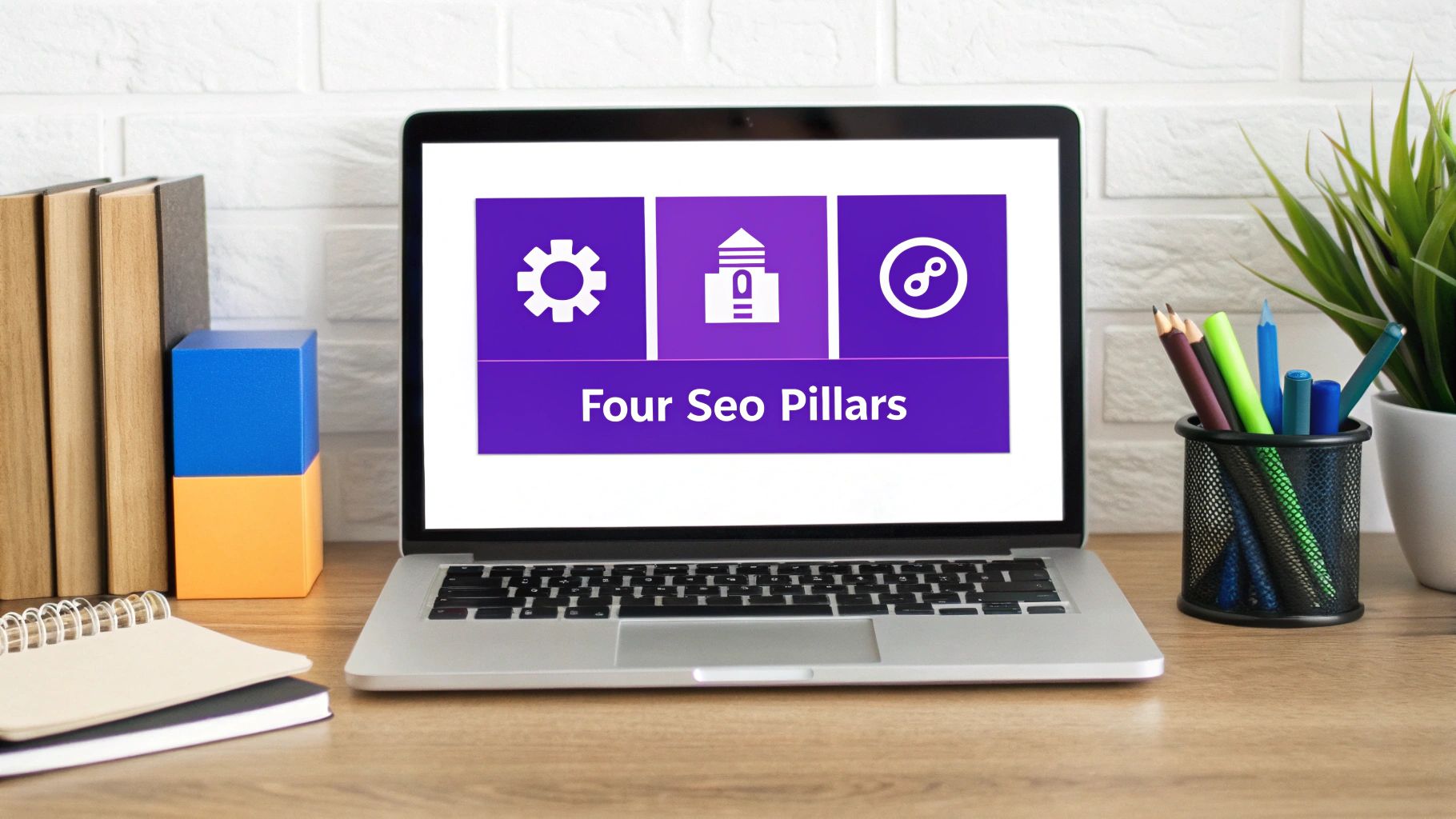
    A laptop screen displays 'Four Seo Pillars' with icons, surrounded by office supplies on a wooden desk.

    To build an online presence that actually brings customers to your lot, you need a solid foundation. In the world of SEO, that foundation rests on four core pillars. A winning strategy doesn't just pick one; it masters all four at the same time.

    Think of it like building a top-tier vehicle. You need a finely-tuned engine, a functional and attractive body, a five-star reputation, and a flawless GPS to guide local buyers straight to you. If any piece is missing, you’re not going to get very far.

    Let's pop the hood and look at how each of these pillars works together to drive your dealership’s success.

    Pillar 1: Technical SEO

    Technical SEO is the high-performance engine running your website. It’s all the crucial work done behind the scenes to make sure your site is fast, secure, and dead simple for search engine crawlers to read. If your technical foundation is shaky, it doesn't matter how great your inventory or content is—Google might struggle to index your pages, or customers will just click away in frustration.

    Key parts of a solid technical SEO setup include:

    • Site Speed: A slow website is a deal-breaker. Car shoppers, especially those on their phones, won't wait around for your inventory pages to load. Every second truly counts.
    • Mobile-First Design: The vast majority of car searches start on a smartphone. Your site absolutely must look and work perfectly on a small screen. That's exactly why platforms like AutoFire are designed from the ground up to be mobile-first.
    • Site Security (HTTPS): A secure site (one with https in the URL) protects customer data and is a direct ranking signal for Google. It’s a clear sign that you run a professional and trustworthy operation.
    • Clean URL Structure: Simple, logical URLs like yourdealership.com/inventory/2023-ford-bronco help both people and search engines understand what a page is about at a glance.

    Getting the technical side right is the non-negotiable first step. It ensures all your other hard work has a fighting chance to be seen.

    Pillar 2: On-Page SEO

    If technical SEO is the engine, then on-page SEO is everything your customers see, touch, and interact with—the body, the interior, the features. This pillar is all about optimizing the content and structure of each individual page on your site to be the perfect match for what a customer is searching for.

    For any dealership, your Vehicle Detail Pages (VDPs) are your most valuable on-page assets. Every single VDP is a golden opportunity to rank for super-specific, high-intent searches like “used blue Toyota RAV4 XLE near me.”

    Every element on the page—from the title and vehicle description to the image file names—is an opportunity to send a clear signal to Google about what that page is about.

    Here's what great on-page SEO looks like in practice:

    1. Keyword Optimization: Weaving relevant keywords naturally into your page titles, headings, and descriptions. For a VDP, this means always including the make, model, year, and trim.
    2. High-Quality Content: Writing unique, detailed vehicle descriptions is huge. Go beyond the boring manufacturer specs and highlight the special features, the condition of the car, and why it’s a great deal.
    3. Compelling Visuals: Using high-resolution photos and walk-around videos is a must. Don't forget to optimize image file names and alt text (e.g., 2022-Honda-CRV-EXL-front-view.jpg) to help you show up in image searches.

    When you nail your on-page SEO, you make it incredibly easy for Google to see that your VDP is the best answer for a car buyer's search.

    Pillar 3: Off-Page SEO

    Off-page SEO covers everything you do outside of your website to build its authority and reputation. Simply put, it’s what other credible sources on the internet are saying about your dealership. When another trusted website links to yours, Google sees it as a vote of confidence.

    These "votes" are called backlinks, and they are a massive ranking factor. They signal to search engines that your dealership isn't just another website, but a legitimate, respected business in the community.

    You can build this kind of off-page authority by:

    • Earning Local Backlinks: Get a link from a local news site for sponsoring a charity event, a mention from a business partner, or a feature on a community blog. These are pure gold.
    • Managing Online Reviews: Actively encourage happy buyers to leave positive reviews on Google, Yelp, and other key sites. Great reviews build trust with both people and search engines.
    • Building Citations: Make sure your dealership’s name, address, and phone number (NAP) are listed consistently across all the major online business directories.

    A strong off-page presence confirms to Google what your website already claims: that you are an authoritative and trustworthy place to buy a car.

    Pillar 4: Local SEO

    Finally, local SEO is the pillar that brings it all home, helping you dominate your specific market. For a physical business like a car dealership, this is arguably the most important pillar of all. It’s the art of optimizing your entire online presence to show up in relevant local searches.

    The absolute cornerstone of local SEO is your Google Business Profile (GBP). This free tool is often a customer's first interaction with your business, appearing in Google Maps and the "Local Pack" at the top of search results. A fully optimized GBP is your ticket to showing up for all those critical "car dealership near me" searches. For a deeper look, our guide to local SEO for car dealerships offers more targeted strategies to help you win your neighborhood.

    Mastering these four pillars creates a powerful cycle. Your technically sound site allows Google to find your perfectly optimized pages, while your strong off-page reputation and local signals boost their rankings, ultimately driving more real customers right to your lot.

    Creating Content That Builds Customer Trust

    SEO used to be a game of outsmarting the system. It was all about finding loopholes and technical tricks to claw your way up the search rankings. But the internet has grown up, and so has the answer to the question, "what is SEO and how does it work?"

    These days, modern SEO is far more about helping people than it is about tricking computers. At the end of the day, search engines like Google have one main job: give people the most useful, relevant, and trustworthy answers to their questions. The websites that genuinely help users are the ones that get rewarded with those coveted top spots.

    This move away from sneaky tactics didn't just happen on its own. It was a direct response to a real problem. Back in the early 2010s, search results were getting clogged with junk from "content farms"—sites built just to rank for a ton of keywords without actually providing any real value.

    A Turning Point for Quality Content

    To clean things up, Google rolled out two massive updates that changed the rules for good. Between 2011 and 2012, the Panda and Penguin updates came down hard on sites with thin content, keyword stuffing, and shady link-building schemes. This shake-up forced everyone to focus on creating high-quality, authentic content that puts the user first. You can get the full story on how these algorithm changes reshaped SEO history on Search Engine Journal.

    This fundamental shift is fantastic news for legitimate dealerships. It means the best way to win at SEO is simply to be the most helpful, knowledgeable resource for your local car buyers.

    Moving Beyond Basic Vehicle Specs

    For a dealership, creating helpful content means going way beyond just listing a car's basic specifications. Sure, specs are important, but they don't answer a customer's real-world questions or start building a relationship. The magic happens when you create content that solves their problems, addresses their concerns, and showcases your expertise.

    This kind of content doesn't just pull in website visitors; it builds a rock-solid foundation of trust. It positions your dealership as more than just a place to buy a car—it makes you a knowledgeable local authority.

    When a customer sees you as a trusted resource, they are far more likely to do business with you. This trust is also a powerful signal to search engines that your website deserves a top spot in the search results.

    Content Ideas That Build Trust and Drive Traffic

    So, what does this look like in the real world? It's about putting yourself in your customer's shoes and thinking about the questions they have at every stage of their journey.

    Here are a few proven content ideas any dealership can use:

    • Model Comparisons: A blog post or video breaking down two popular models, like a "Honda CR-V vs. Toyota RAV4" head-to-head, is perfect for attracting buyers who are deep in the research phase.
    • How-To Guides: Create a simple guide to "Financing Your First Car" or "What to Look for When Test Driving a Used Truck." This type of content answers common questions and helps calm a buyer's nerves.
    • Video Walkarounds: Grab your phone and film a detailed tour of a new model that just hit your lot. Highlighting its best features gives incredible value to shoppers who can't make it in right away.
    • Answering Local Questions: Write a post about the "Best Family SUVs for Navigating [Your City's] Winters." This shows you understand the unique needs of your community and aren't just a faceless business.

    Think of every piece of content you create as a new asset for your dealership. It’s another chance for a potential customer to find you, another opportunity to prove you know your stuff, and another reason for Google to see you as the best answer in town.

    Your Dealership's SEO Action Plan
    A desktop calendar displays an 'SEO Action Plan' next to a smartphone showing an article with a white car.

    Alright, you understand the theory. You know what SEO is and how Google crawls, indexes, and ranks your site. Now comes the fun part: putting that knowledge to work with a practical game plan for your dealership.

    These five steps are where the rubber meets the road. They’re the high-impact moves that will get you in front of more local buyers and start building a real online presence. You don’t need to be a technical whiz overnight—just focus on these core tasks to start seeing results.

    1. Master Your Google Business Profile

    Think of your Google Business Profile (GBP) as your digital storefront. It’s often the very first thing a potential customer sees when they search for you, showing up right in Google Maps and the local results. A neglected profile is a huge missed opportunity.

    First things first, make sure every detail is 100% complete and correct. We’re talking name, address, phone number, and hours. Once that’s handled, it’s time to beef it up:

    • High-Quality Photos: Don't be shy. Regularly upload crystal-clear pictures of your lot, your showroom, the service bays, and—most importantly—your current cars.
    • Service Details: List everything you do. From sales and financing to specific oil changes and brake jobs, spell it out for your customers.
    • Google Posts: This is your free billboard. Use it to announce special offers, highlight new arrivals, and share dealership news directly on your profile.

    2. Find Your Customer's Keywords

    To connect with buyers, you have to speak their language. That means figuring out the exact words and phrases they’re typing into Google when they’re on the hunt for a vehicle. This whole process is called keyword research, and it’s less intimidating than it sounds.

    Put yourself in your customer's shoes. What would they search for? It's probably not just "used cars." They’re getting specific, searching for things like "used Ford F-150 under $20,000" or "best family SUV in [Your City]." Use these real-world searches to guide the way you write everything from vehicle descriptions to blog posts.

    The goal of keyword research has shifted from simple word matching to understanding user intent. A well-optimized site anticipates the customer's needs and provides the best possible answer to their query.

    This move toward understanding meaning really took off with Google updates like Hummingbird, RankBrain, and BERT. Search engines can now grasp the context behind a search, not just the words. For a dealership, this is a game-changer. A customer searching "best affordable used trucks near me" can now be matched with your relevant inventory, even if you don't use those exact words.

    3. Perfect Your Vehicle Detail Pages

    Your Vehicle Detail Pages (VDPs) are your digital sales floor. Every single one is a golden opportunity to rank for a super-specific, high-intent search. Turning these pages into SEO powerhouses is one of the most effective things you can do.

    Start with the basics: every VDP needs a unique title that includes the car’s year, make, model, and trim. From there, write detailed, compelling descriptions that go beyond the boring manufacturer specs. Talk about the special features, the vehicle's condition, and what makes it a great buy.

    An AutoFire website does a lot of the heavy lifting for you, automatically creating clean, SEO-friendly inventory pages for every car you list. This handles the technical stuff so you can focus on writing descriptions that sell. To get the full picture, check out the benefits of professional automotive SEO services in our detailed guide.

    4. Generate Reviews and Local Mentions

    What other people say about your dealership carries a ton of weight—with both customers and Google. A steady stream of positive reviews on your Google Business Profile is a massive signal of trust and quality.

    Make it a habit to actively encourage happy customers to leave a review. A simple follow-up email or a quick text can make all the difference. Beyond reviews, start building local citations, which are just mentions of your dealership's name, address, and phone number on other local websites. Sponsoring a little league team or partnering with another local business can often land you valuable mentions that boost your local authority.

    5. Dominate with Google Vehicle Listings

    Finally, let’s talk about a true game-changer: Google Vehicle Listings (what used to be called Vehicle Ads). This feature puts your live inventory directly in Google search results—complete with photos, pricing, and mileage—before a user even has to click to your website.

    It’s an incredibly direct way to showcase your cars to people who are actively shopping. Platforms like AutoFire are built to integrate seamlessly with this program, automatically pushing your inventory to Google so your vehicles get seen. As you start putting your strategy together, a guide on how to do SEO yourself can be a great resource for keeping your efforts organized.

    Common Questions About Dealership SEO

    Even with a good grasp of the basics, it's completely normal to have a few questions about how SEO really works for a dealership. Let's be honest, the world of digital marketing can feel like a maze. Getting straight answers is the key to making smart decisions for your business.

    Let’s clear up some of the most common questions we hear from dealers. My goal here is to cut through the jargon, set some realistic expectations, and help you feel confident about your online strategy.

    How Long Does SEO Take to Show Results for a Car Dealership?

    This is probably the number one question, and the answer is crucial: SEO is a marathon, not a sprint. Unlike paid ads that give you instant (but temporary) visibility, SEO is about building a rock-solid reputation with Google that pays off for years.

    You can usually expect to see some encouraging signs—what we call "positive movement"—within 3 to 6 months of consistent work. This might be ranking for a few more specific search terms, like "used Ford F-150 near me," or noticing a small but steady climb in website visitors from organic search.

    But the results that really move the needle—the kind that bring in qualified leads and sell cars—often take 6 to 12 months to really kick in. Why? Because you're building trust. The timeline depends on things like how fierce your local competition is, the current state of your website, and how consistently you're making improvements. Think of it as an investment that compounds over time, delivering value long after you've put in the work.

    Can I Do SEO Myself or Do I Need to Hire an Agency?

    You can absolutely tackle a lot of the foundational SEO tasks on your own, especially if you have the right tools. You don't need to be a coding wizard to get started; you just need to focus on what matters.

    For example, optimizing your Google Business Profile with high-quality photos, updated hours, and accurate information is a huge win you can achieve this afternoon. The same goes for writing unique, detailed descriptions for your vehicle detail pages (VDPs). These are high-impact activities any dealer can and should be doing.

    A lot of dealers hit a sweet spot with a hybrid approach. They handle the customer-facing stuff they know best—like getting reviews and describing their cars—and let a specialized platform manage the complex technical side.

    This is exactly where a solution like AutoFire shines. It's built to handle the heavy lifting of technical SEO and inventory optimization automatically. That frees you up to do what you do best: sell cars. It gives you professional-level SEO results without the high cost and steep learning curve of hiring an agency.

    What Is the Difference Between SEO and Paid Google Ads?

    The easiest way to think about SEO versus paid ads is "renting" versus "owning." Both are great ways to get in front of local car shoppers, but they operate on completely different models.

    • Paid Google Ads: This is like renting a billboard on the busiest highway in town. Your dealership gets a prime spot at the very top of Google, and you get traffic almost immediately. The catch? You pay for every single click. The second you stop paying, your billboard comes down, and your visibility vanishes.

    • SEO (Organic Search): This is the process of earning your spot in the search results. It’s about convincing Google that you're the most relevant, trustworthy dealership for a customer's search. It takes more time and effort, but once you earn a top organic ranking, you get a sustainable stream of "free" traffic. It’s like owning the land your dealership is built on—it's a long-term asset.

    Ultimately, the smartest digital strategy uses a bit of both. Paid ads are great for a quick boost or a specific sales event, while SEO builds the powerful, long-term foundation for predictable growth.


    Ready to put a powerful, automated SEO engine to work for your dealership? AutoFire builds you a fast, mobile-first website with optimized inventory pages designed to rank on Google and attract local buyers. See how it works at https://goautofire.com.

  • How to optimize images for web to boost site speed and sales

    How to optimize images for web to boost site speed and sales

    When we talk about optimizing images for the web, it's really about finding that sweet spot: shrinking the file size through smart compression and picking the right format, all without sacrificing the crisp, clear quality that sells cars. Getting this right means your website loads in a flash, giving customers a better experience and helping you climb the search engine rankings.

    Why Image Optimization Is a Must for Car Dealerships

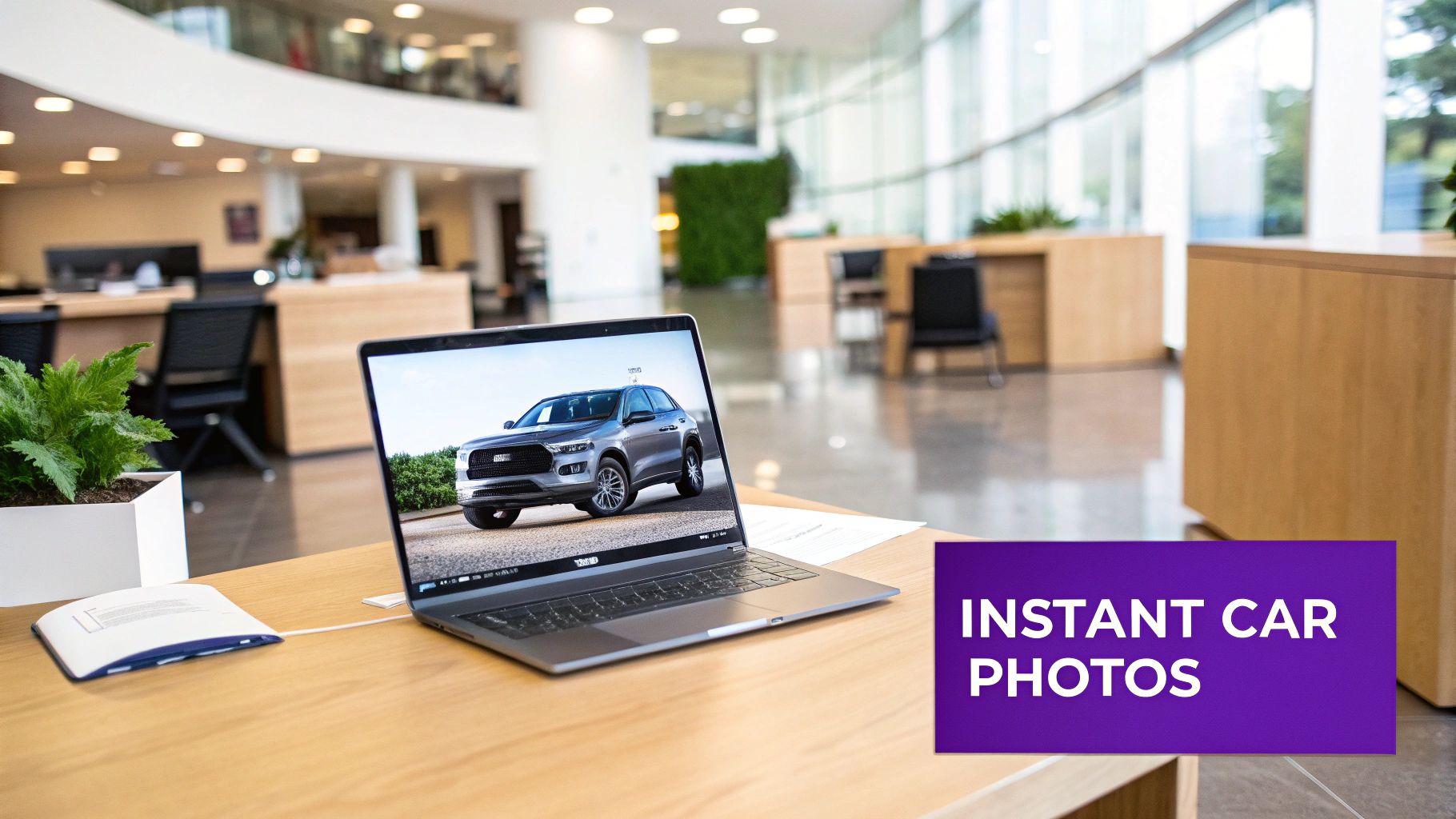
    A laptop on a wooden desk displaying a silver SUV photo, with 'INSTANT CAR PHOTOS' text overlay.

    Put yourself in a customer's shoes. They click on a beautiful Ford F-150 on your VDP. What happens next? Do they get an instant, stunning view of the truck, or are they staring at a blank space, waiting for a massive photo to load? That tiny moment often determines whether they stick around or bounce.

    For any dealership today, high-quality, fast-loading images are your digital showroom. They’re the first impression you make, and you only get one. Slow, clunky photos can subtly suggest a lack of attention to detail, which can chip away at a buyer's trust before they've even seen your inventory.

    The Real-World Impact on Your Bottom Line

    Learning how to optimize images for the web isn't just a technical chore—it's a direct investment in your sales funnel. A professional, snappy website keeps shoppers engaged and browsing. That engagement has a real impact on user experience, Google rankings, and, ultimately, your bottom line.

    Properly optimized images can significantly cut page load times. According to research from Google, 53% of mobile site visitors will leave a page that takes longer than three seconds to load. With a majority of car buyers starting their search on a phone, every single second counts, especially for your performance in Google Vehicle Listings.

    Key Takeaway: Image optimization isn't just about speed. It's a powerful sales tool. Nailing this ensures your online presence is as polished and efficient as your physical lot, turning casual browsers into serious buyers.

    To give you a clearer picture, here’s a quick breakdown of what we're aiming for.

    Key Image Optimization Goals at a Glance

    This table summarizes the primary objectives of image optimization and how they directly benefit your dealership's website performance.

    Optimization Goal Primary Benefit Key Metric Improved
    Reduce File Size Faster page load times Largest Contentful Paint (LCP)
    Improve User Experience Lower bounce rates, higher engagement Time on Page, Pages per Session
    Boost SEO Rankings Better visibility in search results Core Web Vitals, SERP Position
    Enhance Perceived Quality Stronger brand trust and professionalism Conversion Rate

    Each of these goals contributes to the larger mission: selling more cars by providing a seamless online experience.

    Core Pillars of Effective Image Optimization

    Getting started doesn't have to be complicated. It all boils down to a few core concepts that deliver the biggest wins. For any dealership, success here comes from mastering these key areas:

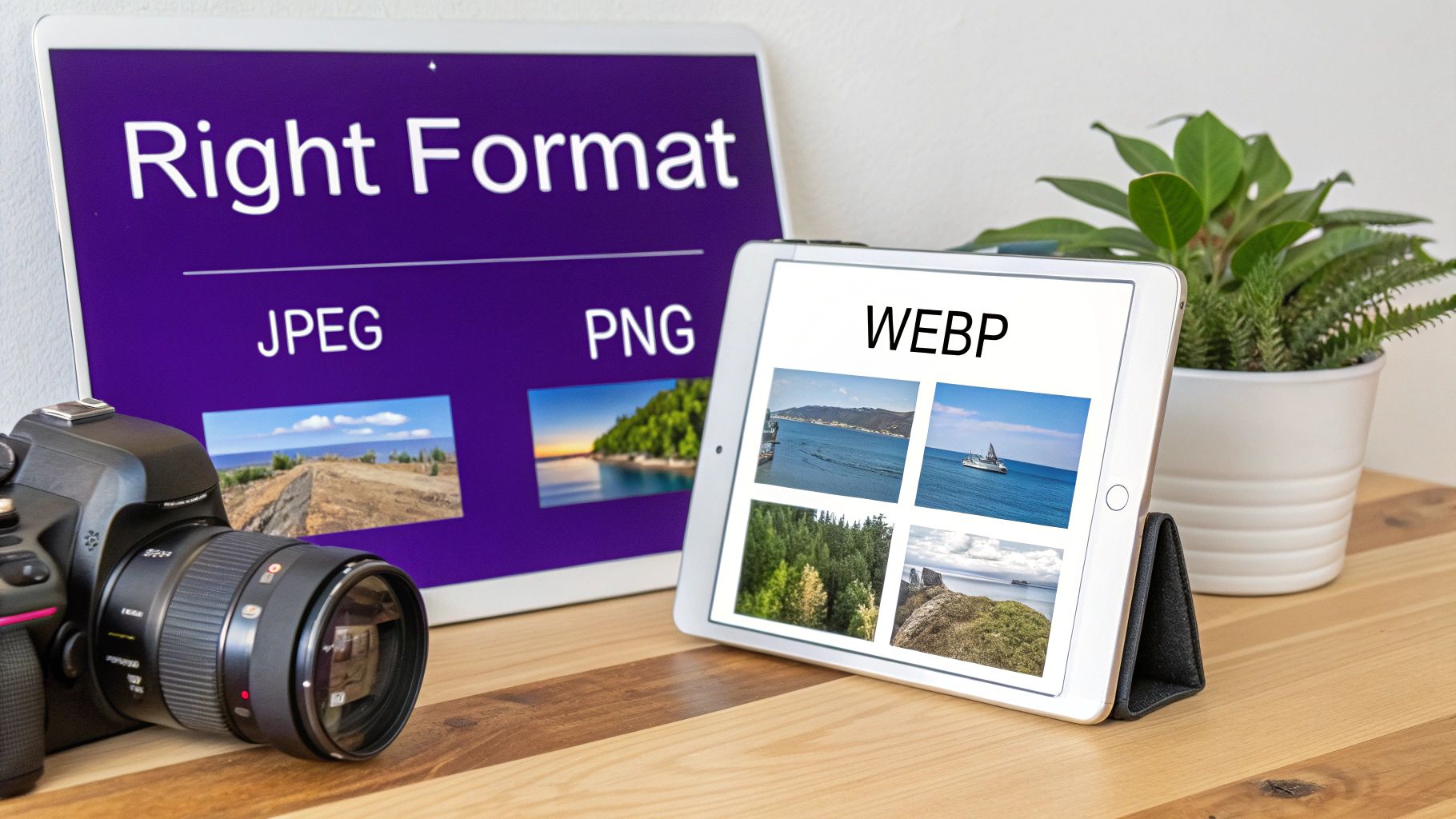
    • Choosing the Right Format: Different file types—like JPEG, PNG, or the newer WebP—have unique strengths. The trick is picking the right one for the job to balance quality and file size perfectly.
    • Applying Smart Compression: This is all about reducing an image's file size without turning it into a blurry, pixelated mess. The goal is a much smaller file that still looks sharp and appealing to the eye.
    • Using Modern Loading Techniques: Strategies like "lazy loading" are game-changers. They stop your site from trying to load every single image at once, which dramatically speeds up that critical initial page view for your visitors.

    Focusing on these pillars builds a solid foundation for a high-performing website. These same principles are a vital part of effective car dealership web design.

    Choosing the Right Image Format and Dimensions

    Digital camera next to two tablets displaying various image formats: JPEG, PNG, WEBP, highlighting web optimization.

    Before a single vehicle photo hits your website, two fundamental choices can make or break a customer's experience: the image format and its dimensions. Getting this right from the very beginning is the most critical part of web optimization. It's how you avoid the all-too-common mistake of uploading a massive 12MB photo straight from a digital camera, which is a guaranteed way to make potential buyers click away.

    This initial prep work is all about making sure your inventory loads in a snap, keeping shoppers engaged instead of waiting—and wondering if your site is broken. Let’s walk through the best choices for your dealership.

    H3: Selecting the Ideal Image Format

    Picking a file format is a constant balancing act between visual quality and file size. For car dealerships, where the gleam of a freshly detailed car can make a sale, that balance is everything. You've got a few solid options, and each one has a specific job.

    • JPEG (Joint Photographic Experts Group): This is your go-to, the absolute workhorse for vehicle photography. JPEGs are brilliant at handling photos with millions of colors and subtle gradients—think of the metallic flake in a paint job or the soft-touch materials inside a cabin. They use what’s called "lossy" compression, which cleverly sheds unnecessary data to shrink the file size, usually with no quality drop you'd ever notice.

    • PNG (Portable Network Graphics): While JPEGs are for your photos, PNGs are for your branding. They really shine when you need a transparent background. This is perfect for your dealership’s logo or any icons you want to float over a colored section of your site without that ugly white box. PNGs use "lossless" compression, meaning they keep every single pixel, which results in perfect quality but a much larger file. That's why they are a terrible choice for your vehicle inventory.

    • WebP (Web Picture Format): Straight from Google, WebP is the modern powerhouse. It delivers image quality that’s just as good (or better) than a JPEG, but at a file size that's often 25-35% smaller. It even supports transparency like a PNG, making it a true all-rounder. The vast majority of modern browsers support it, and smart platforms like AutoFire™ often convert your JPEGs to WebP automatically, ensuring every visitor gets the fastest version possible.

    Pro Tip from the Trenches: Always, always start with a high-quality JPEG for your vehicle photos. This gives your website platform the best source material to work with, whether it serves that JPEG directly or converts it on the fly to a next-gen format like WebP.

    H3: Image Format Comparison for Dealership Websites

    To cut through the noise, I've put together a simple comparison table from a dealership's perspective. It should make picking the right format for the job a lot clearer.

    Format Best For Key Advantage Consideration
    JPEG All vehicle inventory photos (exterior, interior, details). Excellent balance of quality and small file size for complex images. Does not support transparent backgrounds.
    PNG Your dealership logo, icons, or graphics needing transparency. Perfect quality with transparency support. Creates very large files, making it unsuitable for vehicle photos.
    WebP All image types where browser support is available. Superior compression; offers the best of JPEG and PNG in one format. Not yet supported by very old browsers, but this is a shrinking concern.

    At the end of the day, your vehicle photos belong as JPEGs or WebP. Your logo and critical site graphics? That's where PNG comes in.

    H3: Getting Your Image Dimensions Right

    The format is only half the battle; the actual size of the image is just as crucial. There's absolutely no reason to upload a photo that's 6000×4000 pixels wide if it's only ever going to be displayed at 800 pixels on the screen. Doing that forces your customer's browser to download a gigantic file only to shrink it down, which is a huge waste of time and data.

    The golden rule is to resize your images before you upload them. Here are some real-world dimensions I recommend for most dealership websites.

    H4: Recommended Image Dimensions

    • Full-Width Hero Banners: I've found that 1920 pixels wide is the sweet spot. It looks crisp on most modern desktop screens without being overkill. The height will naturally vary with your design.
    • VDP Main Images: For the main photo on your Vehicle Detail Page, aim for 1200 to 1600 pixels wide. This gives shoppers enough resolution to zoom in and inspect the details without bogging down the page load.
    • Gallery Thumbnails: These can be much smaller, usually around 300 to 400 pixels wide. A good website platform should be creating these for you automatically from the main VDP image you upload.

    By choosing the right format and resizing your photos to sensible dimensions, you’re building the foundation for a fast, professional, and high-performing online showroom.

    And when it comes to prepping those shots, specialized tools can be a game-changer. Creating a uniform, professional look across your entire inventory is far easier when you use an AI-powered background remover to put every vehicle in the best possible light.

    Nailing Compression Without Killing Quality

    You've got the right format and the right dimensions. Now comes the real magic: smart compression. This is all about shrinking your image file sizes without turning that gorgeous shot of a leather interior into a blocky, pixelated mess. The goal is simple—make the file as small as possible while keeping the quality high enough to sell the car.

    Getting this right is a bit of a balancing act. You need a strategy to slash file size while making sure your vehicle photos stay sharp and convincing. This is where you’ll hear talk of "lossy" and "lossless" compression.

    Lossy vs. Lossless: What Dealerships Need to Know

    Let's break these two down. Think of it like packing a suitcase for a trip.

    • Lossless Compression: This is like carefully folding every shirt and pair of pants. The data is organized more efficiently, but nothing gets thrown out. When you "unpack" the image on a browser, every single pixel is exactly as it was. It’s perfect for preserving every last detail, but the file size reduction is pretty modest. Frankly, it's not the right tool for vehicle photos where you need significant savings.

    • Lossy Compression: This is more like rolling your clothes tightly and deciding you don't really need that third pair of shoes. Lossy compression permanently removes tiny bits of data from the image that the human eye isn't likely to notice anyway. The result? A dramatically smaller file size. For the dozens of photos on your VDPs, this is exactly what you need.

    The trick is finding that sweet spot. You can afford to lose a little imperceptible data from a photo of the dashboard to cut its file size in half. But push it too far, and you’ll start to see ugly artifacts like blockiness or weird color bands, which immediately cheapens the look of the vehicle.

    Our Recommendation: For every single photo on your dealership website, lossy compression is the way to go. Aim to get your main VDP images under 150KB. That target gives you a fantastic mix of crisp visual quality and the kind of loading speed that keeps car shoppers from bouncing.

    Great Tools for Easy Image Compression

    You don't need to be a Photoshop wizard to get this done. There are some fantastic—and free—online tools that can handle the heavy lifting for you in seconds.

    Here are a couple of my go-to options that anyone can use:

    • TinyPNG: Don't let the name fool you; this thing is a beast with JPEGs, too. You just drag and drop your photos, and it works its magic, often cutting file sizes by 50-70% or more with almost no noticeable drop in quality. It’s my first stop for quick, effective compression.

    • Squoosh: This is a tool from Google that gives you a bit more control. Squoosh gives you a live, side-by-side preview of the original image next to the compressed version. You can play with a slider to adjust the compression level and instantly see how it affects the quality. It’s perfect for when you want to dial in the settings just right.

    Making one of these tools a standard part of your workflow before uploading images is a game-changer. It’s a small step that pays huge dividends in site performance.

    Strip Unnecessary EXIF Data for a Final Boost

    Here’s a pro tip that often gets overlooked. Every photo you take has hidden information baked into the file called EXIF data. This metadata includes stuff like the camera model, shutter speed, and sometimes even the GPS coordinates of where you took the picture.

    While a photographer might find that info useful, for a website, it's just dead weight—file bloat that slows down your pages. Even worse, leaving GPS data attached to your inventory photos can be a serious privacy and security risk for your dealership.

    The good news? Most compression tools, including TinyPNG and Squoosh, automatically strip this EXIF data for you. It's a simple, hands-off step that provides one last optimization boost, making sure your image files are as lean and secure as possible before they ever hit your VDP.

    Implementing Modern Loading Techniques for Blazing Speed

    Having perfectly sized and compressed images is a huge win, but the final piece of the puzzle is controlling how they load on the page. Modern loading techniques are the technical magic that makes a website feel exceptionally fast, even when it's packed with dozens of high-resolution vehicle photos. These strategies focus on delivering only what the user needs, exactly when they need it.

    This approach is crucial for holding a visitor's attention. Think about it: if a potential buyer lands on a Vehicle Detail Page (VDP) and has to wait for 30 photos to download at once, they're likely to hit the back button. By implementing smart loading, you ensure the most critical content appears instantly, creating a smooth, professional browsing experience that keeps shoppers engaged.

    Defer Offscreen Images With Lazy Loading

    Imagine a long VDP filled with photos covering every angle of a car. Does a user really need to see the picture of the trunk space the second they land on the page? Absolutely not.

    This is where lazy loading comes into play. It’s a simple but powerful concept: defer loading any image that isn't currently on the screen.

    Instead of a massive upfront download, images only load as the user scrolls down and they are about to enter the viewport. This dramatically speeds up the initial page load time, which is a critical factor for both user experience and Google's Core Web Vitals. It's like having a car delivered piece by piece as you need it, rather than getting the entire vehicle dumped on your driveway at once.

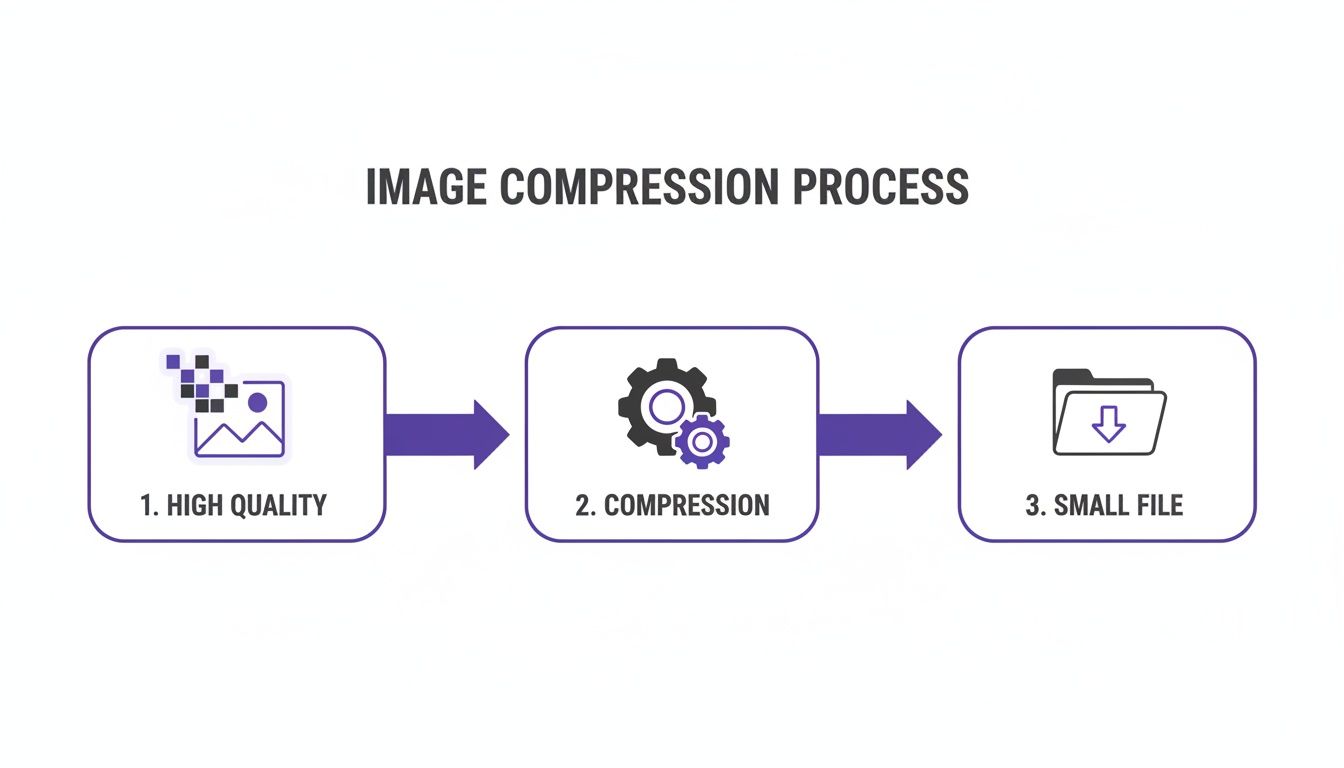
    The process of optimizing an image starts well before it even gets to the loading stage, as this diagram shows.

    A visual diagram illustrating the image compression process from a high-quality image to a small file.

    Starting with a high-quality source, applying smart compression, and achieving a small file size are the prerequisites for fast loading.

    Deliver the Perfect Image With Responsive Design

    Not all visitors use the same device. A shopper on a massive desktop monitor needs a much larger, higher-resolution image than someone browsing on a small smartphone. Sending a huge desktop-sized image to a mobile user is a massive waste of their data and slows their experience to a crawl.

    This is solved using responsive images, specifically with the srcset attribute in your website's code. This attribute provides the browser with a list of different-sized versions of the same image. The browser then intelligently selects the most appropriate size based on the user's screen dimensions and resolution, ensuring no one downloads more data than necessary.

    Proper implementation of responsive images is key to acing Core Web Vitals. It helps keep Cumulative Layout Shift (CLS) below Google's 0.1 threshold by preventing those annoying page jumps as large images load in.

    Key Insight: Responsive images and lazy loading work together. Lazy loading defers when an image loads, while responsive design ensures the correct size of that image is loaded. This two-pronged attack is fundamental to modern web performance.

    Supercharge Delivery With a Content Delivery Network

    Finally, let's talk about physical distance. If your dealership is in Ohio but your website server is in California, a shopper in Florida has to wait for image data to travel a long way. A Content Delivery Network (CDN) solves this problem by creating a global network of servers that store copies of your images.

    When a user visits your site, the CDN automatically serves the images from the server geographically closest to them. This drastically reduces latency and makes your website feel lightning-fast for everyone, no matter where they are. For dealerships with a wide customer base, a CDN is a non-negotiable tool for delivering a consistently fast experience.

    For a comprehensive guide covering various techniques to dramatically boost site speed and SEO rankings, explore these proven strategies to optimize images for the web.

    Boosting SEO with Smart File Names and Alt Text

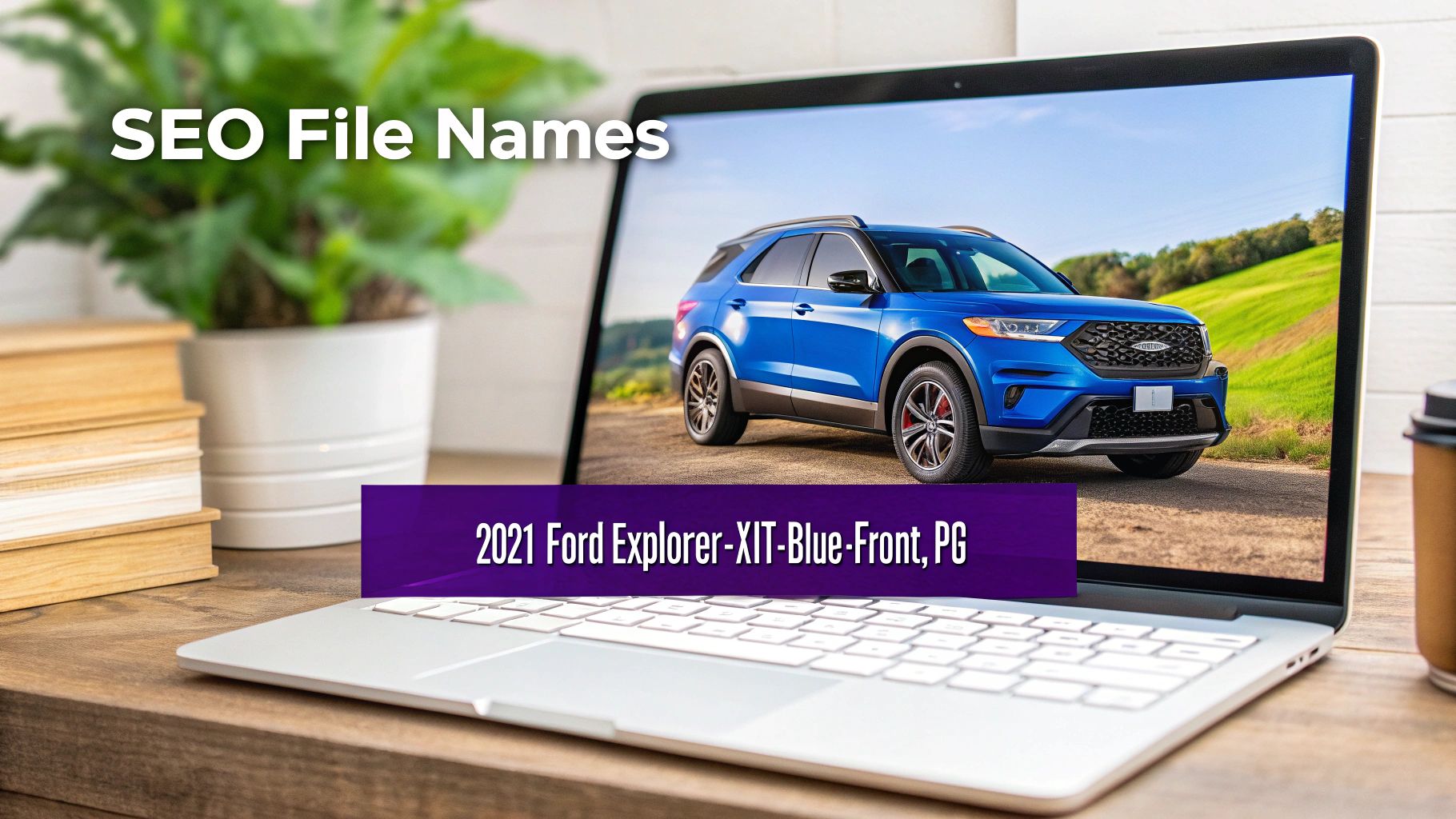
    Laptop screen displaying a blue 2021 Ford Explorer and an example of an SEO file name.

    Getting your images to load lightning-fast is a huge win, but it's only half the battle. The other half is all about telling search engines—and people—exactly what your pictures show. This is where a solid SEO strategy can turn your vehicle photos into powerful magnets for organic traffic.

    Think about it: Google's crawlers can't "see" a stunning photo of a new arrival on your lot. They're just code. They rely on text-based clues like file names and alt text to make sense of the content. Skipping these details is like having a showroom full of cars with no one around to explain what makes them special.

    Crafting SEO-Friendly File Names

    Your image file name is the very first clue you give a search engine. A generic name spit out by a camera, like IMG_8475.jpg, tells Google absolutely nothing. A descriptive file name, on the other hand, is a goldmine of information.

    It’s just a clear, concise label for your product. You wouldn't label a filing cabinet "Stuff," right? You’d call it "2023 Sales Invoices." The same logic applies here. By renaming your image files with relevant keywords, you’re sending a direct signal to search engines about what that image is all about.

    A simple and incredibly effective formula for vehicle images is: Year-Make-Model-Trim-Color-Angle.jpg.

    Let’s see it in action:

    • Instead of: DSC01234.jpg

    • Use: 2022-honda-crv-exl-white-side-profile.jpg

    • Instead of: Photo_May15.jpg

    • Use: 2020-ford-f150-lariat-black-interior-dashboard.jpg

    This small habit transforms your images from anonymous files into searchable assets. It dramatically increases their chances of showing up in Google Images and reinforces the relevance of your Vehicle Detail Pages. This is a fundamental piece of any strong automotive SEO strategy found at https://goautofire.com/blog/seo-for-automotive.

    Writing Powerful and Descriptive Alt Text

    Alt text, sometimes called an alt tag, does double duty. First and foremost, it’s a cornerstone of web accessibility. It provides a text description for screen readers used by visually impaired visitors, ensuring everyone can access your content. Second, it gives search engines another powerful signal to understand the image.

    Good alt text is descriptive without being overly wordy, and it includes relevant keywords in a natural way. You should try to paint a picture with your words, describing what's in the image as if you were explaining it to someone over the phone.

    Key Takeaway: The main goal of alt text is to describe the image for someone who can't see it. When you focus on being helpful and descriptive for people, you naturally create text that is also incredibly valuable for SEO.

    Let’s break down the do's and don'ts for writing great alt text for your inventory.

    Alt Text Best Practices

    • Be Specific: Clearly describe the vehicle. Mention the make, model, year, and a key feature visible in the shot.
    • Keep It Concise: A descriptive phrase or short sentence is perfect. You don't need to write a novel.
    • Use Keywords Naturally: Think about what a shopper would search for, like "used blue SUV for sale," and work it in.
    • Avoid Keyword Stuffing: Don't just cram keywords together. "Ford F-150 truck pickup for sale cheap" is a terrible experience for users and a red flag for search engines.

    Here's how that looks in the real world:

    Type of Alt Text Example Why It Works (or Doesn't)
    Bad (Too Vague) alt="truck photo" This tells a user or a search engine almost nothing useful.
    Bad (Keyword Stuffed) alt="2021 ford explorer used ford explorer suv" It’s unnatural, reads poorly, and looks spammy.
    Good (Descriptive) alt="Front view of a used 2021 blue Ford Explorer XLT for sale" This is perfect. It's descriptive, helpful for screen readers, and uses keywords naturally.
    Great (Detailed) alt="Interior view of a 2020 Jeep Grand Cherokee showing the leather seats and dashboard infotainment screen" This adds fantastic detail that boosts both accessibility and search relevance.

    By mastering your file names and alt text, you’re adding a rich layer of context that search engines love. This attention to detail doesn't just improve your visibility in search results—it creates a more inclusive and accessible website for every single potential customer. To learn more, you can explore the intersection of SEO and accessibility and see how making your site better for users can directly improve your rankings.

    Common Questions About Dealishing Image Optimization

    Diving into the world of web optimization can feel like a lot. You know your inventory needs to look fantastic and load instantly, but the "how" can get a little fuzzy. Let's clear things up by tackling the most common questions I hear from dealers about getting their vehicle photos ready for the web.

    These are the real-world questions that come up time and time again. Here are some straight answers to help you get it right.

    What’s the Single Most Important Thing I Can Do to Optimize My Vehicle Images?

    If you only have time to do one thing, make it this: resize and compress your images before you upload them.

    Seriously. The biggest mistake we see, day in and day out, is someone uploading a massive 5MB photo straight from their phone or a professional camera. That one action can absolutely kill your page speed, frustrating potential buyers until they click away.

    Before you upload anything, run it through a free tool like TinyPNG or Squoosh. Your goal is to get that file size under 200KB. This step alone provides the biggest bang for your buck, dramatically improving your load times, which in turn helps your SEO and keeps shoppers on your site longer.

    Key Takeaway: A quick, two-minute compression routine before uploading is the highest-impact activity you can do. It solves the biggest performance bottleneck before it even becomes a problem.

    Do I Need to Worry About WebP if I Use a Modern Website Platform?

    You don't need to become a WebP expert, but it's good to know what it is and how it helps. The great news is that most modern dealership platforms, including AutoFire, automatically handle this for you.

    Your job is simply to provide a high-quality, well-optimized JPEG as the source file. Think of it as giving the system the best possible ingredient to work with. From there, the platform will generate and serve those smaller, faster WebP versions to browsers that support them, like Chrome and Edge.

    It’s a partnership: you supply a great original, and the platform makes it even more efficient for the web, giving your visitors a faster experience without you lifting a finger.

    How Do I Know if My Images Are Actually Optimized Correctly?

    Don't guess—test. There are fantastic, free tools that give you a definitive answer. The gold standard for checking your work is Google's PageSpeed Insights.

    Once you've pushed your new, optimized images live on your site, here’s what you do:

    • Find one of your updated Vehicle Detail Pages (VDPs).
    • Copy the URL from your browser’s address bar.
    • Head over to the PageSpeed Insights website and paste your URL into the analysis box.

    After the report runs, scroll down to the "Opportunities" section. If you see warnings like "Properly size images," "Serve images in next-gen formats," or "Efficiently encode images," you know there's still work to do. The goal is to make those recommendations disappear. This process gives you direct feedback on whether your efforts are paying off in a way Google sees and values.

    Does Renaming Files Really Help My SEO?

    Absolutely. This is probably one of the most underrated and easiest SEO wins you can get.

    Search engines can't see your photo of a blue Ford Explorer, but they can read a file name like 2021-ford-explorer-xlt-blue-front.jpg.

    This descriptive name gives Google powerful context about the image and, by extension, the entire page. It reinforces your VDP's relevance for anyone searching for that specific vehicle, boosting your chances of showing up in both standard search results and Google Images. It's a small habit that compounds into significant SEO value over time.


    Getting your dealership's images right doesn't have to be a technical nightmare. By focusing on these core ideas, you can build a fast, professional online showroom that turns more shoppers into solid leads.

    For a website platform that handles the heavy lifting for you, check out AutoFire. We automate many of these best practices so you can focus on selling cars. Get your free, professional dealership website today.

  • Mastering Website Design for Car Dealers

    Mastering Website Design for Car Dealers

    Think of your dealership's website as your ultimate salesperson. It works 24/7, never calls in sick, and engages every single visitor who shows up online. It's not just a digital brochure; it's the most powerful sales engine you have, building trust and capturing leads long before a customer sets foot on your lot.

    Your Website Is Your Top Salesperson

    Let's be real: nearly every car buying journey starts with a Google search. That means your website has become your virtual showroom and, in many ways, your primary storefront. It’s no longer a 'nice-to-have'—it’s the core of your sales strategy.

    A laptop displaying a '24/7 Salesperson' interface with a car image in a modern car dealership showroom.

    This shift in how people shop for cars makes a strategic approach to website design for car dealers non-negotiable. Your website is the first handshake. If it's slow, confusing, or looks like it was built a decade ago, you're not just losing a click; you're actively sending that customer straight to your competitor down the street.

    Why That First Digital Impression Is Everything

    Car buyers today have endless choices. If your site is a pain to use or feels untrustworthy, they won't hesitate to leave. A clunky website experience makes them assume the in-person experience will be just as bad.

    On the flip side, a clean, modern, and fast website immediately communicates professionalism. It shows you care about the customer's experience, building confidence from the very first click.

    Your website is often the first—and sometimes only—interaction a potential buyer has with your dealership. A professional design isn't just about looking sharp; it’s about building instant credibility and making visitors feel like they’re in the right place.

    Think of your website as the central hub for all your marketing. Every social media post, Google ad, and local search listing points back to it. Without a solid, high-performing website, all that money and effort you're spending elsewhere goes to waste.

    What to Expect in This Guide

    This guide is your roadmap. We’re going to walk through how to build a dealership website that does more than just display inventory—it drives real sales. We'll get into the nitty-gritty of what actually works.

    You’ll get practical, actionable advice on:

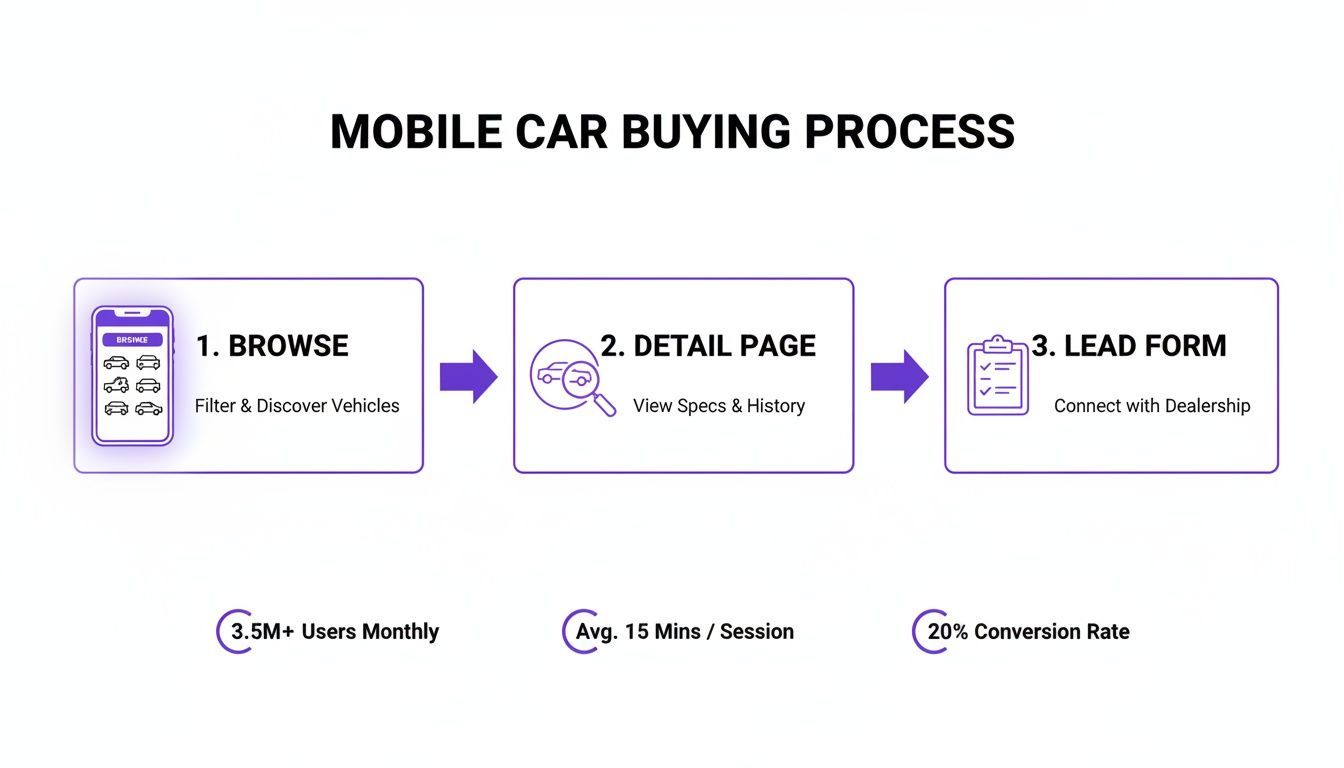
    • Building a killer user experience that guides customers effortlessly from browsing to buying.
    • Creating a mobile-first inventory so you connect with the majority of shoppers who are on their phones.
    • Capturing more (and better) leads with smart forms and tools that offer real value.
    • Dominating local SEO and getting your cars seen in Google Vehicle Listings.

    By the end, you'll know exactly how to transform your website from a sunk cost into your dealership's most valuable asset.

    Mapping Out a Customer Journey That Converts

    A great dealership website doesn't feel like a sales pitch; it feels like a helpful guide. It effortlessly moves visitors from casual browsing to serious inquiry, creating a path so intuitive they barely notice they're on a journey. The architecture of your site—its very blueprint—is what makes this seamless flow possible, turning a click into a real, qualified lead.

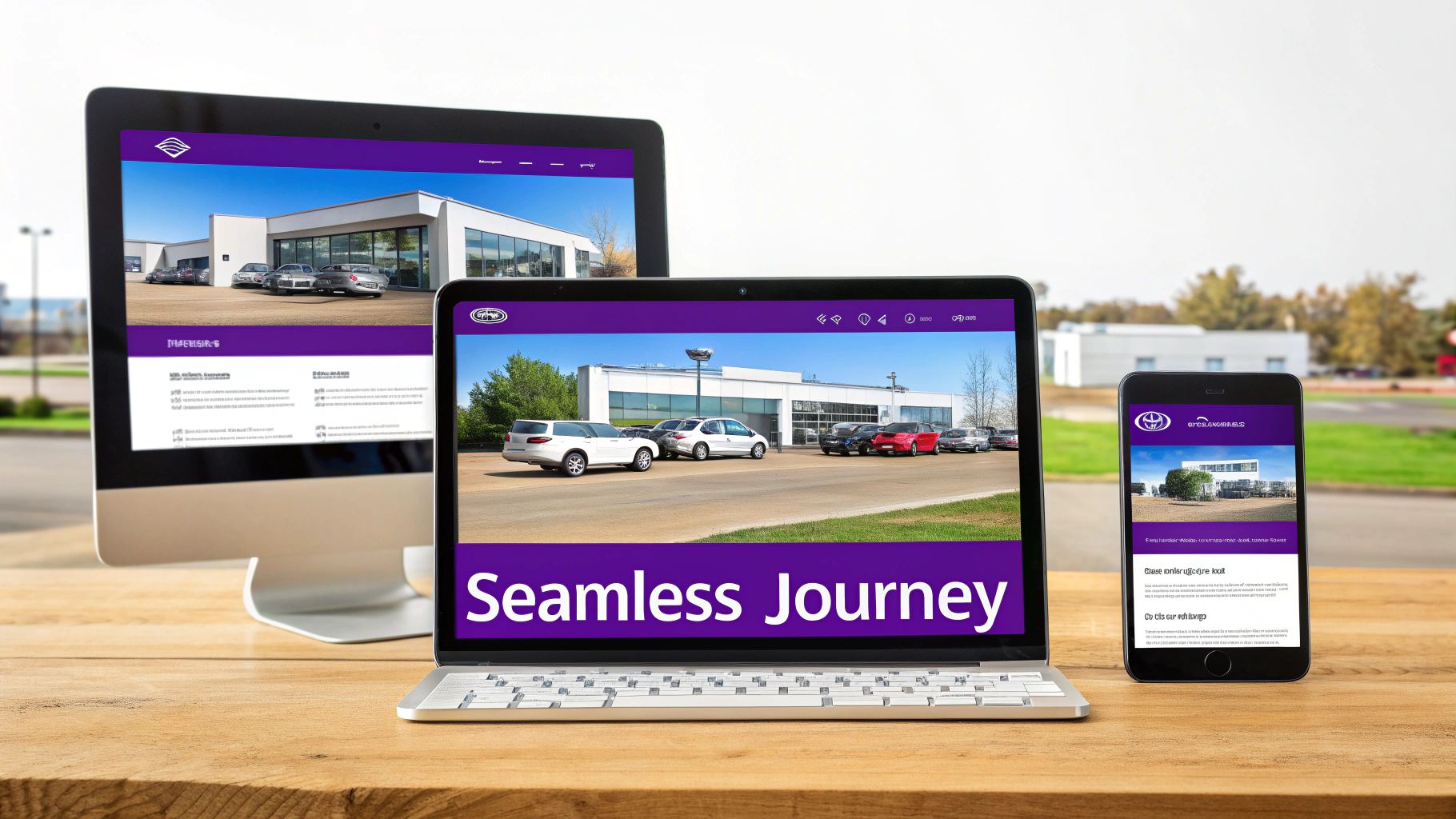
    Responsive website design displayed on a desktop monitor, laptop, and smartphone, illustrating a seamless digital journey for a car dealership.

    This all starts with clean, logical navigation. Put yourself in your customer's shoes. What are the first things they're looking for? Your main menu needs to be dead simple: "New Vehicles," "Pre-Owned," "Value Your Trade," and "Finance." Burying these essential pages under confusing labels or clunky dropdowns is just adding friction that sends potential buyers straight to your competitor.

    Building Pages That Earn Trust and Drive Action

    Every single page on your site has a job to do. From the gallery of cars to your dealership's story, each one is a crucial step in building the confidence a customer needs to reach out.

    Think of your Vehicle Detail Pages (VDPs) as the digital showroom. This is where a customer mentally kicks the tires. You have to nail the balance between stunning visuals and easy-to-digest information. If your photos are blurry or key specs are missing, you’re planting a seed of doubt.

    To create VDPs that actually sell, you absolutely must include:

    • A gallery of high-resolution photos from every conceivable angle—interior, exterior, and even close-ups of special features.
    • Clear, upfront pricing. No one likes surprises. Be transparent and build trust from the get-go.
    • Key vehicle specs like mileage, engine, transmission, and the VIN, all presented in a clean, scannable format.
    • A big, obvious call-to-action (CTA). Make it impossible to miss buttons like "Schedule Test Drive" or "Check Availability."

    Beyond your inventory, other pages are there to put a human face on your business. An authentic "About Us" page is your chance to connect. Are you a third-generation family business that's been part of the community for years? Share that story! Photos of your actual team help customers see the real people they'll be working with, and that connection is incredibly powerful.

    Likewise, your "Contact Us" page needs to be frictionless. Give visitors every possible way to get in touch: a phone number, an email, a physical address with a map, and a simple contact form. The mission is to remove every single barrier to communication.

    The Blueprint for a Winning Dealership Site

    When you structure your website correctly from day one, every visitor can find what they need, fast. A well-organized site isn't just great for your customers; it’s also critical for helping search engines understand and rank your pages. To really dial things in, you can use advanced techniques like multivariate testing to experiment with different page elements and see what combination drives the most conversions.

    A car shopper's trust is earned in moments. Clear pricing, detailed vehicle histories, and an easy-to-navigate website aren't just features—they are direct signals that you operate with integrity and respect for the customer's time.

    To help you map out your site's structure, I've broken down the essential pages every dealership needs. Think of this as your starting blueprint.

    Core Pages for a Winning Dealership Website

    Here's a look at the must-have pages, their main purpose, and the key elements you can't afford to miss.

    Page Type Primary Goal Key Elements to Include
    Homepage Make a strong first impression and guide users to key areas. Featured inventory, clear navigation, search bar, trust signals (reviews).
    Inventory Pages (VRPs) Allow users to easily search, filter, and browse vehicles. High-quality thumbnails, intuitive filters (make, model, price), sorting options.
    Vehicle Detail Pages (VDPs) Convert browsers into leads by providing complete information. Detailed specs, photo/video gallery, pricing, clear CTAs, payment calculator.
    About Us Build a personal connection and establish your brand's story. Dealership history, team photos and bios, mission statement.
    Contact Us Make it simple for customers to get in touch. Phone number, email, address with map, contact form, business hours.
    Financing Page Capture finance leads and explain options clearly. Secure credit application, finance calculator, explanation of the process.

    Getting these core pages right gives you a solid foundation to build on. Each one plays a distinct role in guiding a visitor from a casual looker to a customer driving off your lot.

    Optimizing for Mobile Inventory and Lead Capture

    Let's be real: the car buying journey doesn't start on your lot anymore. It starts on a smartphone. Your customers are scrolling through inventory on their lunch break, comparing prices from their couch, and maybe even checking your stock while standing in a competitor's showroom. This isn't a trend; it's the reality, and it makes a mobile-first approach to your dealership's website an absolute non-negotiable.

    A hand holds a smartphone displaying a car service app in a car park, with 'MOBILE READY' text.

    It’s not good enough for your site to just "work" on a phone. The entire experience has to be designed for that smaller screen, putting speed and simplicity first. Every clunky menu, hard-to-read form field, or slow-loading image creates friction. And friction is the number one killer of online leads.

    Designing for Thumbs, Not Cursors

    Thinking "mobile-first" is about designing for how people actually use their phones. This is a whole lot more than just shrinking your desktop site down. It’s a fundamental shift in how you present your inventory and prompt people to take action.

    Your mobile site has to feel intuitive to someone holding a phone. That means big, "thumb-friendly" buttons that are easy to tap without hitting the wrong thing. It also means inventory filters that are simple to use—no more trying to make a precise, tiny click to pick a make or price range. The goal is to make browsing your inventory feel as effortless as scrolling through Instagram.

    A few must-haves for a thumb-friendly design:

    • Sticky Headers: Your main menu and search bar should stay put at the top as users scroll. Don't make them hunt for it.
    • Tap-to-Call Buttons: Your phone number needs to be a clickable link that opens the phone's dialer instantly. Nobody wants to copy and paste a phone number.
    • Simple Forms: Keep your lead forms short. All you really need to start a conversation is a name, email, and phone number. Use large fields that are easy to type into.

    Turning Mobile Browsers into Actionable Leads

    A great mobile experience does more than just look good; it actively works to capture leads by giving the shopper something of value right away. This is where the right tools can completely change the game, turning a passive browser into a hot prospect.

    Think about what a mobile car shopper wants: quick answers and easy next steps. An instant trade-in estimator is a perfect example. A visitor punches in their vehicle info, gets a value estimate on the spot, and you get their contact details plus intel on their current car. It’s a win-win.

    Another incredibly useful tool is a built-in VIN decoder. For you, a platform like AutoFire™ can use this to automatically pull in a vehicle's specs when you're listing it, which is a huge time-saver. For the customer, it adds a layer of transparency and detail that builds immediate trust. These aren't just website features; they are lead-generation machines that work for you 24/7.

    The golden rule of mobile lead capture is to cut out friction wherever you can. Every tap you save a user, every field you pre-fill, and every question you answer instantly brings them one step closer to giving you their information.

    Honestly, mobile optimization isn't just a good idea—it's the foundation of a modern dealership website. With the vast majority of car shoppers starting their search online, any dealer who ignores the mobile experience is going to see their bounce rates go through the roof. On the flip side, those who build for mobile with clean inventory displays and instant lead tools keep people on their site and turn that interest into real opportunities. Google’s switch to mobile-first indexing cemented this years ago. Today, with most automotive searches happening on phones, a site not built for mobile is practically invisible to most of your potential buyers.

    A Seamless Path to the Test Drive

    At the end of the day, every part of your mobile site should guide the user toward the next logical step, whether that's scheduling a test drive or filling out a finance application.

    This means your calls-to-action (CTAs) have to be impossible to miss. Use bright, contrasting colors for buttons like "Schedule Test Drive" and put them right where people will see them on every vehicle detail page. When a user taps that button, the form that pops up needs to be dead simple and load in a flash.

    The easier you make it for someone to show interest from their phone, the more leads you will generate. It's that direct. For a deeper dive into making your site work for smartphone users, you might be interested in our guide on mobile optimization for car dealerships.

    Driving Growth with Automotive SEO

    Let's be honest: a beautiful website that nobody can find is just a very expensive business card. If local car buyers can't see your dealership when they search for a vehicle you have on the lot, your digital showroom might as well be invisible.

    This is where search engine optimization (SEO) comes into play. It's not some mystical dark art; it's the very practical process of making your dealership the most obvious, relevant answer when a customer types a query into Google. For car dealers, this means leaning into specialized automotive SEO strategies that align with how people actually shop for cars today—online, on their phones, and in their local area.

    Get Your Inventory on Google for Free with Vehicle Listings

    One of the single biggest opportunities for independent dealers right now is Google Vehicle Listings (GVL). These are the free, shoppable vehicle profiles that pop up right at the top of the search results. They’re complete with photos, pricing, and a direct link back to your website. Think of it as prime digital real estate, and Google is giving it away.

    Of course, there’s a catch. Getting your inventory to show up in GVL isn't automatic. It requires a bit of technical wizardry behind the scenes called "schema markup." This is essentially a special language that translates your vehicle data into a format Google can instantly understand.

    A modern dealership website platform should handle all this heavy lifting for you. When you add a new car to your system, it should automatically:

    • Build a unique, SEO-friendly Vehicle Detail Page (VDP).
    • Tag that page with all the right schema markup—make, model, VIN, price, mileage, and so on.
    • Feed this data directly to Google so it can be indexed and featured in Vehicle Listings.

    This kind of automation is a total game-changer. It ensures your inventory is constantly being pushed to Google without you ever having to look at a single line of code.

    On-Page SEO: Making Every Vehicle Page a Magnet for Buyers

    Beyond the technical setup for GVL, each one of your VDPs needs to be optimized to rank on its own. This is what we call on-page SEO, and it’s all about tweaking the content on the page itself to signal its importance to search engines.

    It all starts with your page titles. A generic title like "Ford F-150" is a wasted opportunity. You need to be more specific and include keywords that real buyers are using.

    For example:
    A much better title would be: "Used 2021 Ford F-150 Lariat for Sale in Phoenix | [Your Dealership Name]"

    See the difference? That title immediately tells both Google and a potential customer what the truck is, its condition, and exactly where they can find it.

    Next, you have to write unique descriptions for each vehicle. Please, don't just copy and paste the manufacturer's specs. Tell a story. Is it a one-owner truck? Does it have a clean CarFax? Mention the brand-new tires you just put on or the killer premium sound system. This unique text is what helps your VDPs stand out from the dozen other dealers selling the exact same model.

    Finally, let's talk about photos. Great photos sell cars, but they also help with SEO. Every image file should have descriptive alt text. Instead of IMG_1234.jpg, name it 2021-ford-f150-lariat-interior-leather-seats.jpg. This helps search engines "see" your photos and can get your vehicles showing up in image searches.

    For a complete playbook on this, check out our in-depth guide to mastering SEO for automotive dealerships.

    Your Google Business Profile Is Your Digital Front Door

    For a local business like yours, your Google Business Profile (GBP) is easily one of your most powerful marketing tools. This is the info box that shows up in Google Maps and on the right side of the search results when someone looks for your dealership.

    An optimized GBP is non-negotiable for attracting local shoppers. Make sure it’s 100% complete and accurate:

    • Your correct business name, address, and phone number (NAP).
    • Up-to-date business hours.
    • High-quality, recent photos of your lot, your team, and your showroom.
    • A constant flow of positive customer reviews.

    Actively encourage your happy customers to leave you a review. Just as importantly, make sure you respond to all of them—both the good and the bad. This engagement shows Google you’re an active, customer-first business, which can give you a serious leg up in local search rankings.


    At the end of the day, speed and SEO are the unsung heroes of a high-performing dealership website. In an industry where organic conversion rates can vary widely, every little edge counts. A slow website is a conversion killer—many visitors will leave if a page takes more than a few seconds to load. By optimizing your site for Google, Bing, and especially Vehicle Listings, you ensure your inventory gets seen where the majority of shoppers begin their journey: online.

    Choosing the Right Dealership Website Platform

    The technology powering your website is just as crucial as the quality of the cars on your lot. This foundation dictates your site's speed, how easily you can manage inventory, and its power to pull in qualified leads. When it comes to picking a platform, you’re really looking at three main paths, and each comes with its own trade-offs in cost, flexibility, and the day-to-day effort required from you.

    Getting this choice right directly impacts your bottom line. In this business, a sharp website is what turns a casual browser into a serious buyer. Industry data shows that top-performing dealerships hit sales conversion rates between 7-10%, while the average hovers around 5.72%. A clunky, confusing site built on the wrong foundation will sink those numbers fast, leaving you with nothing but a high bounce rate. You can see a great breakdown of how dealership conversion rates are measured over at Spyne.ai.

    The Three Main Platform Options

    For a busy independent dealer, this decision always comes down to balancing control with convenience. Each type of platform offers a different blend of the two, so let's get clear on what you're actually choosing between.

    Here are the core choices you’ll face:

    1. Custom-Built Websites: Think of this as the bespoke, tailor-made suit of the website world. You hire an agency to build a site from scratch, designed precisely to your every specification.
    2. Generic Content Management Systems (CMS): This is the DIY route. You grab a general platform like WordPress and try to piece together a dealership site using off-the-shelf themes and a mishmash of plugins for inventory, forms, and everything else.
    3. Specialized Automotive Platforms: These are systems built from the ground up specifically for car dealers. All the mission-critical tools—inventory management, VDPs, lead forms—are already baked right in.

    Each approach has its merits, but for an independent dealer who needs to focus on selling cars, not fighting with code, the long-term differences are huge.

    Comparing Your Choices Head-to-Head

    A custom build gives you ultimate flexibility, but that freedom comes with a hefty price tag, both upfront and for any ongoing tweaks or maintenance. A generic CMS like WordPress looks cheap to start, but the hidden costs of premium plugins, security management, and developer fees for getting your inventory feed to work properly can spiral out of control. It quickly becomes a technical headache you just don't have time for.

    For most independent dealers I work with, a specialized platform hits that perfect sweet spot. It takes the technical guesswork completely off your plate.

    Here’s a quick side-by-side look at what you can expect:

    Feature Custom Build Generic CMS (WordPress) Specialized Automotive Platform
    Upfront Cost Very High Low Low to Moderate
    Inventory Management Needs custom development Requires multiple, often clunky plugins Built-in and automated
    Automotive SEO Must be built from scratch Needs specialized plugins and manual setup Automated (VDPs, Schema, GVL)
    Speed & Security Your responsibility Your responsibility (updates, plugins) Managed for you
    Maintenance Effort High High Very Low

    The best platform for your dealership is the one you don't have to think about. It should just work, silently pushing your new inventory online and capturing leads so you can focus on running your business.

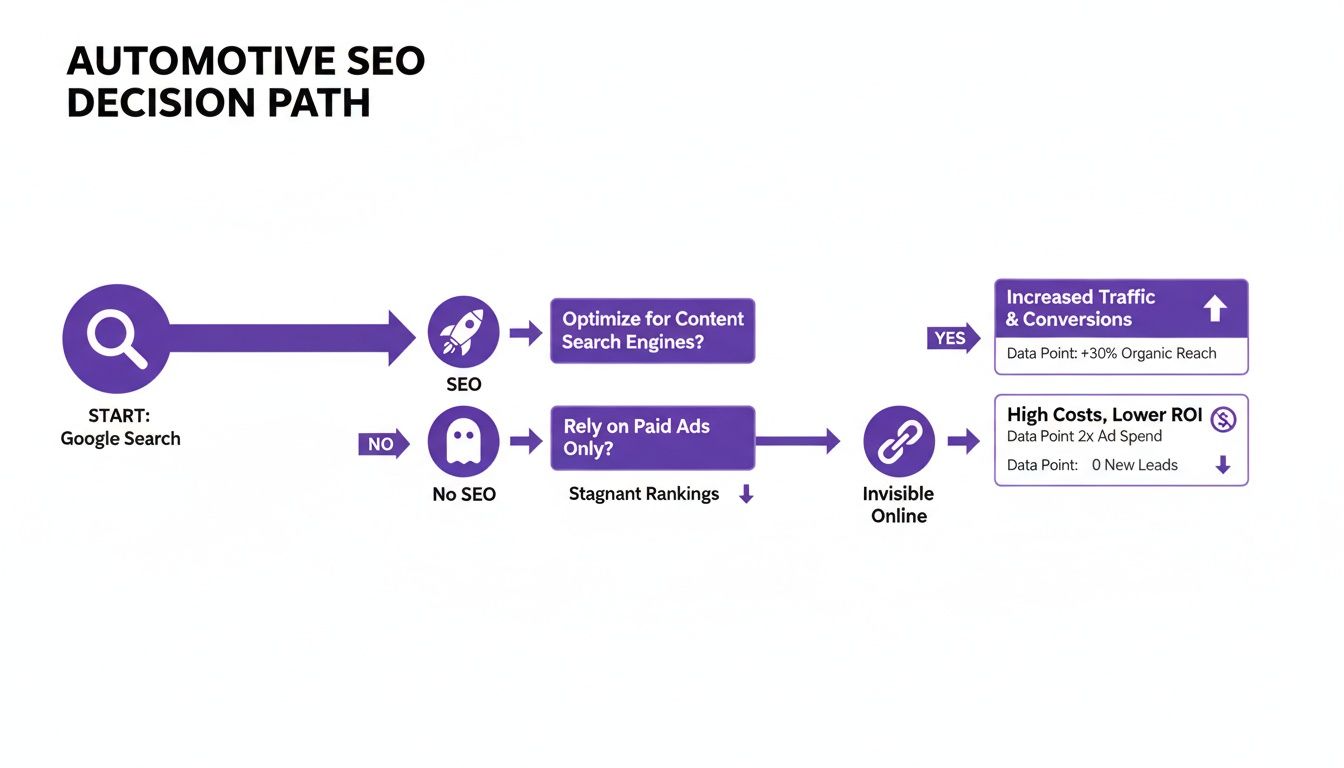
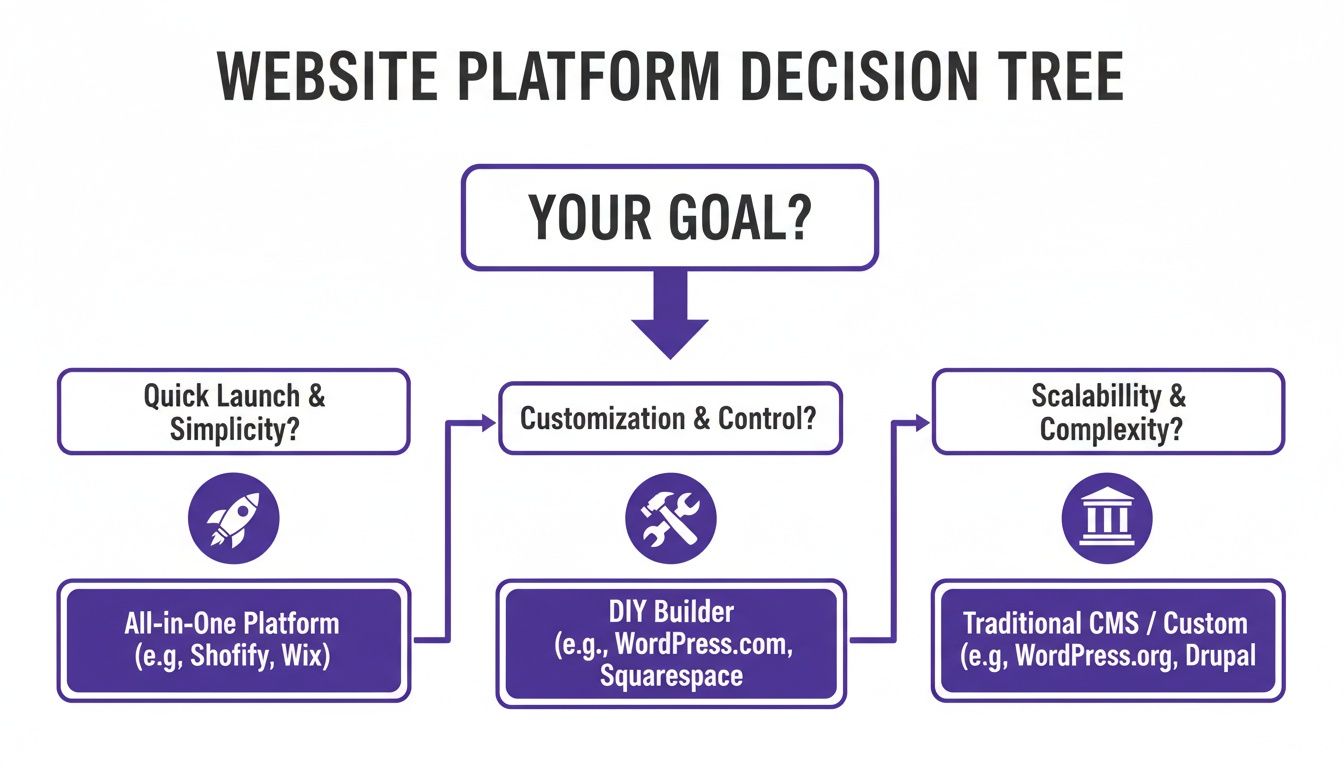
    This decision path shows exactly what’s at stake when you decide whether to invest in SEO—a key feature that specialized platforms automate—or to ignore it.

    Flowchart detailing the automotive SEO decision path, highlighting benefits of SEO and drawbacks of no SEO.

    As you can see, putting resources into a solid SEO strategy leads to growth. Neglecting it means becoming invisible online and losing sales to the dealership down the street.

    Why a Purpose-Built Solution Wins for Most Dealers

    A custom site is powerful, no doubt, but it’s often overkill and a budget-killer for a growing independent lot. The WordPress route, on the other hand, can easily turn into a tangled mess of broken plugins and constant updates. This is exactly why a purpose-built solution is the most direct path to getting real results.

    A modern platform designed for car dealers does the heavy lifting for you. Add a car to your inventory system, and it should instantly spin up a fast, mobile-friendly, and SEO-optimized vehicle detail page. It should also automatically handle all the technical schema markup needed to get your cars showing up in Google Vehicle Listings—a feature that would require expensive custom work on any other type of platform.

    To see how these specialized tools come together, check out our guide on choosing a dealership website builder.

    In the end, this isn't just a technology decision; it's an efficiency decision. The right platform acts as a silent partner, helping you compete with the big franchise stores without needing your own IT department. It gives you a professional, trustworthy online storefront that drives sales from day one.

    Answering Your Top Dealership Website Questions

    When dealers start thinking about building a website, the same questions always come up. Let's cut through the noise and get you some straight answers based on what actually works in the real world.

    How Much Should a Car Dealership Website Cost?

    This is the big one, and the honest answer is, "it depends." The price range is huge.

    A fully custom website, built from scratch by a marketing agency, can easily set you back tens of thousands of dollars upfront. That's before you even get to the hefty monthly bills for maintenance, security, and any updates you need. You get total control, but you pay a serious premium for it.

    Then you have the other end of the spectrum: generic website builders that look cheap at first glance. The problem is, the costs start to pile up fast. You'll find yourself paying for expensive add-ons and plugins just to get basic dealership features, like a working inventory feed or decent lead forms. You might even have to hire a developer to make all the pieces talk to each other, completely defeating the "DIY" purpose.

    This is where a specialized automotive platform finds the sweet spot. You get a predictable, all-in-one monthly fee that typically covers hosting, security, and all the critical software updates. For most independent dealers, it’s a much smarter, more cost-effective way to get a powerful website without the massive overhead and technical headaches.

    How Can I Get My Inventory Online Automatically?

    This is where the magic happens. You save countless hours by integrating your inventory management system directly with your website platform. The best ones make this process completely automatic.

    Think about it: you add a new car to your system, and boom—a brand-new, SEO-ready Vehicle Detail Page (VDP) instantly appears on your site. It’s automatically filled with all the specs, your photos, the price, and the lead capture forms. This kind of automation isn't just a time-saver; it ensures your online showroom is always 100% accurate and up-to-date.

    What Are the Most Important Website Features for a Dealer?

    It's easy to get distracted by flashy widgets and fancy animations. But a handful of core features are what actually turn website visitors into qualified leads. Focus on these fundamentals first.

    Here are the absolute must-haves:

    • A fast, mobile-first design. Most of your customers are on their phones. Your site needs to look and work perfectly there.
    • Automated inventory listings. High-quality photos are non-negotiable, and your filters for make, model, and price need to be dead simple to use.
    • Clear, simple lead forms. Make it obvious what you want them to do next with calls-to-action like "Schedule Test Drive" and "Value Your Trade."
    • Built-in automotive SEO. You need to show up in local searches and, most importantly, in Google Vehicle Listings.
    • Tools that provide instant value. Things like a payment calculator or a reliable VIN decoder give shoppers a reason to stick around and engage.

    These features work together as a system to attract local buyers and make it incredibly easy for them to take the next step.

    Your website isn't just a digital brochure; it's an interactive tool. The most important features are those that answer a customer's immediate questions and remove friction from the buying process, building trust with every click.

    Should I Use My Own Domain Name for My Website?

    Absolutely. 100% yes. This is non-negotiable.

    While some platforms might offer you a generic subdomain to start, you need your own custom domain (like YourDealershipName.com) to build a real brand. It's the foundation of your entire online identity.

    A custom domain tells customers you're a legitimate, established business. It inspires confidence. It also plays a huge role in your SEO, helping you build authority with search engines over the long haul. A good platform will make connecting your domain a simple, straightforward process, so you can lock in your brand online without any technical drama.


    Ready to launch a professional, high-performance website without the usual headaches? With AutoFire, you can get a modern, SEO-optimized site online in minutes. Our platform is built specifically for independent dealers, automating your inventory listings and capturing leads so you can focus on what you do best: selling cars.

    Start your free trial today and see how easy it is to grow your dealership online.

  • Proven Strategies to Generate More Car Sales Leads

    Proven Strategies to Generate More Car Sales Leads

    Let's be honest, car sales leads are just people—potential customers who've raised their hand, showing they’re interested in a car on your lot. The real game isn't just about getting a flood of names and numbers. It's about building a smart, automated system that attracts genuinely qualified buyers and makes it ridiculously easy for them to connect with you. Think of your website as your dealership's 24/7 sales engine.

    Turn Your Website Into a High-Converting Digital Showroom

    Your website is your single most important salesperson. It works tirelessly, day and night, to grab a buyer's attention and turn that initial click into a solid lead. In an era where almost every car buying journey starts on Google, your site can't just be a static digital brochure. It has to be a well-oiled machine, engineered from the ground up to attract, engage, and convert.

    This is what that machine looks like in its simplest form.

    Flowchart illustrating three steps to build a digital showroom: responsive design, inventory sync, and lead forms.

    It all boils down to three things: a flawless mobile experience, live inventory updates, and smart lead forms that capture interest at the right moment.

    It All Starts with a Mobile-First Foundation

    Most of your customers are scrolling through your inventory on their phones, often while standing in line for coffee or sitting on their couch. A clunky, slow-loading mobile site is the fastest way to lose them forever. Chasing high PageSpeed scores isn't just for the tech nerds; it's a business decision that directly impacts your bottom line. An impatient buyer won't wait for your site to load—they'll just leave.

    If you want to dive deeper into what makes a great site, we've covered it all in our guide on modern dealership website design.

    The market is heating up. S&P Global is forecasting 91.7 million light-vehicle sales for 2025, which will blow past pre-pandemic numbers. With the majority of auto buyers starting their hunt online, you have to be ready. A site that’s built for performance can significantly boost your inquiries, helping you grab your piece of that growing pie.

    The biggest wins come from making it incredibly simple for a buyer to express interest the moment they find a car they love. Your website should remove friction, not create it.

    Automate Your Inventory and Never Miss an Opportunity

    Stop wasting time manually updating your online inventory. It's a recipe for mistakes and missed sales. Setting up automatic inventory syncing is a game-changer. It ensures that the moment you add a car to your management system, it’s live on your website—accurate and ready to sell. This saves you countless hours and prevents that dreaded "Sorry, that one just sold" conversation.

    Finally, place simple, clear lead capture forms on every single vehicle detail page (VDP). Don't force a potential buyer to go searching for a "Contact Us" page. Put buttons like "Check Availability" or "Schedule Test Drive" right there, next to the photos of the car they're looking at. For those looking to get even more proactive, exploring some chatbot lead generation tactics can be a great way to engage visitors and turn casual browsers into qualified prospects.

    To pull this all together, here's a quick checklist of the must-have features your website needs to become a lead-generating powerhouse.

    Key Website Features for Generating Leads

    Feature Why It Drives Leads AutoFire Solution
    Responsive, Mobile-First Design Ensures a perfect browsing experience on any device, especially smartphones where most car shoppers start their search. All AutoFire websites are built with a mobile-first philosophy, ensuring fast load times and a seamless user experience.
    Automatic Inventory Sync Keeps your online listings 100% accurate without manual work, building trust and preventing customer frustration. Our platform syncs directly with your DMS, pushing real-time inventory updates to your site, Google, and Facebook.
    High-Quality VDPs Detailed Vehicle Detail Pages with large photos, videos, and key specs keep buyers engaged and on your site longer. We create compelling VDPs with unlimited photos, video integration, and clear feature lists to showcase every vehicle.
    Strategic Lead Forms & CTAs Simple forms placed on every VDP make it easy for shoppers to take the next step the moment they're interested. Customizable lead forms ("Check Availability," "Get ePrice") are placed strategically to maximize conversion opportunities.
    Online Credit Application Lets serious buyers start the financing process immediately, qualifying them and moving them down the funnel. Our secure, built-in credit applications help you capture high-intent leads and streamline the F&I process.
    Trade-In Valuation Tool Engages potential sellers and provides a valuable lead by capturing details about their current vehicle. Integrated trade-in forms powered by trusted valuation sources give you a steady stream of local inventory leads.

    Making sure these components are in place and working together is the first, most crucial step in building a predictable pipeline of car sales leads from your own website.

    Own Your Backyard: How to Dominate Local Search and Attract Buyers

    If you want a steady flow of high-quality car sales leads, you absolutely have to be visible the moment a local shopper starts looking for a car you have on your lot. This isn't about blanketing the internet with ads; it’s about being in the right place at the right time. That place is local search.

    A hand holds a smartphone displaying a car sales app and a map, with a 'LOCAL VISIBILITY' sign nearby.

    When someone down the street pulls out their phone and searches "used Ford F-150 near me," you need your dealership to pop up first. This kind of traffic is pure gold. These aren't just tire-kickers; they have intent and are often ready to make a move. The entire game hinges on mastering your presence on Google.

    Your Google Business Profile: The New Front Door

    Forget your physical storefront for a second. Your Google Business Profile (GBP) is the real front door to your dealership today. It’s the first impression you make on nearly every local customer, so it needs to be sharp. Just claiming it is the bare minimum. You need to treat it like an active, information-rich hub for your business.

    First things first, get the basics right. Your address, phone number, and hours must be 100% accurate. Nothing kills a lead faster than sending them to the wrong address. Next, load it up with high-quality photos. Go beyond a simple picture of the building—show off your best inventory, your friendly sales team, and even your clean service area. These visuals give people a feel for your dealership and start building trust before they even visit.

    Think of it this way: A complete and active Google Business Profile is the single most powerful free marketing tool you have for generating local leads. It’s what gets you on the map—literally—and connects you with shoppers who are ready to buy now.

    Finally, you need a game plan for customer reviews. They are a massive factor in how Google ranks you and are the ultimate social proof. Make it easy for happy customers to leave you a review, and be sure to respond to all of them, good and bad. It shows Google (and future buyers) that you’re engaged and stand behind your business. For a deep dive, our complete guide to local SEO for car dealerships has more advanced tactics you can put to work.

    Put Your Actual Cars Directly on Google

    A well-oiled GBP is crucial, but the real magic happens with Google Vehicle Listings. This is where you can push your live inventory feed directly into Google's search results.

    Imagine a potential buyer searching for a specific car. Instead of just seeing your dealership's name, Google shows them the exact 2019 Toyota Camry on your lot—complete with photos, your listed price, and the mileage. This is a game-changer.

    • Unbeatable Visibility: It puts your specific cars in front of motivated buyers, leapfrogging competitors who are still relying on just their website.
    • Highly Qualified Clicks: The people clicking these listings aren't just browsing; they are interested in that specific car. The lead quality is off the charts.
    • Instant Credibility: Having your inventory listed officially on Google lends a huge amount of trust to your dealership.

    The key is making sure your inventory management system or website provider can generate and send a compatible feed to Google. When you get this set up, you start turning casual searchers into motivated shoppers looking at your VDPs, which is how you generate some of the best car sales leads possible.

    Expand Your Reach with Smart Acquisition Channels

    While a solid SEO foundation is your long game, you can’t just wait for customers to find you. You need a mix of marketing channels working together to bring in a steady flow of car sales leads right now. Putting all your eggs in one basket is a recipe for disaster. A smart, multi-channel system means you're always connecting with potential buyers, no matter where they're looking.

    The trick is to go where the buyers already are. For used cars, that’s social media and the big online marketplaces. These are goldmines for independent dealers because you can run highly targeted, budget-friendly campaigns that put your best metal in front of local shoppers who are ready to buy.

    Dominate Social Media Advertising

    For dealers, Facebook and Instagram are still absolute powerhouses. The real magic isn't just posting pictures of your cars; it's the incredibly detailed targeting. Imagine showcasing that F-150 you just got in directly to people in your zip code who have been browsing truck forums or visiting competitor sites. That's the level of precision we're talking about.

    This goes way beyond just "boosting" a post. A real social ad strategy that moves cars involves:

    • Dynamic Inventory Ads: These are brilliant. They automatically show cars from your live inventory feed to people who have already visited your website. It’s like a personalized, digital follow-up.
    • Lead Generation Forms: Use Meta’s built-in lead forms. A potential buyer can show interest and send you their info without ever leaving Facebook or Instagram. This simple step can dramatically increase how many leads you get.
    • Video Walkarounds: Forget slick, overly-produced ads. A quick, authentic video walkaround of a hot car on your lot grabs attention and builds trust way faster than a static photo ever could.

    These platforms are visual. They’re perfect for showing off what you do best—selling great cars. If you feel like your marketing could use a shot in the arm, check out our guide on modern car dealership marketing strategies for more proven ideas.

    Tap Into High-Intent Marketplaces

    Let's not forget the old standbys. Platforms like Facebook Marketplace and Craigslist are still the first stop for a huge chunk of used car shoppers. Listing your inventory here puts you directly in the path of people who are actively hunting for their next vehicle.

    The name of the game on these sites is standing out and being lightning-fast. Your listings need high-quality photos (from every angle!) and detailed, honest descriptions. When an inquiry hits your inbox, you need to be on it immediately. Seriously. The first dealer to respond often gets the appointment. It’s a hands-on approach, but it builds momentum and shows customers you're serious. To make sure your team is chasing the right opportunities, it's worth brushing up on these 10 essential sales prospecting best practices.

    Looking at the bigger picture, the demand is definitely there. From January to November 2025, global new vehicle sales hit 14.8 million units—a 2.4% jump from the previous year. What's really interesting is the 5.1% surge in light trucks like SUVs and pickups. This trend is a massive opportunity for dealers who stock the right inventory and have a smart plan to reach these buyers. You can find more insights about the 2025 global car market trends at accio.com.

    Convert More Visitors with Engaging Onsite Tools

    Getting a shopper to your website is a huge win, but let’s be honest, it’s only half the battle. Now, you’ve got to convince them to actually talk to you. The trick is to turn your website from a passive digital brochure into an active tool that makes it incredibly easy for visitors to raise their hand and become a real car sales lead.

    Laptop displaying car sales website to boost conversions on a wooden desk with coffee.

    This all comes down to the user experience (UX). You need to remove friction and add genuine value. When a shopper feels like your website is actually helping them make a smart decision, they're far more likely to hand over their contact info.

    Make Lead Forms Effortless

    The single biggest mistake I see dealerships make is creating long, complicated lead forms. Think about it: modern car buyers spend a significant amount of time researching online. They don't have the patience for clunky forms that feel like an interrogation.

    Keep your forms short, simple, and place them where they feel natural. A simple "Check Availability" button on a vehicle detail page is a perfect, low-commitment entry point. It feels less like a hard sell and more like a helpful next step. You want to make it an easy, almost thoughtless, choice for a visitor to show they're interested.

    By removing friction and adding value, you make it an easy choice for a visitor to become a lead. Don't make them hunt for a way to contact you; put the opportunity right in front of them.

    Add Value with Smart Conversion Tools

    Beyond just a basic contact form, you can dramatically boost engagement by giving shoppers tools they actually want to use. These tools turn your site into a valuable resource, which keeps them from clicking away to a competitor’s site to finish their research.

    A few high-impact tools I've seen work wonders include:

    • A VIN Decoder: This is a fantastic way to offer instant value. If a customer is thinking about a trade-in, letting them enter their VIN to get detailed vehicle info builds trust and captures a lead from someone with high intent.
    • A Vehicle Comparison Tool: Shoppers are always comparing models. A tool like AutoFire's FireCompare lets them see specs for two or three cars side-by-side without ever leaving your website. This keeps them on your page and moves them closer to a decision.
    • High-Quality Photo Galleries: This isn't just a feature; it's a necessity. Today, the vast majority of vehicle buyers use digital sources for information. Your photos are your digital showroom. Invest in high-resolution, multi-angle shots that give people a true sense of the car's condition.

    At the end of the day, every single element on your site should work toward one goal: building enough trust and providing enough value that a visitor wants to connect. Transparent pricing, clear calls-to-action like "Schedule Test Drive," and helpful tools are what transform casual browsers into the high-quality car sales leads that actually grow your business.

    A Follow-Up System That Actually Closes Deals

    Getting a lead is just the starting gun. The real race is won in the follow-up. A name and a number in your CRM are pretty much worthless until you engage that person with a smart, persistent, and helpful communication plan. Honestly, this is where most dealerships completely drop the ball, and it's your single biggest opportunity to blow past the competition.

    Man using a smartphone and tablet simultaneously to manage sales leads and close deals.

    The key to all of this? Speed. The data is clear: leads contacted within the first five minutes are significantly more likely to convert. Every single minute you wait, the odds of that person buying from you plummet. A structured, multi-touch system is your insurance policy against lost opportunities.

    This isn't about being pushy. It’s about being present and genuinely helpful. When you combine immediate automated messages with timely personal calls, you start building real rapport and stay top-of-mind while they're making their decision.

    Design a Multi-Touch Follow-Up Sequence

    A solid follow-up plan has to hit prospects from multiple angles. Not everyone answers their phone on the first try, and plenty of people ignore emails. A blended approach is the only way to reliably generate and convert car sales leads.

    Here's a simple, effective sequence you can put into action today:

    • The Instant Response (Within 5 Minutes): The second a lead form hits your system, an automated text and email should fire off. This instantly confirms you got their message and sets the right expectation. Something simple like, "Hi [Name], thanks for your interest in the [Car Model]! This is [Salesperson Name] from [Dealership]. I'm confirming the vehicle is here and will call you in a few minutes to answer any questions. You can see it here: [Link to VDP]" is perfect.

    • The First Personal Call (Within 15-30 Minutes): This isn't a hard sell. The goal here is to build a connection, answer their initial questions, and set the next step. And that next step should always be scheduling a test drive.

    • Day 2 Follow-Up (Email & Text): If you couldn't connect, send another message. This time, add a little value. Try something like: "Hi [Name], just following up. Here’s a link to the CARFAX report for the [Car Model] you were looking at. Let me know if a quick test drive this afternoon works for you."

    This kind of structured workflow ensures you're persistent without being annoying. As the market heats up, this efficiency is everything. In the first half of 2025, global car registrations climbed 5% to 37.4 million units, and the full year is projected to hit 91.7 million. To grab your piece of that pie, a disciplined follow-up system is non-negotiable. You can learn more about these 2025 auto industry market trends.

    Prioritize Your Hottest Leads with Simple Scoring

    Let's be real—not all leads are created equal. The person who downloaded a brochure is in a very different place than the person who just submitted a full credit app. Lead scoring is a straightforward way to help your team focus their time on the prospects who are ready to buy now.

    Lead scoring isn't about some complex algorithm. It's just about paying attention to a lead's digital body language and using that info to point your sales team toward the easiest wins.

    You can start by simply assigning points to leads based on the actions they take on your website. This creates an instant priority list for your team.

    Action Taken Points Awarded Why It Matters
    Submitted Credit Application +25 The highest-intent action a buyer can take online. This is a five-alarm fire.
    Used Trade-In Tool +15 Shows they are serious about their budget and making a move soon.
    Scheduled a Test Drive +10 A clear signal they are ready to come in and kick the tires.
    Viewed VDP 3+ Times +5 Indicates strong interest in a specific vehicle on your lot.

    With a system like this, your team can immediately spot the leads most likely to close, making them more efficient and driving more sales. It's that simple.

    Your Top Questions About Car Sales Leads Answered

    When you're running an independent dealership, figuring out the best way to get—and handle—car sales leads can feel like a moving target. I get asked about this stuff all the time, so let's clear up a few of the most common questions.

    What's The Best Channel For Car Sales Leads?

    Everyone wants to know the "one best place" to get leads, but the honest answer is there isn't one. The real magic happens when you build a smart mix of different channels.

    Think of it like this: your own website, powered by good SEO and a dialed-in Google Business Profile, is your long-term powerhouse. It's fantastic for pulling in local buyers who are actively searching for what you sell. The catch? It takes time to get that momentum going.

    For results you can see this week, targeted social media ads are your best friend. Running a campaign on Facebook can put your best inventory right in front of people in your town who match your ideal buyer profile.

    A healthy lead pipeline combines both:

    • Long-term anchors: Your website and a strong local search presence.
    • Quick wins: Paid social ads and listings on busy online marketplaces.

    This way, you're not putting all your eggs in one basket. You get a steady stream of car sales leads from multiple places, which makes your business a lot more stable.

    How Can A Small Team Manage All These Leads?

    This is a huge one. It doesn't matter how many leads you get if you can't follow up with them properly. For a small team, the secret isn't hiring more people—it's working smarter with the right tools and a solid process.

    Automation and prioritization are your best friends here.

    First, you need a simple way to score your leads. A customer who submits a full credit application is obviously a hotter prospect than someone who just downloaded a PDF of a vehicle's specs. A basic scoring system helps your team instantly see who to call first.

    Next, set up automated first-touch responses. An immediate text or email that says "Thanks for your inquiry, we'll be in touch shortly!" works wonders. It acknowledges the customer right away, even if you're out on the lot with another buyer.

    A well-known study from the Harvard Business Review found that getting in touch with a new lead within the first hour makes you seven times more likely to have a meaningful conversation. Automation makes this speed possible without burning out your team.

    How Do I Measure The ROI Of My Lead Generation Efforts?

    You have to know if your marketing dollars are actually working. Don't get lost in a sea of complicated analytics. To start, just focus on two key numbers for every channel you're using: Cost Per Lead (CPL) and Cost Per Acquisition (CPA).

    • Cost Per Lead (CPL): Take the total you spent on a channel (like your monthly Facebook ad budget) and divide it by the number of leads you got from it. This tells you what you paid for each opportunity.

    • Cost Per Acquisition (CPA): Now, take that same ad spend and divide it by the number of cars you actually sold from those leads. This is the bottom line—what it cost you to sell a car.

    Tracking just these two numbers will tell you a story. You'll quickly see which channels are bringing you profitable customers and which ones are just wasting your money. It's the difference between guessing and having a real, data-driven strategy.


    Ready to turn your website into a lead-generating machine? AutoFire™ provides independent dealers with modern, mobile-first websites that automatically sync inventory and capture leads from day one. Get started in minutes at https://goautofire.com.
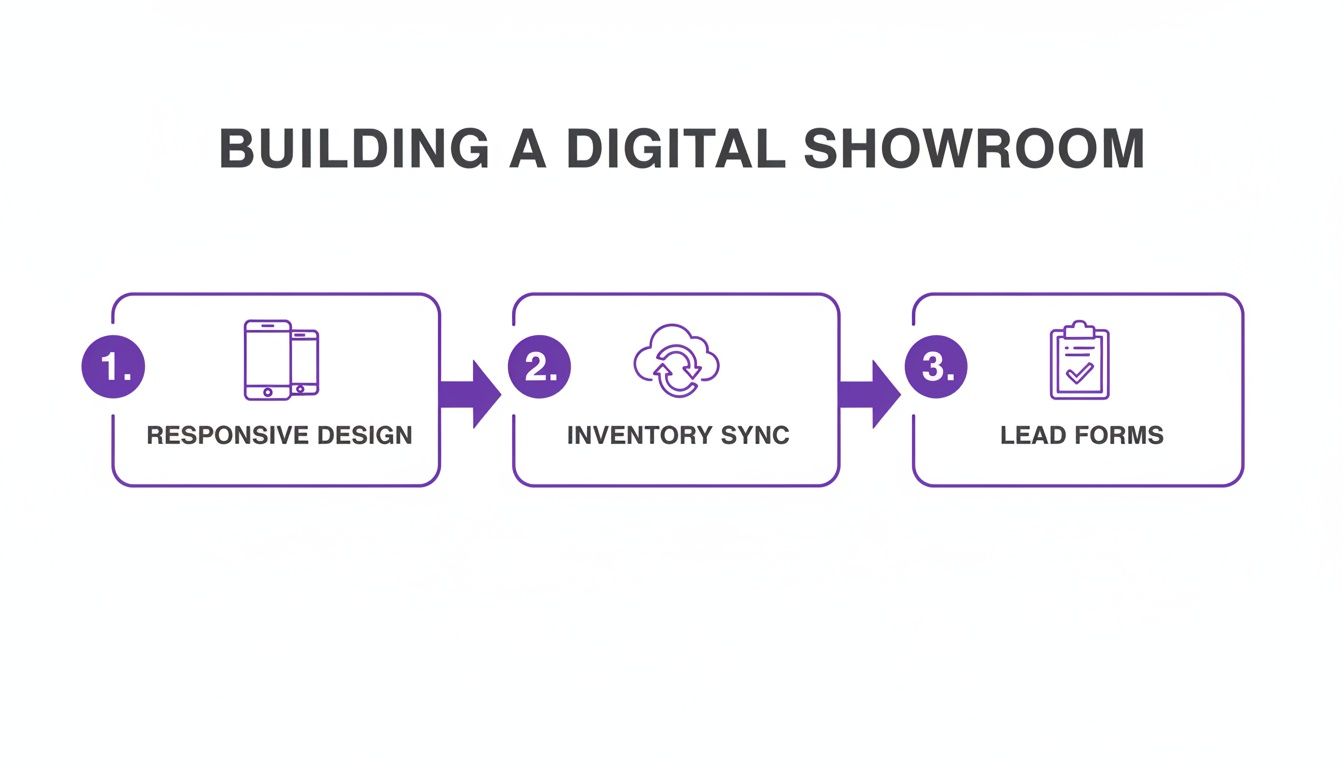
  • Auto dealer inventory management software: Streamline inventory and boost sales

    Auto dealer inventory management software: Streamline inventory and boost sales

    Think of auto dealer inventory management software as the central nervous system for your entire operation. It's the system you use to track, manage, and merchandise every single vehicle, from the moment you acquire it to the final sale. It handles the heavy lifting—automating data entry, managing photo uploads, and pushing your listings out to your website and crucial online marketplaces. It’s the operational hub of a modern dealership.

    Why Your Dealership Needs an Inventory Engine

    A person holds a tablet displaying 'Inventory Engine' software in an auto dealership showroom.

    In a market this competitive, smart inventory management is so much more than a back-office chore. It’s the very engine of your sales strategy.

    For independent dealers trying to go toe-to-toe with massive franchise stores, you need more than just great cars—you need sharp, fast, and efficient processes. The right software gives you that edge. It turns tedious manual tasks into smooth, automated workflows, freeing you up to make better stocking decisions and get your vehicles in front of buyers faster than ever. That speed is everything.

    The Power of a Unified Platform

    The real magic of today's auto dealer inventory management software is its ability to serve as your single source of truth. A unified platform creates a direct pipeline from your vehicle data to your dealership website and essential marketplaces like Google Vehicle Listings.

    This seamless data flow—from the second a VIN is scanned to the moment a listing is live online—isn't a nice-to-have anymore. It’s essential for growth.

    An integrated approach pays off in a few critical ways:

    • Fewer Errors: Automating data entry cuts down on the human errors that lead to bad listings and lost opportunities.
    • More Speed: You can get a car from trade-in to online marketplaces in minutes, not days, which maximizes its prime selling window.
    • Total Consistency: It guarantees that your pricing, photos, and vehicle details are identical across every single marketing channel.

    Before we go further, it's helpful to see how these pieces fit together. This table breaks down the core functions that make a modern inventory system so effective.

    Core Pillars of Modern Inventory Management

    Pillar Key Function Business Impact
    Data Acquisition VIN scanning, automated spec decoding, and auction data integration. Dramatically reduces manual entry, ensuring vehicle data is accurate from the start.
    Merchandising Photo management, video uploads, and automated comment generation. Creates compelling, professional listings that attract and engage online shoppers.
    Pricing and Appraisal Integration with market data tools (e.g., KBB, Black Book) for real-time pricing. Helps you price vehicles competitively to maximize profit and accelerate turnover.
    Syndication Automatic distribution of listings to your website, third-party marketplaces, and social media. Guarantees your inventory gets maximum exposure to potential buyers wherever they shop.

    Ultimately, these pillars work together to turn inventory from a simple list of assets into a dynamic sales and marketing machine.

    A well-implemented inventory system is the central nervous system of a dealership. It doesn't just track cars; it connects every part of your business, from acquisition and reconditioning to marketing and sales, ensuring every decision is backed by accurate, real-time data.

    By centralizing these functions, you get a crystal-clear view of your entire operation, empowering you to make the kind of informed choices that directly boost your bottom line. For a more detailed breakdown, check out our guide on mastering inventory management for independent car dealerships. It’s designed to help you evaluate, select, and implement the right software to take your dealership to the next level.

    What Features Actually Move the Needle?

    Person using a smartphone to scan a barcode on a purple car, likely for inventory management.

    It’s easy to get bogged down in a laundry list of software features. The real trick is to zero in on the tools that solve your biggest headaches and actually make you more money. Don't just check boxes on a features list. Ask yourself: which of these will slash my team's busywork, eliminate expensive listing errors, and get my cars in front of buyers faster?

    This mindset shifts you from being a data manager to a true vehicle merchandiser. The right software doesn't just keep your inventory organized; it speeds up your entire sales cycle.

    Core Tools for Turning Inventory Faster

    For most independent dealers, speed is everything. You need tools that shrink the time it takes to get a car from acquisition to a live, shoppable listing. In my experience, three features are absolutely non-negotiable if you want to compete.

    • Automated VIN Decoding: This is your first and best defense against costly mistakes. Manually typing in vehicle options, trim levels, and specs is a recipe for disaster. One wrong detail can mislead a customer and kill a deal instantly. A good VIN decoder pulls the exact factory data in seconds, ensuring your listings are accurate and building trust with shoppers from the first click. It takes a ten-minute data entry chore and turns it into a ten-second scan.

    • High-Resolution Photo Management: Let’s be honest, people buy with their eyes. Your software has to make it dead simple to upload, arrange, and watermark a couple of dozen high-quality photos for every car. The best systems let you snap pictures on your phone and upload them directly to the vehicle record right after it’s been detailed. That visual proof is what convinces a buyer to visit your lot instead of the one down the street.

    • Dynamic Pricing Tools: The used car market changes daily, sometimes hourly. Trying to manually track competitor pricing for every single car on your lot is a full-time job you don't have time for. Look for integrated pricing tools that pull real-time market data. They'll help you set prices that are competitive enough to attract buyers but still protect your profit margins. This data-driven approach means you can make smart pricing adjustments without spending hours glued to classifieds sites.

    These three tools aren't just separate features; they create a powerful, cohesive workflow. Think about it: you scan a VIN as the car rolls off the transport truck, upload photos as it comes out of reconditioning, and set a market-correct price, all from one dashboard. That's how you get a vehicle from your physical lot to your digital showroom in minutes, not days.

    The best inventory management platform is one where every feature flows logically into the next. You don't just want a VIN decoder and a photo tool; you want a unified system that makes the whole process of merchandising a car faster, smarter, and ultimately, more profitable.

    Beyond the Basics: What's Next?

    Once you've nailed the fundamentals, some advanced capabilities can give you a serious edge. AI-powered features, for example, are quickly moving from "nice-to-have" to essential. Some platforms can now write compelling, unique vehicle descriptions for you based on the car's specs, which is a massive time-saver.

    Others offer predictive analytics to help you spot which makes and models are trending in your local market, giving you a huge advantage at the auction. While these might not be day-one priorities for every dealer, they show where the industry is heading. You can explore a full set of modern dealership software features to see what's possible. Embracing the right tech is how you stay a step ahead of the competition.

    How to Choose the Right Software Partner

    Picking the right auto dealer inventory management software is less about a flashy features list and more about finding a true partner. It's a long-term relationship. The right platform grows with you, makes your day-to-day life easier, and flat-out helps you sell more cars. The wrong one? It’s a constant source of friction, a time-sink, and a drain on your bottom line.

    So, how do you get it right? It all starts with asking better questions. When you're sitting through a software demo, don't let them just run through a canned presentation. You need to get specific and push them on how the system handles your dealership's real-world problems.

    Key Questions for Your Software Demo

    Every dealership has its own quirks and processes, so your evaluation has to be about how the software molds to you, not the other way around. Come prepared with a list of practical, scenario-based questions that cut right to the chase.

    Here are a few I always recommend dealers ask:

    • Data Migration: "Look, my current inventory is a total mess in a bunch of spreadsheets. Show me, step-by-step, how you would get that data into your system. What's the support like during that process?"
    • Live Syndication: "Can you pull up a live example of how your platform pushes cars to Google Vehicle Listings? After I add a new car, how long until it's actually live online for customers to see?"
    • Onboarding and Training: "What does training look like for my small team? Do I get a dedicated person to call when we inevitably hit a snag in that first month?"

    Questions like these force a vendor to stop selling and start demonstrating real value.

    A good software partner won't hesitate to show you exactly how their tool solves your biggest operational headaches. If they get vague or can't walk you through a clear workflow for your most common tasks, that’s a massive red flag.

    Understanding SaaS and Modern Platforms

    One of the biggest evolutions in dealership software has been the shift to cloud-based, Software-as-a-Service (SaaS) platforms. Forget the old days of on-premise systems where you had to manage your own servers and deal with manual updates—that was a nightmare.

    Modern SaaS solutions handle all the technical heavy lifting for you. The provider manages security, rolls out updates automatically, and hosts everything on fast, reliable servers. All you have to do is log in through a web browser and get to work. This frees you up to focus on what actually matters: merchandising and selling your inventory. For independent dealers without a dedicated IT guy, this isn't just a feature; it's a lifeline.

    Comparing Pricing Models for Scalability

    Finally, let's talk about money. You need a pricing model that makes sense for your business right now but won't hold you back as you grow. You'll generally run into two common structures: per-listing fees and flat monthly subscriptions.

    • Per-Listing Pricing: This can look cheap upfront, but those costs can get out of control fast as you add more vehicles. It essentially penalizes you for being successful.
    • Flat Monthly Fee: This gives you predictable costs, which makes budgeting a breeze. It’s the perfect model for a growing dealership because your bill stays the same whether you have 10 cars on the lot or 100.

    Always look for a partner with a clear, scalable path. For most ambitious independent dealers, a transparent, flat-fee structure is almost always the smarter long-term play.

    Connecting Your Inventory to Buyers Online

    Let's be blunt: the single most critical job of any modern auto dealer inventory management software is to get your cars in front of people who want to buy them. This isn't about just keeping a list anymore. Your software has to be the central command post that automatically fires your vehicle data out to every important online channel. This is what saves you from the soul-crushing, error-filled grind of manual updates.

    When this is working right, your inventory system stops being a glorified spreadsheet and becomes a powerful marketing engine. Picture this: you add a new car, and within minutes, it’s live on your website and showing up on Google. It has professional photos, the right price, and all the specs a serious buyer is looking for. That’s the real power of smart automation.

    Your Website and Google Vehicle Ads

    You can list your cars in a hundred different places, but two channels consistently deliver the best leads for the least amount of money: your own dealership website and Google Vehicle Listings. These aren't just line items on your marketing spend; they are your most valuable digital assets.

    • Your Dealership Website: Think of this as your digital showroom. Your software needs to automatically build search-engine-optimized (SEO) Vehicle Detail Pages (VDPs) for every single car. A properly built VDP is designed to rank on Google, earn a shopper's trust, and—most importantly—capture their contact information.

    • Google Vehicle Listings (GVL): This is a free program from Google that puts your inventory right in the search results when someone is looking for a car like yours in your area. To make this happen, you need a very specific, structured data feed. Your software should be building and updating this file for you automatically. When you nail this, your cars pop up in front of high-intent buyers the second they start looking.

    The link between your inventory software and your online storefronts isn't just a nice-to-have feature—it’s a competitive requirement. Every hour a car sits on your lot but isn't visible on your site and Google is a lost opportunity to make a sale.

    The Technical Magic Behind the Scenes

    So, how does all this actually work? Your inventory software essentially acts as a universal translator. It takes all the raw data about your cars and reformats it perfectly for each online destination. It creates these clean, structured data feeds that search engines like Google can instantly read, understand, and index.

    This technical process is what makes it possible for your 2019 Ford F-150 to show up immediately when someone down the street searches "used Ford F-150 near me."

    This kind of real-time, automated process is a huge reason why the market for this software is growing so fast. According to one report, the core inventory management software module is projected to grow at a 14.0% CAGR through 2035. This is perfectly in line with the goal of syncing your inventory directly to your website for mobile-first lead capture, which you can read more about in these inventory management software market trends.

    At the end of the day, this synchronization gets your vehicles maximum exposure with minimum effort from your team. Of course, none of this works if your photos don't look great. Many dealers use professional product photo editing services to ensure every listing pops off the screen. This blend of powerful software and a polished presentation is what gets cars sold.

    For more strategies on boosting your digital sales floor, take a look at our guide on how to effectively sell cars online.

    Your Go-Live Plan for a Smooth Transition

    A successful software launch is all about preparation, not perfection. Shifting to a new auto dealer inventory management software can feel like a huge technical hurdle, but it's really just a manageable project when you break it down into clear steps. The whole point is to sidestep the common issues that throw a wrench in your dealership's operations and stress out your team.

    Believe it or not, a smooth transition starts long before you ever "flip the switch." The most common pitfall I see dealers fall into is underestimating just how critical data cleanup is. It’s the old "garbage in, garbage out" principle—if your current inventory data is a mess, migrating it will only amplify those problems in the new system.

    Pre-Launch Data Preparation

    First things first, dedicate some real time to cleaning up your current inventory records. This means hunting down and fixing typos, filling in those missing vehicle options, and standardizing how you list trim levels. This upfront work pays off big time, ensuring your new platform starts with a clean, accurate foundation for all your online merchandising.

    Once your data is tidy, it's time to map out who on your team needs access to what. Think it through:

    • Your sales team probably just needs to view inventory and pricing.
    • The lot manager will need permission to add new cars, upload photos, and change statuses.
    • The owner or GM will need the keys to the kingdom—full admin access to run reports and oversee everything.

    Getting these user accounts and permissions configured ahead of the launch prevents a ton of confusion and helps everyone hit the ground running on day one.

    The Migration and Syndication Process

    Moving your data over is often the part that makes dealers the most nervous. Your software partner should be holding your hand through this, but you can make it a lot smoother by exporting your cleaned-up data into a simple format, like a CSV file. A pro tip: do a small test import with just a handful of vehicles first. This lets you catch any weird formatting issues before you commit to moving your entire inventory.

    The single biggest mistake I see dealerships make during a go-live is failing to test the data sync to their website and Google Vehicle Listings. Don't just assume it will work. Verify that a new vehicle you add shows up online correctly before you fully launch.

    This flow chart gives you a clear picture of how your inventory data travels from the software, to your website, and then out to Google.

    Process flow diagram illustrating inventory syndication from a software server to a website and then to Google.

    This automated syndication is the engine that gets your vehicles in front of buyers with as little manual effort as possible.

    To help you stay on track, I've put together a checklist that breaks the process down into manageable phases.

    Software Migration and Go-Live Checklist

    This checklist is designed to guide you through a smooth, organized implementation process, from the initial prep work to the final launch and beyond.

    Phase Task Key Consideration
    1. Preparation Clean and format existing inventory data Focus on consistency in trim, options, and descriptions.
    Define user roles and permissions Who needs to add/edit vs. who just needs to view?
    Export final data to a CSV file Double-check that all columns and fields are correct.
    2. Migration & Testing Perform a small-batch test import (5-10 vehicles) Verify that all data fields (photos, price, specs) map correctly.
    Test website inventory feed Does the test vehicle appear on your VDPs correctly?
    Test third-party syndication (e.g., Google) Confirm the vehicle shows up in your Google Business Profile.
    Complete the full inventory data migration Schedule this during off-peak hours to minimize disruption.
    3. Go-Live & Training Announce a "go-live" date to your team Ensure everyone knows when the new system becomes the source of truth.
    Conduct hands-on team training Focus on the specific tasks each role will perform daily.
    Decommission the old system Prevent confusion by making the old software read-only or inaccessible.
    4. Post-Launch Monitor data feeds for 24-48 hours Watch for errors in pricing, photos, or vehicle details.
    Review incoming leads and website analytics Are leads flowing in correctly? Is VDP traffic stable?
    Schedule a follow-up call with your software provider Discuss any initial issues and ask clarifying questions.

    Following these steps methodically turns a potentially chaotic process into a structured, predictable project. It ensures that when you finally go live, your team is confident and your online listings are accurate from the very first minute.

    Tracking Performance to Maximize Your ROI

    Computer screen showing 'PERFORMANCE METRICS' with various charts and graphs on a wooden desk.

    Getting your new auto dealer inventory management software up and running is a huge step, but it’s not the finish line. The real power of this tool unfolds when you start using its data to make smarter, more profitable decisions.

    This is where you shift from simply managing inventory to strategically optimizing it. By keeping a close eye on the right numbers, you can pinpoint what’s selling, what’s not, and where you can make changes that directly impact your bottom line.

    Key Metrics That Actually Drive Growth

    To see how your inventory software is truly affecting sales, you have to dig into specific, actionable data points. These numbers tell the real story of your inventory's health and how well your online marketing is performing.

    Here are the essential metrics I always tell dealers to watch:

    • Time-to-Market: How many days pass from the moment you acquire a vehicle to it being live on your site and Google? The faster you get cars online, the faster they sell. Shaving even a day or two off this time can make a huge difference.
    • Leads Per Listing: Are your trucks getting more calls and form fills than your sedans? This data is gold. It tells you exactly what your local market wants, so you can buy smarter at the next auction.
    • Average Turn Rate: How long are specific makes and models sitting on the lot? This helps you identify stale units that might need a price drop or a promotional push before they become a bigger problem.

    Turning Data Into Smarter Decisions

    Once you have this information, you can start asking much more strategic questions. For instance, if you see that SUVs under $20,000 are generating three times the leads of any other category, you’ve just found your new sweet spot.

    This data-driven mindset doesn't just help you sell today; it strengthens your dealership for the long haul. Consistently accurate and detailed inventory data is a major factor in automotive SEO. Google loves fresh, reliable information, which helps you rank higher and pull in more organic traffic over time.

    Your inventory data is more than just a list of cars. It's a real-time snapshot of your business's health and a roadmap for future growth. Use it to refine your strategy, optimize your stock, and turn every vehicle into a real opportunity.

    Ultimately, tracking these metrics creates a clear line from your inventory management to your revenue. If you want to dive deeper into connecting these dots, check out these proven strategies to measure marketing ROI.

  • Supercharge Your Auto Leads with car dealership web design

    Supercharge Your Auto Leads with car dealership web design

    Your website isn't just a digital business card anymore—it’s your primary sales floor. For an independent dealer, a fast, mobile-friendly website is a powerful sales tool that can quite literally make or break your month. It's what levels the playing field, turning casual online searches into actual test drives.

    Why Your Website Is Your Most Important Showroom

    Two people smiling and looking at a laptop displaying a car on a website in a digital showroom.

    Let's get real for a second. The way people buy cars has completely shifted. The modern car buyer's journey almost never starts with a drive-by of your lot; it starts with a search on their phone. That first digital interaction sets the entire tone for the sale.

    Think of your website as the first handshake, the first walk-around, and even the start of the negotiation—all happening before a customer ever steps onto your asphalt. If that site is slow, a nightmare to navigate on a phone, or just looks dated, you've already lost that sale to the dealer down the street with a better online experience.

    Connecting Site Performance to Your Bottom Line

    The numbers don't lie. With the vast majority of car shoppers kicking off their research online, your website is where most of your customers get their first impression of your dealership. A thoughtfully designed site focused on the user can achieve strong conversion rates, presenting a massive opportunity for independent dealers to convert that online traffic into a consistent flow of real, qualified leads.

    A slow or poorly designed website is the digital equivalent of a locked showroom door. Customers will simply turn around and go somewhere else without a second thought.

    This reality makes choosing the right platform absolutely critical. You can't just slap a generic theme on a website and expect results. You need a solution built from the ground up to handle the unique demands of selling cars, from managing your inventory feeds to capturing leads effectively.

    To give you a clearer picture, here’s a quick breakdown of what a modern dealership website truly needs to succeed.

    Key Elements Of A Modern Dealership Website

    Component Why It Matters For Sales What To Look For
    Mobile-First Design Over 60% of car searches happen on a smartphone. A clunky mobile site loses sales, period. Fully responsive design, thumb-friendly buttons, and fast-loading images.
    Live Inventory & VIN Decode Buyers expect accurate, detailed listings. Manual entry leads to errors and missed opportunities. Automatic inventory syncs, instant VIN decoding for specs, and high-res photo galleries.
    SEO for Vehicle Listings Shoppers search for "used Ford F-150 near me," not just your dealership name. Support for Google Vehicle Listings, local SEO features, and clean, indexable VDPs.
    Clear Lead Capture A visitor on your site is a warm lead. You need easy ways for them to contact you. Click-to-call buttons, simple contact forms, and trade-in value estimators.
    High Performance & Security A slow site (over 3 seconds to load) causes visitors to leave. A hacked site destroys trust. Fast hosting (CDN), SSL certificate (HTTPS), and regular security updates.

    Each of these elements plays a direct role in whether a browser becomes a buyer.

    Choosing the right foundation is half the battle. If you're weighing your options, our guide on selecting a powerful dealership website builder can help you find one that aligns with your sales goals.

    Ultimately, investing in your digital showroom isn't just a marketing expense; it's a direct investment in your sales pipeline. Everything from how quickly your photos load to the clarity of a "Check Availability" button contributes to winning—or losing—that customer.

    Designing for Today's Buyer: The Mobile-First Imperative

    Let's be honest. The first time a potential customer "walks your lot" these days, they're probably not at your physical address. They're scrolling through your inventory on their phone, maybe during their lunch break or from their couch.

    This isn't just a trend; it's the new reality of car shopping. A clunky, slow-loading mobile website is no longer just a minor annoyance—it's a direct route to a lost sale. You have to build your website for the small screen first.

    This mobile-first mindset is a critical business decision. The modern car buying journey often blends online research with in-person visits. Many car buyers say they'd happily pay more for a dealership that offers a better, smoother buying experience. That experience almost always starts on their smartphone.

    When your website loads in under three seconds and shows clear, transparent pricing, you’re not just providing a convenience. You're building the trust needed to hold your margin and close the deal.

    Build It for Their Thumbs

    Think about how you use your own phone. You’re scrolling with your thumb, probably one-handed. Your dealership website has to be built for that exact motion. All the important buttons and links need to be within the natural "thumb zone"—that easy-to-reach arc at the bottom of the screen.

    This means placing the most important actions where customers can tap them without having to stretch, reposition their hand, or accidentally click something else.

    • Big, Obvious Call-to-Action Buttons: Make sure buttons like "View Details," "Check Availability," or "Get Pre-Approved" are large, clear, and easy to tap. No tiny text links!
    • Sticky Navigation: A header or footer that stays on the screen as someone scrolls is a lifesaver. It gives them instant access to your inventory, search, or contact info without having to scroll all the way back to the top.
    • Click-to-Call Phone Numbers: Your phone number should be a tappable link. One tap, and they're calling you directly from a Vehicle Detail Page (VDP).

    A great mobile experience should feel completely effortless. If a shopper doesn't have to pinch, zoom, or struggle to hit a button, they'll stick around longer. And the longer they stay, the better your chances of turning them into a solid lead.

    What to Show First on Your Mobile VDPs

    The VDP is where the magic happens—it’s where a casual browser decides to become a serious buyer. On a small screen, you can’t afford to bury the lead. You have to show them what they came for right away, "above the fold" (before they even think about scrolling).

    Your Above-the-Fold VDP Checklist:

    1. A Killer Hero Image: The first photo has to grab their attention and load instantly.
    2. Unmistakable Pricing: The price needs to be front and center. If you have special offers or financing deals, this is the place to highlight them.
    3. The Core Four: Year, make, model, and mileage must be immediately visible. The VIN should be right there, too.
    4. A Clear Next Step: Place a primary CTA, like "Schedule Test Drive," right below this initial block of information.

    Structuring your VDPs this way gives mobile shoppers the critical information they need at a glance. It removes friction and makes it easy for them to take the next step. For a deeper look at this, check out our complete guide on why mobile optimization is critical for smartphone car dealerships. The whole point is to make the journey from browsing to buying as smooth as possible.

    Making Your Inventory Discoverable On Google

    You can have the best cars on the lot, but if local buyers can't find them online, they're invisible. This is where your website's design stops being about just looks and starts being about getting every single vehicle you have in front of a customer the second they search on Google. Automotive SEO isn't just a buzzword; it’s your most powerful sales tool.

    The heart of your online sales floor is your Vehicle Detail Pages (VDPs). Think of each VDP as a dedicated landing page for a specific car. To win with organic traffic, you have to treat it that way.

    It all starts with getting the details right from the jump. Manually typing in every feature, trim, and spec for dozens of cars is a nightmare and a surefire way to make mistakes. A good website platform uses automated VIN decoding to instantly pull in the factory-correct data. This populates your VDPs with precise, trustworthy information, building credibility with both shoppers and search engines.

    Fine-Tuning Your Vehicle Detail Pages

    Once the basic specs are there, it's time to add the human element. Generic descriptions that are copied and pasted won't work. Search engines sniff out duplicate content and can penalize you for it.

    Instead, take a minute to write a short, unique description for every car. What makes this specific vehicle stand out? Is it the low mileage? A hard-to-find color? That premium tech package everyone wants? Calling out these unique selling points helps you rank for those super-specific, ready-to-buy search terms, like "used blue F-150 with tow package."

    This is all about creating a smooth path for the customer, especially on their phone.

    Infographic showing the mobile car buying journey with browse, detail page, lead form steps and performance metrics.

    As you can see, a seamless mobile experience—from browsing your inventory list to filling out a lead form on a VDP—is how you turn that online interest into real-world sales opportunities.

    The Secret Weapon: Schema Markup and Google Vehicle Listings

    Beyond good descriptions, your most powerful tool for getting seen is schema markup, or what the pros call structured data. It's like a secret language you use to talk directly to Google. You embed code on your VDPs that labels every piece of info—price, mileage, VIN, make, model—so search engines understand it perfectly.

    Without proper schema, you're just hoping Google figures out your inventory details. With it, you’re handing Google a perfectly organized spec sheet for every car you sell, making it simple for them to show your vehicles in prime search spots.

    This is the technical key that unlocks a true game-changer: Google Vehicle Listings. These are the eye-catching, image-rich results that pop up right at the top of the search page, showing off photos, pricing, and your dealership name. Getting your inventory there puts you front and center for active shoppers, often placing you above your competitors' regular website links.

    This might sound complicated, but a modern dealership platform like AutoFire™ does all the heavy lifting for you. When you add a car to your inventory, the platform automatically generates the right schema markup for that VDP. You don't have to touch a line of code. This automation ensures your vehicles are always eligible for those high-visibility listings.

    To really dig into this strategy, our deep dive into the Google Vehicle Listings 2025 playbook is a must-read. When you combine detailed VDPs with this kind of automated, technical SEO, your website transforms from a simple online showroom into a powerful magnet for local car buyers.

    Turning Window Shoppers Into Test Drivers

    A hand holding a smartphone showing a white car and 'CONVERT LEADS' text on the screen.

    Let's be blunt: a beautiful website that doesn't make your phone ring or fill your inbox with test drive requests is just an expensive digital brochure. The true test of your site isn't how it looks, but how well it turns casual browsers into serious buyers. This is where smart design gets down to business.

    Every single element on your site needs a job, and that job is to gently nudge the visitor toward taking that next step. We do this with clear calls-to-action (CTAs), stupidly simple lead forms, and trust signals that make people comfortable enough to hand over their contact info.

    Calls-to-Action That Actually Get Clicked

    Forget generic buttons like "Submit" or "Click Here." They're dead. Modern car shoppers respond to specific, value-driven language that tells them exactly what happens next. Your CTAs need to be direct and answer the question that's in the customer's head at that very moment.

    Think about the customer's journey and match your CTAs to their mindset:

    • Just Looking: On your Vehicle Detail Pages (VDPs), use low-commitment phrases like "Check Availability" or "View Window Sticker." This encourages them to dig deeper without feeling pressured.
    • Getting Serious: Once they're showing real interest, it's time for "Get Pre-Approved" or "Value Your Trade." These CTAs capture shoppers who are moving toward a decision and are ready to share a bit more info.
    • Ready to Roll: For those hot leads, you need to be direct. "Schedule a Test Drive" or "Hold This Vehicle" are powerful phrases that get people off the couch and onto your lot.

    The look of the button is just as important. It has to pop. Use a color that contrasts with the rest of the page so it's impossible to ignore, especially when someone is scrolling on their phone.

    Building a Lead Form That People Don't Hate

    Nobody enjoys filling out forms. Your goal is to make it as painless as possible. Keep your forms short, asking only for the absolute essentials to get the conversation started—name, email, and phone number is usually all you need.

    Your lead forms should be an invitation, not an interrogation. Every extra field you add increases the chance a potential customer will give up and leave. Simplicity always wins.

    For something more involved, like a trade-in appraisal, break it up. A multi-step form that asks for information in small, easy-to-digest chunks feels way less intimidating than one long, scrolling page of questions. Once leads start coming in, how you handle those initial calls and emails is critical. Many dealers find that a dedicated car dealers repair shops answering service can be a game-changer for converting those first-touch inquiries.

    Improving your conversion rate is key. A site optimized for conversions that turns just a few more visitors into leads can dramatically increase your sales opportunities from the same amount of traffic. And don't sleep on phone calls—they are often the highest-quality leads you can get. The bottom line? Every tiny improvement you make to your lead capture strategy directly boosts your sales without you having to spend a single extra dollar on ads.

    Your Pre-Launch Checklist For A Flawless Go-Live

    The final moments before your new website goes live can feel like that last walk-around before a customer takes a test drive. This is your chance to spot any small issues before they turn into real problems for your visitors. A solid pre-launch check ensures that from day one, your site is a lead-generating machine, not a source of frustration.

    First things first, let's talk about your custom domain name. It’s your digital address, and making sure it's connected properly is the foundational step. This process, often called pointing your DNS, tells the internet where to find your new, high-performance website. While most modern platforms make this fairly straightforward, it's a critical step for looking professional and trustworthy.

    Technical and Functional Testing

    Once your domain is pointing to the new site, it's time to get hands-on. The goal here is to walk in a customer's shoes and confirm every single interactive element works exactly as it should. Don't just look at the site—click on everything.

    Your lead capture tools are the most critical components, so start there.

    • Test Every Form: Fill out every form on your website. I mean all of them—test drive requests, trade-in valuations, and general contact forms. Make absolutely sure you receive the lead notification right away.
    • Check All Phone Numbers: Grab your smartphone and tap every click-to-call number. Does it dial the right number instantly? A broken phone link is a lost lead, period.
    • Verify Inventory Links: From your main inventory page, click through a random selection of vehicles. You need to be certain they all link to the correct Vehicle Detail Page (VDP) without any errors.

    This is also the moment to get your analytics connected. Setting up a tool like Google Analytics before you launch is non-negotiable. It’s the only way you'll be able to track visitor behavior, see which VDPs are getting the most traffic, and measure how well your site is turning shoppers into buyers from the very first day.

    Think of your launch as the starting line, not the finish line. A flawless go-live means all your tracking and lead-capture systems are active and ready to measure performance from the very first visitor.

    Cross-Browser and Device Compatibility

    Finally, never forget that your customers will be visiting your site from a huge variety of devices and browsers. What looks picture-perfect on your office desktop might be a jumbled mess on an older iPhone or a Samsung tablet.

    Use your own phone, borrow a colleague’s, and open the site in different browsers like Chrome, Safari, and Edge. Pay close attention to how images are aligned, how buttons are spaced, and whether the main menu works smoothly on smaller screens.

    This final quality check ensures every potential customer gets the clean, professional experience you intended, locking in a great first impression.

    Common Questions We Hear About Dealership Websites

    Jumping into a new website build always brings up a ton of questions. If you're running an independent dealership, you need straight answers to make sure you're putting your money and time where it will get the best results. Let's tackle some of the most common things dealers ask us.

    How Much Should a Good Car Dealership Website Cost?

    The price tag on a new website can be all over the map. A traditional web design agency might hit you with a hefty upfront setup fee in the thousands, plus an ongoing monthly retainer for maintenance. It adds up quickly.

    But there's another way. Modern platforms designed specifically for dealers usually work on a subscription basis. This model gets rid of the big initial bill and rolls everything—design, hosting, security, and updates—into a single, predictable monthly fee. It's a game-changer that makes top-tier website tools accessible to dealerships of any size.

    Figuring out your budget is a crucial first step. For a more detailed breakdown of what goes into the cost, this guide on How Much Should a Website Cost in Australia is a great resource.

    How Long Does It Take to Build a New Dealership Website?

    This really comes down to the path you choose. If you hire an agency to build a fully custom website from the ground up, be prepared to wait. That process can easily stretch over several months from your first kickoff meeting to the day you finally go live.

    On the flip side, a platform-based solution is all about speed. You can get a professional, mobile-friendly website up and running in a matter of minutes. Seriously. Once you sign up, you just plug in your business details, connect your domain name, and you're ready to start loading your inventory. The system handles all the heavy lifting, creating the pages for you so you can stay focused on selling cars instead of managing a web project.

    What's the Single Most Important Feature My Website Needs?

    If I had to pick just one, it's this: a flawless and fast mobile inventory experience. No question about it. The vast majority of your customers are finding you and browsing your cars on their phones.

    Your site absolutely must have:

    • High-quality photos that snap into view without getting blurry or taking forever to load.
    • Blazing-fast page speeds so impatient shoppers don't give up and leave.
    • Simple, intuitive search and filter options that let them pinpoint the exact car they want in seconds.

    If a buyer lands on your site and can't easily browse your inventory on their phone, they're gone. They'll just hit the back button and head straight to your competitor. It’s that simple.

    Your mobile site is your new front line. If it’s slow or confusing, you’re essentially telling more than half of your potential customers that you don’t value their time.

    How Do I Get My Cars to Show Up On Google?

    Getting your inventory to appear in Google search results—especially in those prime Google Vehicle Listings at the top of the page—comes down to some specific technical SEO. The magic ingredient is something called "structured data," or schema markup, that gets added to your vehicle detail pages.

    Think of this markup as a special label you put on each car's listing. It tells Google all the critical info—price, mileage, VIN, location—in a language its algorithm understands perfectly. Now, that might sound complicated, but a good dealership website platform handles this for you automatically. It structures your inventory data behind the scenes, making your cars eligible for those high-visibility spots without you having to lift a finger.


    Ready to build a website that turns clicks into customers? AutoFire gives you all the tools you need to launch a high-performance, SEO-optimized dealership site in minutes. Start your free trial today.

  • A Guide to Dealership Website Design That Wins Customers

    A Guide to Dealership Website Design That Wins Customers

    Your dealership's website isn't just a part of your sales strategy anymore—it is your sales strategy. For most people shopping for a car today, your website is the very first showroom they step into. It needs to be your best salesperson, working 24/7 to turn casual browsers into serious buyers, not send them clicking over to your competition.

    Your Website Is Your Most Important Showroom

    Let's get real for a second. Your physical lot has become the last stop on a long journey that starts online. The difference between a website that captures leads and one that bleeds them is staggering. A smart, strategic approach to your site's design builds a powerful engine for pulling in qualified traffic, showing off your inventory, and building the trust you need to close the deal.

    Think of your website as the blueprint for your dealership's growth. It's not an online flyer; it's your primary tool for converting digital hand-raisers into customers holding a set of keys.

    The Modern Car Buyer's Journey

    The way people buy cars has completely shifted. Today’s shoppers spend hours digging into research, comparing different models, and poring over reviews long before they'd ever dream of setting up a test drive. Your website has to meet them at every single one of those steps with the right info and an experience that just works.

    To do that, your site absolutely must have a few key things:

    • Intuitive Inventory Search: This is non-negotiable. Customers expect to filter by make, model, price, mileage, and features without any friction.
    • Detailed Vehicle Pages (VDPs): Your VDPs are your digital pitch. They need professional photos from every angle, transparent pricing, and a full rundown of specs.
    • Clear Calls-to-Action: Don’t make people guess what to do next. Big, obvious buttons like "Schedule Test Drive" or "Get Pre-Approved" guide them down the path to purchase.
    • Trust Signals: Things like customer reviews and a genuine "About Us" page go a long way in building confidence in your dealership.

    Why Your Digital Presence Matters More Than Ever

    The numbers don't lie. Websites for car dealerships see way more action than typical eCommerce stores. Recent industry benchmarks show that auto sites get an average of 11.2K sessions per month, which blows the general eCommerce average of under 4K out of the water.

    They also pull in 25.79K page views compared to just 9K for other online stores. Even better, they have a lower bounce rate, which means when people land on a good dealership site, they actually stick around.

    A great website answers a buyer’s questions before they even have to ask. It builds confidence by being transparent, easy to navigate, and professional, turning a skeptical browser into a confident lead.

    Having a professional, high-performing site isn’t about vanity; it’s about survival and out-maneuvering your local competitors. If you're looking for the right tools to get this done, exploring a modern dealership website builder can give you the foundation you need. Coming up, we'll get into the nitty-gritty of creating a flawless mobile experience and owning local search with Google Vehicle Listings.

    Building Your High-Conversion Website Blueprint

    Before you start picking out colors or browsing templates, you need a solid plan. A flashy website that doesn’t actually guide a visitor toward buying a car is just a digital billboard in the middle of nowhere. The real goal is to build a practical framework that makes the path from your homepage to a lead form feel completely natural and effortless.

    This all begins with a question that, frankly, too many dealers skip: Who is your ideal customer?

    Are you the go-to lot for a student's reliable first car? Or do you specialize in high-end luxury sedans for established professionals? The answer changes everything.

    A dealership focusing on budget-friendly family vehicles should talk about safety, reliability, and value. The website needs to feel approachable and trustworthy, with clear financing info right up front. On the other hand, a luxury dealer’s site demands a sleek, minimalist design, stunning photography, and a tone that whispers performance and status. Knowing your audience dictates every single choice you'll make.

    Mapping the Customer Journey

    Once you know who you're talking to, you can anticipate their next move. Most people shopping for cars online follow a pretty predictable pattern. They land on your site, usually from a search for a specific vehicle, and immediately look for two things: inventory and trust.

    Your job is to meet their needs at each step. This means making your inventory the star of the show while peppering the site with trust signals that prove you're a reputable business they should contact.

    • Homepage: It has to immediately show what makes you different and offer a crystal-clear path to your cars.
    • Search Results Page (SRP): This page needs to be lightning-fast, with easy-to-use filters so shoppers can narrow their options in seconds.
    • Vehicle Detail Page (VDP): This is your digital sales pitch. It's all about high-quality photos, transparent pricing, and multiple calls-to-action (CTAs) that are impossible to miss.

    Structuring Your Site for Easy Navigation

    The backbone holding this all together is your Information Architecture (IA). It sounds technical, but it’s just about organizing your website in a way that makes sense. A visitor should never have to hunt for what they need. A confusing menu is one of the fastest ways to send a potential customer packing.

    A well-planned website acts like your best salesperson. It intuitively guides a customer through the lot, answers their questions, and presents the right options without ever being pushy. Poor structure is like a cluttered showroom with no one around to help.

    Your navigation should be simple and predictable. Stick to the core pages every car buyer expects to see:

    • Used Inventory (or New Cars)
    • Financing
    • Value Your Trade
    • About Us
    • Contact

    This simple flow is how you turn general website traffic into real, actionable leads for your sales team.

    A website conversion process flow showing traffic, website conversion rate, and new leads generated.

    Every single piece of your website's blueprint should be focused on moving visitors smoothly from one stage to the next. The less friction, the more leads you get. It's that simple.

    Embracing the Mobile-First Mindset

    Finally, every part of your plan has to be seen through a mobile lens. With a significant majority of car shoppers browsing on their phones, designing for the small screen first is completely non-negotiable.

    This isn’t just about making your desktop site shrink down. It’s a totally different way of thinking. You need to prioritize the mobile experience from the very beginning.

    That means big, tappable buttons, simple forms you can fill out with your thumbs, and images that load quickly without burning through a user's data plan. For today’s on-the-go car buyer, a clunky mobile site is an instant dealbreaker. Building your blueprint with a mobile-first approach ensures you’re catering to the vast majority of the market instead of frustrating them right into the arms of a competitor.

    Essential Design Elements That Drive Sales

    Laptop on a desk displaying a car dealership website with 'DRIVE SALES' text, alongside a phone and plant.

    With your website's blueprint locked in, it’s time to get into the details—the design choices that turn a functional site into a sales machine. This isn't about chasing the latest flashy trends. It's about strategic decisions that guide a buyer's eye, build their confidence, and make it dead simple for them to take the next step.

    A great dealership website design always starts with a clean, modern layout. Your cars are the heroes here, so the design needs to be a professional backdrop that lets them shine. That means prioritizing high-quality photos and giving them plenty of room to breathe.

    One of the most overlooked tools in the toolbox is strategic whitespace. By creating separation between elements on the page, you naturally pull a buyer's focus to what really matters: your inventory, your pricing, and your calls-to-action.

    Creating an Unmistakable Brand Identity

    For independent dealers, building trust starts the second a visitor lands on your site. You need to look professional and established, and the key to that is consistent branding across every single page.

    • Logo and Colors: Your logo should be easy to spot, and your brand colors should be used consistently for headings, buttons, and other important accents.
    • Typography: Pick clean, legible fonts that are a breeze to read on any screen, big or small. Steer clear of overly decorative fonts that can make your site look cheap.

    This level of detail sends a clear signal that you’re a serious business, which is a critical first impression when someone is about to make a huge purchase. A cohesive visual identity makes you memorable and builds the subconscious trust you need to turn a browser into a lead.

    Crafting the Perfect Vehicle Detail Page

    The Vehicle Detail Page (VDP) is where the magic happens. It’s where sales are won or lost. Think of it as your digital sales pitch for a specific car, meaning every single element needs to be fine-tuned to encourage action. A killer VDP isn't a mystery; it’s a proven formula that perfectly balances information with clear, compelling next steps.

    First things first: your photo gallery has to be top-notch. I'm talking dozens of high-resolution images showing every angle of the vehicle—exterior, interior, engine, and even close-ups of special features. If you can add videos and 360-degree views, even better.

    Next, make the key information impossible to miss. A visitor should see the price, mileage, VIN, and engine specs without having to hunt for it. Put this information in a clean, easy-to-read block right at the top of the page.

    A great VDP answers a customer’s questions before they even think to ask them. By providing comprehensive photos, transparent specs, and obvious next steps, you remove friction and make it easy for them to say ‘yes.’

    Finally, your calls-to-action (CTAs) must stand out. Use high-contrast colors for buttons like "Schedule Test Drive" or "Get Pre-Approved" and place them strategically throughout the page so they're always within reach.

    Building Trust Beyond the Transaction

    Today's car buyers aren't just looking for a vehicle; they're looking for a dealership they can actually trust. It's a fact that 95% of vehicle buyers hit the internet before ever visiting a showroom, checking out an average of 4.2 websites in the process. This just goes to show why a trustworthy design is non-negotiable. An outdated site that's hard to navigate will absolutely kill your sales. You can learn more about how digital trends are shaping the auto world by checking out the latest findings from DesignRush.

    So, how do you actually build that trust?

    1. Showcase Customer Reviews: Don't just link to a review site—integrate real testimonials directly on your pages. Seeing positive feedback from happy customers provides powerful social proof.
    2. Create a Professional 'About Us' Page: Tell your story. Share photos of your team and explain what makes your dealership different. This simple step humanizes your business and helps you build a real connection.
    3. Provide Clear Contact Information: Make sure your phone number, address, and a contact form are visible on every page. It shows you're accessible and have nothing to hide.

    These elements prove you’re a legitimate, customer-focused business that's worth their time. It's what elevates your website from a simple inventory list to a credible and persuasive digital showroom.

    To help you prioritize, here’s a quick-glance table of the most critical features and why they matter for your bottom line.

    Essential Features For A High-Converting Dealership Website

    Essential Feature Why It Matters Impact on Sales
    High-Quality Photo Gallery Buyers shop with their eyes. Crisp, comprehensive photos build desire and trust. More engagement on VDPs, higher quality leads, and quicker inventory turnover.
    Mobile-First Design Industry data shows that over 60% of car research happens on mobile. A clunky mobile site is a dead end. Captures the majority of your audience, reduces bounce rate, and increases mobile leads.
    Clear, Obvious CTAs Guides the user to the next step (e.g., test drive, financing) without confusion. Directly increases lead submissions for test drives, credit apps, and trade-ins.
    Fast Page Load Speed A slow site frustrates users and makes them leave. Speed equals professionalism. Better user experience, improved SEO rankings, and more visitors staying on site.
    Integrated Customer Reviews Provides "social proof" that real people have had good experiences with your dealership. Builds immediate trust, reduces buyer hesitation, and can justify pricing.
    Professional 'About Us' Page Humanizes your brand and helps you stand out from faceless competitors. Fosters a personal connection, which can be the tie-breaker for a hesitant buyer.

    Putting these features in place isn't just about looking good; it's about systematically removing the roadblocks that prevent a casual browser from becoming your next customer.

    Automating Inventory and Winning at Local SEO

    A tablet on a wooden table displaying an automated inventory management system with a map.

    As an independent dealer, you know time is your most precious and limited resource. Every hour spent manually uploading photos, writing vehicle descriptions, and updating sold listings is an hour you’re not out sourcing new inventory or closing a deal.

    This is exactly where your website needs to pull its weight, transforming from a static digital brochure into a powerful business tool. The right setup can automate the tedious stuff, saving you countless hours while actively pulling in new leads.

    The engine behind this efficiency is automated inventory management. Think about it: you add a new car to your Dealership Management System (DMS), and just moments later, it’s live on your website. All the photos, specs, and pricing information get pulled in automatically, creating a perfect, SEO-friendly Vehicle Detail Page (VDP) without you having to lift a finger.

    This is more than a simple convenience—it’s a fundamental part of a modern dealership website design. When a car sells, it should vanish from the site instantly. This prevents those frustrating phone calls about vehicles that are long gone and builds incredible trust with shoppers who expect your digital lot to be just as current as your physical one.

    The Foundation of Automotive SEO

    Once your inventory is humming along on autopilot, you can focus on the next critical piece: making sure local buyers can actually find your cars online. This is where automotive Search Engine Optimization (SEO) comes in, and it all starts with your website’s structure and the quality of your VDPs.

    Google's job is to give searchers the most relevant results. For a car shopper, that means finding the exact vehicle they want at a dealership near them. A well-built site with unique, detailed VDPs for every car gives Google precisely the signals it needs to rank you.

    • Unique Vehicle Descriptions: Never just copy and paste the generic manufacturer blurbs. Write a couple of sentences for each car that highlights what makes it a great buy. Did you just service it? Does it have a rare trim package? Mentioning these details tells Google your page is a valuable, unique resource.
    • Location-Specific Keywords: Weave your city or service area naturally into page titles, headings, and descriptions. For example, a title like "Used Ford F-150 for Sale in Springfield" helps you show up for searches like "used trucks near me."
    • Properly Tagged Images: Before you upload photos, name the files descriptively (e.g., 2019-honda-crv-exterior-springfield-il.jpg) and always add descriptive alt text. This is a simple trick that helps your vehicles appear in Google Image Search.

    These basic SEO practices should be baked directly into your website platform, turning every vehicle you stock into a new opportunity to show up in local search results. For a much deeper look, our guide on automotive inventory management software breaks down how the right system can handle this for you.

    Unlocking Free Traffic with Google Vehicle Listings

    While good old-fashioned SEO is essential, there’s an incredibly powerful tool that many independent dealers are still missing out on: Google Vehicle Listings (GVL).

    You’ve seen them. When someone searches for a car, Google often shows a block of vehicle listings right at the top of the results—complete with a picture, price, mileage, and your dealership’s name.

    This isn't a paid ad. It's a free, organic placement that puts your specific inventory directly in front of buyers at the exact moment they are searching. For independent dealers, GVL is a complete game-changer that levels the playing field against larger franchise stores.

    Getting your cars into this program used to be a technical nightmare. It required creating and constantly updating a specialized data "feed" in a specific format Google could read, which was simply out of reach for most smaller dealers without a dedicated IT person.

    Fortunately, a modern dealership website platform can handle this whole process for you.

    How Automated GVL Integration Works

    The right website provider will manage the entire GVL submission process in the background. Here’s how it completely changes your workflow:

    1. Automatic Feed Creation: The moment you add a car to your inventory, the system grabs all the essential data—VIN, make, model, year, price, mileage, photos—and formats it into a Google-compliant feed.
    2. Regular Submission: Your website platform then automatically sends this updated feed to Google on a regular schedule, ensuring your listings are always fresh and accurate.
    3. Real-Time Updates: As soon as a car is marked "sold" on your site, it's also pulled from the GVL feed. This eliminates calls about unavailable inventory and keeps the customer experience positive.

    By building this automation directly into your dealership website design, you turn your day-to-day inventory management into a powerful marketing engine. You’re no longer just putting cars on your own site; you’re pushing them out to the world's biggest search engine, capturing high-intent shoppers without spending a dime on ads. This seamless link is the key to making your website your hardest-working salesperson.

    Turning Website Visitors Into Qualified Leads

    A person holds a smartphone displaying 'Qualified Leads' with business charts and graphs in the background.

    Let’s be honest: a good-looking website that just shows off your inventory is only half the battle. The real test of your dealership website design is whether it can consistently turn those anonymous clicks into actual, qualified leads for your sales team.

    This is where you need to start thinking like a conversion expert. It's all about making small, strategic tweaks that nudge a casual browser into taking that next step. We’re moving beyond a simple "Contact Us" page and weaving lead capture opportunities naturally throughout the entire shopping experience.

    The best tools are the ones that give a potential buyer an immediate answer or a clear next step. Think about what they need in the moment.

    • Trade-In Estimators: These are pure gold. A customer gets a value estimate, and you get a hot lead who's serious about making a deal.
    • Financing Applications: For buyers who are ready to talk numbers, a simple online pre-approval form is one of the most powerful ways to capture high-intent leads.
    • Test Drive Schedulers: Placing this button right on your Vehicle Detail Pages is a no-brainer. It removes all friction and makes it incredibly easy for a shopper to book an appointment for a car they're looking at right now.
    • Simple Contact Forms: Of course, these are still essential for general questions. Just make sure they're easy to find and don't ask for a life story.

    Designing Lead Forms That People Actually Fill Out

    Here’s the biggest mistake I see dealers make: they build long, intimidating forms that feel like homework. Your goal is to make the process as painless as possible, especially on a smartphone.

    And let's be clear, mobile isn't just an option anymore—it's the primary way people shop for cars. With a high percentage of your traffic likely coming from mobile devices, a clunky, non-responsive site is a conversion killer. If someone has to pinch and zoom just to fill out a form, you've already lost them.

    To get more submissions, keep your forms laser-focused. Only ask for what you absolutely need to start the conversation. Name, email, and phone number are usually plenty for that first touch.

    Your lead forms should feel like an invitation, not an interrogation. Every field you add increases the chance that a potential customer will give up and leave. Keep it simple, clear, and focused on the next step.

    Also, pay attention to your call-to-action buttons. Ditch the generic "Submit" and use language that reinforces the value. "Get My Trade-In Value" or "Schedule My Test Drive" tells the user exactly what they're getting in return for their info. It’s a small change that makes a huge difference.

    Measuring What Really Matters

    You can't fix what you don't measure. If you're not tracking performance, you're just guessing. Firing up a tool like Google Analytics is non-negotiable; it’s the only way to see what's actually working and where your site is falling short.

    Don't get overwhelmed by all the data. Just start by keeping an eye on these three core metrics:

    • Website Sessions: The total number of visits to your site. This is your baseline for traffic volume.
    • Bounce Rate: The percentage of people who land on a page and leave without clicking anything else. A high bounce rate often points to slow load times or unengaging content.
    • Conversion Goals: This is the most important one. A "conversion" is any key action you want someone to take, like filling out a finance app. Setting these up in Google Analytics lets you see precisely how many leads your site is generating and where they're coming from.

    By checking these numbers regularly, you’ll start to spot patterns. Maybe a specific VDP has a terrible bounce rate—are the photos blurry? Is the price missing? This data gives you the clues you need to make smart, informed decisions.

    This process of continuous improvement is the secret sauce. For a deeper dive into practical strategies, check out our guide on how to generate leads for car sales. The ultimate goal is to use real data to turn more of your website traffic into showroom appointments.

    Your Go-Live Checklist and Path for Growth

    Hitting 'publish' on your new website is a huge milestone, but it's the starting line, not the finish line. A truly successful launch hinges on a meticulous pre-flight check to make sure every single element works perfectly from day one. After that, the real work begins—treating your site as a living asset that constantly evolves right alongside your business.

    Think of your website less like a static brochure and more like your most dynamic showroom. It needs regular attention and fine-tuning to keep pulling its weight and generating leads. This final phase is all about shifting your mindset from building the site to growing its impact, ensuring your investment pays dividends for years to come.

    Your Pre-Launch Final Inspection

    Before you flip the switch, you absolutely have to do a thorough final check. A broken link or a contact form that goes nowhere can instantly kill the trust you've worked so hard to build. This isn't the time to rush; it's the time to be your own toughest critic.

    Seriously, create a simple checklist and run through it yourself. Grab an iPhone, an Android, maybe an iPad, and put your site through its paces.

    • Test every form. Fill out every single one—the contact form, the finance application, the trade-in estimator. Did the submission go through? More importantly, did you get the notification instantly?
    • Click every link. And I mean every link. Your main navigation, the "View Details" buttons, the links in your footer. A 404 error is a complete dead end for a potential customer.
    • Scrutinize the mobile experience. Don't just give it a quick glance. How do your vehicle photo galleries look on a small screen? Is the text easy to read without pinching and zooming? Can you comfortably tap every button with your thumb? This is where a majority of your visitors will be, so it has to be flawless.
    • Confirm your analytics are firing. Double-check that tools like Google Analytics are installed correctly and actually tracking visits. You need this data from the very first day to get a baseline for what's working.

    A smooth launch sets the tone for your dealership's digital professionalism. Taking the time to test every button and form is a small investment that prevents frustrating your first visitors and losing valuable leads right out of the gate.

    Adopting a Mindset of Continuous Improvement

    Once you're live, the real journey begins. The sharpest dealers I know understand their website is never truly "done." It’s a dynamic tool that needs ongoing attention to stay effective. This doesn't mean you need a complete overhaul every year. It’s about building simple, consistent habits that keep it sharp.

    A great dealership website design is one that evolves with your inventory and your customers. Just like you wouldn't let your physical lot get messy, your digital showroom needs regular upkeep to stay fresh and engaging.

    Simple Habits for Long-Term Success

    You don't need to become a web developer to maintain a high-performing site. A few repeatable actions can make a massive difference in how customers see you and how well you rank in search results.

    1. Keep Your Inventory Fresh. If you've set up automation, this is mostly taken care of. But you should always have a process to double-check that as soon as a car is sold, it's marked as such or removed from the site. Nothing disappoints a buyer more than finding out the car they love is already gone.
    2. Actively Add Customer Testimonials. Get into the habit of asking for a review right after a great sale. Regularly adding new, positive testimonials provides fresh content that Google loves and gives new visitors the social proof they need to trust you.
    3. Regularly Review Your Key Metrics. Block out 30 minutes once a month to peek at your analytics. Are your visitor numbers growing? Where is that traffic coming from? Which VDPs are getting the most eyeballs? This data is your road map—it tells you exactly what’s working so you can do more of it.

    This proactive approach ensures your website doesn't just sit there and get stale. It remains a current, trustworthy, and effective reflection of your dealership, continuously working to attract, engage, and convert your next customer.


    Ready to launch a dealership website that works as hard as you do? AutoFire™ delivers clean, mobile-first websites with automated inventory and SEO built right in, so you can focus on selling cars, not managing a complicated site. Get your free site today and see the difference.

  • Best Website for Used Car Sales: Compare Top Platforms for Your Dealership

    Best Website for Used Car Sales: Compare Top Platforms for Your Dealership

    The best website for used car sales is more than just an online brochure; it's a high-performance digital showroom. The platforms that truly move the needle for dealerships today are the ones that blend automated SEO, seamless inventory management, and a mobile-first design. The goal is simple: attract and convert online shoppers before they even think about visiting the lot.

    Why Your Dealership Website Is Your Digital Showroom

    Let's be honest, the days of a dealership website being just a glorified business card are long gone. Today, your website is your primary sales and marketing engine—a virtual showroom that never closes. Modern car buyers start their hunt online. They're researching models, comparing prices, and checking out local dealerships long before they ever pick up the phone.

    This fundamental shift in how people buy cars means a high-performance, SEO-optimized, and mobile-friendly site isn't a luxury; it's essential for survival. For independent dealers, this is a huge challenge. You aren't just up against the dealership down the street. You're competing with massive franchise operations that have dedicated marketing teams and budgets to match.

    Tablet in a modern car showroom displaying car models, with a saleswoman in the background.

    The Core Challenges for Independent Dealers

    To get ahead, you have to tackle a few key hurdles that can really limit your reach and profitability. Nailing these is the first step toward picking the right website platform.

    • Limited Online Visibility: If your site doesn't have strong SEO or an integration with Google Vehicle Listings, your inventory is practically invisible to local buyers who are actively searching for the exact cars you have in stock.
    • Technical Overload: Who has time to manage website hosting, security updates, and design tweaks? That can feel like a full-time job, pulling you away from what you actually do best—selling cars.
    • Ineffective Lead Capture: An old, clunky website doesn't just look bad; it fails to turn visitors into actual leads. Potential customers just end up clicking away to your competitors.

    The market trends only reinforce how critical this is. According to Grand View Research, the global used car market is projected to see significant growth, demonstrating the massive digital opportunity for dealers. With North America holding a substantial market share, a powerful digital strategy is what separates the leaders from the laggards. You can dig into more used car market insights on Grand View Research.

    Finding a Competitive Advantage

    The good news? Modern website platforms are built to level the playing field. The right solution automates the technical heavy lifting, boosts your online visibility, and makes your sales process much smoother. This guide will walk you through a detailed comparison to help you find the best website for used car sales, so you can overcome these challenges and truly compete.

    Here’s a quick look at how things have changed:

    Key Dealer Challenge Traditional Website Approach Modern Platform Solution
    Search Visibility Requires manual SEO work & expertise Automated SEO & Google Vehicle Listings sync
    Technical Maintenance Requires hiring developers for updates Handled by the platform (hosting, security)
    Lead Generation Basic contact forms, low conversion Integrated lead capture & management tools
    Mobile Experience Often outdated and slow on phones Mobile-first design for on-the-go shoppers

    What Every Modern Dealer Website Actually Needs

    When you're shopping for a website platform, it's easy to get lost in a sea of features. But what separates a high-performing site from a simple online brochure? It comes down to a few core elements that work together to attract real buyers and make your life easier.

    Think of your website as your best salesperson—one that works 24/7 without a break. It needs to be visible, persuasive, and incredibly efficient at turning a casual browser into a hot lead. Let's break down the non-negotiables.

    A hand holding a smartphone displaying a purple app with icons, next to a computer and keyboard, highlighting core features.

    Advanced SEO and Google Vehicle Listings

    If buyers can't find you online, you don't exist. It’s that simple. Solid Search Engine Optimization (SEO) is the engine that drives local car shoppers directly to your inventory. Your site needs to be built with clean code and load lightning-fast, with every vehicle getting its own dedicated, search-friendly page automatically.

    Even more important today is a direct pipeline to Google Vehicle Listings (GVL). This is the feature that gets your cars, complete with photos and pricing, to show up right in the Google search results when someone nearby looks for a "used Honda CR-V." It's one of the most powerful, high-intent marketing channels available, and it's completely free.

    A platform with automated GVL integration is a game-changer. It eliminates hours of manual work and ensures your vehicles are constantly visible to the most motivated shoppers at the exact moment they are searching.

    A Mobile-First User Experience

    Let's face it: your customers are shopping on their phones. They’re scrolling through inventory on their lunch break, comparing prices in line at the grocery store, and checking out your dealership from their couch. If your website is a clunky, slow, or broken mess on a smartphone, you are actively turning away business.

    A true "mobile-first" approach isn't about just making your desktop site fit on a smaller screen. It’s about designing the experience from the ground up for a thumb, with big buttons, readable text, and simple navigation. The goal is to make it ridiculously easy for a customer to find a car, see the details, and contact you in just a couple of taps.

    Automated Inventory Management

    Manually adding and removing cars from your website is a massive time-sink and a recipe for mistakes. Your website platform absolutely must automate this. The second you scan a VIN or add a vehicle to your management system, it should pop up on your site as a professional, fully-detailed listing.

    This kind of automation frees you up to do what you do best: buy and sell cars. The key tools here are:

    • VIN Decoding: Automatically pulls in all the specs, features, and options.
    • Photo Management: Simple drag-and-drop for uploading and arranging high-quality images.
    • Real-Time Syncing: Instantly removes sold cars so you don't frustrate potential buyers.

    Integrated Lead Capture and CRM Tools

    A pretty website that doesn't bring in leads is just an expensive digital billboard. To turn those website visitors into actual sales opportunities, you need smart, easy-to-use forms on every vehicle page. These should invite shoppers to ask a question, check availability, or schedule a test drive.

    Once that lead comes in, the platform should organize it for you in a simple Customer Relationship Management (CRM) tool. This lets you track every inquiry, respond quickly, and manage your sales pipeline without paying for extra software. You can explore a full list of dealership website features to see how these tools should work together to turn clicks into customers.

    Simplicity of Launch and Maintenance

    Finally, the best website platform is one you can actually use without needing an IT degree. As an independent dealer, you need a solution that’s dead simple to get running and requires zero technical upkeep.

    Find a platform that handles all the hosting, security, and software updates for you. This lifts a huge weight off your shoulders, letting you focus 100% on your dealership. A system you can set up in minutes, not months, gives you an immediate edge over the competition.

    Comparing Top Website Platforms for Independent Dealers

    Picking the right website for your used car lot means sorting through a ton of options, each with its own philosophy on how a dealership should operate online. For an independent dealer, this isn't just a technical decision. It’s about finding a partner that gets your business goals, matches your comfort level with technology, and can actually help you grow.

    Let's break down the three main types of platforms you'll encounter: a modern, all-in-one system like AutoFire™; flexible DIY builders like Wix or Squarespace; and the old-guard, traditional dealer platforms. The best fit for you hinges on what you truly need for SEO, inventory management, and getting more leads.

    The All-in-One Solution: AutoFire

    Modern platforms like AutoFire were built from the ground up to solve the real-world headaches independent dealers face every day. They bundle everything—hosting, security, design, and car-specific sales tools—into one simple subscription. The whole point is to get the tech out of your way so you can just focus on selling cars.

    AutoFire is a perfect example of this. Its biggest strength is automation, especially for your inventory and SEO. When you add a car, the platform instantly builds a search-optimized vehicle detail page (VDP) and automatically syncs it with Google Vehicle Listings. This one feature alone can put your inventory in front of thousands of local buyers without you ever having to learn what "SEO" means.

    Getting started is also incredibly fast. You can have a professional-looking, high-performing website live in minutes, not weeks. That's a huge win if you're just starting out or if your current site is bleeding customers. While you don't get the same pixel-perfect design control as a DIY builder, the trade-off is a guaranteed smooth experience that works perfectly on mobile. The focus here is on results—generating real leads and moving metal. You can see how these specialized designs translate into sales in our guide to used car dealer website templates.

    The DIY Builder: Wix or Squarespace

    DIY website builders give you total creative freedom. If you have a strong brand vision and enjoy getting your hands dirty with design, platforms like Wix or Squarespace can look really attractive. They give you a blank slate and drag-and-drop tools to build pretty much anything you can imagine.

    But all that freedom comes with a lot of responsibility. A standard Wix site isn't designed to sell cars. You’ll have to hunt down third-party apps and plugins to handle essentials like inventory feeds, VIN decoding, and lead forms. This patchwork approach can get complicated and expensive fast, with each plugin adding another monthly fee and another potential point of failure.

    Key Differentiator: The biggest hurdle with DIY builders is the complete lack of automated, auto-specific SEO. You can optimize pages by hand, but there’s no built-in system to get your cars listed on Google Vehicle Listings—a non-negotiable for any modern dealership. You are 100% responsible for all the technical SEO, security updates, and maintenance.

    This path really only makes sense for dealers who have the time, skill, and desire to be their own webmaster. You can build something unique, but the effort to replicate the core sales functions of a dedicated auto platform is massive.

    The Traditional Dealer Platform

    Traditional dealer platforms have been around for a long time. They typically serve the big, established franchise stores and come packed with a huge, if sometimes clunky, set of features. Their main claim to fame is deep integration with major Dealer Management Systems (DMS) and other legacy software common in the industry.

    For a large, multi-lot operation with complex internal processes, that direct DMS connection can be a game-changer. These platforms offer powerful backend tools for managing just about every digital aspect of the business.

    The catch? Cost and complexity. Traditional platforms often come with steep setup fees, lock you into long-term contracts, and have a significant learning curve. Their user interfaces can feel dated compared to modern solutions, and simple tasks like changing a banner image might require you to submit a support ticket. For a smaller independent dealer, the feature set is often overkill and the price tag is simply out of reach.

    Side-by-Side Platform Breakdown

    To make the differences crystal clear, here’s a look at how these three platform types stack up against the key needs of a modern used car dealership. This table provides a side-by-side look at how different website solutions stack up against the key needs of a modern used car dealership, from technical setup to sales-focused features.

    Platform Comparison for Independent Dealerships

    Feature AutoFire DIY Builders (e.g., Wix) Traditional Dealer Platform
    Google Vehicle Listings Automated & Fully Integrated Manual Setup Required Often available, but may require extra configuration or fees.
    Ease of Launch Extremely Fast (Minutes) Moderate to Slow (Days/Weeks) Slow (Weeks/Months)
    Technical Maintenance None (Fully managed) High (Dealer is responsible) Low (Managed by provider)
    Inventory Management Built-in & Automated Requires third-party plugins Deep DMS integrations available
    Upfront Cost Low to None Low (plus plugin costs) High (Setup fees are common)
    Mobile Experience Mobile-First by Design Dependent on template/user skill Can be inconsistent or dated

    As the comparison shows, the "best" platform is entirely situational. A new dealer flying solo will get the most value from AutoFire's speed and automation. On the other hand, an established dealership heavily reliant on a specific DMS might find a traditional platform's integration worth the higher cost.

    Make no mistake, having a strong digital presence is no longer optional. The digital used car market is experiencing explosive growth, which means a website that automates your marketing and simplifies lead capture isn't a luxury—it's a critical competitive advantage. You can check out the complete used car market forecast on Research and Markets. Ultimately, your choice should be a direct reflection of your resources, priorities, and where you want to take your dealership.

    Choosing The Right Platform for Your Dealership's Growth Stage

    Finding the best website for used car sales isn't about chasing a single "perfect" platform. It's really about matching the tech to where your dealership is right now—your size, your goals, and how comfortable you are with the technical side of things. A solution that's a godsend for a new solo operator can quickly become a bottleneck for an established dealership with multiple lots.

    Think of it this way: your business stage dictates the trade-offs you're willing to make between speed, features, and cost. Each type of dealer has a completely different set of needs. The right platform should feel like a natural part of your sales process, not another technical headache you have to manage. Getting this right means you're investing in a tool that helps you win today and can grow with you tomorrow.

    The New Solo Operator: Speed and Simplicity

    If you're just getting started, your two most precious assets are time and money. You need a website that's live yesterday without a punishing learning curve or a big price tag. The only thing that matters is getting a professional-looking site up so you can start showing off your first few cars.

    For a new dealer, any technical friction is a deal-breaker. You can't afford to be messing around with complex setups, managing plugins, or trying to figure out SEO from scratch. The name of the game is automation—a solution that handles the digital grunt work so you can stay focused on what you do best: buying and selling cars.

    • What You Need: Affordability, a fast launch, and automated inventory listings.
    • Best Fit: This is exactly why all-in-one SaaS platforms like AutoFire exist. They take all the technical heavy lifting off your plate and can get your inventory online in minutes, fully integrated with Google Vehicle Listings right out of the box.

    The Growing Independent Dealership: Advanced Tools

    Once your dealership starts to pick up steam, your needs change. You're not just trying to get online anymore; you're building a brand and fine-tuning your sales funnel. That means you need more sophisticated tools to cut through the noise and manage a bigger, faster-moving inventory.

    At this point, things like a custom domain (YourDealership.com), automatic VIN decoding, and some basic market analysis tools are no longer "nice-to-haves"—they're essential. You need a platform that helps you build a real brand identity while making it easy to create the kind of detailed, professional vehicle listings that pull in serious buyers.

    This decision tree gives you a visual on how to think about your options based on your main goal.

    A decision tree diagram for choosing a website platform based on goals like quick launch, customization, or scalability.

    As you can see, all-in-one solutions are built for speed and sales, while the other paths require you to be much more hands-on with the technical side of things.

    A growing dealership has to strike a balance between powerful features and ease of use. The right platform gives you the tools you need to scale without turning you into a full-time IT manager.

    The Established Multi-Lot Operation: Agility vs. Legacy

    For a big, established dealership with multiple locations, the conversation often gets complicated by legacy systems. You might already have a clunky, traditional website that’s deeply woven into your long-standing Dealer Management System (DMS). The big question is: Is that deep integration worth the high costs and lack of flexibility?

    Modern SaaS platforms present a very compelling alternative. They’re more cost-effective, deliver a much better mobile experience for your customers, and let you adapt to market shifts in real-time. While they might not have the same custom-coded connection to every old-school DMS, their built-in marketing automation and SEO power often drive a far better ROI by generating more organic leads.

    For larger operations, it boils down to a strategic choice:

    1. Stick with Tradition: You can prioritize the deep DMS hookup, but you'll have to accept the higher price tag and slower pace that come with a legacy platform.
    2. Embrace Modern Agility: Or, you can opt for a modern, cost-effective platform that excels at lead generation and customer experience, even if it requires tweaking a few of your internal processes.

    Knowing which stage you're in is the first and most important step. It's how you pick a platform that doesn't just solve today's problems but sets you up for success down the road.

    How to Nail the Launch of Your New Dealership Website

    You've picked out the best website platform for your used car dealership—that's a huge win. But a top-tier platform is only as good as its launch. A sloppy, rushed setup can trip you up before you even get started, making all those powerful features useless. The good news? Most modern platforms are built to make this process surprisingly simple, breaking it down into a few key steps.

    The real goal here is to get from sign-up to a live, lead-generating digital showroom without pulling your hair out. A smooth launch builds the foundation for everything that follows: attracting the right buyers, capturing their information, and, of course, selling more cars. It's about making sure every piece, from your VDP photos to your "Contact Us" forms, is ready for showtime the moment you go live.

    Hands typing on a laptop showing a car sales website with multiple car images, including a red sedan.

    Your Pre-Launch Checklist

    Before flipping the switch, a little prep work goes a long way. These are the non-negotiables to ensure your website looks professional and works perfectly for customers from day one.

    1. Get Your Inventory Data Ready. Your cars are the main event. You need high-resolution photos from every angle—inside and out. Write honest, detailed descriptions that call out the best features and the vehicle's condition. This is your first impression.
    2. Lock Down Your Domain and Branding. Grab a professional domain name that’s easy for customers to remember (like YourDealership.com). Make sure you have your logo files handy to upload so your brand looks consistent from the get-go.
    3. Set Up Your Lead Forms. Think about what info you actually need from a potential buyer. Customize your contact forms to make it dead simple for someone to ask about a car, book a test drive, or get pre-qualified for financing.

    Must-Have Integrations to Get Found

    Once the basics are in place, it’s time to connect your site to the tools that matter. These integrations give you a direct line into how your site is performing and, more importantly, help local car shoppers find you.

    • Google Analytics: This is a free, indispensable tool. It tells you exactly how people find your site, which cars get the most clicks, and how visitors navigate your pages. It’s like having a map of customer behavior.
    • Google Business Profile: Linking your website to your Google Business Profile (GBP) is critical for local SEO. This ensures your dealership’s address, hours, and website show up correctly in Google Maps and local search results when someone is looking for a "used car dealer near me."

    With the used vehicle market remaining a significant part of the U.S. economy, every digital advantage counts. For independent dealers, a clean website launch is how you compete. The right platform handles inventory, automates SEO, and captures leads on mobile, turning a technical headache into a simple, money-making task. For more on this, check out the outlook for the future of used car sales on NIADA.com.

    Moving from an Old Website? Read This First.

    If you already have a website, migrating to a new one requires extra care. One wrong move and all the search engine authority you’ve built up can vanish overnight, making your inventory invisible to online shoppers.

    A seamless migration is all about telling search engines where your old pages have moved. Failing to do this is like moving your dealership to a new address without leaving a forwarding note—customers simply won't find you.

    Your migration plan needs to include:

    • URL Redirects: Map every old URL to its new counterpart and set up 301 redirects. This tells Google the page has moved for good and transfers most of its SEO value.
    • Content Transfer: Don't leave good content behind. Make sure your blog posts, customer reviews, and other valuable pages are moved over to the new site.
    • Final SEO Check: After you go live, open up Google Search Console and hunt for any broken links or crawl errors. Fix them immediately.

    Following these steps takes the mystery out of the launch process. It gives you the confidence to manage the transition yourself without hiring an expensive agency. For more pointers, take a look at our guide on creating an engaging dealership website with these essential tips.

    Common Questions We Hear From Dealers

    Picking the right website platform can feel overwhelming. You're balancing SEO, features, ease of use, and, of course, cost. To cut through the noise, we've answered some of the most common questions we get from independent dealers. These are straight answers, based on years of experience, to help you feel confident in your choice.

    Think of this as a quick-start guide to the essentials. We'll cover everything from must-have integrations to branding and long-term costs, so you can pick a platform that actually helps you sell more cars.

    How Important Is Google Vehicle Listings Integration?

    Honestly? It's a non-negotiable in today's market. Google Vehicle Listings (GVL) is what gets your inventory to show up directly in Google search results when someone nearby is looking for the exact car you have on your lot. It's essentially free advertising aimed at buyers who are ready to pull the trigger.

    Platforms that automatically sync your inventory with GVL are worth their weight in gold. They save you from the nightmare of manual data entry and make sure your cars are always in front of the right people. If your website provider doesn't offer this, you're leaving a massive amount of money on the table and letting your competitors get the first click.

    Can I Use My Own Domain Name?

    Yes, and you absolutely should. Any serious website platform for dealers will let you use your own custom domain (like YourDealership.com). This isn't just a nice-to-have feature; it's fundamental to building a brand that customers recognize and trust.

    A custom domain also anchors your long-term SEO efforts, helping you build authority with search engines over time. The setup is usually painless—you just have to update a few settings where you registered your domain to point it to your new website.

    Key Takeaway: Using your own domain name turns a generic webpage into a legitimate business destination. It tells both shoppers and Google that you're a serious, established dealership.

    What Is The Difference Between A SaaS Platform And A Custom Website?

    This is a big one, and it comes down to your budget, time, and technical comfort level.

    A SaaS (Software-as-a-Service) platform is what most dealers use. You pay a monthly or annual subscription, and you get an all-in-one package that includes the website, hosting, security, software updates, and car-dealer-specific tools like inventory management and lead forms. The biggest wins here are the low upfront cost and the fact that you don't have to worry about maintenance.

    A custom-built website is exactly what it sounds like—a site built from the ground up just for you by a developer. While you get total control over the design, the initial price tag is steep, often running into the tens of thousands of dollars. On top of that, you're on the hook for ongoing costs for hosting, security, and paying a developer every time you need an update. For most independent dealers, it's just not practical.

    How Do I Know If My Website Is Mobile-Friendly?

    Don't just take your web provider's word for it—test it yourself. The best way is to pull out your phone and act like a customer. Navigate your own site. Can you easily tap the buttons? Is the text readable without zooming in? How frustrating is it to fill out a form?

    For a more technical answer, use Google's free Mobile-Friendly Test tool. Just plug in your website's address, and it will give you a clear "yes" or "no" on whether it meets Google's standards. With so many car shoppers starting their search on a phone, a clunky mobile site is a surefire way to lose sales.


    Ready to launch a dealership website that attracts buyers and drives sales without the technical headaches? AutoFire provides an all-in-one platform with automated Google Vehicle Listings, mobile-first designs, and a launch process so simple you can be online in minutes. Build your digital showroom today.

  • Build a Car Showroom Web Design That Sells More Cars

    Build a Car Showroom Web Design That Sells More Cars

    A great car showroom website is so much more than a digital brochure. It’s a powerful 24/7 sales engine, meticulously built to earn trust and turn casual online browsers into confirmed showroom appointments. It all comes down to a blend of a flawless mobile experience, crystal-clear inventory, and smart search visibility that captures buyers before they even think about visiting your lot.

    Your Website Is Your Best Salesperson

    I always tell my clients to think of their website as their most valuable, hardest-working employee. It's on the clock 24/7, never calls in sick, and for almost every single customer, it’s the very first handshake. Let's be honest, a car buyer's journey today doesn't start with a drive-by anymore—it starts with a Google search. That first click sets the entire tone for their relationship with your dealership.

    A slow, clunky, or confusing site can kill a deal in a heartbeat. If a potential buyer pulls out their phone and can't instantly browse your stock, see clear pricing, or figure out how to contact you, they're gone. They'll just hit the back button and go straight to your competitor. Your website has to be a virtual showroom that's just as clean, organized, and inviting as your physical one.

    The Modern Car Buyer Journey

    The path a customer takes from a search query to walking through your door is surprisingly direct, and your website is the crucial bridge. It’s a simple, three-step dance.

    This process makes one thing perfectly clear: your website is the pivotal point where casual interest becomes a real intention to buy. A well-designed site closes the gap between someone just looking and a qualified lead ready to talk business.

    So, how well are most dealerships doing at converting that online traffic into foot traffic? The numbers can be sobering. Industry benchmarks show that typical conversion rates for dealer websites hover between 0.55% and 1.5%. However, a properly optimized site can easily push toward the higher end of that spectrum, effectively doubling your lead volume from the same amount of traffic. If you're curious, you can dig deeper into data on car dealership conversion rates and see just how much performance matters.

    To really drive this home, the table below outlines the essential components we've found to be non-negotiable for a high-converting dealership site.

    Key Elements of a High-Converting Dealership Website

    This table breaks down the non-negotiable components of a modern car dealership website. We highlight why each element is crucial for converting online traffic into real-world sales.

    Core Element Why It Matters for Your Bottom Line
    Mobile-First Design Over 50% of car research starts on a smartphone. If your site is clumsy on mobile, you’re losing half your potential customers before they even see a car.
    Live Inventory Sync Nothing frustrates a buyer more than finding their "perfect car" online, only to learn it was sold last week. Real-time updates build trust and prevent wasted trips.
    High-Quality Photos & Videos Buyers want to see everything. Multiple high-res photos, 360° views, and walk-around videos build confidence and make your listings stand out.
    Clear Calls-to-Action (CTAs) Buttons like "Schedule Test Drive," "Check Availability," and "Get Pre-Approved" need to be prominent and easy to find, guiding users toward the next step.
    SEO for Vehicle Listings Appearing in local search and Google Vehicle Ads puts your inventory directly in front of buyers actively searching for what you sell. It’s free, targeted advertising.
    Fast Page Speed Every second a page takes to load, you lose visitors. A fast site feels professional and keeps impatient buyers engaged with your inventory.

    These aren't just "nice-to-haves"; they are the fundamental building blocks that separate a website that just exists from one that actively generates leads and sells cars.

    Your website isn't just supporting your sales team—it is your sales team. Every single element, from the homepage down to the vehicle details, has to be engineered to get a visitor to do one thing: book a visit or send an inquiry.

    This is exactly the problem that platforms like AutoFire™ were built to solve for independent dealers. They handle all the heavy lifting—the mobile design, the inventory management, the search optimization—so you can stop wrestling with technology and get back to what you do best: selling cars. In today's market, a high-performance website isn't a luxury; it's the engine that drives your entire business forward.

    Designing for How Modern Customers Buy Cars

    A laptop on a wooden desk displays a car showroom website with a white car, next to a '24/7 salesperson' banner.

    Before you even think about colours, logos, or code, the best car showroom websites start with one critical question: who are we actually building this for? A site that generates leads is built around how real people shop for cars today, anticipating what they need before they even have to look for it. With 95% of car shoppers now turning to digital tools, your website isn't just a brochure—it’s your primary sales floor.

    Think about it. The typical car buying journey rarely starts with a specific car. It begins with a broad idea, like "used SUVs under £15k," and gets more specific from there. Your website's entire structure has to follow that same path, guiding visitors from a wide search to a specific vehicle. Make it easy for them to filter, compare, and dig deeper. If the navigation is confusing or the inventory is just one long, messy list, you're putting roadblocks in their way and they'll just bounce to a competitor.

    Understanding Your Key Customer Types

    Let's make this real. The secret to great design is to stop thinking about "users" and start thinking about people. We do this by creating a few customer personas—imaginary but realistic profiles of your typical buyers. This simple exercise will inform every decision you make, from the homepage layout to the buttons on your vehicle detail pages (VDPs).

    Here are a few common ones we see:

    • The Budget-Conscious First-Time Buyer: They’re laser-focused on price and probably nervous about financing. Your site needs to greet them with easy-to-find payment calculators, transparent pricing, and straightforward info on how your finance options work.
    • The Feature-Focused Family Shopper: They're thinking about safety ratings, boot space, and whether it has ISOFIX points. They need powerful filters that let them get specific, searching for features like "panoramic sunroof" or "Apple CarPlay."
    • The Enthusiast Hunting a Specific Model: This person knows exactly what they want, right down to the trim level. They just need a lightning-fast search bar and VDPs loaded with high-res photos, detailed specs, and a vehicle history report to seal the deal.

    When you design with these people in mind, you're not just building a website; you're creating a helpful experience. The first-time buyer immediately finds the finance tools they were anxious about, while the family shopper can quickly see which two people carriers have the most luggage space.

    A great dealership website doesn't just display cars; it answers questions before they are even asked. It anticipates the user's next move and provides a clear, logical path forward.

    Crafting a Natural User Flow

    Thinking through these personas naturally leads you to a better site structure. Your navigation needs to be simple and predictable—no weird jargon or dozens of confusing links. Just focus on the main things your customers want to do.

    A solid primary navigation bar usually just needs these four things:

    1. Search Inventory: This is your hero. It should be the most obvious link on the page, taking them straight to your filterable stocklist.
    2. Financing: A dedicated hub for your payment calculator and a secure application form.
    3. About Us: Builds trust. This is where you share your story and introduce your team.
    4. Contact: Simple, clear, and includes your hours, a map, and an easy-to-use contact form.

    From that main structure, every single VDP needs clear, unmissable calls-to-action (CTAs). Big, bold buttons like "Check Availability" and "Schedule a Test Drive" should be strategically placed to move the customer from just looking to taking the next step. This kind of thoughtful design is what turns a simple website into your dealership’s most effective salesperson.

    Mastering the Mobile-First Showroom Experience

    Let's be honest, your real car lot isn't the physical one anymore. It’s the one that fits right in your customer's pocket. This simple truth makes a mobile-first approach to your website design an absolute necessity for survival.

    For years, everyone talked about "mobile-responsive," which really just meant your desktop site would awkwardly shrink to fit a smaller screen. That's not good enough today.

    True mobile-first design flips that whole process on its head. You start by designing the experience for the smallest screen—the smartphone—and then you scale it up for tablets and desktops. This forces you to focus on what really matters to a car buyer on the go: speed, clarity, and instant access to your cars and contact info.

    Why Mobile-First Wins Every Time

    Imagine a potential buyer standing on your competitor's lot, or just scrolling through their phone on a lunch break. They need a seamless experience, and they need it now. A mobile-first site gives them exactly that by prioritizing the most important actions.

    It ensures the critical features are impossible to miss:

    • Large, Easy-to-Tap Buttons: No one wants to struggle with tiny links. Buttons for "View Inventory" or "Call Us" need to be big, bold, and easy to hit.
    • Simplified Navigation: Menus are clean and uncluttered. You hide the less important links and push the most critical ones front and center.
    • Optimized Images: Vehicle photos have to load fast without eating up a user's mobile data. Show off your inventory without the frustrating lag.

    This isn't just a hunch; the data backs it up. We see it all the time in industry forums. A solid 60% of vehicle shoppers use their phones after an initial search, and a massive 61% call dealerships directly from what they find online. For used cars, a good internet lead can have a 39-42% show-to-sale rate, which often smokes other lead sources.

    A clunky, slow mobile site is like hanging a "Closed" sign on your digital front door for these high-intent buyers. You can see real-world discussions about dealership conversion rates on DealerRefresh to get a feel for the numbers.

    Essential Features for the Mobile Shopper

    A great mobile site is about more than just looking good. It's about giving customers the tools they need to take action right now.

    One-touch click-to-call buttons are completely non-negotiable. A simple tap should immediately launch a phone call to your sales team. Same goes for map integrations—one tap should open Google Maps or Apple Maps and give them directions to your dealership for a test drive.

    Your lead forms have to be built for thumbs, not a keyboard and mouse. Keep them short, with big fields that are easy to fill out in a few seconds.

    Your mobile website should be the fastest possible path to a lead. Every single element must be designed to get a shopper from browsing a car to contacting you with the least amount of effort.

    Platforms like AutoFire are built from the ground up with this mobile-first philosophy. The system automatically structures everything—your content, your inventory—for a flawless smartphone experience. This ensures you never miss a lead just because your site was too slow or confusing to use.

    To really dig into this, check out our guide on why mobile optimization is critical for car dealerships. When you master the mobile experience, you make sure your digital showroom is always open and ready to make a sale, no matter what device a customer is using.

    Showcasing Your Inventory and Automating the Heavy Lifting

    A person holds a smartphone displaying a mobile app with a map and icons, in a car showroom, with 'MOBILE-FIRST EXPERIENCE' text.

    Let's be honest: your inventory is the real heart of your dealership. Every car on your lot represents a potential sale, but if your website fails to make each one look its absolute best, you're just leaving money on the table.

    This is where great car showroom web design gets practical. We need to build Vehicle Detail Pages (VDPs) that do the selling for you. A top-tier VDP is more than just a list of specs; it's a virtual tour that builds trust and gets a buyer excited. If the layout is confusing or key info is missing, they'll be gone in a flash.

    Crafting the Perfect Vehicle Detail Page

    To turn a casual browser into a serious lead, your VDPs have to be designed for engagement. This means zeroing in on what shoppers actually care about.

    It all starts with stunning visuals. You absolutely need multiple, well-lit photos from every conceivable angle. Get close-ups of the interior, the dashboard, the wheels, and any other unique features. Even better? Add a quick walk-around video. Great visuals create an emotional connection and give buyers the confidence to reach out.

    Next, write descriptions that sell the experience, not just the car. Don't just list "Bluetooth audio." Talk about how it makes the morning commute fly by. This kind of storytelling helps a customer picture themselves behind the wheel.

    Finally, make the essential data impossible to miss. Organize it for quick scanning:

    • Price: Displayed prominently and transparently. No games.
    • Mileage: Clearly visible right at the top.
    • Key Features: A bulleted list of the most desirable options.
    • VIN: For the savvy buyers who want to run their own reports.

    The Magic of Inventory Automation

    Manually updating every single vehicle on your website is a recipe for a headache. It's a massive time-suck and, worse, it opens the door for huge mistakes, like advertising a car you sold last week. This is where the real game-changer comes in: inventory automation.

    A modern dealership website platform should plug right into your Dealership Management Software (DMS). This creates a live, seamless sync. Add a car to your DMS, and it instantly pops up on your website. Sell it, and it's gone. This simple connection eliminates manual data entry and guarantees your online showroom is always 100% accurate.

    Automation isn't just a time-saver—it's about protecting your dealership's credibility. An accurate, up-to-the-minute inventory shows customers you're professional, organized, and a business they can trust.

    Tools like a built-in VIN decoder take this a step further. Just punch in the VIN, and the system can automatically pull in dozens of features, from engine size to the exact trim package. This not only saves your team hours of work but also prevents the kind of human error that can lead to misrepresenting a vehicle.

    If you want to go deeper, we've written a whole guide on mastering online inventory management for independent dealerships. By putting your inventory on autopilot, you free up your team to focus on what they do best: building relationships and selling cars.

    Getting Found: Automotive SEO and Google Vehicle Ads

    A tablet on a wooden desk displays inventory automation software, surrounded by office supplies.

    You can have the most stunning car showroom website in the world, but if local buyers can't find it, it's like building a beautiful dealership on a dead-end street. This is where search engine optimization (SEO) comes in. It’s all about making your website pop up when people are actively searching for the exact cars you sell.

    For an independent dealership, you're not trying to conquer the world—you're trying to win your own backyard. When someone in your town searches for "used Ford Focus for sale," you need to be one of the first names they see. That fight starts with getting the SEO fundamentals right for every single vehicle on your site.

    Optimizing Your Vehicle Pages for Search

    Every Vehicle Detail Page (VDP) is another fishing line in the water, a new chance to rank on Google. Treat each one like a dedicated landing page for that specific car. To give it the best shot at getting found, you've got to nail a few key areas.

    Start with the basics: keyword-rich titles and descriptions. A generic title like "Ford Focus" won't cut it. Think like a customer and get more descriptive, like "Used 2018 Ford Focus SE in [Your City]."

    The meta description—that little blurb under the title in the search results—is your sales pitch. It needs to be compelling enough to earn a click. Try something like, "Low mileage 2018 Ford Focus SE now available in [Your City]. Clean history, great condition. Schedule your test drive today!"

    Think of your VDPs as individual magnets for local buyers. Each one you optimize with location-specific keywords and clear details increases your chances of attracting someone in your neighborhood who is ready to buy.

    Dominating Local Search Results

    Beyond individual car pages, a massive part of automotive SEO is winning at the local level. This means getting your dealership to show up prominently in Google Maps and the "local pack" search results. The cornerstone of this entire strategy is your Google Business Profile (GBP).

    Your GBP is a free listing that essentially acts as your digital storefront on Google. It is absolutely critical to claim it and fill it out completely.

    • Be Accurate: Your dealership's name, address, phone number, and hours must be perfectly consistent everywhere online. Any discrepancy can confuse Google and hurt your ranking.
    • Show Off: Upload high-quality photos of your lot, your showroom, your team, and of course, your best-looking inventory.
    • Get Social Proof: Actively ask your happy customers to leave reviews. Just as importantly, respond to them—the good, the bad, and the ugly.

    A well-tended GBP sends strong signals to Google that you're a legitimate, active local business. That's what helps you climb the rankings for those all-important "car dealerships near me" searches. For a deeper look at this, our guide on SEO for automotive dealerships unpacks more of these local strategies.

    Supercharge Visibility with Google Vehicle Ads

    Here’s the game-changer for independent dealers: Google Vehicle Ads. This is a free program that puts your used car inventory directly into Google's search results—complete with a picture, price, mileage, and your dealership's name. It's like getting free billboard space right in front of high-intent buyers the moment they start looking.

    But there's a catch. Getting listed isn't as simple as just having a website. Google needs your inventory data structured in a highly specific technical format using what's called schema markup. This special code helps Google's computers understand all the crucial details about each car.

    Trying to add this code manually is a nightmare—it's complex, tedious, and easy to mess up. This is exactly why using a purpose-built dealership platform is such a huge advantage. Systems like AutoFire automatically wrap every vehicle you list in the correct schema markup. Your inventory becomes eligible to appear in Google Vehicle Ads without you ever having to touch a single line of code, giving you a serious leg up on the competition.

    Making Sure Your Site Is Fast, Secure, and Ready to Go

    You’ve nailed the design, your inventory looks fantastic, and your SEO strategy is ready to roll. The last piece of the puzzle is the technical foundation. All the visual flair in the world won't matter if your website is slow, vulnerable to hackers, or riddled with bugs. These details are what separate the amateurs from the pros and are crucial for building trust with impatient mobile buyers.

    Let's talk about speed. It has a direct, measurable impact on your sales. Every extra second a customer waits for your vehicle listings to load is another opportunity for them to hit the back button and head straight to a competitor.

    Google gets this. That's why page speed is such a heavily weighted ranking factor. Chasing a high score on tools like Google's PageSpeed Insights isn't just about pleasing an algorithm; it’s about delivering a smooth, professional experience that encourages people to stick around and browse.

    Protecting Your Customers and Your Dealership's Reputation

    Just as critical as speed is security. When someone fills out a finance application or even a simple contact form, they’re handing over sensitive personal information. They’re trusting you with it. The absolute baseline for any modern website is an SSL certificate, which enables HTTPS. This encrypts the connection between a user's browser and your site, scrambling the data so it can't be intercepted.

    You know that little padlock icon you see in the browser's address bar? That’s a powerful, instant signal of trust. Without it, most modern browsers will plaster a "Not Secure" warning across your site, which is the digital equivalent of a flashing red light telling potential leads to turn back.

    A fast, secure website tells customers you're a professional and trustworthy business. It’s the digital equivalent of a clean, well-lit showroom and a firm handshake. It builds confidence before they even speak to a salesperson.

    Your Pre-Launch Checklist

    Before you announce your new site to the world, you need to do one last, thorough walkthrough. Catching a mistake now can save you from a costly and embarrassing first impression. Think of it as the final detail before a customer takes a car for a test drive.

    Run through this quick checklist:

    • Test Every Single Form: Go through and personally fill out your contact form, finance application, and test drive request. Did the notifications come through to the right email or CRM?
    • Click Every Link: Navigate your site like a real customer. Click every button, menu item, and link on your vehicle detail pages. Broken links are a dead end that screams unprofessionalism.
    • Spot-Check Your Inventory: Pick a few random vehicles. Is the pricing, mileage, and options list accurate? Does it perfectly match what's in your DMS?
    • Check on Real Devices: Don't just rely on a desktop preview. Grab an iPhone, find an Android phone, and pull up the site on different web browsers. Make sure it looks and works perfectly everywhere.

    This final inspection is your key to launching with complete confidence. Of course, a simpler route is to use a managed platform like AutoFire, which takes care of all the technical headaches—from hosting and security patches to performance tuning—freeing you up to do what you do best: sell cars.

    Common Questions We Hear From Dealers

    Even with a solid plan in place, building a new website can feel like a big leap. Over the years, a few practical questions almost always come up. Let's tackle them head-on.

    The elephant in the room is always cost. How much is this going to set me back? A fully custom website from a traditional agency can easily cost thousands of dollars upfront, not to mention the ongoing maintenance fees. Thankfully, that's not the only way anymore. Modern platforms built for dealerships offer professional, high-converting sites for a simple monthly subscription, some even have free plans to get you off the ground.

    How Do I Get My Cars to Show Up in Google Search?

    This is a big one. You've seen those vehicle listings that pop up right in Google's search results, and you want your inventory there. To make that happen, your website needs to "speak Google's language" using something called schema markup.

    Trying to code this yourself is a massive headache. Honestly, it's not worth the frustration. The simplest, most effective solution is to use a website platform designed specifically for dealerships. These systems handle all the technical heavy lifting for you, automatically formatting your inventory so Google can find and display your cars. No coding required.

    If you take away only one thing, let it be this: a seamless mobile-first experience is the most critical element of a modern dealership website. It's not just a feature; it directly impacts your bottom line.

    Think about it—over 60% of car shoppers are on their phones while looking for their next vehicle. If your site is a clunky, slow mess on mobile, you're literally turning away customers. A site that’s a joy to use on a phone will always bring in more leads than one that only looks good on a desktop. This isn't about following a trend; it's a fundamental business strategy.


    Ready to launch a website that turns browsers into buyers? AutoFire delivers a fast, mobile-first experience with automated inventory sync and built-in SEO to get your cars seen on Google. Get your dealership online in minutes at https://goautofire.com.
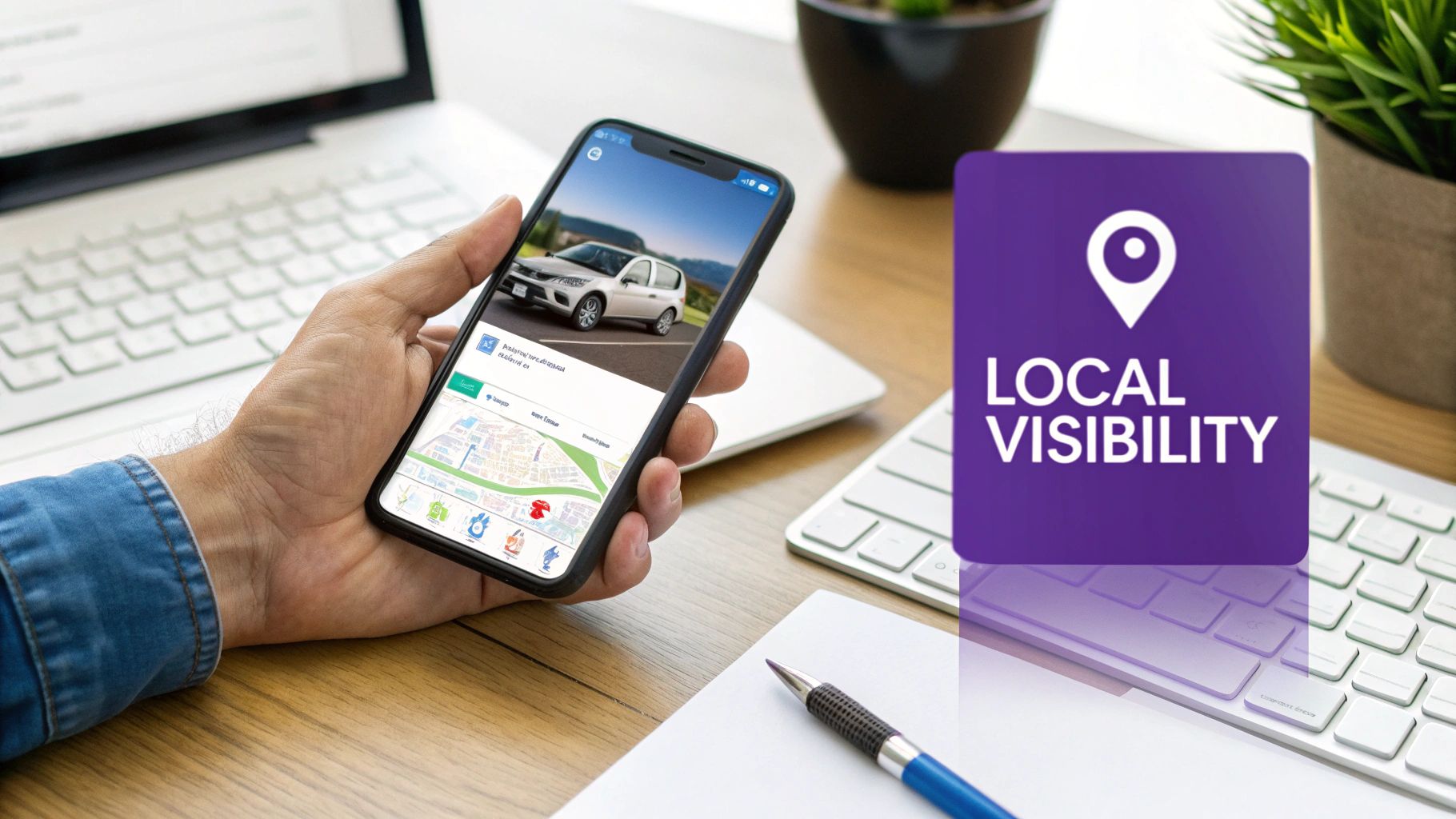
  • A Guide to High-Performing Car Dealer Web Design

    A Guide to High-Performing Car Dealer Web Design

    Car dealer web design is all about creating a digital showroom that’s open 24/7 — one that pulls in local buyers, shows off your inventory, and brings in solid leads. It’s no longer just an online brochure; it's your number one sales tool, and a modern, mobile-first approach is absolutely critical for getting found on Google and convincing shoppers to visit your lot.

    Your Website Is Your Most Valuable Salesperson

    Let's be real for a minute: the way people buy cars has completely changed. Your physical lot still matters, of course, but the sales process for nearly every customer now starts online. A great website isn't just a line item on your budget; it's your hardest-working employee, running around the clock without ever needing a coffee break.

    This means you have to stop thinking of your site as a technical expense and start seeing it as a core investment in your sales engine. A fast, easy-to-use website is often the deciding factor that sends a buyer to your dealership instead of the one down the street. It’s your first handshake, the virtual test drive, and the foundation of trust for every new customer.

    Meeting Customers Where They Are

    The car buying journey today begins on a smartphone. The data doesn't lie: roughly 60% of all vehicle searches start on a mobile device. What's more, a similar percentage of those shoppers end up calling a dealership directly from their phone after finding it online.

    A mobile-first website that loads in a snap and displays your inventory in a clean, tappable format is your best bet for turning those online lookers into real-life leads. If you want to dive deeper into the numbers, check out these insights on car dealership conversion rates.

    The bottom line for independent dealers is simple: if your website is a pain to use on a phone, you're invisible to the majority of your potential customers.

    Building Trust Before They Even Arrive

    A professional website does a lot more than just list cars for sale—it builds instant credibility. Put yourself in the buyer’s shoes for a second. An outdated site that's slow or confusing to navigate immediately sends a bad signal. It suggests the dealership might be just as disorganized in real life.

    A website is your digital handshake. It communicates professionalism, transparency, and a customer-first attitude long before a buyer ever steps onto your lot. A clean design and clear information are non-negotiable for earning trust.

    On the flip side, a modern site packed with high-quality photos, transparent pricing, and detailed vehicle information builds confidence. It tells the customer you're a serious, professional operation they can trust with one of the biggest purchases they'll make. This is your chance to go head-to-head with the big franchise stores by offering a better, more personal online experience that translates directly into showroom traffic.

    Blueprint for a User-Friendly Dealership Website

    Before you even touch colors or fonts, a winning car dealer web design starts with a solid plan. It's just like building a house—you wouldn't start without a blueprint showing where every room goes and how people will move through the space. For your dealership, a well-thought-out website structure guides customers from casually browsing your inventory to hitting "submit" on a finance application, all without a single moment of frustration.

    For most car buyers today, the path from online research to visiting your lot is a straight line. Your website's job is to make that journey as smooth as possible.

    Visual representation of the car shopping journey, showing three steps: search, website, and visit.

    This simple flow drives home a critical point: your website is the bridge between a shopper's initial search and their decision to walk through your doors. If that bridge is confusing or poorly built, you lose the sale before you ever had a chance to make it.

    The Core Pages Every Dealer Website Needs

    To build a website that actually generates leads, you need a handful of essential pages. Each one plays a specific role in moving a buyer from just looking to taking action.

    • A Dynamic Inventory Page: This is your digital showroom. It absolutely must have intuitive filters for make, model, year, and price. Shoppers expect to sort results and pinpoint the exact vehicle they want without having to scroll for days.
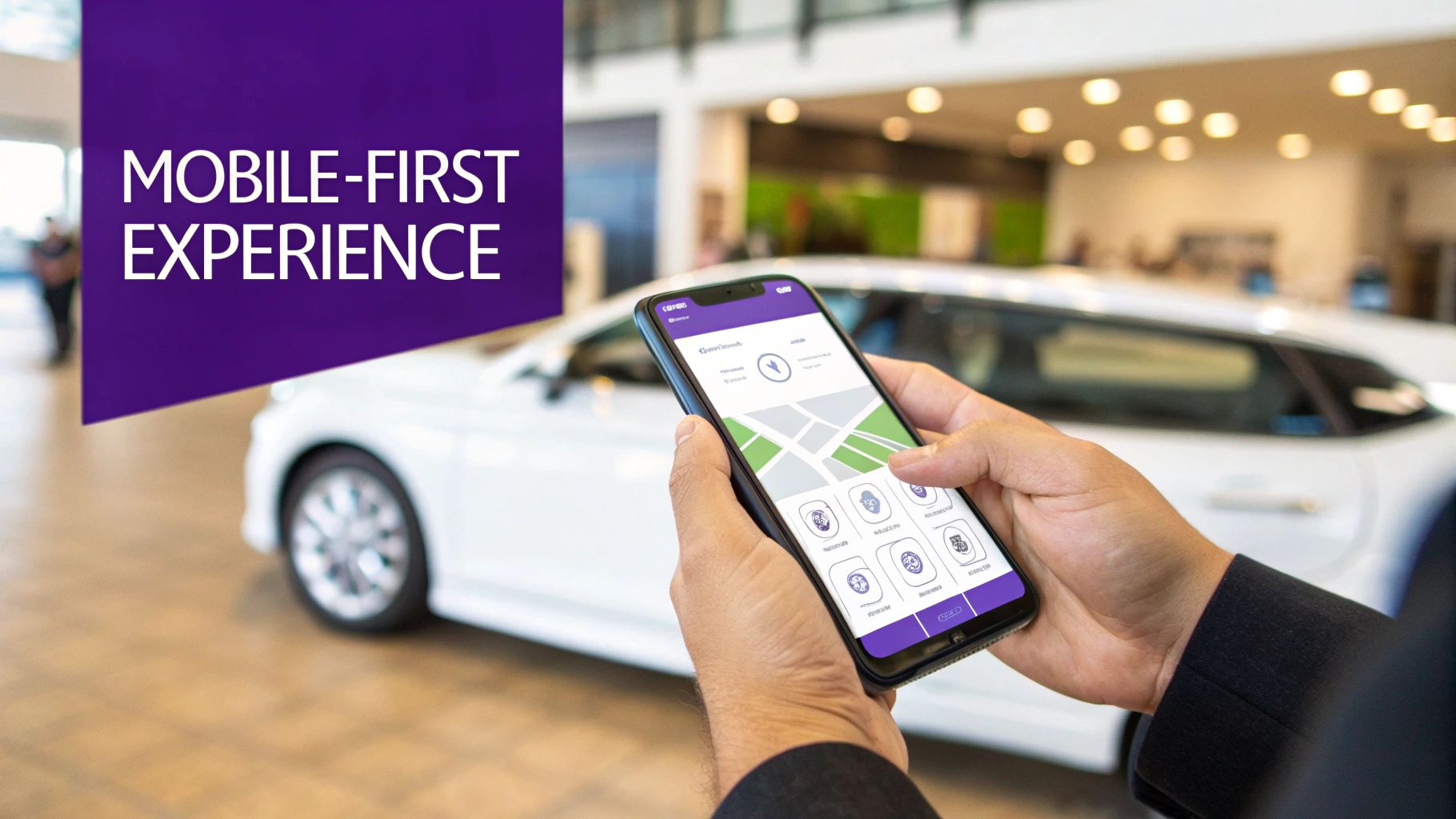
    • Compelling Vehicle Detail Pages (VDPs): The moment a customer clicks on a car, the VDP needs to do the selling. This page should be loaded with high-quality photos (the more, the better), a walk-around video if you can swing it, detailed specs, and a clear, upfront price.
    • A Simple Online Finance Application: The biggest hurdle is often the paperwork. By offering a secure, mobile-friendly finance form right on your site, you drastically reduce that friction. The easier it is to fill out, the more pre-qualified leads will land in your inbox.
    • A Trust-Building 'About Us' Page: Here’s your chance to tell your story and stand out. Share your dealership's history, put a face to the name with friendly team photos, and explain what makes you different from the big-box store down the street.
    • A Clear Contact Page: Don't make people dig for your info. Your contact page should prominently display your address, phone number, and hours, along with an interactive map that makes getting to your dealership a no-brainer.

    Structuring Your Site for Customers and Google

    How you arrange these pages is just as important as what's on them. A logical site structure and navigation menu don't just help users find what they need; they also help search engines understand your site and rank your inventory. Cluttering the main menu with a dozen different options just overwhelms visitors and sends them packing.

    Your website's navigation is the roadmap for your customers. If the signs are confusing or lead to dead ends, most people will just turn around and leave. Prioritize simplicity and clarity above all else.

    Let's look at how a typical, outdated structure stacks up against a modern, streamlined one. The difference in the user's experience is night and day, and the impact on your lead generation will be just as dramatic. A clean layout ensures that high-value actions like "View Inventory" and "Get Pre-Approved" are never more than a click away.

    Dealership Website Structure Comparison

    A well-organized site doesn't just look better; it performs better. It guides users naturally toward the actions you want them to take.

    Page/Feature Traditional Approach (Avoid) Modern Approach (Implement)
    Navigation Cluttered menu with confusing dropdowns and vague labels like "Services." Simple, clear menu: Home, Used Cars, Finance, About, Contact.
    Inventory One long, unsorted list of vehicles with tiny, low-quality photos. Filterable inventory page with high-res images and clear pricing.
    Finance Page A downloadable PDF form that customers have to print, fill out, and fax. A simple, secure, and mobile-friendly online application form.
    Contact Info Phone number hidden deep in the footer text. Address and phone number are prominent in the header and on a dedicated contact page with a map.

    Ultimately, a modern structure respects the user's time and makes it incredibly easy for them to get the information they need, which is the first step in earning their business.

    Turning Inventory Listings Into Sales Opportunities

    Let's be honest: your online inventory is the heart of your dealership. You can have the slickest website design in the world, but if your Vehicle Detail Pages (VDPs) don't do the selling for you, you're just spinning your wheels. This is where browsers become buyers, and where your attention to detail will either make or break a potential sale.

    The secret isn't some flashy gimmick. It's about giving modern, research-obsessed shoppers what they actually want: authentic details, transparent pricing, and crystal-clear visuals. They want to kick the tires virtually before they even think about stepping onto your lot.

    A hand holds a smartphone showing car listings, with a car dealership lot in the background and 'Sell Inventory' text.

    Ditch the Stock Photos and Generic Blurbs

    In a sea of nearly identical online listings, your photos and videos are your most powerful weapon. We've all seen them—the lazy listings with one blurry stock photo. It screams "I don't care," and it kills trust instantly. You have to show them the actual car, warts and all.

    • Go All-In on High-Res Photos: Aim for 20-30 clear, well-lit photos of every single vehicle. Get every angle, open the doors, show the dash (with the mileage visible!), zoom in on the tires, and highlight any special features. This visual tour builds massive confidence and answers questions before a buyer even has to ask.
    • Shoot a Quick Walk-Around Video: Seriously, you can do this on your phone. A simple one-minute video where you walk around the car, point out a few key features, and start the engine gives a buyer a feel for the vehicle that static images just can't match.

    The story you tell is just as important. Never, ever use the generic, manufacturer-provided description that a dozen other dealers are using. Write a few unique sentences about that specific car. Did it have just one owner? Does it have a rare trim package or immaculate service records? That personal touch is what connects with a buyer and makes your listing memorable.

    Let Automated VIN Decoding Do the Heavy Lifting

    Manually typing in every feature for every car isn't just a grind—it's a recipe for mistakes. This is where automated VIN decoding becomes your best friend. A modern dealership website platform can take a VIN and instantly populate the listing with every last standard and optional feature, accurately and completely.

    This isn't just a time-saver. It ensures your listings are packed with the rich, specific data that both savvy car shoppers and search engine algorithms love.

    Automated VIN decoding is a non-negotiable for independent dealers today. It removes the guesswork, guarantees data accuracy, and loads your VDPs with the exact specifications that build customer trust and supercharge your automotive SEO.

    Think about how people search. They aren't just looking for a "Ford F-150." They're searching for a "used Ford F-150 Lariat with a V8 and heated seats." When your VIN-decoded listing has all those keywords naturally included, your chances of showing up for that search go through the roof.

    Transparency Is Your Most Powerful Sales Tool

    Nothing kills a deal faster than hidden fees. In today's market, buyers not only expect but actively reward transparency. Don't make them dig for the real price.

    Simple Rules for Pricing Transparency:

    1. Show the Price. Always. Never hide your price behind a "Call for Price" button. Display it prominently right at the top of the page.
    2. Break It Down. If you can, provide a simple breakdown of the vehicle price, any dealer fees, and estimated taxes. An online payment calculator is a fantastic feature for this.
    3. Be Upfront About Financing. Clearly state your finance options, including APRs and terms. This shows integrity and puts the customer in the driver's seat.

    This kind of radical honesty builds a foundation of trust that many of your competitors simply don't have. When a customer knows you’re being straight with them online, they're far more likely to walk through your door ready to do business. For a deeper dive, check out our guide on crafting compelling car listings that boost sales.

    By mastering these fundamentals—great visuals, unique descriptions, accurate data, and honest pricing—you turn every inventory listing from a static webpage into a powerful, 24/7 sales machine.

    4. Winning with Local Search and Google Vehicle Listings

    Look, you can have the most beautiful website on the planet, loaded with stunning inventory photos, but it means nothing if local buyers can't find you. If someone in your town searches for a car you have in stock and you don't show up, you're invisible. This is where a sharp, focused approach to local Search Engine Optimization (SEO) becomes your most powerful sales tool.

    The goal isn't to reach every car buyer in the country. It's about being the first and best answer for the customer searching for a car right in your own backyard.

    Optimizing Your Digital Front Door

    Think of your website's search engine presence as your digital curb appeal. It's the first impression you make on Google, and it's what makes a potential buyer stop and look or just keep scrolling. A huge piece of this puzzle is getting your Vehicle Detail Pages (VDPs) optimized for how local people actually search.

    This means you have to move beyond generic page titles. "2019 Honda CR-V" is a start, but it's not enough. Your title needs to be specific and targeted, something like "Used 2019 Honda CR-V for sale in Austin, TX." That small change is a game-changer because it matches precisely how real customers search.

    • Page Titles: Get specific. Include the make, model, year, and your city/town.
    • Meta Descriptions: Write a short, punchy sentence that includes the key vehicle details and location. This is your chance to earn the click from the search results page.
    • Image Alt Text: Don't skip this. Label your photos descriptively, like "2019-honda-crv-exl-interior-austin-tx." Every little bit helps.

    These details are signals that tell search engines your inventory is highly relevant to buyers right there in your community.

    Getting Seen with Google Vehicle Listings

    One of the best-kept secrets for independent dealers is Google Vehicle Listings. These are the free inventory listings that pop up right at the top of Google's search results when someone is car shopping. Landing your cars here gives you prime real estate, often appearing above the regular organic results, without costing you a penny.

    So, how do you get your inventory featured? The good news is, it's not about paying Google. The magic is in how your website is built. A modern car dealer web design platform should automatically format your inventory data using what's called schema markup.

    Think of schema as a translator. It’s a special code that tells Google exactly what each piece of info on your VDP means—this is the make, this is the model, this is the mileage, this is the price.

    A website with properly structured inventory data is your golden ticket to free, high-visibility placement in Google Vehicle Listings. It’s not an optional feature; it's a fundamental requirement for competing online today.

    When your site speaks Google's language, your inventory gets this incredible exposure, driving highly qualified shoppers directly to your VDPs.

    Your Google Business Profile Is Your Digital Billboard

    While your site is the destination, your Google Business Profile (GBP) is often the first impression. It’s that info box that appears on Google Maps and in local search results, showing your dealership's name, address, phone number, hours, and those all-important customer reviews.

    An incomplete or inaccurate GBP is a huge red flag for both customers and Google. A fully optimized profile, however, builds instant trust and gives your local search ranking a massive boost. For a deep dive, check out our guide on local SEO for car dealerships.

    Your Essential GBP Checklist:

    • Verify Your Listing: First things first. You have to do this. It proves to Google you're a real, physical business.
    • Nail Down Your NAP: Your Name, Address, and Phone number must be identical everywhere—your website, GBP, and any other online directory. Even a small difference like "St." vs. "Street" can cause problems.
    • Show Off Your Lot: Upload plenty of high-quality photos. Show your inventory, your showroom, and your team. Help customers get a feel for your dealership before they even stop by.
    • Manage Your Reviews: Customer reviews are a huge ranking factor. Actively ask happy customers for feedback and always, always respond professionally to every review, good or bad. It shows you’re engaged and you care.

    Turning Your Website Into a Lead-Generating Machine

    Let's be honest: a beautiful website that doesn't generate leads is just an expensive digital brochure. The real measure of your car dealer web design is its ability to turn a casual browser into a hot lead. That means guiding visitors to take that next step—scheduling a test drive, asking about a specific vehicle, or getting pre-approved for a loan. This is where we get into the nitty-gritty of conversion optimization.

    A hand taps a smartphone screen displaying 'Get More Leads' and a 'GET' button, illustrating digital lead generation.

    It’s all about creating clear, compelling pathways for your shoppers. You’d be surprised how a few small, strategic tweaks to your buttons and forms can make a massive difference in your lead count, without you needing to spend a single extra dollar on traffic.

    Writing Calls-to-Action That Actually Get Clicked

    The words on your buttons matter far more than you might think. We’ve all seen the generic, lazy calls-to-action (CTAs) like "Learn More" or "Submit." They’re vague, uninspiring, and frankly, they create hesitation because the user has no idea what happens next.

    Your most successful competitors use specific, action-oriented language that taps directly into what a car buyer actually wants to do. Put yourself in their shoes. When they land on a Vehicle Detail Page (VDP), what’s their goal? They want to know if the car is still on the lot, if they can afford it, and when they can drive it.

    High-Impact CTAs Your VDPs Need:

    • Schedule Test Drive: This is the big one. It’s the ultimate goal for a serious buyer and a crystal-clear signal of high intent.
    • Check Availability: This simple phrase creates a little urgency and kicks off a direct conversation about a specific car.
    • Get Pre-Approved: You’ll catch the finance-focused buyers with this one, pulling them deeper into your sales process early on.

    Focusing on these high-value actions can completely change your website's performance. Think about it: moving from a 0.5% to a 1.5% form conversion rate effectively triples your sales pipeline. And the proof is in the pudding—data from across the industry shows "Test Drive" leads are pure gold. If you want to dive deeper, you can find some great automotive conversion rate insights from other dealers.

    Building Lead Forms People Don’t Hate

    Nothing kills a potential lead faster than a long, complicated form, especially on a phone. Every single field you add is another opportunity for a motivated buyer to get frustrated and just leave. When it comes to forms, simplicity is everything.

    Your job is to remove every possible point of friction. Ask only for the absolute bare minimum you need to get the conversation started. You can always gather more details over the phone or in person.

    Your lead form should feel like a quick text message, not a tax return. Keep it short, simple, and mobile-friendly to maximize submissions and start more conversations.

    For a test drive request, what do you really need? A name, email, and phone number. That's it. Make the form fields big enough to tap easily with a thumb, and make that final button bright and impossible to miss.

    Tracking What Actually Matters

    So, how do you know if any of these changes are actually working? You have to track your results. Setting up some basic analytics isn't nearly as scary as it sounds, and it gives you the hard data you need to see what's driving real business.

    To start, just focus on a few key metrics:

    1. Lead Form Submissions: A simple count of how many people successfully fill out each of your forms (test drive, financing, general contact, etc.).
    2. VDP Conversion Rate: This is crucial. What percentage of people who look at a specific car end up submitting a lead from that page?
    3. Phone Call Clicks: If you have a clickable phone number (and you should!), you need to track how many mobile visitors are tapping to call you.

    Once you start tracking, you’ll unlock powerful insights. You might find that your "Check Availability" button gets double the clicks of your "Get ePrice" button. That’s the kind of information that allows you to stop guessing and start making smart, data-backed decisions to grow your dealership. To get a better handle on turning your website traffic into real results, check out our complete guide on lead generation for car dealerships.

    A Living Website: Your Key to Continuous Growth

    Getting your new website live is a huge milestone, but don't pop the champagne just yet. Think of the launch as the starting line, not the finish. The dealerships that truly succeed are the ones who treat their website like another member of the sales team—a living, breathing part of the business that’s always learning and adapting.

    Forget the old "set it and forget it" mentality. Your site needs to be a dynamic tool that responds to how real customers are using it, what’s happening in the market, and the cars you’re trying to move off the lot. This constant cycle of observation and improvement is what turns a decent website into a lead-generating machine.

    Your Go-Live Launch Checklist

    Before you flip the switch, there are a few final checks to make sure you're truly open for business online. A solid platform provider should handle the heavy lifting, but it’s your name on the door. It’s always smart to double-check their work.

    • Connect Your Custom Domain: Is your professional domain name (e.g., www.yourdealership.com) pointing to the new site? This is your digital storefront, so make sure the address is right.
    • Submit Your Sitemap to Google: A sitemap is basically a road map for search engines. By submitting it through Google Search Console, you're telling Google, "Hey, I'm here and ready for customers."
    • Run a Final Content Review: This is your last chance to catch the small stuff. Click through every single page. Are there typos? Is the phone number right? And most importantly, fill out a lead form yourself to make sure it actually works and lands in your inbox.

    Monitoring Performance and Making Smart Tweaks

    Alright, you're live. Now the real fun begins. You don't need a Ph.D. in data science to figure out what's working. By keeping an eye on a couple of key numbers, you can get a surprisingly clear picture of what visitors are doing on your site and where you’re losing them.

    Your website data tells a story about your customers. If you listen to that story and make small, informed adjustments, you can systematically improve your lead generation and sell more cars. It’s that simple.

    Start with these two metrics: your bounce rate and your VDP conversion rate.

    The bounce rate tells you how many people land on a page and leave without clicking anything else. If it's high, it could mean the page is slow, the design is confusing, or the car they clicked on from an ad isn't what they expected.

    Your VDP conversion rate is even more critical—it's the percentage of people looking at a specific car who actually fill out a form. If this number is low, your calls-to-action might not be working, or maybe your photos aren't compelling enough to make them take the next step.

    Simple Tactics for Ongoing Growth

    Continuous improvement doesn’t mean you need to dedicate hours every day to the website. It's about building small, consistent habits that keep your site sharp and effective.

    Ongoing Optimization Ideas:

    • Refresh Your Vehicle Photos: Got a hot model on the lot? Take some fresh, high-quality photos and make it the star of your homepage for a week. A little visual refresh can make a huge difference.
    • A/B Test Your CTAs: This sounds technical, but it’s not. For two weeks, change a button on your VDPs from "Get ePrice" to "Check Availability." Then, see which version generated more leads. Simple as that.
    • Create Content Around Popular Models: If everyone in your town is searching for a used Ford F-150, write a quick blog post about "5 Things to Check Before Buying a Used F-150." This is a fantastic way to pull in local search traffic from buyers who are already in the market for a truck you sell.

    When you adopt this mindset, your website stops being a static online brochure and becomes a core driver of your dealership's success, month after month.

    Your Top Car Dealer Web Design Questions, Answered

    If you're an independent dealer, you've probably got a few questions about getting your business online. It's a big step, and getting straight answers is key to building a website that actually helps you sell more cars. Let's tackle some of the most common ones we hear from dealers.

    How Much Should I Expect to Pay for a Good Website?

    This one's a biggie. You'll see a huge range, from massive one-time fees for a completely custom site to more manageable monthly plans from a dedicated dealership platform.

    Honestly, for most independent dealers, the best bang for your buck comes from a platform that bundles everything you need. Look for a plan that includes a mobile-first design (this is non-negotiable), automatic VIN decoding, and powerful SEO tools right out of the box. This way, you get a high-performance site without the huge upfront cost, making your budget predictable and your life easier.

    How Do I Get My Inventory to Show Up on Google?

    Getting your cars into Google Vehicle Listings is a game-changer, and it's simpler than you might think. The magic behind it is something called "schema markup"—a specific type of code that your website uses to describe your inventory to Google.

    A quality car dealer web design platform handles this for you automatically. Every time you add a vehicle, the system formats the data correctly so Google can find it, understand it, and show it to local shoppers. No coding, no extra effort on your part—it just works.

    The right website platform lets you focus on selling cars, not fighting with technology. Your online showroom should be just as easy to manage as your physical lot.

    Do I Need to Be a Tech Whiz to Run My Own Site?

    Absolutely not. Modern dealership websites are built for car people, not coders. The best systems have a super intuitive dashboard where you can easily add new inventory, upload photos and videos, and check on your incoming leads from your phone or desktop.

    If you can post a picture on social media, you have all the skills you need to manage a professional dealership website.


    Ready to build a dealership website that turns online visitors into lot-traffic? With a platform like AutoFire™, you can get your entire inventory online in minutes. It's automatically optimized for local search and designed from the ground up to capture leads. Launch your dealership website today and see what a modern, mobile-first website can do for your sales.