Tag: mobile-first design

  • What Is Mobile Responsive Design and Why It Matters for Your Dealership

    What Is Mobile Responsive Design and Why It Matters for Your Dealership

    Mobile responsive design is an approach where a single website automatically adjusts its layout to fit whatever screen it's on. Think of it like a liquid—it perfectly fills any container, whether that's a huge desktop monitor, a mid-sized tablet, or the smartphone in your pocket.

    Why Your Website Must Be a Shape-Shifter
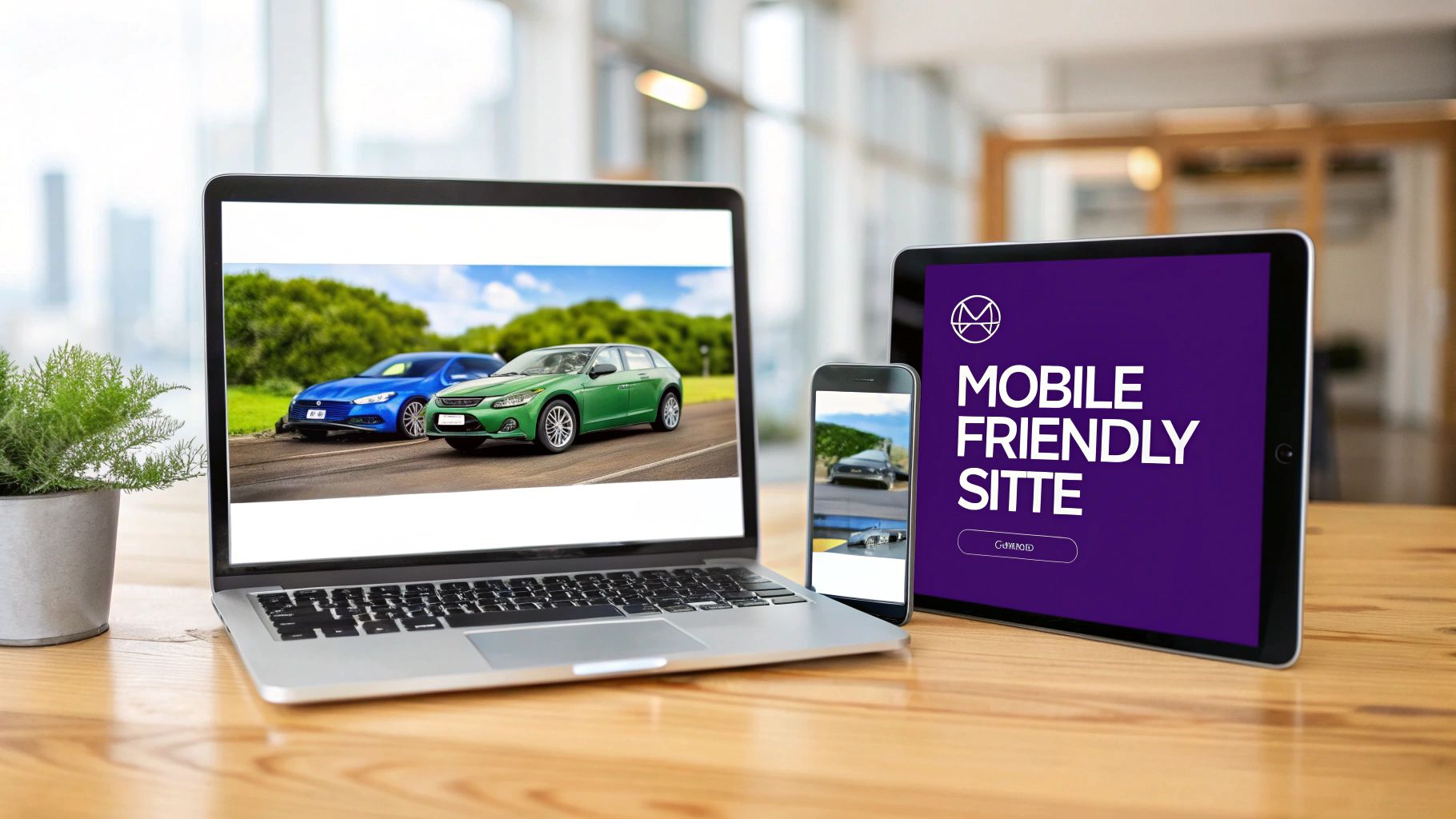
    A laptop, smartphone, and tablet display a website, demonstrating mobile-friendly design and responsiveness.

    So, what is mobile responsive design in simple terms? It’s a smart way of building your site so that the content—images, text, buttons, and forms—automatically rearranges itself to look and work great for every visitor. For a car dealer, this means your vehicle photos, spec sheets, and lead forms are just as clear and easy to use on a phone as they are on a computer.

    This completely gets rid of the frustrating pinching, zooming, and side-scrolling that makes people leave a website. Instead of juggling separate sites for mobile and desktop, you have one flexible website that does the job everywhere.

    The Problem With Old-Fashioned Websites

    Not too long ago, it was common for businesses to have two different websites: the main desktop site and a clunky, scaled-down "m-dot" version for mobile users. This was a nightmare for keeping content updated and almost always gave mobile visitors a second-rate experience. Trying to use a non-responsive site on a phone is a recipe for tiny text, broken layouts, and lost customers.

    A mobile-responsive website isn't just about looks. It directly impacts your search rankings, how fast your pages load, and how many leads you get. If your site isn't built for mobile, you're leaving money on the table.

    This is more critical than ever, as Google now primarily uses the mobile version of your site to determine its search rankings. A bad mobile experience will actively tank your visibility.

    The Benefits For Car Dealerships

    A responsive website ensures every potential car buyer has a smooth, hassle-free experience, which is the key to turning an online browser into a showroom visitor. The advantages are crystal clear:

    • Improved User Engagement: A clean, intuitive site encourages shoppers to stick around and browse your inventory longer, without getting annoyed.
    • Stronger SEO Performance: Google prioritizes mobile-friendly sites, giving you a major boost in local search results so buyers can find you first.
    • Higher Lead Conversion: With simple, easy-to-tap forms and click-to-call buttons, shoppers can reach out the moment they're interested, right from their phone.

    At the end of the day, a responsive website is no longer a "nice-to-have" feature. It's an absolute necessity for any modern dealership's digital strategy.

    The Pillars of a Truly Responsive Website

    So, what’s actually going on behind the scenes of a responsive website? It’s helpful to peek under the hood at the core components that make it all click. These are the principles that let a single website deliver a perfect viewing experience on everything from a tiny smartphone to a huge desktop monitor. This whole approach is built on three key pillars working in concert.

    This entire philosophy became the industry standard after a web designer named Ethan Marcotte laid it all out in a now-famous 2010 article. He made a compelling case for a more fluid, adaptable web, and it clearly stuck. Today, responsive design is the standard for new website development.

    Fluid Grids: The Flexible Foundation

    The first pillar is the fluid grid. Imagine your website's layout is made of super-stretchy, flexible shelving. When you have a wide wall (a desktop screen), those shelves can expand to fill the entire space. But if you move them to a narrow hallway (a phone screen), they intelligently stack one on top of the other, keeping everything neat and tidy.

    Technically, a fluid grid uses relative units like percentages instead of fixed units like pixels. This just means your website elements—like your vehicle inventory grid or your finance application form—aren't locked into rigid widths. They simply resize in proportion to whatever screen they’re on, making sure your content is always well-organized and easy to navigate.

    Flexible Images: The Visual Shifters

    Next up, we have flexible images. As a car dealer, your site is all about the visuals. You rely on high-quality vehicle photos to make a sale. On an old, non-responsive site, those big, beautiful images would either get awkwardly cut off on a small screen or force users into that dreaded horizontal scroll.

    Flexible images fix this by automatically scaling down to fit the container they're in. This keeps your car photos looking sharp and professional on a phone without distorting the picture or breaking the page layout. Even better, it helps keep your page load times fast, which is absolutely critical for holding onto impatient mobile visitors and for good SEO. For more tips on this, check out our complete guide on website design for car dealers.

    Media Queries: The Intelligent Director

    The final pillar is the media query, and you can think of it as the "brain" of the operation. It's a snippet of CSS code that detects the specific characteristics of the device viewing your site—most importantly, the width of its screen.

    A media query is really just a set of "if-then" rules. For instance, a rule might say: "If the screen is less than 768 pixels wide, then stack the navigation links vertically and make the font bigger so it's easier to read."

    Based on the screen size it detects, the media query applies a specific set of styles to optimize the layout on the fly. It’s the part that tells the fluid grid and flexible images how to adjust, ensuring the user experience feels like it was custom-made for their exact device. When these three pillars work together, you get the seamless, adaptable experience that defines modern web design.

    Responsive vs. Adaptive vs. Mobile-First Explained

    When you start looking at website options for your dealership, you’ll run into a few different design philosophies. They might sound interchangeable, but understanding the difference between responsive, adaptive, and mobile-first design is key to making the right choice for your business.

    Responsive Design

    Think of Responsive Design like a single, ultra-flexible outfit that can stretch or shrink to fit anyone perfectly. It uses one fluid layout that automatically adjusts to whatever screen it's on, from a huge desktop monitor to a tiny smartphone. It’s one website built to be versatile.

    Adaptive Design

    Adaptive Design is a bit different. Imagine having a closet with a few specific outfits—one small, one medium, and one large. Instead of one fluid layout, an adaptive site has several pre-built, fixed layouts. When someone visits your site, the server figures out their screen size and serves up the best-fitting version. It adapts, but only to a handful of set sizes.

    Mobile-First Design

    Then there's Mobile-First Design, which flips the whole process on its head. This approach is like designing a sleek, functional race suit before even thinking about the casual wear. You start by perfecting the experience on the smallest screen—the smartphone—and then progressively add features and expand the layout for tablets and desktops.

    This has become the gold standard for a very simple reason: the vast majority of your customers start their car search on their phones.

    By designing for the mobile experience from the very beginning, you ensure that these users get the fastest, cleanest, and most streamlined version of your site possible. It prioritizes what mobile users need most, rather than trying to cram a desktop site onto a small screen.

    To help you visualize the differences, here’s a quick breakdown of these three approaches.

    Comparing Website Design Approaches

    Approach How It Works Best For
    Responsive One fluid layout that automatically adjusts to any screen size. Businesses that need a consistent, flexible experience across all devices without a complex back-end.
    Adaptive Multiple fixed layouts designed for specific screen sizes. The server sends the best fit. Complex, feature-heavy websites where tailoring the experience for specific devices is a top priority.
    Mobile-First Starts with the design for the smallest screen (mobile) and progressively enhances it for larger screens. Virtually all modern businesses, especially those like dealerships where mobile traffic is dominant.

    Each method has its place, but for a car dealership in today's market, a mobile-first strategy built on a responsive framework is the winning combination. It ensures you're serving your largest audience segment first and foremost.

    This diagram shows the technical pillars that make it all work.
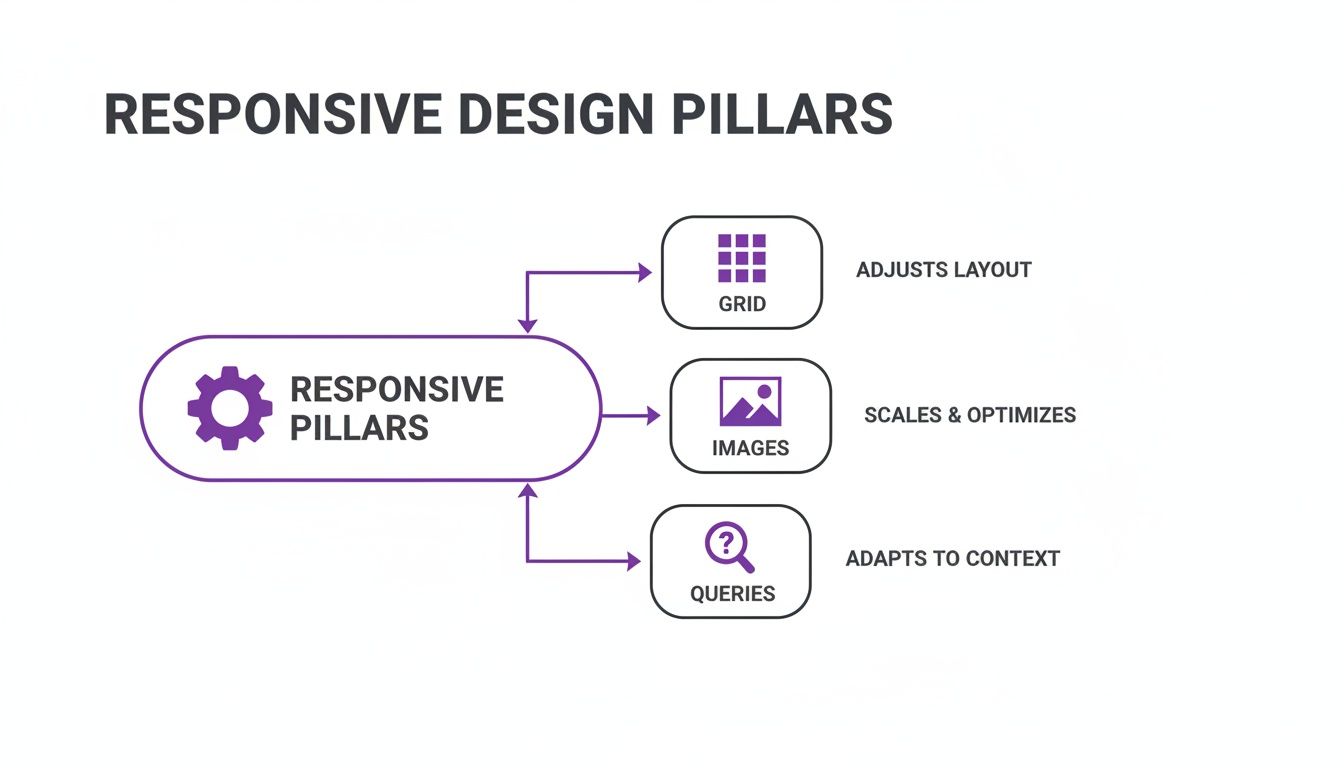
    Diagram illustrating the three pillars of responsive design: Grid for layout, Images for optimization, and Queries for context adaptation.

    These three elements—fluid grids, flexible images, and media queries—are the engine behind a truly seamless experience on any device.

    Diving into Mobile-First Design Principles can give you a deeper appreciation for why starting small is such a big deal. To see how these concepts come together specifically for car dealers, check out our complete guide on dealership website design.

    Why a Mobile-Friendly Site is Your Dealership's Best Salesperson

    Think of your website as more than just a digital brochure. It’s a powerful tool that directly impacts your sales numbers, and in today's market, how it performs on a smartphone is what separates the winners from the losers.

    Why? Because search engines like Google have completely shifted their focus. They now use a mobile-first indexing approach, which is just a technical way of saying they judge and rank your website based on its mobile version. If your site is clunky and broken on a phone, Google notices, and you’ll get buried in search results—especially for crucial spots like Google Vehicle Listings.

    The Real Cost of a Bad First Impression

    Let's face it, the modern car-buying journey almost always starts on a phone. Your customers are scrolling through inventory on their lunch break, comparing prices from the couch, and looking up directions to your lot while on the go.

    If they land on your site and have to pinch and zoom just to read a vehicle description, they’re not going to stick around. They’ll hit the back button in frustration and head straight to your competitor. This quick exit is called a "bounce," and a high bounce rate tells search engines your site isn’t giving people what they want.

    In fact, a non-responsive design is one of the top reasons people abandon a website. According to one study, 73.1% of web designers believe that a non-responsive design is a key reason why visitors leave a website. That number alone shows just how critical a smooth experience is for keeping potential buyers on your page.

    This isn't just a theory; it's backed by how people behave. Research indicates that users are far more likely to engage with a business that offers a great experience across the devices they own. You can dive deeper into these findings by checking out the latest responsive design best practices.

    Turning Mobile Browsers Into Showroom Visitors

    A well-built responsive site doesn't just stop people from leaving—it actively guides them toward becoming a lead. When you make it effortless for someone to use your site on a small screen, you see immediate improvements in the metrics that matter most.

    Here’s how that translates into real growth for your dealership:

    • Lower Bounce Rates: When visitors can easily navigate your inventory and find information, they stay longer. They explore more VDPs and get a better feel for your dealership.
    • Increased Engagement: A clean, intuitive design makes browsing photo galleries and comparing specs a genuinely good experience, which keeps shoppers invested and interested.
    • Higher Conversion Rates: This is the big one. A responsive site makes it dead simple for a user to take action. Big, easy-to-tap "Call Us" buttons, simple contact forms, and clear directions to your dealership remove all the friction, turning a casual browser into a qualified lead.

    Ultimately, understanding what is mobile responsive design comes down to recognizing it as a fundamental sales strategy. It ensures that every single visitor, no matter what device they’re using, has a clear and easy path to becoming your next customer.

    Essential Responsive Features for Your Car Dealer Website

    Knowing the theory behind responsive design is one thing, but putting it into practice is what actually sells cars. A great dealership website isn't just flexible—it's packed with specific features that turn a casual mobile browser into a real showroom visitor. These elements are all about making the car buying journey completely seamless on a small screen.
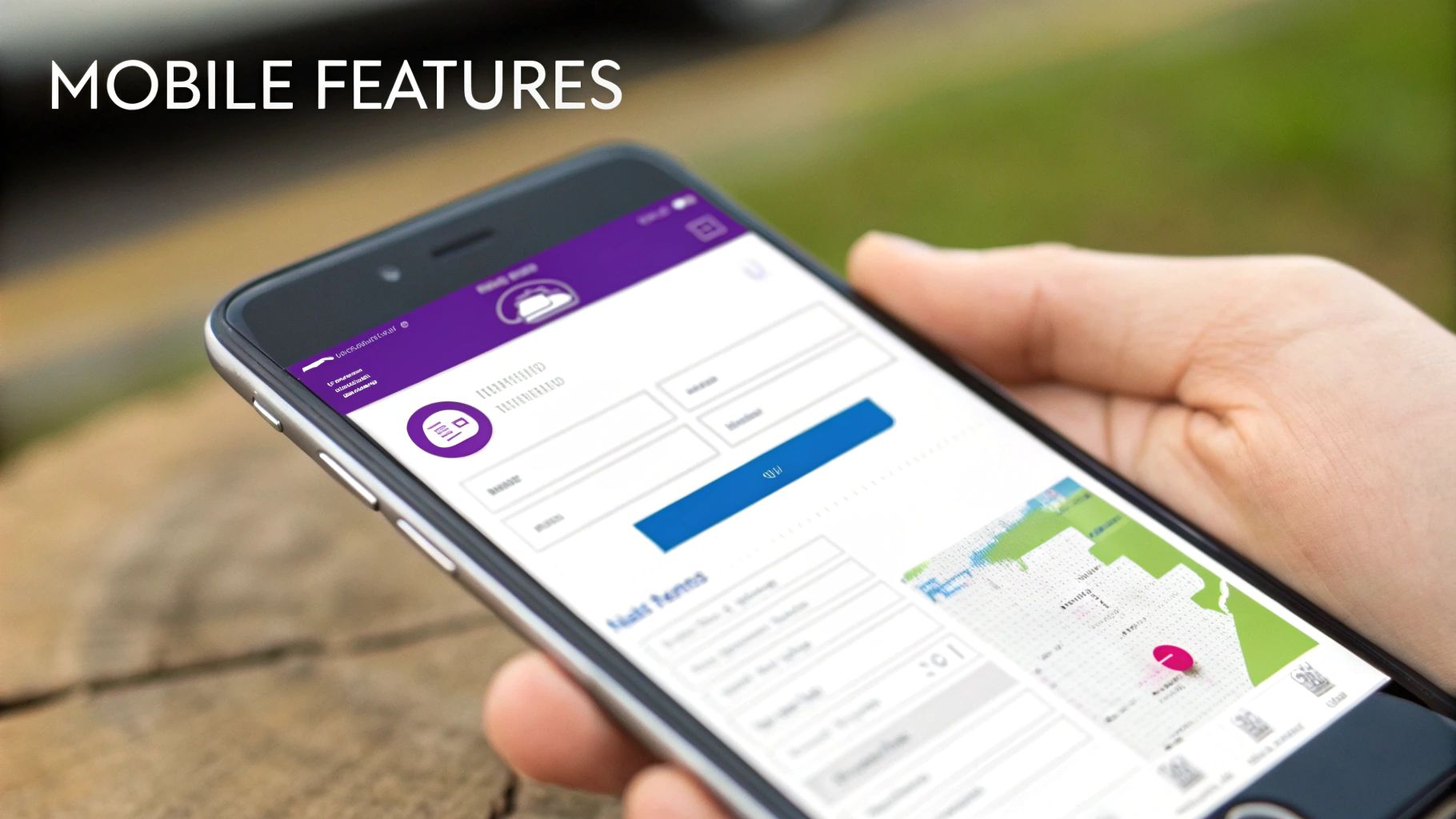
    A close-up of a hand holding a smartphone displaying an app with various mobile features and a map.

    It’s about turning your site from a passive online listing into an active sales machine. Every feature needs to solve a problem for a customer on the move, removing friction from start to finish.

    Making Every Tap Count

    On a phone, every interaction happens with a fingertip, not a precise mouse cursor. That simple fact demands a totally different way of thinking about navigation and calls to action.

    Your website must have:

    • Touch-Friendly Navigation: Buttons and menus need to be big enough to tap easily without hitting the wrong link by mistake. Think clear, chunky buttons, not tiny, crowded text.
    • Prominent Click-to-Call Buttons: When a shopper wants to talk, they shouldn't have to hunt for your phone number. A sticky header with a "Call Now" button keeps your sales team just one tap away at all times.
    • Integrated Maps: Listing your address is fine, but a one-tap link that opens Google Maps or Apple Maps for instant directions is infinitely better. This little feature can be the nudge that gets a buyer onto your lot.

    These small details add up to a huge difference in the user's experience, turning someone who's "just looking" into a genuine lead. You can dig into more strategies like these in our guide on how to optimize your dealership website for mobile.

    Streamlining the User Journey

    Beyond basic navigation, the most important parts of your site—your vehicle inventory and lead forms—need special attention. Mobile users crave speed and simplicity above all else.

    A mobile-responsive website provides a smoother, more intuitive user experience. Websites that prioritize UX for mobile users often experience lower bounce rates and higher conversions, making responsive design a critical business asset.

    Fast-loading vehicle image galleries are an absolute must. Customers expect to swipe through high-quality photos instantly, without waiting for them to load or burning through their data plan. This is where image optimization becomes crucial; choosing the right image formats for web performance can make a night-and-day difference for your mobile visitors.

    Finally, you have to simplify your lead forms for small screens. Instead of asking for ten different pieces of information, stick to the absolute essentials: name, email, and phone number. Shorter forms dramatically increase the odds that a mobile user will actually fill one out, which directly boosts your conversion rates.

    When all these features work in harmony, your website becomes a 24/7 sales assistant that never sleeps.

    Got Questions About Responsive Design? We've Got Answers.

    Jumping into the world of dealership websites can feel a bit overwhelming. Let's clear up some of the most common questions we hear from independent dealers about responsive design and what it really means for your business.

    How Can I Tell if My Current Dealership Website Is Responsive?

    There are a couple of quick ways to check. The most definitive is to use Google's free Mobile-Friendly Test tool. Just pop in your website address, and it'll tell you straight up if your site is up to snuff for mobile users.

    Want a more hands-on method? Open your website on a desktop computer and just grab the corner of the browser window. Start shrinking it down. If your inventory photos, text, and buttons all neatly reflow and resize to fit the smaller space, you're looking at a responsive site. If things start getting cut off or you have to scroll side-to-side, your site isn't responsive.

    Will a Responsive Website Really Help My Google Ranking?

    Yes, and it's not a small difference—it's huge. Google now uses what's called "mobile-first indexing." This just means Google primarily looks at the mobile version of your site to decide how to rank you in search results.

    If your site is a mess on a phone, people will leave immediately. That tells Google your site isn't very helpful, which hurts your ranking. A fast, clean, responsive site is no longer a "nice-to-have" for SEO; it's a foundational piece, especially for getting into powerful features like Google Vehicle Listings.

    A mobile-responsive website isn't just a technical box to check. It creates a smooth, intuitive experience for your customers. Better experiences lead to lower bounce rates and more leads, turning your website into a genuine business asset.

    Is It Going to Be Expensive to Make My Website Responsive?

    If you go the route of a completely custom, from-scratch redesign, it can definitely be a big investment. We're talking potentially thousands of dollars and weeks or even months of work. But that's not the only option anymore.

    Modern dealership website platforms have changed the game. Instead of a massive one-time cost, you can get a professional, mobile-first website as part of an affordable subscription. You get all the powerful benefits—better SEO, more leads, a great-looking VDP—without the upfront sticker shock or the technical headaches. It lets you get online quickly and get back to what you do best: selling cars.


    At AutoFire™, we handle all the technical stuff so you don't have to. Our platform gives you a clean, fast, and mobile-first website that puts your inventory right in front of buyers, no matter what device they're using. Launch your professional dealership site today.
  • A Guide to Dealership Website Design That Wins Customers

    A Guide to Dealership Website Design That Wins Customers

    Your dealership's website isn't just a part of your sales strategy anymore—it is your sales strategy. For most people shopping for a car today, your website is the very first showroom they step into. It needs to be your best salesperson, working 24/7 to turn casual browsers into serious buyers, not send them clicking over to your competition.

    Your Website Is Your Most Important Showroom

    Let's get real for a second. Your physical lot has become the last stop on a long journey that starts online. The difference between a website that captures leads and one that bleeds them is staggering. A smart, strategic approach to your site's design builds a powerful engine for pulling in qualified traffic, showing off your inventory, and building the trust you need to close the deal.

    Think of your website as the blueprint for your dealership's growth. It's not an online flyer; it's your primary tool for converting digital hand-raisers into customers holding a set of keys.

    The Modern Car Buyer's Journey

    The way people buy cars has completely shifted. Today’s shoppers spend hours digging into research, comparing different models, and poring over reviews long before they'd ever dream of setting up a test drive. Your website has to meet them at every single one of those steps with the right info and an experience that just works.

    To do that, your site absolutely must have a few key things:

    • Intuitive Inventory Search: This is non-negotiable. Customers expect to filter by make, model, price, mileage, and features without any friction.
    • Detailed Vehicle Pages (VDPs): Your VDPs are your digital pitch. They need professional photos from every angle, transparent pricing, and a full rundown of specs.
    • Clear Calls-to-Action: Don’t make people guess what to do next. Big, obvious buttons like "Schedule Test Drive" or "Get Pre-Approved" guide them down the path to purchase.
    • Trust Signals: Things like customer reviews and a genuine "About Us" page go a long way in building confidence in your dealership.

    Why Your Digital Presence Matters More Than Ever

    The numbers don't lie. Websites for car dealerships see way more action than typical eCommerce stores. Recent industry benchmarks show that auto sites get an average of 11.2K sessions per month, which blows the general eCommerce average of under 4K out of the water.

    They also pull in 25.79K page views compared to just 9K for other online stores. Even better, they have a lower bounce rate, which means when people land on a good dealership site, they actually stick around.

    A great website answers a buyer’s questions before they even have to ask. It builds confidence by being transparent, easy to navigate, and professional, turning a skeptical browser into a confident lead.

    Having a professional, high-performing site isn’t about vanity; it’s about survival and out-maneuvering your local competitors. If you're looking for the right tools to get this done, exploring a modern dealership website builder can give you the foundation you need. Coming up, we'll get into the nitty-gritty of creating a flawless mobile experience and owning local search with Google Vehicle Listings.

    Building Your High-Conversion Website Blueprint

    Before you start picking out colors or browsing templates, you need a solid plan. A flashy website that doesn’t actually guide a visitor toward buying a car is just a digital billboard in the middle of nowhere. The real goal is to build a practical framework that makes the path from your homepage to a lead form feel completely natural and effortless.

    This all begins with a question that, frankly, too many dealers skip: Who is your ideal customer?

    Are you the go-to lot for a student's reliable first car? Or do you specialize in high-end luxury sedans for established professionals? The answer changes everything.

    A dealership focusing on budget-friendly family vehicles should talk about safety, reliability, and value. The website needs to feel approachable and trustworthy, with clear financing info right up front. On the other hand, a luxury dealer’s site demands a sleek, minimalist design, stunning photography, and a tone that whispers performance and status. Knowing your audience dictates every single choice you'll make.

    Mapping the Customer Journey

    Once you know who you're talking to, you can anticipate their next move. Most people shopping for cars online follow a pretty predictable pattern. They land on your site, usually from a search for a specific vehicle, and immediately look for two things: inventory and trust.

    Your job is to meet their needs at each step. This means making your inventory the star of the show while peppering the site with trust signals that prove you're a reputable business they should contact.

    • Homepage: It has to immediately show what makes you different and offer a crystal-clear path to your cars.
    • Search Results Page (SRP): This page needs to be lightning-fast, with easy-to-use filters so shoppers can narrow their options in seconds.
    • Vehicle Detail Page (VDP): This is your digital sales pitch. It's all about high-quality photos, transparent pricing, and multiple calls-to-action (CTAs) that are impossible to miss.

    Structuring Your Site for Easy Navigation

    The backbone holding this all together is your Information Architecture (IA). It sounds technical, but it’s just about organizing your website in a way that makes sense. A visitor should never have to hunt for what they need. A confusing menu is one of the fastest ways to send a potential customer packing.

    A well-planned website acts like your best salesperson. It intuitively guides a customer through the lot, answers their questions, and presents the right options without ever being pushy. Poor structure is like a cluttered showroom with no one around to help.

    Your navigation should be simple and predictable. Stick to the core pages every car buyer expects to see:

    • Used Inventory (or New Cars)
    • Financing
    • Value Your Trade
    • About Us
    • Contact

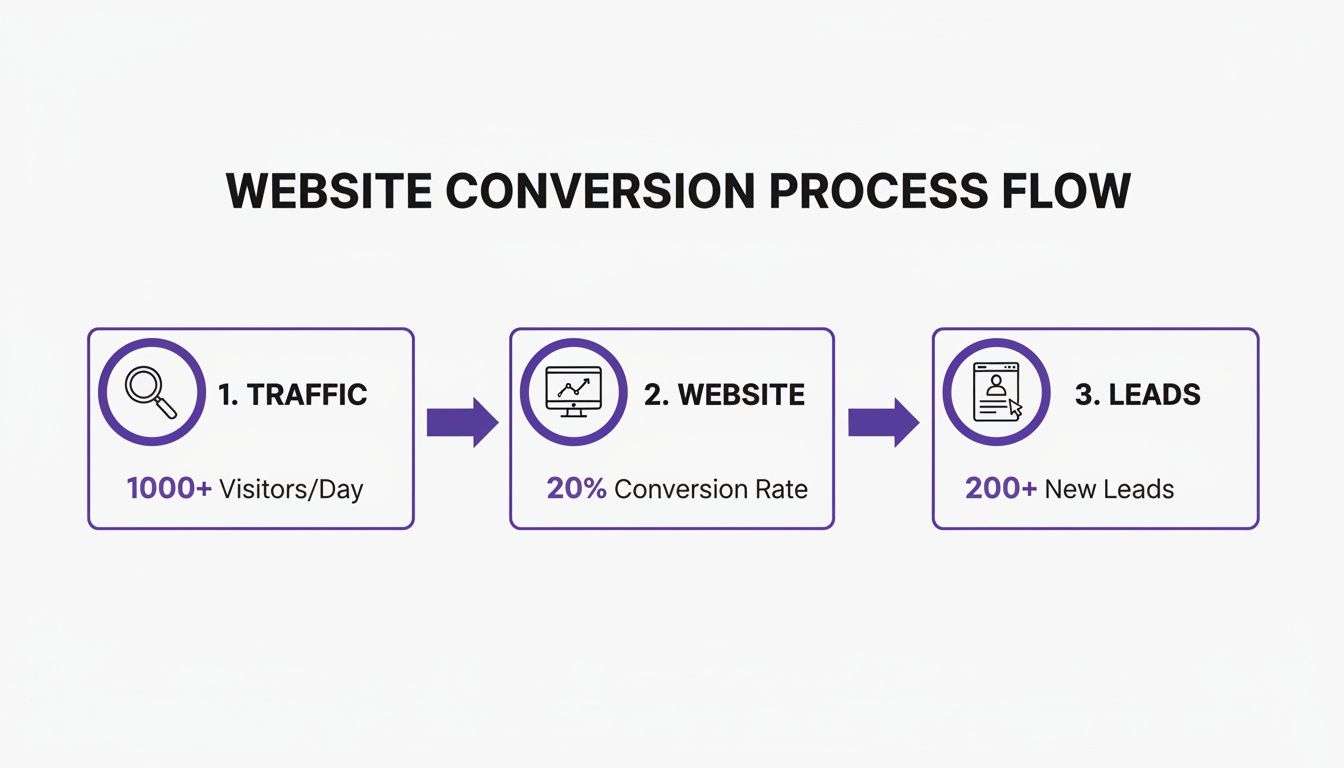
    This simple flow is how you turn general website traffic into real, actionable leads for your sales team.

    A website conversion process flow showing traffic, website conversion rate, and new leads generated.

    Every single piece of your website's blueprint should be focused on moving visitors smoothly from one stage to the next. The less friction, the more leads you get. It's that simple.

    Embracing the Mobile-First Mindset

    Finally, every part of your plan has to be seen through a mobile lens. With a significant majority of car shoppers browsing on their phones, designing for the small screen first is completely non-negotiable.

    This isn’t just about making your desktop site shrink down. It’s a totally different way of thinking. You need to prioritize the mobile experience from the very beginning.

    That means big, tappable buttons, simple forms you can fill out with your thumbs, and images that load quickly without burning through a user's data plan. For today’s on-the-go car buyer, a clunky mobile site is an instant dealbreaker. Building your blueprint with a mobile-first approach ensures you’re catering to the vast majority of the market instead of frustrating them right into the arms of a competitor.

    Essential Design Elements That Drive Sales

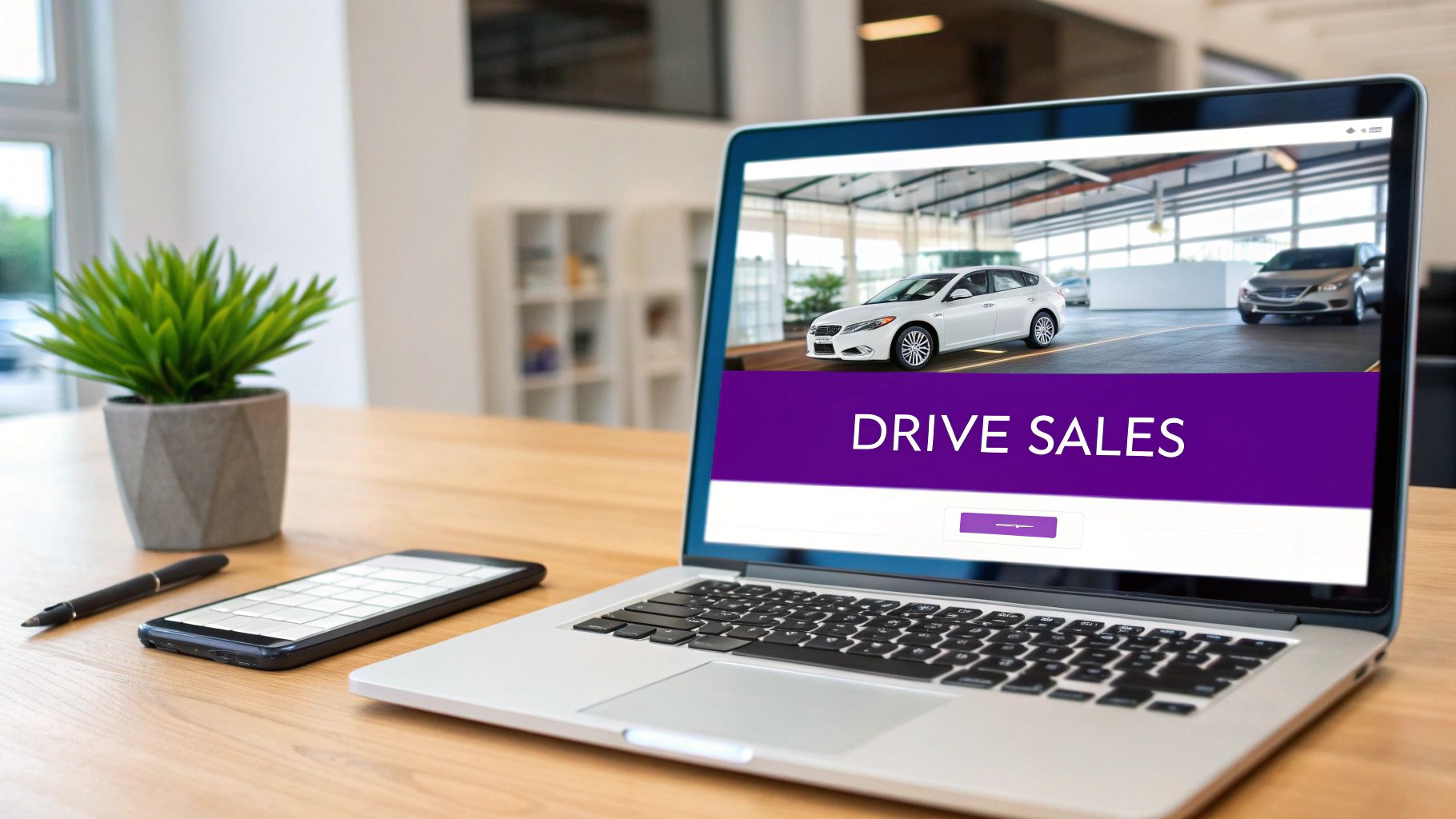
    Laptop on a desk displaying a car dealership website with 'DRIVE SALES' text, alongside a phone and plant.

    With your website's blueprint locked in, it’s time to get into the details—the design choices that turn a functional site into a sales machine. This isn't about chasing the latest flashy trends. It's about strategic decisions that guide a buyer's eye, build their confidence, and make it dead simple for them to take the next step.

    A great dealership website design always starts with a clean, modern layout. Your cars are the heroes here, so the design needs to be a professional backdrop that lets them shine. That means prioritizing high-quality photos and giving them plenty of room to breathe.

    One of the most overlooked tools in the toolbox is strategic whitespace. By creating separation between elements on the page, you naturally pull a buyer's focus to what really matters: your inventory, your pricing, and your calls-to-action.

    Creating an Unmistakable Brand Identity

    For independent dealers, building trust starts the second a visitor lands on your site. You need to look professional and established, and the key to that is consistent branding across every single page.

    • Logo and Colors: Your logo should be easy to spot, and your brand colors should be used consistently for headings, buttons, and other important accents.
    • Typography: Pick clean, legible fonts that are a breeze to read on any screen, big or small. Steer clear of overly decorative fonts that can make your site look cheap.

    This level of detail sends a clear signal that you’re a serious business, which is a critical first impression when someone is about to make a huge purchase. A cohesive visual identity makes you memorable and builds the subconscious trust you need to turn a browser into a lead.

    Crafting the Perfect Vehicle Detail Page

    The Vehicle Detail Page (VDP) is where the magic happens. It’s where sales are won or lost. Think of it as your digital sales pitch for a specific car, meaning every single element needs to be fine-tuned to encourage action. A killer VDP isn't a mystery; it’s a proven formula that perfectly balances information with clear, compelling next steps.

    First things first: your photo gallery has to be top-notch. I'm talking dozens of high-resolution images showing every angle of the vehicle—exterior, interior, engine, and even close-ups of special features. If you can add videos and 360-degree views, even better.

    Next, make the key information impossible to miss. A visitor should see the price, mileage, VIN, and engine specs without having to hunt for it. Put this information in a clean, easy-to-read block right at the top of the page.

    A great VDP answers a customer’s questions before they even think to ask them. By providing comprehensive photos, transparent specs, and obvious next steps, you remove friction and make it easy for them to say ‘yes.’

    Finally, your calls-to-action (CTAs) must stand out. Use high-contrast colors for buttons like "Schedule Test Drive" or "Get Pre-Approved" and place them strategically throughout the page so they're always within reach.

    Building Trust Beyond the Transaction

    Today's car buyers aren't just looking for a vehicle; they're looking for a dealership they can actually trust. It's a fact that 95% of vehicle buyers hit the internet before ever visiting a showroom, checking out an average of 4.2 websites in the process. This just goes to show why a trustworthy design is non-negotiable. An outdated site that's hard to navigate will absolutely kill your sales. You can learn more about how digital trends are shaping the auto world by checking out the latest findings from DesignRush.

    So, how do you actually build that trust?

    1. Showcase Customer Reviews: Don't just link to a review site—integrate real testimonials directly on your pages. Seeing positive feedback from happy customers provides powerful social proof.
    2. Create a Professional 'About Us' Page: Tell your story. Share photos of your team and explain what makes your dealership different. This simple step humanizes your business and helps you build a real connection.
    3. Provide Clear Contact Information: Make sure your phone number, address, and a contact form are visible on every page. It shows you're accessible and have nothing to hide.

    These elements prove you’re a legitimate, customer-focused business that's worth their time. It's what elevates your website from a simple inventory list to a credible and persuasive digital showroom.

    To help you prioritize, here’s a quick-glance table of the most critical features and why they matter for your bottom line.

    Essential Features For A High-Converting Dealership Website

    Essential Feature Why It Matters Impact on Sales
    High-Quality Photo Gallery Buyers shop with their eyes. Crisp, comprehensive photos build desire and trust. More engagement on VDPs, higher quality leads, and quicker inventory turnover.
    Mobile-First Design Industry data shows that over 60% of car research happens on mobile. A clunky mobile site is a dead end. Captures the majority of your audience, reduces bounce rate, and increases mobile leads.
    Clear, Obvious CTAs Guides the user to the next step (e.g., test drive, financing) without confusion. Directly increases lead submissions for test drives, credit apps, and trade-ins.
    Fast Page Load Speed A slow site frustrates users and makes them leave. Speed equals professionalism. Better user experience, improved SEO rankings, and more visitors staying on site.
    Integrated Customer Reviews Provides "social proof" that real people have had good experiences with your dealership. Builds immediate trust, reduces buyer hesitation, and can justify pricing.
    Professional 'About Us' Page Humanizes your brand and helps you stand out from faceless competitors. Fosters a personal connection, which can be the tie-breaker for a hesitant buyer.

    Putting these features in place isn't just about looking good; it's about systematically removing the roadblocks that prevent a casual browser from becoming your next customer.

    Automating Inventory and Winning at Local SEO

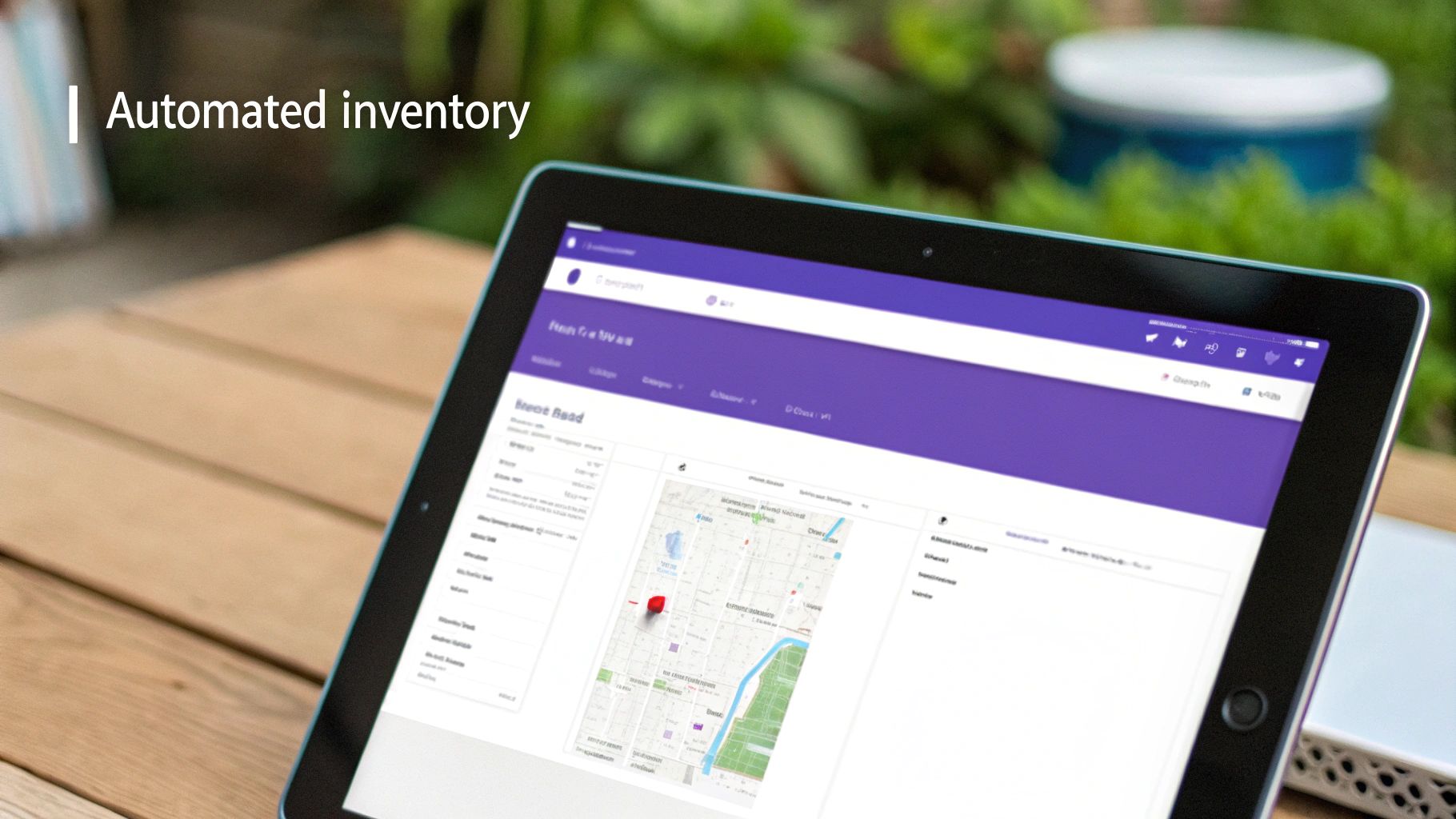
    A tablet on a wooden table displaying an automated inventory management system with a map.

    As an independent dealer, you know time is your most precious and limited resource. Every hour spent manually uploading photos, writing vehicle descriptions, and updating sold listings is an hour you’re not out sourcing new inventory or closing a deal.

    This is exactly where your website needs to pull its weight, transforming from a static digital brochure into a powerful business tool. The right setup can automate the tedious stuff, saving you countless hours while actively pulling in new leads.

    The engine behind this efficiency is automated inventory management. Think about it: you add a new car to your Dealership Management System (DMS), and just moments later, it’s live on your website. All the photos, specs, and pricing information get pulled in automatically, creating a perfect, SEO-friendly Vehicle Detail Page (VDP) without you having to lift a finger.

    This is more than a simple convenience—it’s a fundamental part of a modern dealership website design. When a car sells, it should vanish from the site instantly. This prevents those frustrating phone calls about vehicles that are long gone and builds incredible trust with shoppers who expect your digital lot to be just as current as your physical one.

    The Foundation of Automotive SEO

    Once your inventory is humming along on autopilot, you can focus on the next critical piece: making sure local buyers can actually find your cars online. This is where automotive Search Engine Optimization (SEO) comes in, and it all starts with your website’s structure and the quality of your VDPs.

    Google's job is to give searchers the most relevant results. For a car shopper, that means finding the exact vehicle they want at a dealership near them. A well-built site with unique, detailed VDPs for every car gives Google precisely the signals it needs to rank you.

    • Unique Vehicle Descriptions: Never just copy and paste the generic manufacturer blurbs. Write a couple of sentences for each car that highlights what makes it a great buy. Did you just service it? Does it have a rare trim package? Mentioning these details tells Google your page is a valuable, unique resource.
    • Location-Specific Keywords: Weave your city or service area naturally into page titles, headings, and descriptions. For example, a title like "Used Ford F-150 for Sale in Springfield" helps you show up for searches like "used trucks near me."
    • Properly Tagged Images: Before you upload photos, name the files descriptively (e.g., 2019-honda-crv-exterior-springfield-il.jpg) and always add descriptive alt text. This is a simple trick that helps your vehicles appear in Google Image Search.

    These basic SEO practices should be baked directly into your website platform, turning every vehicle you stock into a new opportunity to show up in local search results. For a much deeper look, our guide on automotive inventory management software breaks down how the right system can handle this for you.

    Unlocking Free Traffic with Google Vehicle Listings

    While good old-fashioned SEO is essential, there’s an incredibly powerful tool that many independent dealers are still missing out on: Google Vehicle Listings (GVL).

    You’ve seen them. When someone searches for a car, Google often shows a block of vehicle listings right at the top of the results—complete with a picture, price, mileage, and your dealership’s name.

    This isn't a paid ad. It's a free, organic placement that puts your specific inventory directly in front of buyers at the exact moment they are searching. For independent dealers, GVL is a complete game-changer that levels the playing field against larger franchise stores.

    Getting your cars into this program used to be a technical nightmare. It required creating and constantly updating a specialized data "feed" in a specific format Google could read, which was simply out of reach for most smaller dealers without a dedicated IT person.

    Fortunately, a modern dealership website platform can handle this whole process for you.

    How Automated GVL Integration Works

    The right website provider will manage the entire GVL submission process in the background. Here’s how it completely changes your workflow:

    1. Automatic Feed Creation: The moment you add a car to your inventory, the system grabs all the essential data—VIN, make, model, year, price, mileage, photos—and formats it into a Google-compliant feed.
    2. Regular Submission: Your website platform then automatically sends this updated feed to Google on a regular schedule, ensuring your listings are always fresh and accurate.
    3. Real-Time Updates: As soon as a car is marked "sold" on your site, it's also pulled from the GVL feed. This eliminates calls about unavailable inventory and keeps the customer experience positive.

    By building this automation directly into your dealership website design, you turn your day-to-day inventory management into a powerful marketing engine. You’re no longer just putting cars on your own site; you’re pushing them out to the world's biggest search engine, capturing high-intent shoppers without spending a dime on ads. This seamless link is the key to making your website your hardest-working salesperson.

    Turning Website Visitors Into Qualified Leads

    A person holds a smartphone displaying 'Qualified Leads' with business charts and graphs in the background.

    Let’s be honest: a good-looking website that just shows off your inventory is only half the battle. The real test of your dealership website design is whether it can consistently turn those anonymous clicks into actual, qualified leads for your sales team.

    This is where you need to start thinking like a conversion expert. It's all about making small, strategic tweaks that nudge a casual browser into taking that next step. We’re moving beyond a simple "Contact Us" page and weaving lead capture opportunities naturally throughout the entire shopping experience.

    The best tools are the ones that give a potential buyer an immediate answer or a clear next step. Think about what they need in the moment.

    • Trade-In Estimators: These are pure gold. A customer gets a value estimate, and you get a hot lead who's serious about making a deal.
    • Financing Applications: For buyers who are ready to talk numbers, a simple online pre-approval form is one of the most powerful ways to capture high-intent leads.
    • Test Drive Schedulers: Placing this button right on your Vehicle Detail Pages is a no-brainer. It removes all friction and makes it incredibly easy for a shopper to book an appointment for a car they're looking at right now.
    • Simple Contact Forms: Of course, these are still essential for general questions. Just make sure they're easy to find and don't ask for a life story.

    Designing Lead Forms That People Actually Fill Out

    Here’s the biggest mistake I see dealers make: they build long, intimidating forms that feel like homework. Your goal is to make the process as painless as possible, especially on a smartphone.

    And let's be clear, mobile isn't just an option anymore—it's the primary way people shop for cars. With a high percentage of your traffic likely coming from mobile devices, a clunky, non-responsive site is a conversion killer. If someone has to pinch and zoom just to fill out a form, you've already lost them.

    To get more submissions, keep your forms laser-focused. Only ask for what you absolutely need to start the conversation. Name, email, and phone number are usually plenty for that first touch.

    Your lead forms should feel like an invitation, not an interrogation. Every field you add increases the chance that a potential customer will give up and leave. Keep it simple, clear, and focused on the next step.

    Also, pay attention to your call-to-action buttons. Ditch the generic "Submit" and use language that reinforces the value. "Get My Trade-In Value" or "Schedule My Test Drive" tells the user exactly what they're getting in return for their info. It’s a small change that makes a huge difference.

    Measuring What Really Matters

    You can't fix what you don't measure. If you're not tracking performance, you're just guessing. Firing up a tool like Google Analytics is non-negotiable; it’s the only way to see what's actually working and where your site is falling short.

    Don't get overwhelmed by all the data. Just start by keeping an eye on these three core metrics:

    • Website Sessions: The total number of visits to your site. This is your baseline for traffic volume.
    • Bounce Rate: The percentage of people who land on a page and leave without clicking anything else. A high bounce rate often points to slow load times or unengaging content.
    • Conversion Goals: This is the most important one. A "conversion" is any key action you want someone to take, like filling out a finance app. Setting these up in Google Analytics lets you see precisely how many leads your site is generating and where they're coming from.

    By checking these numbers regularly, you’ll start to spot patterns. Maybe a specific VDP has a terrible bounce rate—are the photos blurry? Is the price missing? This data gives you the clues you need to make smart, informed decisions.

    This process of continuous improvement is the secret sauce. For a deeper dive into practical strategies, check out our guide on how to generate leads for car sales. The ultimate goal is to use real data to turn more of your website traffic into showroom appointments.

    Your Go-Live Checklist and Path for Growth

    Hitting 'publish' on your new website is a huge milestone, but it's the starting line, not the finish line. A truly successful launch hinges on a meticulous pre-flight check to make sure every single element works perfectly from day one. After that, the real work begins—treating your site as a living asset that constantly evolves right alongside your business.

    Think of your website less like a static brochure and more like your most dynamic showroom. It needs regular attention and fine-tuning to keep pulling its weight and generating leads. This final phase is all about shifting your mindset from building the site to growing its impact, ensuring your investment pays dividends for years to come.

    Your Pre-Launch Final Inspection

    Before you flip the switch, you absolutely have to do a thorough final check. A broken link or a contact form that goes nowhere can instantly kill the trust you've worked so hard to build. This isn't the time to rush; it's the time to be your own toughest critic.

    Seriously, create a simple checklist and run through it yourself. Grab an iPhone, an Android, maybe an iPad, and put your site through its paces.

    • Test every form. Fill out every single one—the contact form, the finance application, the trade-in estimator. Did the submission go through? More importantly, did you get the notification instantly?
    • Click every link. And I mean every link. Your main navigation, the "View Details" buttons, the links in your footer. A 404 error is a complete dead end for a potential customer.
    • Scrutinize the mobile experience. Don't just give it a quick glance. How do your vehicle photo galleries look on a small screen? Is the text easy to read without pinching and zooming? Can you comfortably tap every button with your thumb? This is where a majority of your visitors will be, so it has to be flawless.
    • Confirm your analytics are firing. Double-check that tools like Google Analytics are installed correctly and actually tracking visits. You need this data from the very first day to get a baseline for what's working.

    A smooth launch sets the tone for your dealership's digital professionalism. Taking the time to test every button and form is a small investment that prevents frustrating your first visitors and losing valuable leads right out of the gate.

    Adopting a Mindset of Continuous Improvement

    Once you're live, the real journey begins. The sharpest dealers I know understand their website is never truly "done." It’s a dynamic tool that needs ongoing attention to stay effective. This doesn't mean you need a complete overhaul every year. It’s about building simple, consistent habits that keep it sharp.

    A great dealership website design is one that evolves with your inventory and your customers. Just like you wouldn't let your physical lot get messy, your digital showroom needs regular upkeep to stay fresh and engaging.

    Simple Habits for Long-Term Success

    You don't need to become a web developer to maintain a high-performing site. A few repeatable actions can make a massive difference in how customers see you and how well you rank in search results.

    1. Keep Your Inventory Fresh. If you've set up automation, this is mostly taken care of. But you should always have a process to double-check that as soon as a car is sold, it's marked as such or removed from the site. Nothing disappoints a buyer more than finding out the car they love is already gone.
    2. Actively Add Customer Testimonials. Get into the habit of asking for a review right after a great sale. Regularly adding new, positive testimonials provides fresh content that Google loves and gives new visitors the social proof they need to trust you.
    3. Regularly Review Your Key Metrics. Block out 30 minutes once a month to peek at your analytics. Are your visitor numbers growing? Where is that traffic coming from? Which VDPs are getting the most eyeballs? This data is your road map—it tells you exactly what’s working so you can do more of it.

    This proactive approach ensures your website doesn't just sit there and get stale. It remains a current, trustworthy, and effective reflection of your dealership, continuously working to attract, engage, and convert your next customer.


    Ready to launch a dealership website that works as hard as you do? AutoFire™ delivers clean, mobile-first websites with automated inventory and SEO built right in, so you can focus on selling cars, not managing a complicated site. Get your free site today and see the difference.

  • Mastering Auto Deal-ership Web Design to Drive Sales

    Mastering Auto Deal-ership Web Design to Drive Sales

    Your website isn't just a digital business card; it’s your #1 salesperson, working 24/7 to turn online lookers into on-the-lot buyers. Designing a fast, mobile-first website that showcases your cars, grabs leads, and shows up on Google is the single most important marketing investment you can make.

    Why Mobile-First Design Is Everything for a Modern Dealership

    Let’s get straight to it: your customers are shopping for their next car on their smartphones. The days of people spending a Saturday driving from one dealership to the next are over. Today, the car buying journey starts on a phone—scrolling through inventory on a lunch break, comparing models on the couch, or finding directions to your lot.

    This isn't just a trend; it's the reality of the market.

    An old, clunky website designed for a desktop computer is a huge liability. When a potential buyer lands on your site from their phone and has to pinch and zoom just to read the mileage, they don't stick around. They're gone in seconds. That high bounce rate tells Google your site isn't useful, which tanks your search rankings and makes you invisible to the very people you're trying to reach.

    The Real Cost of a Bad Mobile Experience

    A poor mobile website actively loses you money. Every visitor who gets frustrated and leaves is a potential sale you just handed to a competitor with a better online experience. This is all about the bottom line. In the cutthroat used car market, a professional website is the engine of your business.

    A mobile-first website doesn't just look better—it performs better. By designing for the device your customers are already using, you make the car buying process easier, build instant trust, and dramatically increase your chances of getting a lead.

    The numbers don't lie. According to research, a vast majority of car shoppers now use digital tools to research before they ever set foot on a lot. Dealerships that invest in a mobile-first site often see significantly higher conversion rates than those with outdated, desktop-centric designs. This means turning a higher percentage of your website visitors into real, actionable leads for your sales team.

    So, what does a winning mobile experience actually look like? It means the site is built for thumbs, not a mouse.

    Turning Mobile Browsers Into Buyers

    It comes down to a few key things that make a world of difference:

    • Big, Tappable Buttons: Calls-to-action like "Schedule Test Drive" or "Check Availability" need to be easy to tap without hitting the wrong thing.
    • Simple Navigation: A clean menu helps people find what they need—your inventory, financing page, or contact info—without getting lost.
    • Speed is King: Mobile users have zero patience. Your pages, especially your Vehicle Detail Pages (VDPs) loaded with photos, absolutely must load in under 3 seconds.
    • Click-to-Call: Your phone number should be a link. One tap, and they're calling your dealership. It's that simple.

    A great mobile site sends a powerful message: your dealership is modern, professional, and you respect your customers' time. That first impression is often the deciding factor that gets a buyer to your lot instead of the one down the road.


    Let's break down the essential features your website absolutely must have. Think of these as the non-negotiable building blocks for a site that actually grows your business.

    Core Features of a High-Converting Dealership Website

    This table outlines the key components that separate a simple online brochure from a powerful lead-generating machine. Each feature is designed to meet a specific shopper need while directly contributing to your bottom line.

    Feature Why It Matters for Shoppers Direct Impact on Your Business
    Mobile-First Design Provides a seamless, easy-to-use experience on the device they use most (their smartphone). Reduces bounce rate, improves Google rankings, and captures more mobile leads.
    Fast Page Load Speed Delivers instant access to vehicle photos and details, preventing frustration and abandonment. Increases visitor engagement and conversions; a key factor for high SEO rankings.
    Advanced Inventory Search Allows them to quickly filter by make, model, price, and features to find the perfect car. Keeps qualified buyers on your site longer and guides them directly to the right vehicles.
    High-Quality VDPs Offers large, clear photos, detailed specs, and a compelling description to build desire. The #1 conversion point; great VDPs turn casual browsers into serious leads.
    Clear Calls-to-Action Makes it obvious what to do next, like "Schedule Test Drive" or "Get Pre-Approved." Guides the user journey and directly increases the number of test drives and finance apps.
    Integrated Lead Forms Provides a simple way to inquire about a vehicle or apply for financing without leaving the page. Captures high-intent leads 24/7, feeding your sales pipeline even when you're closed.
    Trust Signals Showcases customer reviews, business history, and contact info to build confidence and credibility. Overcomes buyer hesitation and makes them feel comfortable doing business with you.
    Google Maps Integration Gives them instant, one-tap directions to your physical dealership. Removes a key piece of friction, making it easier for online shoppers to become lot visitors.

    Getting these core features right isn't just about having a "good" website—it's about creating a strategic tool that consistently brings in new customers and helps you sell more cars.

    Laying the Foundation: Your Website's Blueprint for Success

    Before you start picking out colors and fonts, let's talk about the single most important part of your auto dealership web design: the blueprint. A solid site architecture is the foundation everything else is built on. It’s what makes your site a breeze for customers to use and easy for search engines like Google to understand and rank.

    Think of your website just like your physical lot. The homepage is your main entrance. The inventory pages are your neatly organized rows of cars. The financing page? That’s your F&I office. Each area has to be clearly marked and guide customers logically from one place to the next. A confusing layout just sends frustrated buyers clicking away to a competitor's site.

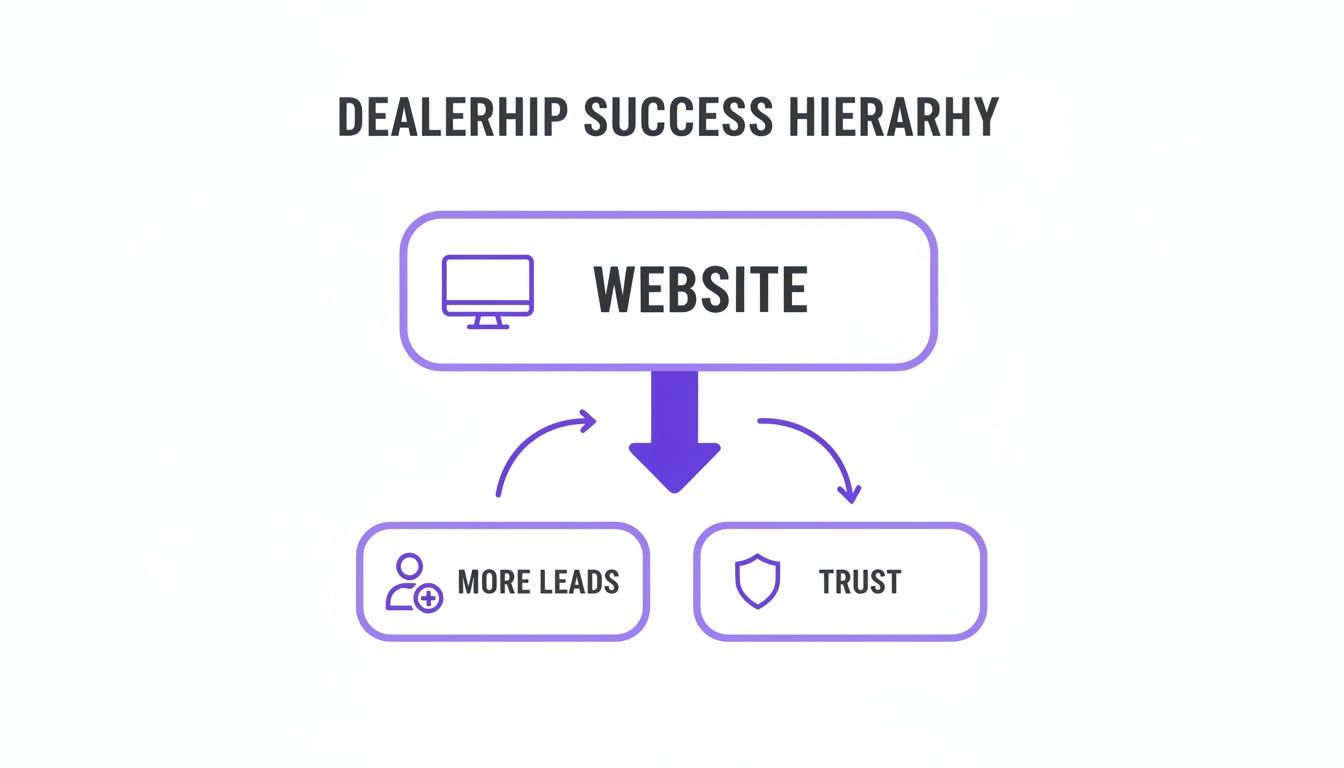
    This diagram nails it—a well-structured website is the bedrock for building trust and, ultimately, generating more leads.

    Infographic: A website is key to dealership success, generating more leads and building trust.

    Your website isn't just a digital brochure. It’s the engine that powers customer trust and lead generation, and that all starts with a smart, simple structure.

    Nailing Down Your Core Pages

    Every great dealership website is built on a handful of essential pages. These are the pillars that answer your customers' most pressing questions and give them the confidence to head down to your lot. You don't need to overcomplicate it; a clean, logical structure is always the winner.

    Your site absolutely must include these core pages:

    • Homepage: This is your digital handshake. It needs to instantly show who you are, what you sell, and have a big, obvious inventory search bar front and center.
    • Inventory Search Page (VRP): A clean, filterable gallery of every car on your lot. This is often the very next page a shopper visits.
    • Financing Page: A simple, secure credit application is a must. This page is a lead-generation goldmine if you make it easy for people to get pre-approved.
    • About Us: Tell your story! Car shoppers want to buy from real people they feel they can trust, and this page is where you build that connection.
    • Contact Us: Make it impossible not to find you. Include your address, a clickable phone number, business hours, and an embedded Google Map.

    This kind of clear hierarchy makes navigation a no-brainer for users and crawling a piece of cake for Google. It's a win-win. If you're exploring your options, our guide on choosing the right dealership website builder dives deeper into platforms that are built with this structure from the ground up.

    Why Your Vehicle Detail Pages Are Your #1 Sales Tool

    Every page on your site has a job, but the Vehicle Detail Page (VDP) is where the magic really happens. This is your digital sales pitch for one specific car, and it's hands-down the most critical page for turning a browser into a lead. When a shopper lands on a VDP, their interest is high—this is your chance to seal the deal.

    Think of the VDP as your virtual showroom for a single car. It must provide every piece of information a serious buyer needs to make a decision. Your goal is to remove any reason for them to click away and keep looking.

    A VDP with blurry photos or missing info is a dead end. It creates friction and doubt, sending potential buyers right into the arms of your competition. A great VDP, on the other hand, builds excitement and makes it incredibly easy for a customer to take the next step.

    Anatomy of a High-Converting VDP

    To turn those VDP views into solid leads, you need to include a few key elements. Each one is there to answer a question, build trust, or nudge the shopper toward taking action.

    Here’s what every VDP absolutely must have:

    1. High-Resolution Photo Gallery: This is non-negotiable. Get 20-30 clear photos covering every single angle—interior, exterior, engine bay, and even close-ups of nice features or minor blemishes. Photos sell cars.
    2. Transparent Pricing: Put the price out there, clear as day. Including a call-to-action like "Request E-Price" is a great way to capture lead info in exchange for a special offer.
    3. Key Vehicle Specs: Automatically pull in the essentials like mileage, VIN, engine, transmission, and color. A good VIN decoder tool is your best friend here.
    4. A Real Vehicle Description: Don't just list factory specs. Write a short, engaging description that sells the car. Highlight its best features, its condition, and what makes it a great buy.
    5. Clear Calls-to-Action (CTAs): Don't make people hunt for what to do next. Big, bold buttons like "Schedule Test Drive," "Check Availability," and "Apply for Financing" should be impossible to miss.
    6. Vehicle History Report: Integrating a link to a CARFAX or AutoCheck report is one of the fastest ways to build credibility and show you have nothing to hide.

    Perfecting your VDPs is the most direct path to increasing leads and selling more cars. By focusing your auto dealership web design efforts here, you’re optimizing the most profitable pages on your entire website.

    Essential Features That Convert Visitors Into Leads

    A great website for a used car dealership does a lot more than just look good—it actively works for you. The real difference between a digital brochure and a lead-generating machine comes down to the features you build into it. These are the tools that car buyers expect to see and use, making it dead simple for them to take the next step.

    Think of your website as a dynamic extension of your lot, not just a static ad. The goal is to remove friction at every point, giving customers the info and confidence they need to reach out. This all starts with how you present your most important asset: your inventory.

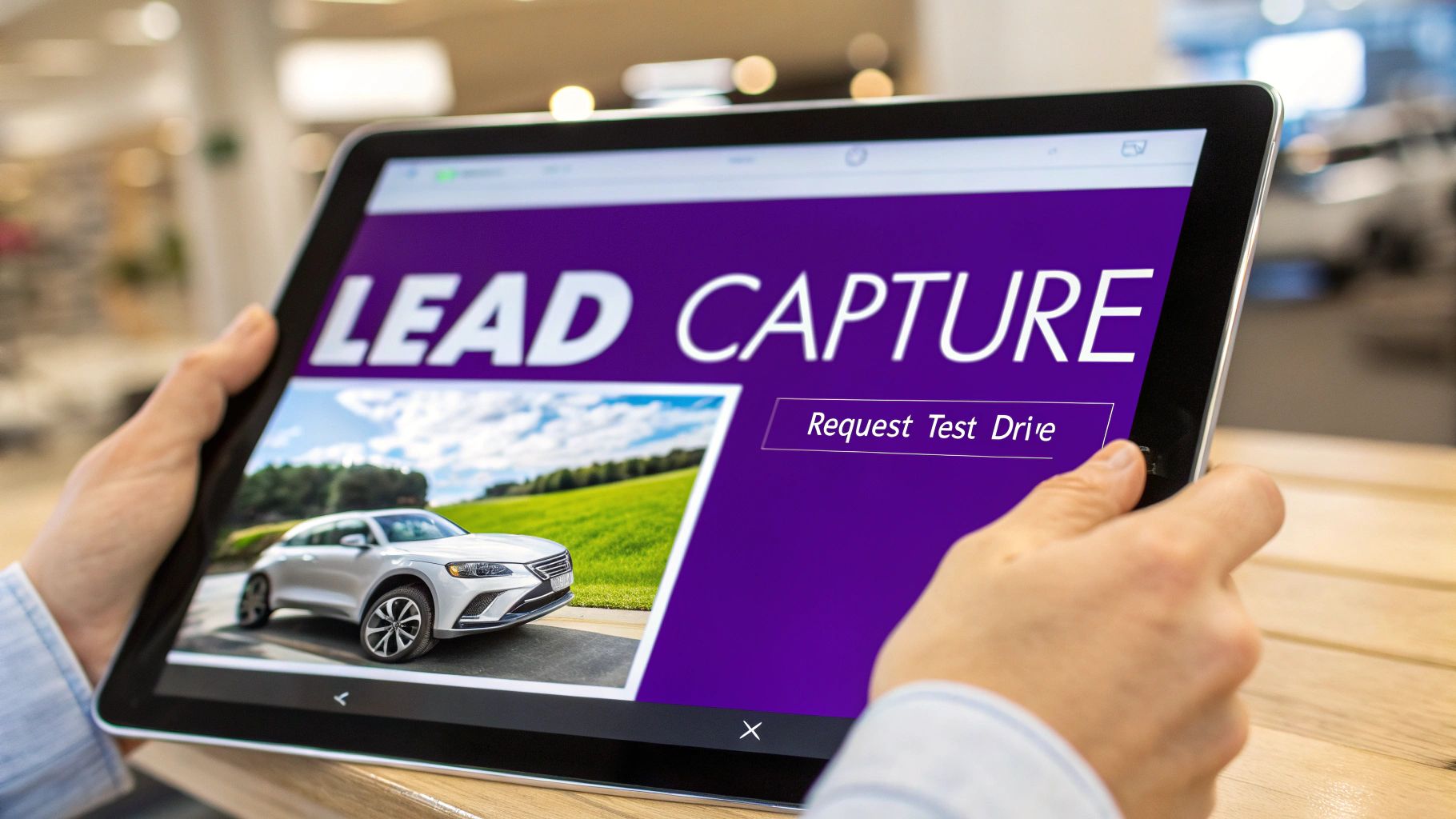
    Hands holding a tablet displaying a car dealership lead capture page with a silver SUV and test drive button.

    Automated Inventory and Immersive Galleries

    Manually updating your site every time a car sells or a new one hits the lot is a surefire way to create problems. It leads to outdated listings, frustrated shoppers, and a massive waste of your time. The answer is automated inventory management that syncs directly with your dealership management system (DMS) or whatever inventory feed you use. That way, when a vehicle is added or sold, your website updates on the spot.

    Once that automation is in place, you need to create a viewing experience that pulls people in. High-quality photo and video galleries are non-negotiable. A shopper should be able to see every angle of a car, inside and out, without ever leaving their couch.

    To build instant credibility, your vehicle detail pages (VDPs) absolutely need these elements:

    • Integrated VIN Decoder: This tool is a lifesaver. It automatically populates all the vehicle's specs—engine, transmission, trim, and factory options. It guarantees accuracy and saves you hours of tedious data entry.
    • 360° Vehicle Walkarounds: Interactive photo or video tours let shoppers virtually kick the tires. They can zoom in on features and get a real feel for the car's condition.
    • Clear Vehicle History: A one-click link to a CARFAX or AutoCheck report is a massive trust signal. It shows you're transparent and have nothing to hide.

    Frictionless Lead Capture Tools

    So, a shopper is interested in a car. You now have a very small window to capture their info. If your forms are clunky, confusing, or ask for too much upfront, they’re gone. The whole point is to make saying "yes" as easy as possible.

    Your website’s primary job is to start a conversation. Every form, button, and call-to-action should be designed to lower the barrier for a potential customer to raise their hand and show interest.

    The best lead capture tools are simple and direct. Think about the key steps in the buying journey and create easy entry points for each one. This subtle shift in thinking can have a huge impact on your bottom line.

    Believe it or not, top-performing dealership websites are now seeing 37% form submission rates by using smart digital retailing tools. That massive jump is directly tied to a site design that includes things like frictionless payment estimators and seamless inventory showcases. It's how you turn anonymous browsers into qualified leads. You can dig into more of these benchmark conversion rates at TradePending.com.

    Making the Next Step Obvious

    Your calls-to-action (CTAs) need to be impossible to miss. These are the buttons and links that guide a visitor from just looking to actually becoming a lead. Ditch the generic "Contact Us" links and use specific, action-oriented language instead.

    Here are the essential lead capture forms every dealership site needs:

    • Test Drive Request: A simple form asking for a name, email, phone, and maybe a preferred time. Keep it short.
    • Finance Pre-Approval: A secure, multi-step form is key here. Breaking it into smaller chunks feels less intimidating and dramatically improves completion rates.
    • "Check Availability" Inquiry: This is a low-commitment way for a customer to confirm a vehicle is still on the lot, giving your team an easy opening to start a dialogue.
    • Trade-In Value Estimator: Offering an instant trade-in estimate in exchange for contact info is probably the single most effective lead magnet you can have.

    By weaving these features into your auto dealership web design, you’re creating a powerful, self-sustaining system for generating real leads. You're not just showing cars; you're building a clear path that guides interested shoppers right to your sales team.

    Driving Traffic with Smart Dealership SEO

    You can have the most beautiful, feature-packed website in the world, but it won't sell a single car if local shoppers can't find it. That's where a smart SEO strategy comes into play. SEO for your dealership isn't about gaming the system; it's about making your site the most helpful and relevant answer for someone in your area searching for a used car.

    Your entire auto dealership web design needs to be built with search engines in mind right from the get-go. This means creating a logical site structure, ensuring it loads lightning-fast, and filling it with valuable content that answers the questions your potential customers are actually asking.

    A hand holds a smartphone displaying a map with a red location pin, against a blurred storefront with a 'LOCAL SEO' sign.

    Dominate Your Local Market

    For an independent dealership, local SEO is your biggest advantage. You’re not trying to sell a truck to someone three states away; you need to connect with buyers right here in your city and the surrounding towns. The absolute foundation of this is your Google Business Profile (GBP).

    Think about it: your GBP is often the very first impression a customer has of your dealership. It's what pops up in Google Maps and the "local pack" results when they search for "used car dealer near me."

    To turn your profile into a local lead magnet, you have to get it right:

    • Fill Out Everything: Don't skip a single section. Add your hours, service areas, and every attribute available. The more complete your profile is, the more Google trusts you.
    • Use High-Quality Photos: Show off your lot, your best inventory, your friendly team, and your service bays. Real photos build real trust.
    • Actively Manage Reviews: You have to respond to every single review—the good and the bad. It shows you're engaged and that you genuinely care about customer experience.

    Your Google Business Profile is your digital storefront on the world's biggest search engine. Keeping it accurate, active, and full of positive reviews is non-negotiable for grabbing the attention of nearby, ready-to-buy car shoppers.

    Optimizing Your Inventory for Search

    Every single vehicle on your lot is a chance to rank on Google. Don't just list a car as a "2019 Ford F-150." You need to create a unique, keyword-rich title for every single Vehicle Detail Page (VDP).

    A much better title looks like this: "Used 2019 Ford F-150 Lariat for Sale in [Your City, ST]". This targets both the specific truck and the local searcher.

    This simple tweak transforms each VDP into a laser-focused landing page that can attract buyers looking for that exact make and model. The game has changed completely since Google went mobile-first. In fact, research shows that a high percentage of car buyers say their decisions are influenced by what they find in search results.

    Tapping into Google Vehicle Listings

    One of the best sources of free, high-intent traffic is Google Vehicle Listings. This feature puts cars for sale right in the search results, complete with photos, mileage, price, and your dealership's name. The best part? It costs you absolutely nothing to show up there.

    To get your inventory included, your website needs to be built in a way that Google can easily read and understand your vehicle data. This is done with a technical element called schema markup.

    A modern dealership website platform should handle this automatically. When you add a car to your inventory, the system should generate the right structured data behind the scenes. This allows Google to find your car and add it to the Vehicle Listings.

    Getting this technical SEO piece right is crucial. It makes sure your inventory is seen where buyers are already looking, sending clicks directly to your VDPs without you paying for them. If you want to dive deeper, our guide on local SEO for car dealerships shows you how to pull all these tactics together.

    Launching Your Site and Tracking What Really Matters

    Getting your new dealership website live is a huge step, but don't pop the champagne just yet. The launch isn't the finish line; it’s the starting line. Before you tell the world, you need to do one last, thorough check to make sure everything works perfectly from day one.

    Think of it as the final detail on a car before it hits the front line. You wouldn't want a customer's first impression to be a broken link or a form that goes nowhere. A few minutes of testing now can save you from major headaches and lost leads later.

    Your Pre-Launch Checklist

    Before you flip the switch, run through this quick but critical inspection. It's far better to catch a glitch yourself than to have a potential buyer discover it for you.

    • Test every single form. Seriously, fill them all out yourself—test drive requests, finance applications, trade-in value forms. Did the lead email land in the right inbox? Did you get the confirmation auto-responder?
    • Check it on your phone. Pull up the site on your smartphone and act like a customer. Can you easily browse inventory? Are the buttons big enough to tap? Do the pictures look sharp?
    • Click everything. Go through your main menu, click every call-to-action button, and check the links in your footer. A dead link is a dead end for a customer and a bad signal to Google.
    • Confirm your inventory sync. If you just added a fresh batch of cars, make sure they’re showing up online with all the right photos, prices, and details.

    Once you’ve personally verified these items, you're ready to go live. Now, the real work begins: listening to what your website's data is telling you.

    Measuring What Actually Moves the Needle

    After launch, it's tempting to get obsessed with big-picture numbers like total website visitors. But those are often just vanity metrics. They don't tell you if your auto dealership web design is actually putting people in cars. You need to zero in on the Key Performance Indicators (KPIs) that directly tie to sales.

    A thousand visitors who click away in five seconds are worthless. Ten visitors who dig into your VDPs and fill out a finance application are pure gold. Your focus has to shift from the quantity of traffic to the quality of engagement.

    This is exactly why tools like Google Analytics 4 are non-negotiable. They let you see beyond the surface and understand exactly how real buyers are interacting with your inventory.

    Key Performance Indicators for Your Dealership

    Don't get lost in a sea of charts and graphs. Concentrate on the handful of metrics that truly reflect your website's health and its impact on your bottom line.

    Here’s what you should be keeping an eye on every single week:

    1. Lead Form Submissions: This is your North Star. What percentage of your visitors are taking action by requesting a test drive, asking for more info, or applying for financing? If this number is going up, your site is doing its job.
    2. Time on Vehicle Detail Pages (VDPs): Are people spending a few seconds on a vehicle page and leaving, or are they sticking around for a minute or more, scrolling through all 20-30 photos and reading the specs? Longer time on page means higher interest.
    3. Bounce Rate on Key Pages: A high bounce rate (people leaving after viewing only one page) on your main inventory page could signal a problem. Maybe the search filters are confusing or the layout is clunky. This helps you spot friction points.
    4. Traffic Source Quality: Where are your best leads coming from? By tracking where your form submissions originate, you might discover that visitors from your Google Business Profile convert at a much higher rate than those from a social media ad.

    By consistently tracking these performance-driven metrics, you can stop guessing and start making smart, data-backed decisions. You can test a different color for your "Apply Now" button or rewrite your vehicle descriptions and see, with hard data, what actually generates more leads. This cycle of measuring, tweaking, and improving is what will turn your new website into your dealership's most powerful salesperson.

    Answering Your Top Questions About Dealership Websites

    Let's cut to the chase. When you're thinking about a new website for your dealership, a lot of questions pop up—usually about money, time, and how much of a headache it's going to be. Below, I’ve answered the most common questions I hear from dealers, with straightforward advice to help you make a smart move.

    Think of this as the condensed version of everything we've talked about, designed to give you clarity and confidence.

    How Much Should a Good Dealership Website Actually Cost?

    This is the big one, and honestly, the price can be all over the map. If you go the traditional marketing agency route for a fully custom build, you could be looking at anywhere from $10,000 to over $50,000. That gets you something completely unique, but it's a massive upfront cost and a long, drawn-out process.

    On the flip side, you have the cheap, do-it-yourself website builders. It’s tempting, but it’s a classic case of getting what you pay for. They almost never have the critical tools you actually need to sell cars—things like automated inventory feeds, VIN decoding, or integration with Google Vehicle Listings. You end up with a digital business card, not a sales machine.

    For the vast majority of independent dealers, the sweet spot is a specialized SaaS (Software as a Service) platform. These services bundle everything you need—professional design, car-specific features, hosting, and security—into a predictable monthly fee. You get a purpose-built tool without the custom-built price tag.

    This model dodges the huge initial investment and saves you from the technical nightmares of managing a site yourself. You get a powerful website designed from the ground up to sell cars.

    How Long Does It Realistically Take to Launch a New Site?

    Time is money, and every month you're waiting on a website is a month of missed sales. A custom project with an agency can feel like it's dragging on forever, often taking three to six months from the first meeting to the day you finally go live. For a busy dealership, that kind of delay just isn't an option.

    This is where a modern SaaS platform designed for the auto industry completely changes the game. Because the core technology, design templates, and inventory systems are already built and optimized for dealers, the setup is incredibly fast.

    Instead of building a house from scratch, you’re just moving into a fully-furnished one and arranging the furniture. The platform is simply configured to your brand and hooked up to your inventory feed. This means you can have a professional, SEO-ready website up and running in a matter of hours or days, not months. That speed is a huge competitive advantage, letting you start generating leads right away.

    Can I Actually Manage My Website Without Being a Tech Whiz?

    You absolutely should be able to. The whole point of a modern dealership website solution is to let you manage your business, not force you to become a part-time web developer. You shouldn't need to know a line of code just to update a car's price or change your business hours.

    A well-designed platform gives you a simple, intuitive dashboard to handle all the day-to-day stuff. This typically includes:

    • Editing vehicle details and uploading photos
    • Updating your hours and contact info
    • Viewing and managing leads from your web forms
    • Publishing a blog post or creating a special offers page

    All the complicated technical work should happen in the background, completely invisible to you. Server maintenance, security patches, software updates—that's the platform's job. Your job is to focus on what you do best: buying and selling cars.

    What's the Single Most Important Page on My Dealership's Website?

    Your homepage gets the first look, but the Vehicle Detail Page (VDP) is where the magic really happens. This is your digital showroom. It's the moment a casual browser becomes a serious, high-intent buyer. When a customer lands on a VDP, they're not just kicking tires; they're actively considering that specific vehicle.

    Your VDP is where a sale is won or lost online. It needs to give a buyer every single piece of information they need to feel confident and take the next step, answering their questions before they even think to ask them.

    If you focus on optimizing one thing, make it your VDPs. A great one is so much more than a list of specs. It’s a compelling sales pitch built with high-quality photos from every angle, transparent pricing, detailed vehicle info, a clear history report, and multiple, obvious calls-to-action. Big, bold buttons like "Schedule Test Drive" or "Apply for Financing" are essential for guiding the customer forward and turning their interest into a real lead for your team.


    Ready to launch a website that works as hard as you do? AutoFire™ delivers a fast, mobile-first website platform built specifically for independent dealerships. Get online in minutes with automated inventory, built-in SEO, and lead capture tools that turn visitors into buyers.

    Start selling more cars with AutoFire today