A top-notch auto dealership website design is all about creating a stellar mobile experience. It has to be fast and easy for customers to use on their phones, period. This isn't just a nice-to-have; it's the digital foundation for getting leads, showing off your inventory, and even staying competitive in a world where the first handshake happens on a tiny screen.
Why Your Dealership Lives and Dies on Mobile
Let's be real: your next buyer is probably holding a smartphone right now. They’re scrolling through your used sedans on their lunch break, comparing prices while waiting for coffee, or tapping "Call Us" after seeing a car they like on the side of the road. In these moments, your website is your primary sales floor. If it’s slow, clunky, or a nightmare to navigate on a phone, you’ve lost the sale before they ever dream of stepping onto your lot.
This is what we mean by a mobile-first approach. It’s not some tech buzzword; it's a core business strategy. You design the experience for the smallest screen first—the phone—and then scale it up for tablets and desktops. This forces you to prioritize what really matters: searching inventory, looking at photos, and contacting your team. Get that right, and you're miles ahead of the competition.
The Hard Numbers Behind Mobile Dominance
The move to mobile in the car-buying world isn't a trend; it's a total takeover. Research shows a significant portion of automotive shoppers are browsing on their phones.
Think about that. Smartphones are driving a massive number of Google searches for cars, with mobile search volume increasing significantly year-over-year. For a dealer, ignoring this reality means ignoring a large part of your potential customers. And with studies showing that more than half of users will leave a site that takes more than three seconds to load, a slow site is a sales killer. You can dig into more research on the digital strategies that help you adapt.
The data tells a clear story. A slow, unresponsive mobile site is the digital version of a locked front door during business hours.
Your mobile website is your 24/7 salesperson. If it’s slow, confusing, or broken, it’s actively turning customers away and sending them straight to your competitors. A fast, intuitive mobile experience is non-negotiable for survival.
Google Cares About Mobile, So You Should Too
It's not just about keeping customers happy. A bad mobile site will actively hurt your ability to be found online. Google now uses mobile-first indexing, which is a fancy way of saying it judges your entire website based on how it looks and works on a smartphone.
The implications for your dealership are huge. This directly impacts your SEO and whether you show up in crucial search results, like Google Vehicle Listings. If your site isn't built for mobile, Google will penalize you in its rankings, making it that much harder for local buyers to find your inventory.
Turning Mobile Browsers into Immediate Leads
A great mobile experience isn't just about avoiding penalties; it’s about creating opportunities. An effective website design turns someone just browsing into an active lead. It all comes down to a few key features.
- Thumb-Friendly Navigation: Make your menus, buttons, and search filters big enough and spaced properly for easy tapping. Nobody wants to pinch and zoom just to find your used truck inventory.
- One-Tap Calling: Your phone number should be a clickable link that instantly opens the phone's dialer. This tiny feature removes a step and connects an interested buyer to your sales team in a single tap.
- Streamlined Lead Forms: Keep mobile forms short and sweet. Only ask for the absolute essentials. If you can, use auto-filling fields to make it even easier for people to get in touch.
By focusing on these mobile-centric details, even a small independent lot can deliver a better user experience than a big franchise. This focus on mobile optimization for car dealerships is the single most important investment you can make in your digital presence. It's how you turn your website into a powerful lead-generation machine that works for you around the clock.
What Makes a Great Dealer Website Actually Work?
A website that consistently brings in leads isn't a fluke. It's a carefully engineered digital showroom, built from the ground up to guide a car shopper from the first click to the final handshake. Think of your site's structure just like you’d lay out your physical lot—every element has a job to do.
It all starts and ends with your cars. When someone lands on your website, they're on a mission: find out if you have what they're looking for. Your job is to make that process fast, easy, and, most importantly, build enough trust to get them to take the next step. A great website isn't just a digital business card; it’s your best salesperson, working 24/7.
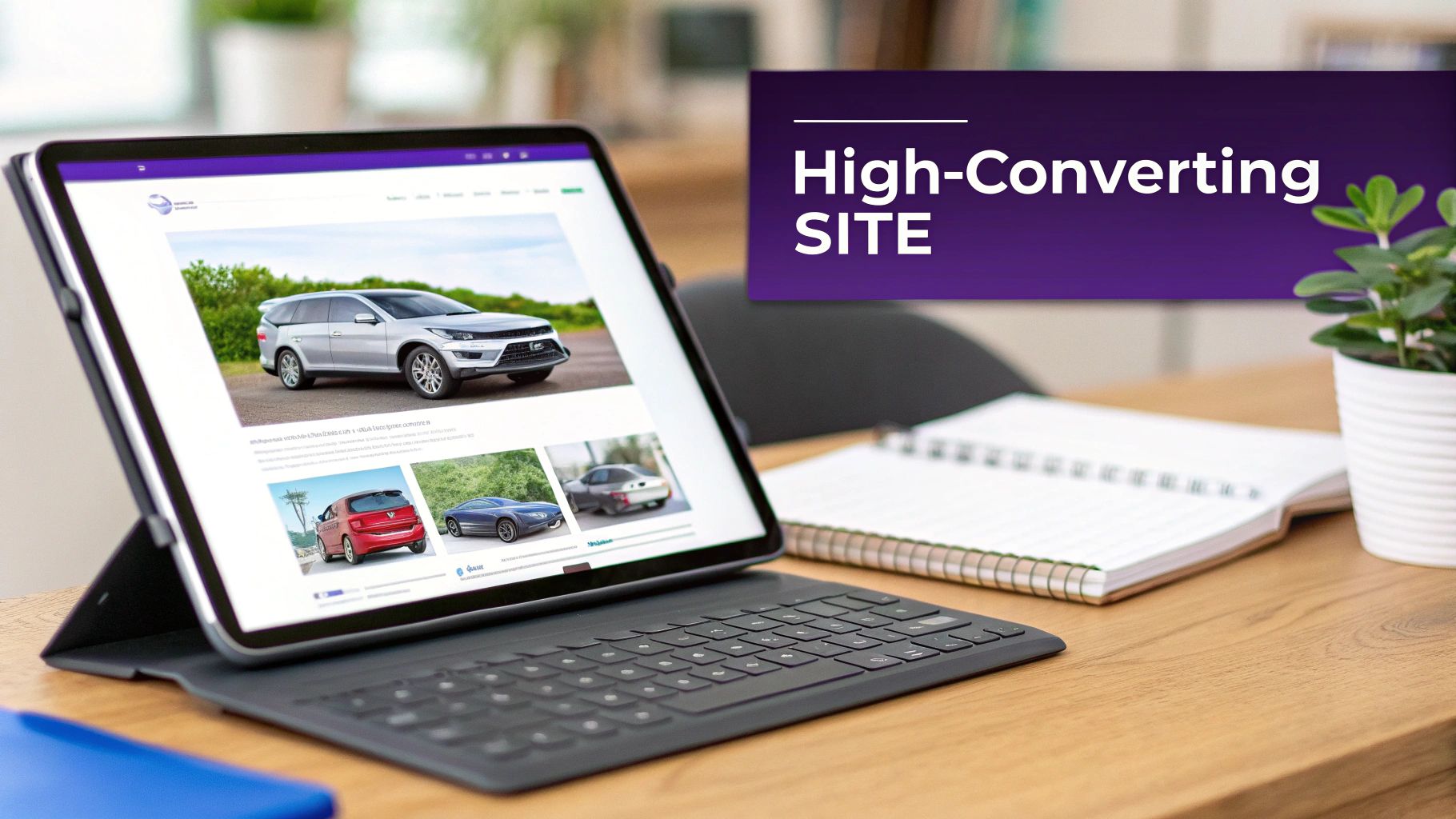
Crystal-Clear Inventory and Vehicle Detail Pages
Your Vehicle Detail Pages (VDPs) are where the magic happens. This is the digital equivalent of a customer walking up to a car on your lot and peering inside. It’s where a casual browser decides to become a serious buyer, so these pages need to be airtight.
First, let's talk photos. High-resolution, multi-angle shots are non-negotiable. I'm talking 20-30+ pictures per vehicle. Show them everything: the dash, the back seats, the tread on the tires, and even close-ups of any minor scratches. Full transparency builds instant credibility and shows you have nothing to hide.
Next up is the description. A great VDP description answers questions before they're even asked.
- Go beyond the basics: Don't just list the trim level. Call out the things that matter, like "new tires," "one-owner," or "fresh oil change." These details make a difference.
- Tell a quick story: Was this a meticulously maintained trade-in? Does it have a rare feature package that’s hard to find? A little context helps a buyer picture themselves in the driver's seat.
- Be upfront: Always, always provide a link to the vehicle history report. This one simple act can dramatically boost a shopper's confidence in both the car and your dealership.
Search and Filtering That Just Works
Can you imagine a customer on your physical lot having to walk up to every single SUV just to see which ones are all-wheel drive? They'd be gone in a minute. A clunky search function on your website creates that exact same frustration.
Your search tools need to be intuitive, letting shoppers slice and dice your inventory to find exactly what they need. Must-have filters include:
- Make and Model
- Price Range
- Year and Mileage
- Body Style (Sedan, SUV, Truck)
- Transmission Type
The goal here is simple: empower the buyer. The less work they have to do to find their perfect car, the longer they'll stick around.
Smart Lead Capture Without Being Annoying
Let's be real—your website exists to generate leads. But nobody likes aggressive pop-ups or forms that feel like an interrogation. The secret is to place your lead capture forms where they feel helpful, not pushy.
A well-placed lead capture form should feel like the natural next step. It needs to offer clear value—think "Schedule a Test Drive" or "Request More Info"—not just demand their contact details.
A short, simple form placed right on the VDP is incredibly effective. Once a shopper has looked through all the photos and read the description, their interest is at its peak. Make it dead simple for them to ask a question or book a showing right then and there. Name, email, and phone is usually all you need to get the ball rolling.
For dealers on a budget, knowing what to build first is critical. Some features are essential for generating leads, while others are nice-to-haves that can be added later.
Essential vs. Optional Website Features for Independent Dealers
| Feature | Impact on Sales | Implementation Priority |
|---|---|---|
| High-Quality VDPs | High: The core of the sales process. This is your digital pitch. | Essential |
| Mobile-First Design | High: The majority of car shoppers browse on mobile. A bad experience loses them. | Essential |
| Clear CTAs | High: Directly tells users what to do next (e.g., "Call Now," "Apply Online"). | Essential |
| Intuitive Search Filters | Medium-High: Helps qualified buyers find the right car faster. | Essential |
| Customer Reviews | Medium-High: Builds trust and provides social proof. | High Priority |
| Financing Calculator | Medium: A useful tool that keeps users engaged and pre-qualifies them. | High Priority |
| Trade-In Estimator | Medium: Captures leads from people looking to sell their current vehicle. | Optional (Add Later) |
| Blog/Content Section | Low-Medium: Good for long-term SEO but not an immediate lead driver. | Optional (Add Later) |
This table should help you focus your resources on the features that will actually move the needle for your dealership right from the start.
Building Trust at Every Turn
Beyond your inventory pages, other small but crucial elements work together to build the trust a customer needs before they'll pick up the phone or fill out a form. For an independent dealer, these trust signals are your currency.
- Customer Reviews and Testimonials: Social proof is everything. Sprinkle real reviews from happy customers on your homepage and VDPs to show you stand by your vehicles and your service.
- Easy-to-Find Contact Info: Your phone number, address, and hours need to be stamped on every single page, usually in the header and footer. It sounds basic, but it tells people you're a real, accessible business.
- Helpful Tools: Things like an online finance calculator or a trade-in value estimator provide genuine value. They keep people on your site longer and position you as a helpful resource, not just another car salesman.
When you bring all of these pieces together, you're not just building a website. You're creating a digital experience that mirrors the best parts of your physical dealership: helpful, transparent, and easy to do business with. That's what turns a simple online brochure into a high-octane sales machine.
Getting Your Inventory Found on Google
A beautiful website is a great start, but it won't sell a single car if local buyers can't find it. That's where Search Engine Optimization (SEO) comes in. It’s the art and science of making sure that when someone in your area searches for a "used Ford F-150," your dealership is one of the first things they see.
This isn’t about some dark magic or technical wizardry. It's about being strategic, especially with the most valuable pages on your site: your Vehicle Detail Pages (VDPs). Think of each VDP as a digital storefront for one specific car. With a few smart moves, you can turn every one of them into a magnet for serious shoppers on Google.
Title Your VDPs to Win the Click
When a car buyer searches on Google, the first thing they see is the page title. A generic title like "2021 Honda CR-V" just isn't going to cut it. It’s lazy, tells the buyer nothing about where you are, and gets lost in a sea of identical listings. The real trick is to create unique, descriptive titles that give both Google and your potential customer the exact information they need.
Here’s a simple, high-impact formula that works time and time again:
[Condition] [Year] [Make] [Model] for Sale in [Your City]
Putting it into practice, a title like "Used 2021 Honda CR-V for Sale in Springfield" is infinitely more powerful. It instantly tells a local shopper you have what they want, right where they are. This small change does two things: it helps you rank higher for those critical local searches and dramatically increases the odds of someone clicking your link over a competitor's.
Don't forget the meta description—that little snippet of text under the title. It doesn't directly influence your ranking, but it's your sales pitch. It's what convinces a searcher to click.
A well-written meta description sells the car before they even see it. Try something like: "Check out this one-owner 2021 Honda CR-V EX-L in Springfield! It's got low mileage, leather seats, and a spotless history report. Schedule your test drive today!"
Use Schema Markup to Make Your Listings Pop
Ever notice how some search results have extra details like the price, mileage, or star ratings right there on the page? That's not an accident. Those are called "rich snippets," and they’re created using schema markup. Schema is basically a special vocabulary you add to your website's code to help search engines understand your content on a deeper level.
For a car dealer, this is a massive advantage. By adding vehicle-specific schema, you’re essentially spoon-feeding Google crucial information about each car, including:
- Vehicle Identification Number (VIN)
- Mileage
- Price and currency
- Engine type
- Body style
When Google has this data, it can showcase it in the search results. This makes your listings more visually appealing and informative, building trust before the click even happens. It sounds complicated, but the good news is that most modern dealership website platforms do this for you automatically. To really get into the weeds on this, you can explore the complete picture of SEO for the automotive industry in our detailed guide.
Own Your Backyard with Google Business Profile
Your website’s SEO doesn’t operate in a silo. As a local dealership, your Google Business Profile (GBP) is arguably one of the most powerful tools in your marketing arsenal. It's what shows up in Google Maps and in the "local pack" when someone searches for "car dealerships near me."
Getting your GBP right is non-negotiable. The first step is ensuring your dealership's Name, Address, and Phone number (NAP) are 100% consistent everywhere—on your site, on your GBP, and in any other online directory. Even a small difference can confuse Google and hurt your local search rankings.
From there, you need to treat it like a living, breathing part of your business:
- Add fresh photos of your lot and new inventory all the time.
- Actively ask for customer reviews and make a point to respond to every single one, good or bad.
- Use Google Posts to share new arrivals, weekend specials, or service promotions.
A meticulously maintained Google Business Profile tells Google you're an active, credible business in the community. When you combine that with expertly optimized VDPs, you've got a one-two punch that will bring local car buyers right to your doorstep.
Winning with Google Vehicle Listings Integration
Forget traditional SEO for a moment. One of the most potent tools you have as an independent dealer is a free one hiding in plain sight: Google Vehicle Listings (GVL). These aren't paid ads. GVL is a free-to-list feature that puts your cars right in front of local shoppers who are actively searching on Google.
Think of it as a massive digital car lot that every local buyer drives past. When someone searches for a specific make and model in your area, GVL can feature your car with a picture, price, mileage, and a direct link to the vehicle detail page (VDP) on your website. For a small dealer, this is an absolute game-changer. It lets you compete head-to-head with the big franchise stores without spending a penny on ad clicks.
Setting Up Your Inventory Feed
To get your cars on Google, you need to provide what's called an inventory feed. It's just a structured file with all the important details about each car on your lot. You have two main ways to tackle this.
- Manual Setup: You can create a data file, like a spreadsheet, formatted exactly to Google's specifications. It's possible, but it’s a huge time sink and incredibly easy to mess up, especially when your inventory changes every day.
- Automated Tools: A much better approach. Modern dealership website platforms, like AutoFire, handle this for you automatically. They create and send a perfectly formatted feed to Google every time you update your inventory, making sure your listings are always current.
Honestly, an automated solution is the only way to go. It saves countless hours and prevents the kind of human error that can get your entire inventory feed kicked off Google.
Common Mistakes That Get Listings Rejected
Google is serious about providing a good user experience, and they have strict rules. Breaking them gets your listings disapproved, fast. The number one pitfall to avoid is data inconsistency.
The price, mileage, and VIN on your website's VDP must match the data in your inventory feed down to the last digit. If your feed says a truck is $24,500 but the VDP shows $24,995, Google will reject that listing instantly. Incomplete info, like missing photos or a blank vehicle description, will also get you flagged. Accuracy is everything.
Think of your GVL feed as a promise to the customer. The information must be a perfect mirror of what’s on your website. Any discrepancy breaks trust with both Google and the car buyer, instantly undermining your credibility.
If you're ready to really dig in, we've laid out a complete strategy in our Google Vehicle Listings 2025 playbook for dealerships to make sure your listings get approved and stay visible.
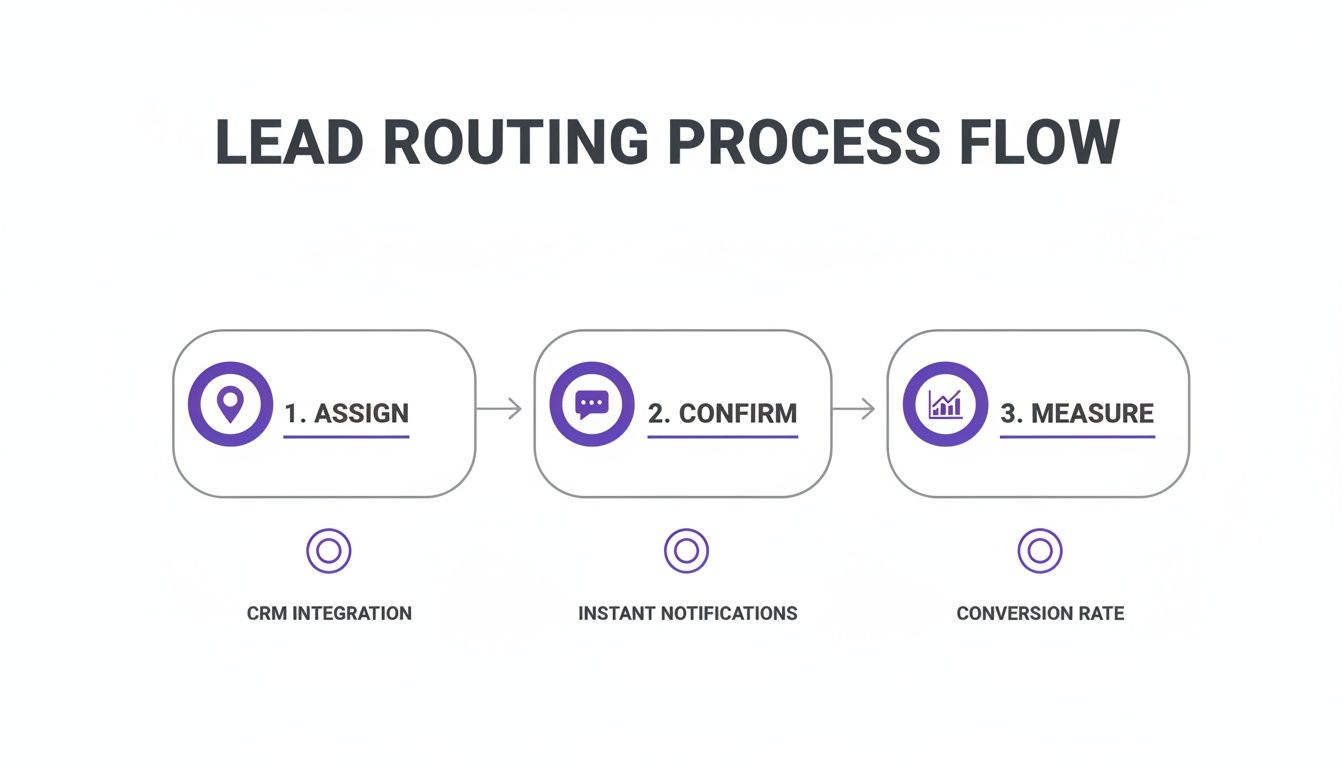
The process below really nails down the core of optimizing your VDPs, which is the foundation for both good SEO and a successful GVL integration.
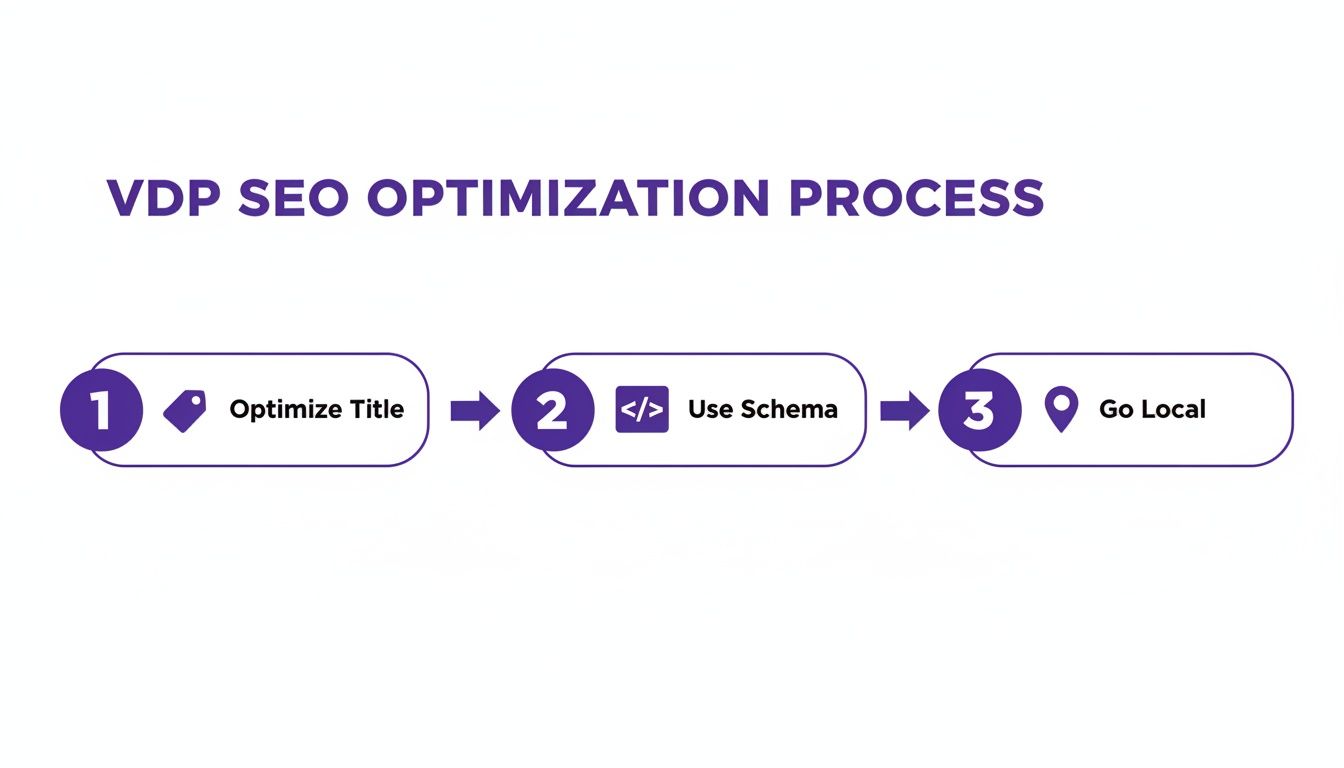
This simple flow shows that optimizing your titles, using schema, and zeroing in on local signals are the pillars for getting your inventory found online. Tying it all together with GVL is what takes that visibility to the next level, turning your on-site SEO work into real traffic from the biggest search engine in the world. Once you master this integration, you've built a powerful, free marketing channel that drives qualified local buyers right to your digital doorstep.
Choosing the Right Website Platform for Your Dealership
The platform you build your dealership's website on is more than just a technical choice—it's the foundation of your entire digital showroom. It dictates how easily you can manage your inventory, how professional you look to online shoppers, and how well you can grow your business over time.
For an independent dealer, this decision is a critical business investment. You're essentially looking at three main paths, and each one comes with some serious trade-offs in terms of cost, time, and your own sanity. Let's dig into what each option really means for your day-to-day operations.
The Custom-Built Route
Going fully custom means hiring a development agency to build your website from scratch. Think of it like commissioning a one-of-a-kind vehicle—every feature, every button, every single workflow is engineered precisely to your specifications. You get total control.
This path makes sense for large, established dealership groups that have a huge budget and highly specific operational needs that off-the-shelf software just can't handle. The catch? The price tag. You're looking at an initial investment that can easily run into the tens of thousands, and the spending doesn't stop there. Every security update, feature addition, and bug fix comes with another invoice. You get ultimate control, but you also inherit ultimate responsibility.
General Website Builders Like WordPress
Platforms like WordPress, Squarespace, or Wix are incredibly popular for a reason. They offer a solid starting point with tons of themes and plugins that let you build a site with a relatively low upfront cost. For a local bakery or a photographer, they can be a fantastic choice.
But for a car dealership, this approach can quickly become a technical headache. You’ll find yourself trying to piece together a dozen different plugins for crucial functions like inventory management, VIN decoding, lead forms, and finance calculators. Getting all those separate tools to play nice with each other is often a frustrating, time-consuming puzzle. What looks like the budget-friendly option at first can end up costing you dearly in lost time and broken features.
Your website platform isn't just a tool; it's a business partner. The right one makes managing inventory effortless and keeps you in front of buyers. The wrong one becomes a second job you never wanted.
Specialized Automotive Platforms
This is the sweet spot for the vast majority of independent dealers. Specialized SaaS (Software as a Service) platforms are designed from the ground up for one thing: selling cars online. All the essential features you need are already built-in, from a powerful inventory management system to automatic data feeds for Google Vehicle Listings. Optimized vehicle detail pages (VDPs) and integrated lead forms are standard, not add-ons.
The real advantage here is simplicity and focus. The provider handles all the technical heavy lifting—hosting, security, updates, and plugin conflicts are their problem, not yours. It’s a turnkey solution that lets you get back to what you're actually good at: buying and selling cars.
This is especially critical today, as modern auto dealership website design has a direct line to your bottom line. Industry data shows that responsive, fast-loading sites can see higher conversion rates, and those that integrate smoothly with Google can capture more direct traffic. You can learn more about how automotive website design trends drive sales at websitedigitals.com.
To help you see the differences at a glance, here’s a quick breakdown of the options.
Dealership Website Platform Comparison
A quick look at these platforms shows there's a clear winner for most independent dealers who value their time and money.
| Platform Type | Best For | Pros | Cons |
|---|---|---|---|
| Custom-Built | Large dealers with big budgets and unique needs. | Total design freedom and custom features. | Very expensive upfront and high ongoing maintenance costs. |
| WordPress | Tech-savvy dealers on a budget who enjoy DIY. | Lower initial cost and high flexibility. | Requires managing many plugins; can be complex to maintain. |
| Automotive SaaS | Most independent dealers seeking an all-in-one solution. | Industry-specific tools included, no technical maintenance. | Less design flexibility than a fully custom site. |
In the end, it really comes down to a simple trade-off between control and convenience. For most dealers, a specialized automotive platform delivers the most direct, cost-effective path to a professional, high-performing website without the headaches.
Answering Your Top Questions About Dealership Website Design
When you're getting serious about building a website for your dealership, a lot of questions pop up. I get it. I've heard these same concerns from countless independent dealers over the years. These are the practical, on-the-ground issues that really matter.
Let's cut through the noise and get you some straight answers so you can make smart decisions, sidestep common pitfalls, and get your site built with confidence.
What's a Realistic Budget for a Good Dealer Website?
This is always the first question, and honestly, the answer is "it depends." You could go the route of a fully custom site from a marketing agency, but be prepared for a hefty price tag—often $10,000 to $25,000 upfront, plus ongoing fees for maintenance. For most independent lots, that's a non-starter.
On the flip side, a generic website builder like Squarespace might only run you $30-$50 a month. The problem is, it's not built for selling cars. You'll quickly find it lacks crucial tools like VIN decoding or automated inventory feeds, creating more headaches than it solves.
This is where specialized platforms built for dealers find the sweet spot. They offer the best of both worlds. Many provide free or low-cost plans that wrap hosting, security, and essential sales features into one package. It's a much smarter approach that gets you online without the huge initial investment or the technical hassle.
Can I Use My Own Domain Name?
Yes, you absolutely should, and any reputable dealer website platform will make this easy. Connecting your own custom domain (like www.yourdealershipname.com) is a fundamental step.
While some services might give you a temporary, branded subdomain to get you started, it's not a long-term solution. Your own domain is crucial for building a professional brand and for your SEO. It tells both your customers and Google that you're a legitimate, established business. This is a standard, must-have feature.
How Important Are Vehicle Videos on VDPs?
In a word: vital. Photos are great, but a simple walk-around video builds a level of trust you just can't get from static images.
Think about it from the buyer's perspective. A short video lets them see the vehicle's true condition—they can hear the engine run and see any minor interior wear—all without leaving their home.
A quick, honest video on your Vehicle Detail Page can be the one thing that pushes a hesitant buyer over the edge. It answers the questions they haven't even thought to ask and gives them the confidence to finally book that test drive.
Dealers who add videos to their VDPs almost always see better engagement and more qualified leads. You don't need a Hollywood production crew, either. A steady hand and a modern smartphone are all it takes to make a real impact.
What's the Single Biggest Mistake Dealers Make With Their Websites?
Easy. They fall in love with a design on a big desktop computer and completely forget about the mobile experience. The data doesn't lie: the majority of your visitors will be browsing your inventory on a smartphone.
If your site is slow, hard to read, or clumsy to navigate with a thumb, you've lost them. That poor experience doesn't just cost you a sale; it damages your reputation. Making sure your site is designed for mobile users first isn't just a good idea—it's the most important factor for success today.
Ready to launch a professional, mobile-first website that showcases your inventory and drives leads? AutoFire™ delivers an all-in-one platform built specifically for independent dealers. Get online in minutes with our powerful, SEO-optimized sites that integrate directly with Google Vehicle Listings. Start for free and see the difference.