Tag: inventory management

  • Apps for Car Dealers: Streamline Inventory, Sales, and Operations

    Apps for Car Dealers: Streamline Inventory, Sales, and Operations

    The most effective apps for car dealers are the ones that work together, saving you from juggling dozens of different tools that don't talk to each other. Successful dealerships have figured this out. They bring key operations like inventory management, lead capture, and marketing under one roof, which demolishes data silos and helps the sales team work smarter, not harder.

    Why Your Dealership Is Drowning in Apps

    A man views multiple tablets showcasing car dealer apps in a modern showroom environment.

    Does your dealership's tech setup feel more like a messy garage than a high-performance engine? It’s a common story. You might have one app for taking vehicle photos, another for posting on social media, a third for tracking new leads, and yet another for sending customer emails. While each tool solves one specific problem, together they create a much bigger headache: a disjointed, clunky, and downright frustrating workflow.

    This patchwork of single-purpose apps for car dealers leads to data silos, trapping critical information in isolated corners of your business. A salesperson ends up manually copying a new lead from a website form into the CRM, which is a waste of time and an open invitation for typos and errors. That kind of disjointed process hits your bottom line, plain and simple.

    The Real Cost of a Disconnected Tech Stack

    This isn't just about being annoyed; it's about losing deals. In this market, you have to be fast. A deep-dive industry analysis found something shocking: the average dealer response time to a new lead is a whopping 9.2 hours. That’s a lifetime when you consider most buyers make a decision within 48-72 hours of reaching out. Having integrated dealership applications is the only way to get in front of customers before your competition does. You can dig into the numbers yourself in this 2026 automotive trends analysis.

    Why the delay? That lead information has to bounce between multiple systems that aren't connected before it ever lands in a salesperson's hands. Every manual hop adds another delay, slowing down the entire sales cycle.

    A dealership's technology should act as a cohesive system, not a collection of separate parts. The goal is to create a smooth path from a customer's first click to the final handshake, and that's impossible when your tools don't communicate.

    Building a Foundation for Success

    Instead of just piling on more single-function apps, the real fix is to build on a solid foundation. A modern dealership website platform should be the central hub for all your critical activities. Think of it as the chassis—the core frame—of your entire digital operation.

    A purpose-built platform can handle several key functions right out of the box, all in one place:

    • Inventory Display: It automatically builds SEO-optimized pages for every vehicle, making sure your cars and trucks actually show up on Google.
    • Lead Capture: Forms are built right into your vehicle pages, so every inquiry is captured and routed the second it comes in.
    • Marketing Integration: Sharing inventory to social media and major listing sites becomes simple, without needing extra tools to do it.

    When you start with a foundational platform that manages these core jobs, you immediately cut down on the number of apps you need. This approach doesn't just save you time and money; it creates a more powerful, efficient system designed for one thing: selling more cars.

    The Core App Categories Every Dealer Needs

    Trying to figure out which apps your dealership actually needs can feel like a full-time job. The market is flooded with tools, but you don't need to chase every shiny new object. Successful dealers know the secret: master the five fundamental software categories that truly drive the business.

    Think of it like building a high-performance engine. Each part has a specific job, and they all have to work together perfectly. You've got your engine block (DMS/CRM), the fuel system (Inventory Management), the ignition (Lead Capture), the exhaust (Marketing), and the dashboard (Analytics). When they're all in sync, your dealership runs smoothly and powerfully.

    Let's break down what each of these core components does.

    DMS and CRM: The Central Nervous System

    At the very center of your dealership's universe, you'll find the Dealer Management System (DMS) and the Customer Relationship Management (CRM) platform. They're often sold as a package, but they handle two distinct, vital functions. The DMS is your operational command center—it’s where deals get structured, financing is processed, and the back-office accounting happens.

    Your CRM, on the other hand, is all about people. It's the memory bank for every customer interaction, logging every call, email, and showroom visit. This gives your sales team the power to follow up with a personal touch, remember the little details, and build the kind of trust that brings customers back for years. Without a solid DMS/CRM, you’re basically flying blind.

    Inventory Management: Your Digital Showroom

    Your inventory is your most valuable asset, and how you manage it online can make or break a sale. Inventory management apps are the workhorses that ensure every vehicle detail page (VDP) is accurate, attractive, and perfectly synced across your website and every third-party marketplace.

    These systems do the heavy lifting, from decoding a VIN to automatically populating a vehicle's features, options, and specs. This is a huge time-saver, but more importantly, it prevents the kind of embarrassing errors that can kill a buyer's confidence. A great inventory tool keeps your pricing consistent, your photos sharp, and your descriptions optimized to grab attention. For a deeper dive, check out our guide on modern automotive inventory management software.

    The moment a car hits your lot, your inventory management system should spring to life. It becomes the single source of truth that fuels your entire online sales strategy.

    Lead Capture and Management: Turning Clicks Into Customers

    Getting shoppers to your website is just the first step. The real magic happens when you turn that passing interest into a real sales lead, and that’s where lead capture tools come in. They are the bridge that connects a casual browser to a serious buyer.

    These are the tools that power your "contact us" forms, live chat widgets, and "text us" buttons—all the little things that make it effortless for a customer to raise their hand. The second they do, the system instantly alerts the right salesperson and gives them the full context, like which car the person was looking at. In this market, that immediate, organized response is often what wins the deal.

    Marketing Automation and Syndication: Expanding Your Reach

    You have the cars. Now you need to make sure people know about them. Marketing automation and syndication apps act as a megaphone for your dealership, broadcasting your inventory to the widest possible audience with almost zero manual work.

    Syndication tools are brilliant—they automatically push your vehicle listings out to dozens of major marketplaces like Autotrader and Cars.com, and even across social media. This makes your inventory discoverable wherever buyers are searching. At the same time, marketing automation software nurtures those leads by sending follow-up emails, price drop alerts, and service reminders that keep your dealership top-of-mind.

    Analytics and Reporting: Making Data-Driven Decisions

    Finally, how do you know if any of this is actually working? That’s the job of analytics and reporting software. Think of these tools as the dashboard for your entire operation, displaying your most important numbers in a way that’s easy to understand. They help you stop guessing and start making smart, informed decisions.

    With good analytics, you can easily track:

    • Website Traffic: Find out which vehicles are getting all the attention.
    • Lead Sources: See exactly which marketing channels are giving you the best bang for your buck.
    • Sales Performance: Monitor closing rates and see which members of your team are crushing it.

    This data is pure gold for optimizing your marketing budget and fine-tuning your sales process. Digital tools are a top priority for dealers, as the industry continues to evolve with technology like AI to help qualify leads, automate tasks, and recommend deals that close faster and more efficiently.


    To tie this all together, here's a quick look at how these essential app categories function and the value they deliver.

    Core Dealership App Categories and Their Business Impact

    App Category Primary Function Key Business Value
    DMS/CRM Manages deals, accounting, and customer interactions. Creates operational efficiency and builds long-term customer loyalty.
    Inventory Management Creates and maintains accurate, compelling vehicle listings. Saves time, prevents errors, and ensures a consistent online presence.
    Lead Capture & Management Converts website traffic into actionable sales opportunities. Increases lead volume and improves salesperson response time.
    Marketing & Syndication Distributes inventory listings and automates follow-ups. Maximizes audience reach and keeps potential buyers engaged.
    Analytics & Reporting Tracks key performance indicators (KPIs) across all operations. Enables data-driven decisions to optimize marketing spend and sales strategy.

    Mastering these five areas provides the foundation for a modern, efficient, and profitable dealership.

    How to Choose the Right Tools for Your Dealership

    Picking the right apps for car dealers isn’t about chasing the latest shiny object. It’s about building a smart, lean technology toolkit that actually helps you move more metal. With a sea of options out there, it’s easy to get overwhelmed. The secret is to zero in on a few core criteria to make sure the software you pick works for you, not against you.

    Think of your dealership’s software like a high-performance engine. Every component has to fit perfectly and talk to the others instantly. If one part is out of sync, the whole system sputters, costing you power and efficiency. Your mission is to find tools that integrate so smoothly that they eliminate the very data headaches you’re trying to escape.

    Your Core Evaluation Checklist

    When you're sitting through a software demo, you need to go in with a sharp set of questions. Don’t let a slick sales pitch distract you from the realities of a busy dealership. Use this checklist to cut through the noise and figure out if a tool can actually handle the daily grind.

    • Ease of Use: Could your least tech-savvy salesperson learn this in an afternoon? Complicated software that needs weeks of training almost never gets used to its full potential.
    • Mobile Accessibility: Many car buyers now use their phones to shop. Your team needs tools that are just as mobile. Can they manage inventory, answer leads, and update deals from their phones while walking the lot?
    • Integration Capabilities: This is the big one. Does this app play nice with your current DMS? Can it push a new lead straight into your CRM? A tool that can't talk to your other systems is just another silo.
    • Transparent Pricing: Are there hidden setup fees or surprise charges? Look for clear, predictable pricing that makes sense for the value it delivers, without locking you into a long, complicated contract.
    • Scalability: Will this tool grow with you? A system that works for a 20-car inventory should be just as effective when you hit 100. Don't get stuck with a solution that puts a ceiling on your growth.

    This diagram shows how your most critical apps—CRM, inventory, and lead management—should all revolve around your dealership's core operations.
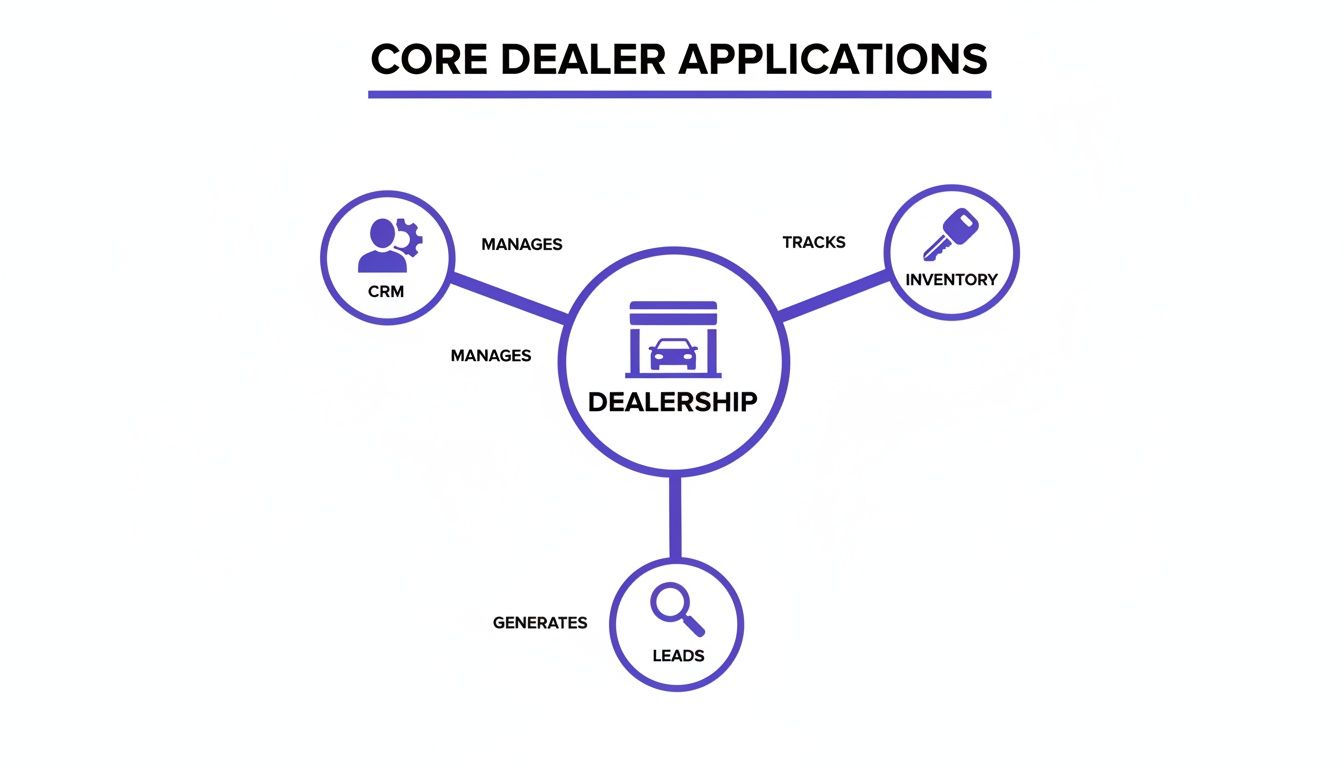
    A diagram illustrating core dealer applications: CRM manages, Inventory tracks, and Leads are generated, all centered around the Dealership.

    The image drives home the point: a truly connected system ensures that customer, vehicle, and sales data flows effortlessly between these vital functions.

    Key Questions to Ask During a Demo

    Arm yourself with pointed, practical questions that reveal how an app will actually perform in the wild. Vague promises won't help you on a busy Saturday morning.

    1. "Show me exactly how this connects to my current DMS and CRM." Make them walk you through the integration workflow on screen, not just tell you it’s possible.
    2. "Can my team manage this entire process from their phones out on the lot?" This is a simple yes or no. If you can, test it yourself during the demo.
    3. "What happens when a lead comes in at 10 PM on a Friday?" Get the specifics on the notification process. Does it send a text? An email? Or does someone have to be logged into a desktop dashboard to see it?
    4. "How long does it take to get a car from our lot onto our website with this tool?" Speed to market is everything. The process should take minutes, not hours.

    Choosing technology is a strategic decision, not just an operational expense. The right tools should act as a force multiplier for your team, automating the busywork so they can focus on what they do best—building relationships and closing deals.

    Start with a Powerful Foundation

    Instead of trying to duct-tape a dozen different apps together, a much smarter approach is to start with a foundational platform that handles multiple jobs from the get-go. A purpose-built dealership website platform like AutoFire™ can be a far more efficient and cost-effective way to build your tech stack.

    Think about it: a modern website platform already has many of the features you’d otherwise pay for separately.

    • Built-in VIN Decoder: Instantly populates vehicle specs, slashing the time spent on manual data entry.
    • SEO-Optimized Listings: Automatically creates vehicle detail pages (VDPs) that are designed to rank high on Google.
    • Integrated Lead Capture: Ensures every inquiry from your site is captured and routed correctly without needing a separate form-building tool.

    By choosing a platform with these features baked in, you immediately reduce complexity and cost. This lets you build a powerful, integrated system that helps you compete—without needing a massive budget or a full-time IT department. It’s all about working smarter, not harder.

    Building an Integrated and Seamless Workflow
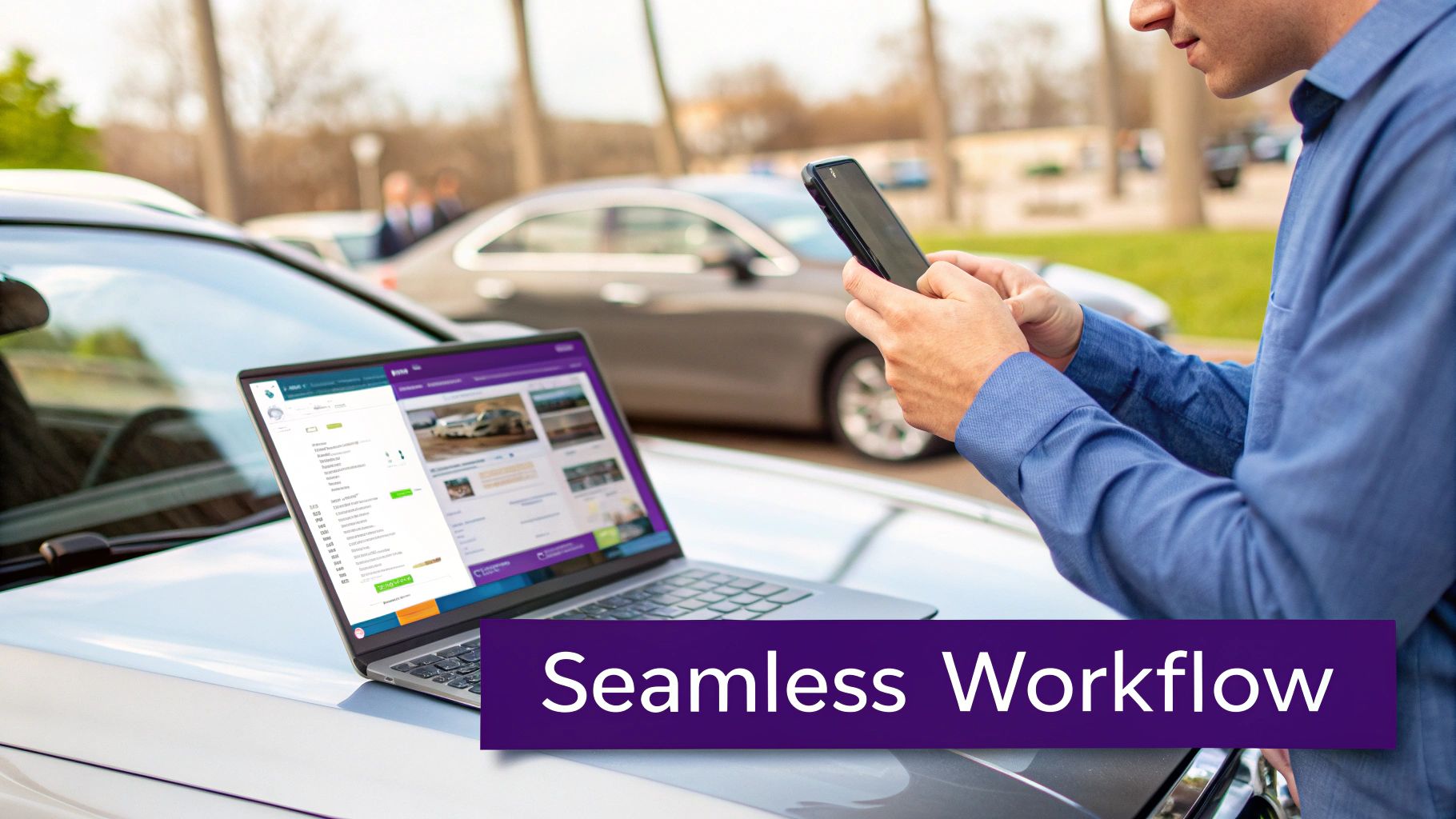
    A person uses a smartphone and laptop on a car hood, showing car inventory for seamless dealership workflow.

    Having a list of powerful apps for car dealers is a great start, but making them actually talk to each other is what separates the pros from the amateurs. The real win isn't just owning the tools; it's building a cohesive system where data flows automatically from one step to the next. This creates a smooth ride for both your team and your customers.

    Think of it like an automotive assembly line. Each station has a specific job, but the magic happens because the car moves effortlessly from one to the next without stopping. A disconnected app stack is the complete opposite. It's like having to manually carry the car frame between stations, creating bottlenecks and mistakes at every single handoff.

    Tracing the Customer Journey in an Integrated System

    To see how this works on the ground, let's follow a potential buyer we'll call Sarah. Her journey is a perfect example of how an integrated workflow turns a casual search into a real sales opportunity.

    It all starts with a simple search.

    1. Discovery on Google: Sarah is looking for a reliable used SUV and, like most people, starts her hunt online. Because your dealership website is properly set up, one of your vehicles pops up in the Google Vehicle Listings.
    2. Visiting the VDP: She clicks and lands on a clean, professional vehicle detail page (VDP) on your website. The page loads fast on her phone and gives her everything she needs: great photos, clear specs, and a no-nonsense price.
    3. Submitting a Lead: Impressed, she fills out a simple contact form to ask about the vehicle's history.

    This is the moment of truth—where an integrated system proves its worth. With a clunky setup, that lead might sit in an email inbox for hours, getting colder by the minute. But in a seamless workflow, a series of automated actions kicks off instantly.

    The Power of Instant Automation

    The second Sarah hits "submit," the real work starts behind the scenes. Your connected apps begin communicating without anyone lifting a finger, turning her simple question into a hot sales lead.

    Here’s what’s happening in the background:

    • Instant CRM Entry: The lead info from your website form is automatically pushed into your CRM. A new contact is created for Sarah, and the exact SUV she's interested in is linked to her profile.
    • Sales Team Notification: At the same time, the CRM fires off a notification directly to an available salesperson's phone.
    • Immediate Follow-Up: The salesperson sees the alert, opens Sarah's profile, and has all the context they need to make a relevant, timely call or text.

    This entire process—from a customer submitting a form to your salesperson getting notified—should take seconds, not hours. The difference is automation. It eliminates the risk of leads falling through the cracks from manual data entry or simple delays.

    This level of speed isn't a luxury anymore; it's a requirement to compete. By automating the handoff between your website, CRM, and sales team, you drastically shrink your response time and engage buyers while they are still highly interested.

    Your Website as the Central Hub

    The key to making this all work is to treat your website as the central hub of your entire digital operation. It's the main stage for every customer interaction and the front door for nearly all your sales leads. A modern dealership website platform is built to be this hub, acting as the bridge between your online marketing and your back-end sales systems.

    A well-built website doesn't just show off cars; it integrates cleanly with the other essential apps for car dealers, like your DMS or CRM. This ensures every piece of customer data captured on the front end is immediately available to your sales team. This connectivity is the foundation of a modern sales process. You can dig deeper into these strategies in our guide on lead generation for car dealerships.

    By building an integrated workflow around a strong website, you create a powerful system that saves time, prevents lost opportunities, and delivers the fast, professional experience today's buyers have come to expect.

    How a Modern Website Can Reduce Your App Overload
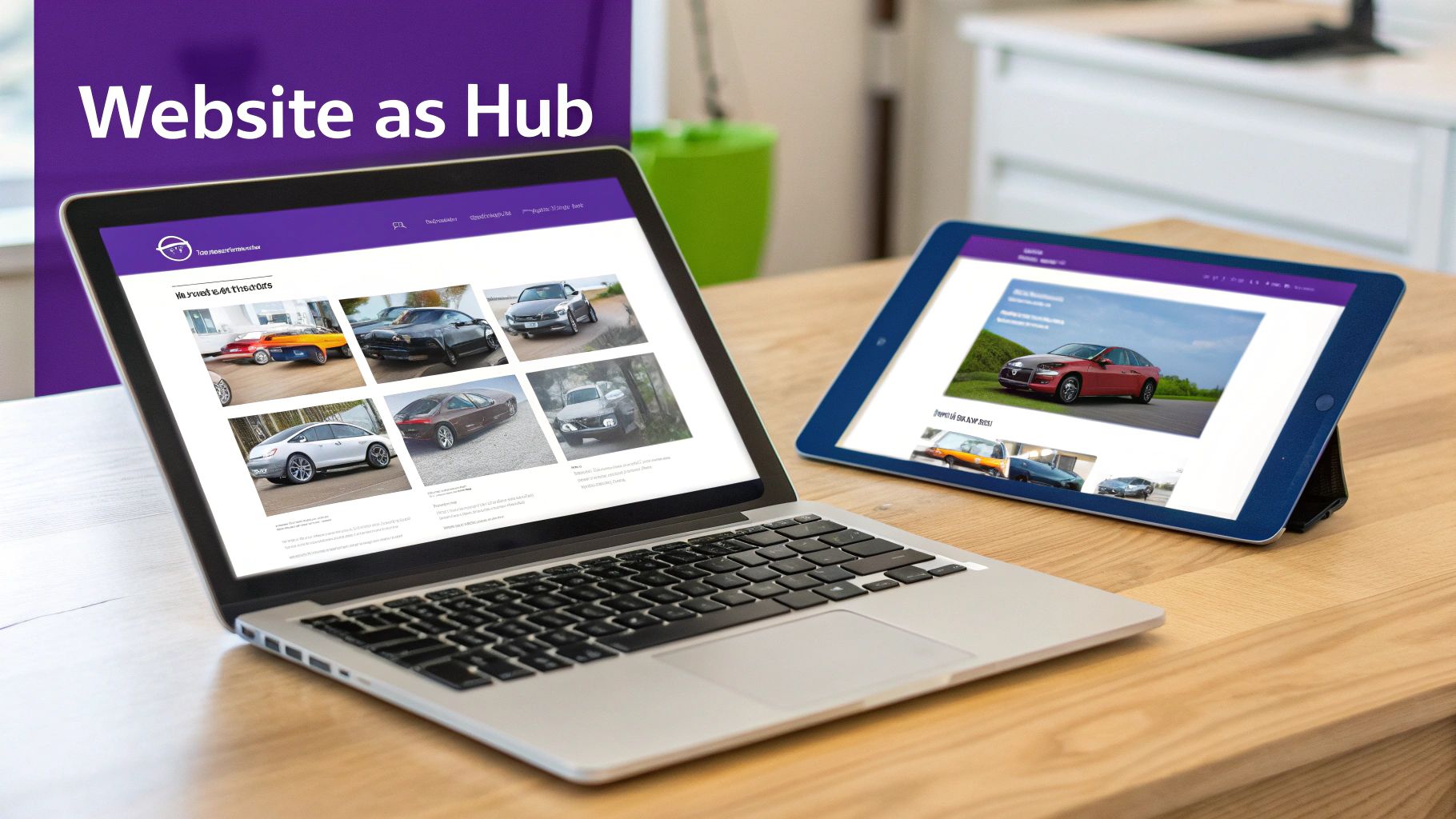
    Laptop and tablet showcasing a car dealership website with various vehicle models, illustrating a digital hub.

    After you've connected your core systems, you might find yourself wondering if there's a smarter way to build your dealership's tech stack. It's easy to get caught in a cycle of adding more and more apps for car dealers, each with its own subscription and login. But what if you could eliminate a huge chunk of that app overload from the very beginning?

    The secret is to start with the right foundation: a modern dealership website. Instead of seeing your site as just an online brochure, think of it as the central hub for your entire operation. A purpose-built platform isn't just one more tool to juggle; it's a core system designed to do the job of multiple apps, simplifying your workflow and cutting costs right out of the gate.

    From Multiple Apps to a Single Platform

    A truly effective dealership website does so much more than display your cars. It should be actively working for you—attracting buyers, capturing leads, and syndicating your inventory—and in the process, it can replace several standalone apps you might otherwise be paying for.

    Here’s how a modern website platform can absorb the functions of other tools:

    • It replaces a separate SEO tool. With search engine optimization baked right in, every vehicle you list automatically gets a properly structured, keyword-rich page that's built to rank on Google.
    • It eliminates third-party form builders. Integrated lead capture forms are built directly into your vehicle detail pages, making sure every inquiry is captured instantly and reliably without a hitch.
    • It reduces the need for separate listing tools. The best platforms automatically format and push your inventory to major channels like Google Vehicle Listings, saving you time and manual effort.

    When you consolidate these functions, you create a system that's not only less complicated but also far more powerful. Your team has fewer dashboards to check, and you have fewer monthly bills to pay.

    Your Website as a Competitive Advantage

    The auto market is only getting more complex. For independent dealers, the ground is constantly shifting, with projections showing nearly 120 new EV nameplates are expected to hit the market by the end of 2026. This means dealership websites have to be smarter and more flexible than ever, ready to showcase a diverse range of inventory and give buyers the transparent information they demand. You can get more valuable insights from DealerClick on these automotive market trends.

    A modern website platform is built for this new reality. It gives you the flexibility to present different fuel types, features, and specs in a way that’s crystal clear to your customers, helping your dealership stand out from the competition.

    Your website shouldn't just be an online catalog; it should be your hardest-working salesperson. It works 24/7 to attract customers, answer their initial questions, and hand them off to your team as warm, qualified leads.

    Building a Leaner, More Powerful Tech Stack

    Starting with the right website platform is the key to building a more efficient and affordable tech stack. It becomes the core of your digital operations, with other essential tools like your DMS and CRM plugging into it, not the other way around. This model helps dealers compete without needing a dedicated IT department to manage a dozen different apps.

    For a deeper dive into what makes a high-performing site, our guide on choosing an automotive website builder breaks it all down.

    Ultimately, this approach is more than just a matter of convenience. It’s a strategic move that gives you a more robust, secure, and future-proof digital presence. It frees up your team from fighting with technology so they can focus on what they do best: selling cars.

    Dealership Apps: Answering Your Top Questions

    Jumping into new technology can feel overwhelming, especially when your main focus is on moving metal. I get it. Over the years, I've heard the same questions and concerns from hundreds of independent dealers trying to figure out which apps for car dealers are actually worth the investment. Let's clear the air and tackle those common hurdles head-on.

    Think of this like a pre-purchase inspection for your dealership's software. You wouldn't buy a car without kicking the tires, and you shouldn't invest in tech without getting straight answers. My goal here is to help you cut through the noise and make smart, confident decisions.

    What Are the Absolute Must-Have Apps for a New Independent Dealer?

    When you're just starting out, the game is all about getting the fundamentals right without torching your budget. You need to look professional online, know exactly what's on your lot, and have a system for handling anyone who shows interest.

    Forget the fancy bells and whistles for now. Focus on these three core tools:

    1. A Professional, Mobile-First Website: This is your digital showroom. A solid platform will automatically create SEO-friendly vehicle detail pages (VDPs) and have lead capture forms built right in.
    2. An Inventory Management System: You have to track your cars, your costs, and all the important details. This is often a core feature of a good Dealer Management System (DMS), which is the central nervous system of most dealerships.
    3. A Simple CRM or Lead Tracker: Even a basic spreadsheet is better than nothing, but a simple customer relationship management (CRM) tool is a game-changer. It ensures you follow up with every lead and no opportunity slips through the cracks.

    The smartest move? Start with an all-in-one website platform that nails that first point. It gives you a strong, affordable foundation that can easily plug into your inventory system and CRM, creating a powerful trifecta from day one.

    How Do I Get All My Different Dealership Apps to Talk to Each Other?

    This is the million-dollar question. Integration is the secret sauce that saves you from mind-numbing data entry and the costly mistakes that come with it. Before you sign on the dotted line for any software, this should be one of your first questions.

    Make vendors show you exactly how their tool connects with your existing systems, especially your DMS. Look for direct, pre-built integrations. If that’s not an option, ask if they support platforms like Zapier, which acts as a bridge between different apps without needing a developer.

    The best strategy I've seen is to pick a central "hub" for your dealership's data—usually your website or CRM. From there, every new app you add should be able to feed information into that hub, not create its own separate database. This gives you a single source of truth for all your customer and vehicle info, keeping everyone on the same page automatically.

    This simple approach prevents you from having customer data trapped in one system and inventory data in another, which is a recipe for chaos.

    Do I Really Need to Build a Custom Mobile App for My Dealership?

    For almost every independent dealer out there, the answer is a hard no. A custom-built mobile app is a money pit. It's incredibly expensive to develop, a headache to maintain, and the return on that investment is practically zero.

    A much smarter, more effective strategy is to invest that money in a top-notch, mobile-responsive website. A modern site is designed to look and feel just like an app on any smartphone browser, but nobody has to download a thing. It’s always up-to-date and gives customers everything they need—browsing inventory, checking out photos, and submitting leads—right from their phone. Since a majority of car shoppers use their mobile devices for research, a fast, responsive site isn't a luxury; it's essential.

    How Much Should I Actually Budget for Software and Apps?

    Your software budget will obviously depend on the size of your operation, but the guiding principle should always be return on investment. Always prioritize platforms that roll multiple functions into one package instead of buying a dozen niche apps that only do one thing.

    For example, a modern website platform can bundle your professional site, inventory listings, SEO, and lead capture tools into a single, predictable monthly subscription. That’s almost always going to be more cost-effective than paying four different vendors for each of those services.

    Here’s a practical way to approach it: start with your non-negotiables, which are your DMS and a great website platform. After that, only add specialized tools if you can draw a straight line from that new expense to more sales, better efficiency, or a happier customer. This keeps your tech stack lean, mean, and budget-friendly.


    Ready to build a powerful, efficient digital presence without the app overload? AutoFire delivers a modern, mobile-first website platform that consolidates your inventory management, SEO, and lead capture into one easy-to-use system. Launch your professional dealership site in minutes and start turning online shoppers into real customers. Learn more and get started for free at goautofire.com.

  • Choosing a Car Dealer Website Builder That Drives Sales

    Choosing a Car Dealer Website Builder That Drives Sales

    A car dealer website builder is a platform built specifically for one job: creating websites that sell cars. Unlike generic tools, it comes packed with features essential for automotive sales, like automated inventory management and VIN decoding. It’s designed from the ground up to help dealerships get their vehicles seen, capture buyer leads, and climb the ranks in local search results.

    Why Generic Website Builders Fall Short for Dealerships

    Trying to run a car dealership's website on a generic platform like Wix or Squarespace is like trying to build a high-performance engine with a standard home toolkit. Sure, you have a hammer and a wrench, but you're missing the specialized machinery needed to handle the complex moving parts of automotive sales.

    For a dealership, this approach leads to a frustrating cycle of manual work, missed opportunities, and a clunky experience for potential buyers. Staff waste hours manually updating inventory, a tedious task ripe for errors. You might end up advertising a car you sold yesterday or listing the wrong features. Worse yet, leads from various forms get scattered across inboxes instead of funneling into a system built to manage them. It’s a recipe for chaos.

    The Digital Showroom Dilemma

    Let’s face it: the car buying journey no longer starts on the lot. It starts on a screen. Modern car shoppers overwhelmingly turn to online resources before they ever set foot in a dealership.

    These buyers aren't just browsing; they're deep in research, often visiting multiple websites and spending a significant amount of that time on their phones. A seamless digital experience isn't a "nice-to-have" anymore—it's absolutely essential. You can dig deeper into these automotive digital marketing trends and see how they're reshaping the industry.

    This is where a purpose-built car dealer website builder stops being an upgrade and becomes a necessity. It’s not just a different tool; it’s an entirely different machine designed for one thing: selling cars online.

    Think of it as your dealership's digital command center. It’s an all-in-one system engineered to sync inventory automatically, capture high-quality leads with car-specific forms, and dominate the local search results where your customers are actually looking.

    Built for a Specific Purpose

    The core issue is that generic builders weren't designed to handle the unique demands of the car business. It's not in their DNA. Trying to force them to work often exposes critical gaps.

    For example, they don't have:

    • Automated Inventory Sync: There are no built-in connections to your Dealer Management System (DMS) for real-time stock updates.
    • VIN Decoding: The ability to instantly pull vehicle specs from a VIN is a feature you simply won't find out of the box.
    • Automotive SEO: They lack the specialized tools needed to get your inventory showing up in Google Vehicle Listings, which is crucial for attracting ready-to-buy shoppers.

    To really illustrate the difference, let’s compare a generic builder to a platform designed for dealerships.

    Generic Builder vs. Specialized Automotive Platform

    Key Function Generic Website Builder (e.g., Wix) Car Dealer Website Builder
    Inventory Management Manual data entry for each car. Prone to errors and delays. Automatically syncs with your DMS. Real-time updates.
    VIN Decoding Not available. All vehicle details must be entered by hand. Instant VIN lookup populates specs, features, and history.
    Lead Capture Forms Basic contact forms. Not tailored to auto sales inquiries. Custom forms for test drives, trade-ins, and financing apps.
    SEO for Cars General SEO tools. No specific features for vehicle listings. Optimized for Google Vehicle Listings and local auto searches.
    Integrations Limited to general apps (e.g., email, calendars). Connects to DMS, CRM, and auto marketing platforms.
    Mobile Experience Mobile-responsive, but not designed for vehicle browsing. Mobile-first design for easy inventory search and viewing.

    The table makes it clear: while a generic builder can put you online, a specialized platform is what gives you the power to actually compete.

    Ultimately, a solution built for dealers is the key to turning online browsers into showroom visitors. It provides the powerful, integrated framework you need to build a stronger, more efficient sales pipeline from the ground up.

    So, What Exactly Is a Car Dealer Website Builder?

    Let’s get straight to it. A car dealer website builder isn't just another tool like Squarespace or Wix with a car-themed template slapped on top. It’s a complete, purpose-built platform designed specifically for the business of selling cars online.

    Think of it like this: a generic website builder gives you an empty garage. You have the space, but you still have to source all the tools, build the car lifts, and figure out how to run the diagnostics yourself. A specialized dealer platform, on the other hand, is a fully-equipped, turn-key service bay. Everything you need is already there, integrated, and ready to go from day one.

    The Engine Room: Automated Inventory Management

    The absolute heart of any dealer website builder is its inventory management system. This is the engine that drives your entire online operation. It’s not just a gallery to upload photos; it’s a living, breathing system that syncs directly with your dealership's reality.

    It hooks into your Dealer Management System (DMS), creating a seamless connection between your physical lot and your digital showroom. When a car sells, it automatically disappears from the website. No more awkward phone calls explaining that the "2019 Civic they just saw online is already gone."

    A key part of this engine is the VIN decoder. You just plug in the vehicle's VIN, and the system instantly pulls in all the critical details—trim level, engine size, factory options, the works. This saves you countless hours of mind-numbing data entry and, more importantly, ensures your listings are accurate. Accuracy builds trust, and trust sells cars.

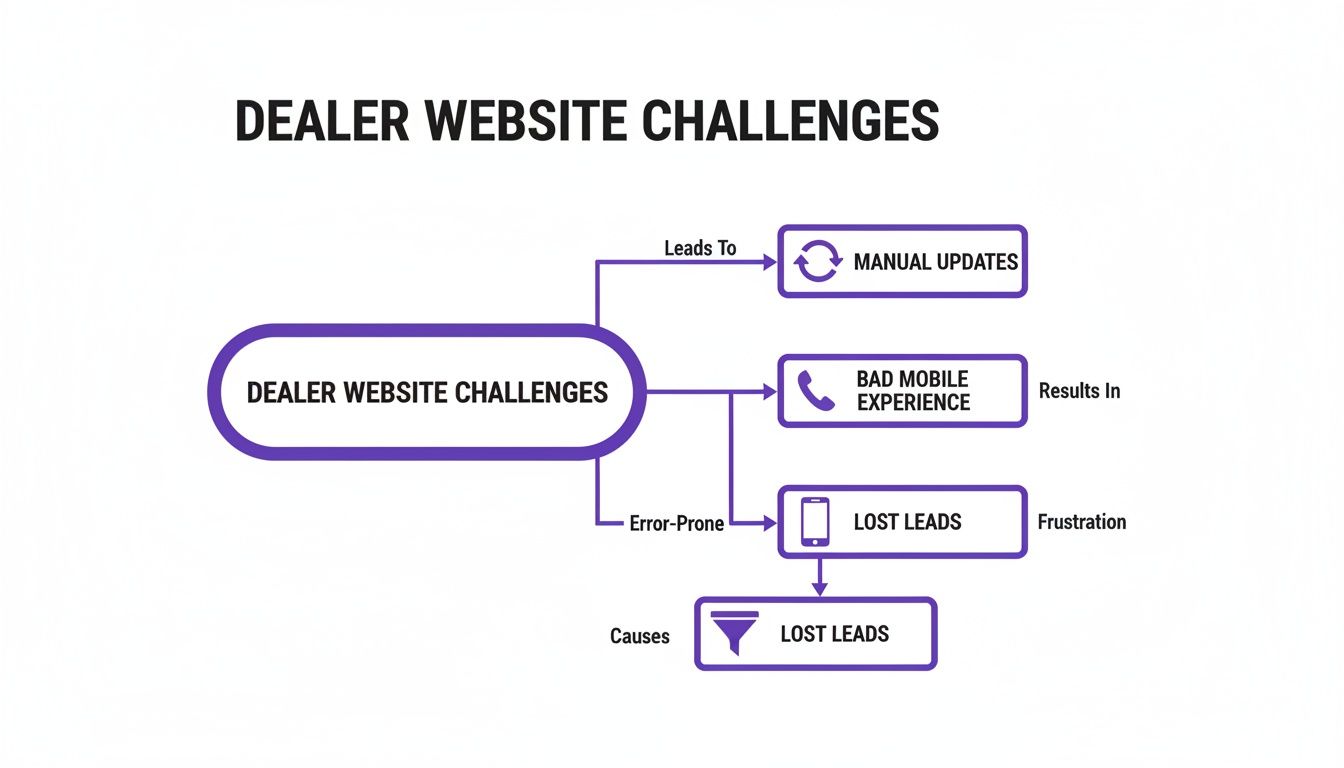
    The flowchart below shows what happens when this engine sputters. Manual updates, a clunky mobile site, and confusing navigation don't just create headaches for you; they actively drive potential buyers away.

    Flowchart illustrating car dealer website challenges, including manual updates, bad mobile experience, and resulting lost leads.

    As you can see, a weak foundation leads to a domino effect of problems that ultimately costs you real leads and sales.

    The Framework: Built for Mobile Shoppers and Sales

    Next, let's talk about the chassis—the underlying structure of the website itself. For any car dealership today, this has to be mobile-first. Period. The vast majority of your customers start their car search on their phone, often while standing on another dealer's lot. If your site is a pinch-and-zoom nightmare on a small screen, you’ve already lost them.

    A proper dealer platform is designed from the ground up to give mobile users a smooth, intuitive experience. Browsing inventory, filtering by make or price, and viewing vehicle details should feel effortless. The entire layout is engineered to guide visitors from a casual search toward taking the next step, whether that's getting a trade-in value or scheduling a time to come in.

    A purpose-built platform isn't just a passive online brochure. It's an active sales assistant. Every button, every form, and every photo gallery is strategically placed to do one thing: turn a curious browser into a qualified lead in your CRM.

    The Showroom Floor: Tools That Engage and Convert

    Finally, you have the customer-facing features—the digital equivalent of your showroom floor. These are the interactive tools that let shoppers kick the virtual tires and get genuinely engaged with your inventory.

    These aren't just fancy add-ons; they are essential for modern car sales:

    • High-Resolution Photo Galleries: Crystal-clear images from every angle are non-negotiable. Shoppers want to see it all before they even think about visiting.
    • Walk-Around Video: A simple video tour gives a much better sense of a car's condition and presence than static photos ever could.
    • Payment & Financing Calculators: Empowering buyers to crunch the numbers and see what they can afford makes them far more likely to take the next step.
    • Integrated Lead Forms: Smart, simple forms for everything from test drive requests to credit applications, placed right where the customer needs them.

    When the engine, framework, and showroom all work together seamlessly, your website transforms from a simple online listing into a powerful, 24/7 sales machine. Your inventory is always up-to-date, customers have a great experience on any device, and the site actively works to bring them through your dealership's door.

    Features That Turn Online Traffic Into Test Drives

    A specialized car dealer website builder isn't just a digital business card; it's an active sales machine humming in the background 24/7. The right features don't just look good—they create a straight line from a casual online search to a scheduled test drive. These are the non-negotiable tools that transform your website from a passive online brochure into an engine for serious growth.

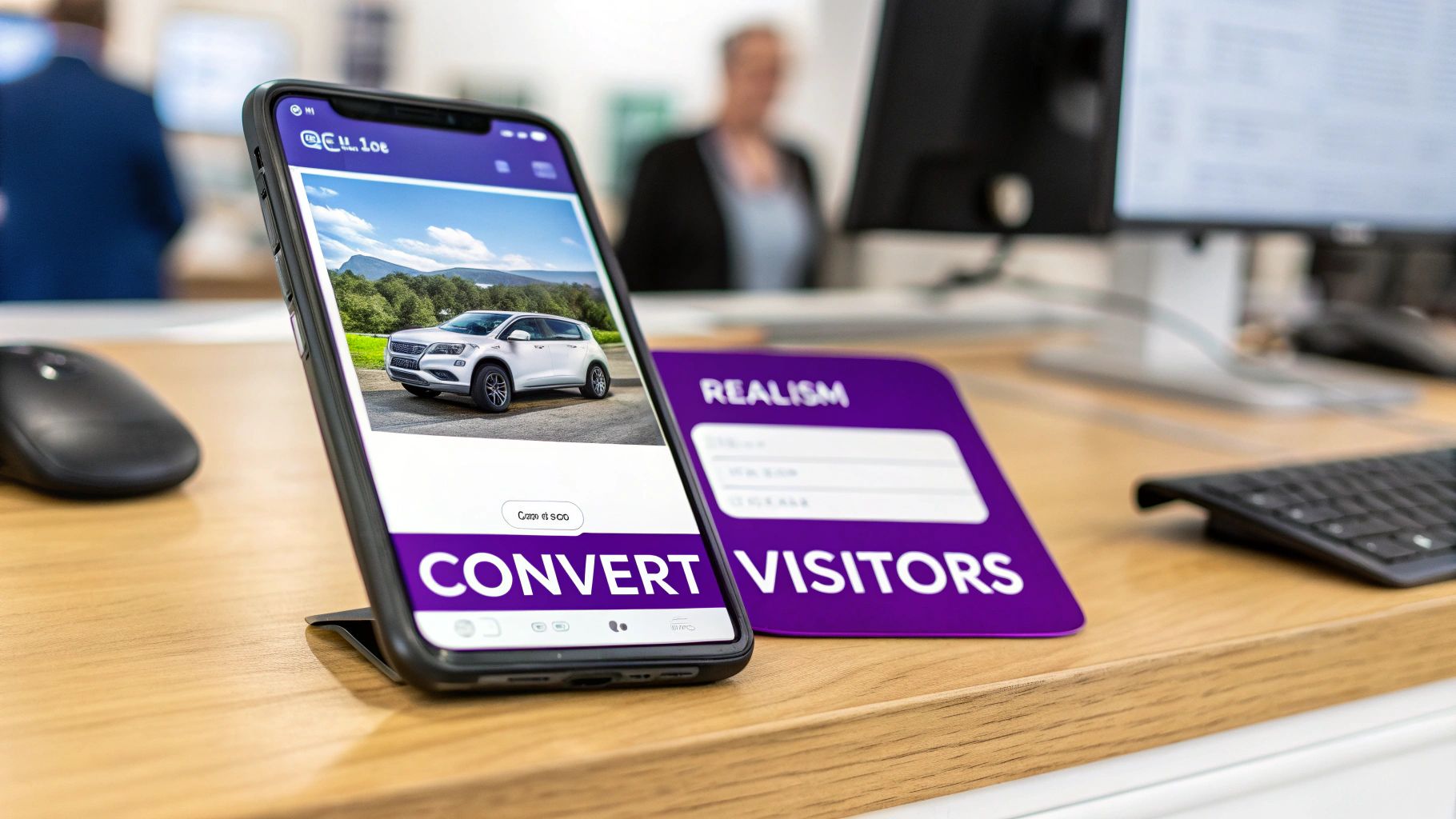
    A smartphone displays a white car on a website, next to a purple sign that reads 'CONVERT VISITORS'.

    Automated Inventory and VIN Decoding

    First things first: imagine never having to manually update your online inventory again. This is the single biggest time-saver a dedicated platform can offer. Automated inventory synchronization plugs directly into your Dealer Management System (DMS), making sure your website always shows what’s actually on your lot.

    When a car sells, it's gone from the site automatically. When you get a new vehicle, it pops up online within minutes. This simple feature is huge for customer trust—no more angry calls about a car you sold yesterday.

    Tied directly to this is VIN decoding. Instead of painstakingly typing out every single feature and spec, you just enter the VIN. The system instantly fills in the listing with the correct trim level, engine type, and factory options. This not only saves you hours of tedious work but also prevents costly mistakes in your listings.

    A Mobile-First Design for Today's Buyers

    Let’s be honest, modern car shoppers aren’t waiting to get home to their desktops. They’re browsing for their next car on their phone during a lunch break, on the couch, or even while standing on a competitor's lot. If your website is a clunky, slow-loading mess on a small screen, you've already lost them.

    This is why a mobile-first design is non-negotiable. It means your website was built for a phone from the ground up, not just a shrunken-down version of your desktop site. A great mobile experience boils down to a few key things:

    • Large, Tappable Buttons: No fat-fingering tiny links. Controls for filtering cars and viewing details should be easy to use.
    • Blazing-Fast Load Times: People are impatient. Pages and photos need to load instantly to keep them engaged.
    • Simple Navigation: A clear, intuitive menu helps shoppers find exactly what they're looking for without getting frustrated.
    • Click-to-Call Functionality: A potential buyer should be able to call you with a single tap.

    Focusing on the mobile journey is just smart business. As the automotive retail landscape evolves, buyers expect everything from payment calculators to vehicle history reports at their fingertips, and a solid website builder is what makes that possible.

    A website that works flawlessly on a phone isn't just a nice-to-have; it's a powerful lead-gen tool that meets customers where they are. It respects their time and gives them the confidence to take the next step.

    Automotive SEO and Google Vehicle Ads Integration

    Having a website is one thing, but getting found is another. Generic website builders offer basic SEO tools, but they’re completely outgunned in the competitive car sales market. A specialized platform comes with automotive SEO baked right in, specifically designed to help your inventory show up for high-intent local searches like "used Honda CR-V near me."

    A big part of this is handling the technical stuff, like schema markup for vehicles, which helps Google understand your listings. Even better, a good builder integrates directly with Google Vehicle Ads. This lets your cars appear at the very top of Google's search results with photos, pricing, and mileage—placing your inventory right in front of motivated buyers at the exact moment they're looking. It’s one of the best ways to get free, highly qualified traffic to your site.

    Advanced Lead Forms and CRM Integration

    Okay, so a shopper is interested. Now what? You need a smooth, easy way to capture their info. A proper car dealer website builder knows a generic "contact us" form won't cut it. You need specialized forms that match exactly what the buyer wants to do next.

    These are the essential lead capture tools you should look for:

    1. Test Drive Request Forms: Simple forms that let a user quickly book an appointment to see a specific car.
    2. Trade-In Valuation Forms: Allows a potential customer to submit details on their current vehicle to get a trade-in estimate, starting a crucial conversation.
    3. Financing Applications: Secure forms that capture the info needed to get the credit approval process started.

    And here’s the most important part: those leads shouldn't just die in a cluttered email inbox. They need to flow directly into your Customer Relationship Management (CRM) system. This CRM integration ensures every single lead is tracked, assigned to the right salesperson, and followed up on quickly, so potential sales don't fall through the cracks. Exploring the full range of available features shows just how deeply these tools can tie into your existing sales process.

    Your Framework for Evaluating Website Builder Providers

    Picking the right partner for your dealership’s website is a huge decision, maybe just as important as the technology itself. The platform gives you the tools, sure, but the company behind it is what really dictates your long-term success through support, updates, and genuine guidance.

    To make the right call, you need a smart way to cut through the sales pitches and evaluate providers on what actually matters to your business. This simple framework will help you ask the right questions and compare your options head-to-head. By zeroing in on four critical areas, you'll get a crystal-clear picture of who will be a real growth partner for your dealership.

    Inventory and DMS Integration

    Let's be honest, your inventory is the heart and soul of your dealership. That means a seamless connection to your Dealer Management System (DMS) is absolutely non-negotiable. A clunky or unreliable integration creates a domino effect of problems: inaccurate listings, hours of wasted time, and seriously frustrated customers.

    So, when you’re looking at a car dealer website builder, start by digging into how their inventory system really works.

    Don't just ask, "Do you integrate with my DMS?" Ask how they do it. Is it a real-time, two-way sync, or just a lazy data dump that happens once a night? A delay of even a few hours could mean you’re still advertising a car you sold that morning.

    Here are the essential questions you need answered:

    • Does your platform support my specific DMS? You need a firm "yes" for your exact system, not a vague "we support most of them."
    • How often does the inventory sync run? You should be looking for real-time or, at the very least, updates every few minutes to keep everything accurate.
    • Is the VIN decoder built-in, and how accurate is it? Make them prove that it automatically pulls the correct trim levels and factory options. This saves you a massive amount of manual work.

    Marketing and SEO Tools

    A beautiful website that nobody can find is just a very expensive digital brochure. Your website platform has to come loaded with marketing and search engine optimization (SEO) tools built specifically for dealers. Generic SEO plugins from WordPress just won’t cut it when you’re fighting for local car buyers.

    The absolute must-have feature here is built-in support for Google Vehicle Listings. This is what gets your inventory to pop up directly in Google's search results when someone is looking for a specific make and model near you. It’s one of the single most powerful ways to get in front of shoppers who are ready to buy right now.

    A provider that treats automotive SEO as an afterthought is setting you up for failure. The platform should be engineered from the ground up to make your vehicles as visible as possible on search engines where your customers are actively looking.

    Lead Management and Customization

    Once you get shoppers to your site, its primary job is to turn those clicks into leads. The lead management tools a provider offers will have a direct impact on your sales pipeline. Basic "contact us" forms aren't enough—you need tools designed for the car buying journey.

    Check out how customizable their lead forms are. Can you easily create forms for test drive requests, trade-in appraisals, or financing pre-approvals? And just as important, where do those leads end up? The system needs to plug right into your dealership’s CRM so every single lead is tracked and followed up on immediately. A good provider can show you exactly how this works—and you can see it for yourself by requesting a personalized demo to understand the lead flow.

    Support and Onboarding

    Finally, you have to think about the people behind the product. When something inevitably goes wrong or you need a hand making a change, what’s their support like? A fantastic product with terrible support will become a major headache, fast.

    Ask about their onboarding process. Will they hold your hand through migrating all your data and getting your team comfortable with the new system? Get a clear understanding of their support channels (phone, email, chat) and their typical response times. A company that invests in quality support is a partner that's invested in your success, making sure you have the help you need, right when you need it.

    Provider Comparison Scorecard

    Choosing a partner is a big commitment. Use this checklist to score potential website builder providers across the most important features and services for your dealership. It's a simple way to keep your evaluation objective and focused on what truly matters for your bottom line.

    Evaluation Criteria Provider A Score (1-5) Provider B Score (1-5) Notes
    DMS Integration Quality Real-time sync? Accurate data?
    VIN Decoder Accuracy Pulls correct trims/options?
    Google Vehicle Listings Is it built-in and automated?
    Automotive SEO Tools VDP optimization, local SEO, etc.
    Lead Form Customization Can you build specific forms easily?
    CRM Integration Does it connect to your system?
    Onboarding Process Do they handle migration? Training?
    Support Quality & Speed Phone support? Fast response?
    Mobile-First Design How does it look/work on a phone?
    Overall Value for Price Is the cost justified by features?

    After scoring each potential partner, the right choice should become much clearer. The provider with the highest score in the areas most critical to your dealership is likely the best long-term fit.

    How to Navigate Pricing and Avoid Hidden Fees

    A great website platform shouldn't come with financial surprises. Investing in a car dealer website builder is a smart move, but you need to get a firm handle on the costs to budget properly and avoid getting hit with unexpected bills later on. The first step is understanding how these services are typically priced.

    The online car market is on fire right now. Recent data from IBISWorld shows the online car dealer industry in the U.S. has grown to a significant market size and has been expanding steadily for the past five years. This incredible growth proves that a powerful, cost-effective online presence isn't just nice to have—it's essential for any dealership that wants to compete. You can find more data on the online car dealer market on ibisworld.com.

    Decoding Common Pricing Structures

    As you start looking at different providers, you'll run into a few common pricing models. Each one is structured a bit differently, so knowing what you're looking at will help you compare your options apples-to-apples.

    Most modern platforms run on a monthly subscription model. This is a predictable, recurring fee that usually covers hosting, security updates, and basic customer support. It makes budgeting simple.

    You might also see a one-time setup fee. This usually covers the initial legwork of building your site, pulling in inventory from your old system, or setting up your DMS integration. It’s less common with today's SaaS platforms, but it’s always something to ask about.

    Finally, many plans are tiered based on your inventory size. A small, independent lot with 20 cars on the ground will pay less than a larger dealership managing over 100 vehicles. This approach makes sense—you only pay for what you actually use.

    Exposing the Hidden Costs

    Be careful, because the price on the sales page isn't always the final price. Hidden fees can quickly inflate what you thought was a good deal, turning it into a real budget-buster.

    A transparent provider will be upfront about all potential costs. If you have to dig for information on pricing for essential features, consider it a red flag. True partners want you to succeed, not to surprise you with invoices.

    Keep an eye out for these common extra charges:

    • Third-Party Integration Fees: Will they charge you extra to connect to your specific DMS or CRM? This is one of the first questions you should ask.
    • Advanced Feature Add-Ons: Sometimes, critical tools like a VIN decoder or advanced SEO features are locked behind a pricier plan or sold separately.
    • Premium Support Charges: Basic email support might be included, but what if you need to talk to someone on the phone? Or want a dedicated account manager? Find out what level of help your plan includes.
    • Data Migration Costs: Moving your current inventory and customer data over to the new platform might come with its own service charge.

    The best way to protect yourself is to ask the right questions before you commit. Before signing anything, get in touch with the provider and get the total cost in writing, including any add-ons you might need down the road. A simple conversation today can save you from a major headache tomorrow.

    A Smooth Launch Plan for Your New Dealership Website

    Three diverse professionals collaborate on project planning, reviewing documents and making notes at a white table.

    Switching to a new website can feel like trying to swap out an engine while the car is still running. But it doesn't have to be that chaotic. With a solid plan, the entire process becomes much more manageable, moving from a source of stress to a straightforward project.

    A smart launch is all about breaking it down into clear, logical steps. Think of it in three key stages: what you do before you flip the switch, what happens on launch day, and how you fine-tune everything afterward. This approach helps you sidestep common headaches like your site going down, your Google rankings tanking, or your inventory data getting scrambled.

    The Pre-Launch Preparation Phase

    This is where all the important groundwork happens. Before anyone sees your new site, your website provider should be deep in the details, getting everything just right. This stage is all about gathering your assets, moving your data, and locking in the final look of your new digital showroom.

    Your main job here is to provide the raw materials:

    • Content and Asset Gathering: You'll need to hand over high-quality logos, photos of your team, the "About Us" story that makes your dealership unique, and any other brand content.
    • Design Finalization: This is your chance to review and approve the site’s layout, colors, and overall vibe. Does it feel like your dealership? Now's the time to say so.
    • Data Migration Review: You'll work with your provider to double-check that all your existing inventory specs, customer info, and other essential data are mapped correctly for a clean transfer.

    Think of this phase as the final walk-around before a customer takes delivery. It’s your chance to check every detail, confirm all the features are in place, and give the final sign-off before the keys are handed over.

    The Go-Live Process

    Once all the prep work is done, it's time for the technical launch. This part is almost entirely handled by your car dealer website builder partner—they do the heavy lifting behind the scenes. The goal is a seamless switchover with zero disruption to your business.

    Here’s what’s typically happening on their end:

    1. Final Technical Setup: They'll be configuring the server, installing security certificates, and making sure the site is rock-solid and ready for visitors.
    2. DMS Integration Activation: The live connection to your Dealer Management System gets turned on, ensuring your inventory is syncing perfectly in real time.
    3. Quality Assurance Checks: One last, thorough sweep of the live site is done to catch any broken links, weird formatting, or bugs on mobile devices.

    Post-Launch Optimization and Success

    Congratulations, your new website is live! But the job isn't quite finished. The first few weeks are critical for making sure the site is performing as it should and that your team is comfortable using it. Now is the time to watch your analytics, get your people trained up, and hit the gas on your marketing.

    Your focus should shift to these key activities:

    • Staff Training: Make sure your sales team and office staff know their way around the new system. Can they easily manage leads? Can they update a vehicle description?
    • Performance Monitoring: Keep a close eye on your website analytics. You’ll want to track traffic, how many lead forms are being filled out, and whether people are sticking around or bouncing right off the site.
    • Marketing Campaign Activation: It's time to drive traffic. Launch those new marketing campaigns you've been planning and start taking advantage of your site's new SEO power and better lead-gen tools.

    Got Questions? Here Are the Answers

    Moving to a new website platform is a big step, and it's smart to have questions. To give you some extra clarity, we've pulled together the most common things we hear from dealers who are thinking about a car dealer website builder. Getting good, honest answers is the only way to feel confident you're making the right move for your lot.

    Let's tackle these questions head-on so you know exactly what to expect.

    How Long Does It Take to Get My New Site Online?

    This is usually the first thing dealers ask. The timeline really depends on the provider you choose and how complex your setup is, but a modern platform should have you up and running quickly. We’re talking weeks, not months.

    The launch process generally breaks down into a few simple stages:

    • Discovery and Design: Nailing down the look and feel you want.
    • Data Integration: Hooking up your DMS so your inventory syncs perfectly.
    • Adding Your Content: This is where you add your dealership’s story, staff photos, and other custom pages.
    • Final Look-Over and Launch: One last check before you hit the big green button.

    Can I Keep My Current Domain Name?

    Of course. In fact, you absolutely should. Your domain name is a huge part of your brand and holds all the SEO value you've worked hard to build. Starting over is the last thing you want to do.

    The switch is straightforward. When your new website is ready, you'll just need to update your domain's settings to point to the new hosting servers. Any good website partner will give you clear instructions or even handle this part for you to make sure everything goes off without a hitch.

    A professional car dealer website builder will never ask you to change your domain. Their job is to make the switch seamless, protecting the online reputation and search engine trust you've already earned.

    What Kind of Support Can I Expect?

    Support levels can be all over the map, so this is a big one to dig into. Most providers offer different tiers of support to fit what your dealership needs and can afford.

    Typically, a standard plan will get you email or ticket-based help for any technical hiccups. If you go with a more premium plan, you might get perks like direct phone support, a dedicated person to call, or faster help when something urgent comes up. Make sure you ask exactly what's included so there are no surprises when you need a hand.

    How Does a New Website Actually Help Me Sell More Cars?

    At the end of the day, this is what it’s all about. A great website builder helps you sell more cars by smoothing out all the bumps in the online car-shopping process. It’s not just about having a prettier site; it's about having one that works smarter.

    A platform built for dealers connects all its features to real-world results:

    • It gets you better leads. Optimized forms for test drives, financing, and trade-ins capture buyers who are serious, not just kicking tires.
    • It makes you more visible. With built-in automotive SEO and integrations like Google Vehicle Ads, your cars show up right when local shoppers are searching for them.
    • It converts mobile shoppers. So many customers browse on their phones. A fast, easy-to-use mobile experience keeps them on your site and turns that interest into an appointment.

    Ready to see how a modern, purpose-built website can drive more leads and simplify your operations? With AutoFire™, you can launch a professional, mobile-first website in minutes and start showcasing your inventory where buyers are searching. Get started for free today.

  • Car Dealer Website Templates – car dealer website templates for more leads

    Car Dealer Website Templates – car dealer website templates for more leads

    Think of a car dealer website template as a blueprint for your digital showroom. It's a pre-built, industry-specific website design that gives you all the essential pages, features, and tools you need to get online quickly. Instead of building from scratch, you start with a solid foundation designed specifically for selling cars.

    Your Digital Showroom Is Your New Forecourt

    The days of relying solely on walk-in traffic are long gone. Today, the car buying journey almost always starts on a screen, not on the lot. With tens of thousands of dealerships competing for attention across the United States, a strong online presence isn't just a nice-to-have—it's your most powerful sales engine.

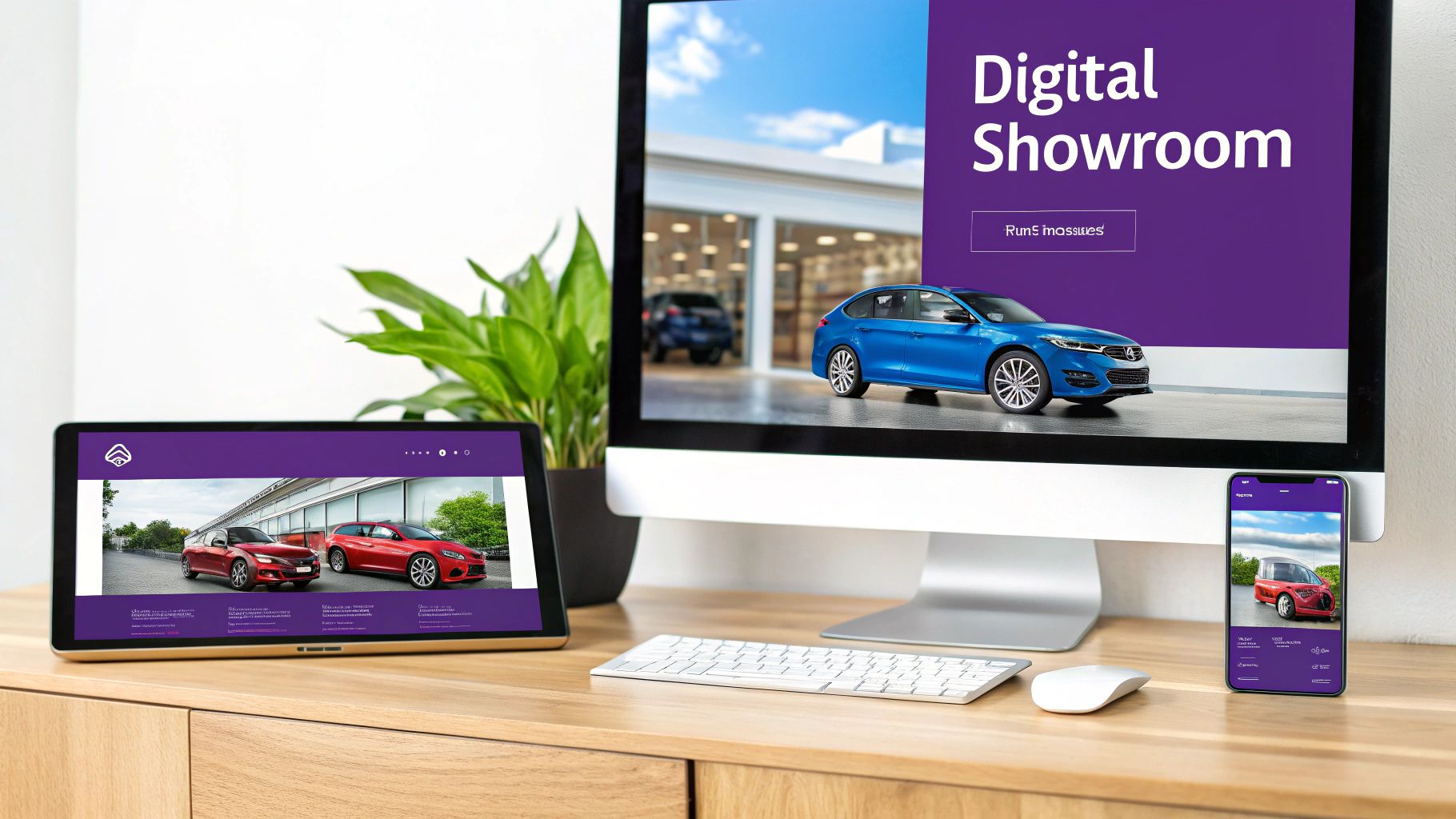
    Multiple devices on a desk, including a monitor, tablet, and smartphone, showcasing a digital car showroom website.

    This isn't just a trend; it's a massive shift in how people buy cars. The vast majority of car shoppers now begin their search online. What’s more, a large percentage of them are ready to handle much of the purchase digitally. This makes your website the first, and often most critical, handshake you have with a potential customer. You can explore the data behind digital car shopping to see just how deep this change goes.

    Leveling the Digital Playing Field

    For independent dealers, going up against the huge marketing budgets of the big franchise stores can feel like an uphill battle. A fully custom website can easily run into tens of thousands of dollars and take months to build, putting a top-tier digital storefront out of reach for many.

    This is exactly where car dealer website templates come in. They aren't just about looks; they're complete business platforms that give smaller dealerships access to the same powerful tools as the big guys.

    A great template does more than just list your cars. It turns your website into an automated sales machine that works around the clock to showcase your inventory, answer customer questions, and bring in qualified leads—freeing you up to do what you do best: sell cars.

    More Than Just a Pretty Design

    These templates are packed with features that generic website builders simply don't have. You’re not starting with a blank slate; you’re starting with a purpose-built framework that understands the nuts and bolts of the auto industry.

    The advantages are immediate:

    • Speed to Market: You can get a professional, fully working website live in a matter of days, not months.
    • Cost-Effectiveness: It’s the smart way to get premium, dealership-specific features without the hefty price tag of custom development.
    • Industry-Specific Functionality: Tools you actually need, like inventory management, VIN decoders, and finance calculators, are already built in.
    • Professional Appearance: A clean, modern, mobile-friendly design builds trust and credibility with shoppers from the very first click.

    By using a template-based platform, independent dealers can absolutely punch above their weight and create a digital experience that rivals their largest competitors. For example, systems like AutoFire™ offer a fast and modern way to launch a dealership site that’s already equipped with all the tools needed to succeed online.

    Understanding Car Dealer Website Templates

    So, what exactly is a car dealer website template? Let’s put it this way: it’s the difference between building a house from a blueprint and starting with a pile of lumber on an empty lot. A template gives you a powerful head start with a pre-built foundation designed specifically for selling cars.

    This foundation isn't just about looks, though it does include professionally designed layouts for all your critical pages, from the homepage right down to your vehicle detail pages (VDPs). The real magic is under the hood. The code is already structured to be responsive, meaning your site will look great and work perfectly on any device—which is a must-have, considering how many of your customers are scrolling through inventory on their phones.

    More Than a Generic Business Theme

    A classic mistake I see dealers make is grabbing a generic business theme and trying to shoehorn their dealership into it. That's like trying to tow a trailer with a sports car. It might move a few feet, but it’s not built for the job and is bound to break down.

    A true car dealer website template comes with the specialized tools you need already baked in. These aren't afterthoughts or plugins you have to bolt on later; they're part of the core engine.

    A purpose-built automotive template anticipates your needs. It already knows a car buyer wants to filter by make, model, and year, not by "product color or size." That built-in intelligence is what turns a simple website into a real sales tool.

    This singular focus is what makes these templates so powerful. They give you a framework that understands the unique rhythm of selling cars, making your website a seamless and effective tool for both your team and your customers.

    The Automotive-Specific Advantage

    The difference is night and day when you get into the features. A generic theme might have a simple photo gallery, but an automotive template gives you a full-blown inventory management system. It’s a completely different level of functionality.

    Here are just a few of the must-have features that set a real automotive template apart:

    • VIN Decoding: This is a game-changer. You just punch in the Vehicle Identification Number, and it automatically fills in all the key details like make, model, year, and trim. Think of the hours saved on data entry and the costly typos it prevents.
    • Advanced Inventory Filters: Your customers want to zero in on the perfect car, fast. A good template comes with ready-to-go filters for mileage, transmission, body style, and other car-specific details right out of the box.
    • Integrated Finance Calculators: An on-page loan calculator lets a buyer instantly see what their monthly payment might look like. This simple tool keeps them on your site, engaged, and one step closer to making a decision.

    These features aren't just nice-to-haves; they’re essential for delivering the modern, easy car-buying experience customers now expect. Trying to add this functionality to a generic theme usually means expensive and buggy custom work. That’s why starting with a solution built for dealers is the smartest and fastest way to get a website that actually helps you sell more cars.

    Essential Features Your Dealership Website Must Have

    When you're sifting through car dealer website templates, it's easy to get lost in all the different designs and layouts. But the best ones all have a few key things in common—features that are engineered to do one thing: sell cars.

    Think of these features as the engine, transmission, and steering of your digital showroom. A pretty website without them is just a car with no engine. It looks nice, but it's not going anywhere. A truly effective template turns your site from a simple online brochure into a 24/7 sales machine.

    Automated Inventory and VIN Decoding

    Let’s be honest, manually entering vehicle data is a soul-crushing task. It's slow, boring, and a single typo can lead to big problems. That's why the most critical feature for any dealership website is automated inventory management with VIN decoding.

    This tool is a game-changer. You just pop in a vehicle's 17-digit VIN, and the system instantly fills in the key details—make, model, year, engine, standard features, you name it. This doesn't just guarantee your listings are accurate; it frees up your team to focus on what they actually do best: selling cars.

    Advanced Search and Filtering

    Car buyers today are detectives. They show up on your site already knowing what they want, and they expect to find it fast. A simple search bar just doesn't cut it anymore. Your website needs advanced search and filtering options built specifically for people shopping for cars.

    This means customers should be able to effortlessly slice and dice your inventory by:

    • Make and Model: The absolute basics, but essential.
    • Price Range: Lets buyers shop within their budget and keeps them from bouncing.
    • Mileage: A huge trust signal and a key decision factor for used car shoppers.
    • Body Style: Helps them find that SUV, truck, or sedan they're looking for.
    • Transmission Type: Caters to buyers who have a strong preference for automatic or manual.

    Good search functionality makes all the difference. When a potential buyer can find the perfect car on your lot in seconds, they stick around.

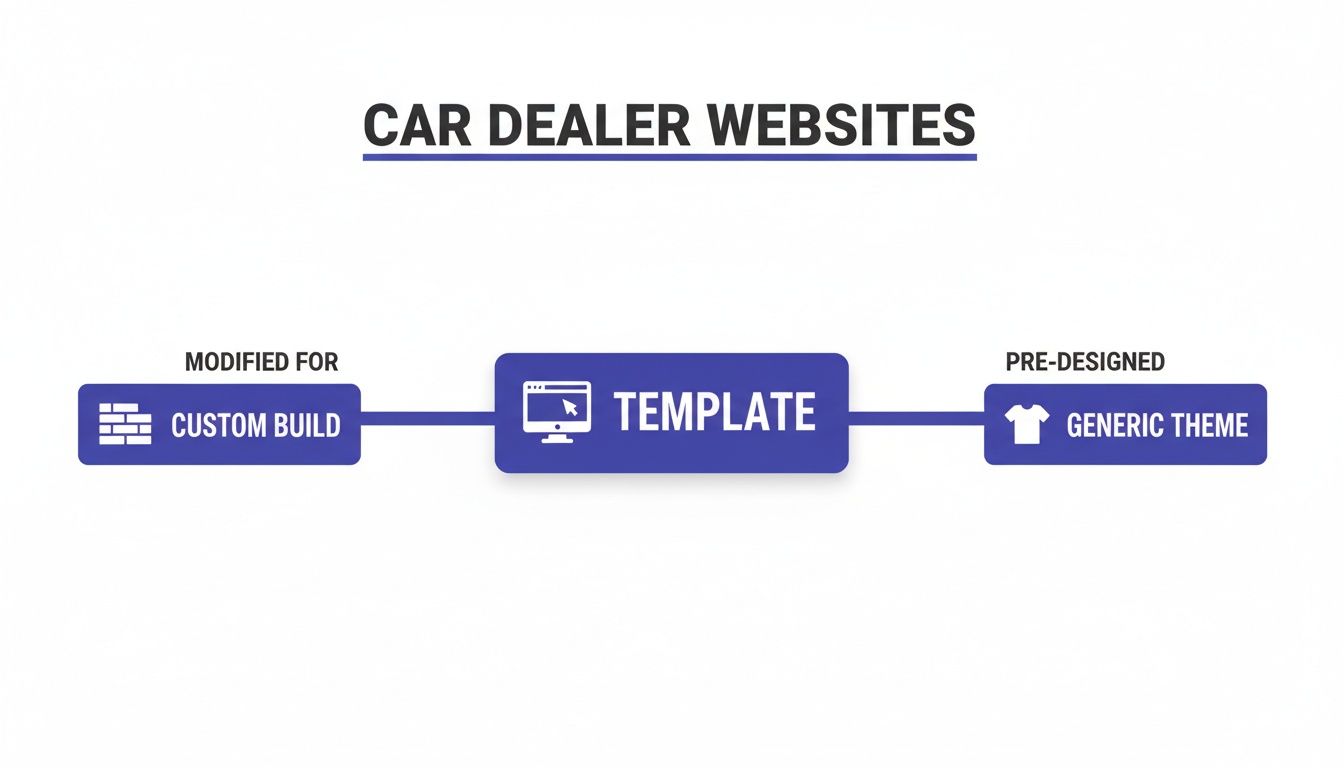
    The diagram below shows how a specialized template hits that sweet spot between a generic theme and a full-blown custom build.

    Diagram illustrating car dealer website types: custom build from templates or pre-designed generic themes.

    As you can see, a specialized template gives you all the industry-specific tools you need without the eye-watering cost and long timeline of a custom project.

    To help you keep track, here’s a quick rundown of the must-have features and why they matter so much for your bottom line.

    Essential Features in a Car Dealer Website Template

    Feature What It Does Why It's Essential for Sales
    Inventory Automation Automatically populates vehicle listings and details from a central data feed. Saves dozens of hours, eliminates human error in listings, and ensures your online inventory is always fresh.
    VIN Decoding Instantly fills in vehicle specs like make, model, engine, and features from the 17-digit VIN. Builds trust with accurate, detailed information and makes your team incredibly efficient.
    Advanced Search & Filters Allows customers to narrow down inventory by price, mileage, body style, and other specific criteria. Helps serious buyers find exactly what they're looking for in seconds, keeping them on your site and engaged.
    Mobile-First Design Ensures the website looks and works perfectly on smartphones, tablets, and desktops. Caters to the majority of car shoppers who use mobile devices, preventing them from leaving out of frustration.
    High-Impact Lead Forms Provides strategic calls-to-action like "Schedule Test Drive" or "Get Pre-Approved" on vehicle pages. Turns passive website visitors into active, high-quality leads that your sales team can follow up on.

    These features work together to create a smooth, professional experience that guides a visitor from browsing to buying.

    Mobile-First Responsive Design

    Here’s a fact: most of your website visitors will be on their phones. If your site is a pain to use on a small screen, you're actively turning away business. A mobile-first responsive design isn't a "nice-to-have"; it's a must-have.

    This means the site is built for the mobile experience from the ground up, not as an afterthought. Buttons need to be easy to tap, photos have to load fast, and nobody should have to pinch-and-zoom just to read your vehicle descriptions.

    A slick mobile experience tells customers you're a professional operation that values their time. A clunky, slow-loading site does the opposite—it screams "we don't care" and sends them right to your competition.

    High-Impact Lead Capture Forms

    At the end of the day, your website's job is to bring in leads. This is where high-impact lead capture forms come in. I’m not talking about a generic "contact us" box buried on a back page. I mean strategic calls-to-action that make it incredibly easy for a customer to take the next step.

    The best car dealer website templates have these forms built right in:

    • Scheduling a Test Drive: This grabs high-intent leads who are ready to get behind the wheel.
    • Requesting More Information: Lets interested shoppers ask specific questions about a car.
    • Financing Pre-Approval: Engages buyers who are further along in the process and gives you valuable qualifying info.

    These four pillars—automated inventory, advanced search, a mobile-first design, and smart lead capture—are what separate a website that just sits there from one that becomes a powerful sales engine. Integrated platforms often bundle these critical elements together, and you can see how it all works by exploring all the features of an automotive-focused website builder.

    How to Choose the Right Template for Your Dealership

    Picking a car dealer website template is a bit like helping a customer find the perfect car. It’s not just about the shiny paint job; it's about what’s under the hood and whether it actually fits their lifestyle. This checklist will walk you through the big-ticket items to make sure you get a template that doesn't just look pretty, but becomes a workhorse for selling cars.

    The whole process starts by asking the right questions. We're not just talking about a feature list, but about how those features will slot into your day-to-day operations. A great template should feel like a part of your team, making your job easier, not just another complicated thing to manage.

    Verify Your Core Integrations

    Before you get attached to a specific design, the absolute first thing you need to do is check its integrations. Your website can't be an island. It has to talk to the other tools you rely on, especially your Dealer Management System (DMS).

    Ask these make-or-break questions:

    • Will this template actually connect to my DMS? If the answer is no, you’re signing up for the nightmare of manually updating your online inventory every time a car comes in or goes out. For a busy dealer, that's a complete non-starter.
    • How does the inventory sync really work? Is it a real-time, automatic feed, or do you have to mess around with exporting and importing files? True automation is what you're after.
    • Can it handle all my data fields? Make sure the template can pull everything you need, from your custom vehicle notes to different price points you’ve set.

    A template that doesn't play nice with the systems you already use is going to create headaches, not solve them. Nailing down DMS compatibility right from the start is the single most important move you can make.

    Choosing a template is a strategic business decision, not just a design one. The right platform should streamline your workflow by automating inventory updates and lead management, giving you back valuable time to close deals on the forecourt.

    Assess the Level of Customization

    Your brand is what sets you apart from the dealership down the road. While a template gives you a starting point, it has to be flexible enough to let your brand’s personality shine through. You’re not looking for a cookie-cutter site that looks like everyone else's.

    Figure out how much control you actually get over the look and feel.

    • Can you easily pop in your logo and change the color scheme? This is basic stuff, but it's absolutely essential for keeping your brand consistent.
    • How much freedom do you have with page layouts? Can you move sections around on the homepage to spotlight a special promotion or feature your top sellers?
    • Does it properly showcase high-quality media? These days, crystal-clear photos and 360-degree vehicle views are non-negotiable. You need to know the template can display them in a fast-loading, impressive gallery.

    The sweet spot is what you might call "structured flexibility." You want enough creative room to make the site feel like yours without needing a web design degree to do it.

    Understand Support and Future Updates

    Finally, think about the long-term relationship with the template provider. A website isn't a "set it and forget it" kind of thing. Technology evolves, security threats pop up, and new features become the standard. You need to be confident that the team behind your template has your back.

    Dig into the provider's policies:

    1. What's their customer support really like? Is it just email, or can you actually get a human on the phone when you have a problem that can't wait? Find out what their typical response times are.
    2. How often is the template updated? A solid provider will consistently push out updates for security patches, bug fixes, and new features.
    3. Are updates included, or are they an extra charge? Hidden costs for critical updates can turn an affordable template into a money pit real fast.

    Choosing the right platform is an investment in a solution that will grow alongside your dealership. By carefully looking at integrations, customization, and support, you can pick a car dealer website template that will be a powerful and reliable engine for your business for years to come.

    Putting Your New Website Template into Action

    Alright, so you’ve picked out the perfect car dealer website template. That's a huge win, but now comes the real work: turning that blueprint into a live, lead-generating machine for your dealership. This part can feel a little daunting, but today's platforms are built to make it surprisingly straightforward, even if you don't have an IT guy on staff.

    Think of it like getting a car ready for the front line. The frame and engine—your template—are solid. Now it’s time for the detail work: adding the polish, tuning the features, and making sure everything is perfect before a customer lays eyes on it. Let's walk through the steps to bring your digital showroom to life.

    Person using a laptop displaying a 'LAUNCH Checklist' website, working at a desk.

    Migrating Your Inventory Data

    First thing's first: you have to get your cars online. This is the single most critical task. A modern template platform makes this easy by plugging right into your Dealer Management System (DMS). We're not talking about spending hours manually uploading photos one by one. This is about setting up a clean data feed that automatically keeps your website's inventory in sync with your lot.

    During this process, accuracy is everything. You'll want to spot-check that all your vehicle data—from VINs and mileage to pricing and those custom descriptions you wrote—made it over correctly. A common headache is making sure photos match the right listings and that all the optional equipment shows up properly.

    Crafting Compelling Content

    Once your inventory is dialed in, it's time to tell your story. A great dealer site is more than just a list of cars for sale; it needs to build trust and connect with local buyers. This is your chance to flesh out the pages that set you apart.

    • About Us: What's your dealership's story? Talk about your history, how you serve the community, and what makes you different from the big-box store down the street.
    • Meet the Team: Putting real faces on your website makes your dealership feel more human and approachable. It helps build a connection before a customer even steps on the lot.
    • Financing Information: Be upfront and clear. Explain the financing options you offer and make it simple for visitors to find and fill out your credit application.

    This kind of content is what separates you from the competition and shows customers they're dealing with real people who stand behind their cars.

    Configuring Your Initial SEO

    A beautiful website that nobody can find is just a waste of money. That's why setting up your initial Search Engine Optimization (SEO) is a non-negotiable part of the launch. It’s all about sending the right signals to search engines like Google so they understand what your site is about and who to show it to.

    Think of SEO setup like putting a sign on your physical dealership. You need the business name spelled correctly and the address clearly visible so customers can find you. On your website, page titles and meta descriptions are those digital signs for search engines.

    This means giving every page a unique, descriptive title (like "Used Honda CR-Vs for Sale in Springfield") and writing a meta description that makes people want to click. A good platform will have simple fields for you to fill this stuff in without needing a degree in computer science. If you want to see how these tools work behind the scenes, you can request a demo of the AutoFire system to get a feel for the backend.

    Finally, before you go live, run through a pre-launch checklist. Test every form, click every button, and pull the site up on your phone and a friend's phone. A few minutes of testing can save you from a major headache on launch day.

    Why an Integrated Platform Beats a Standalone Template

    Picking a great car dealer website template is a huge step, but it’s really just the starting line. The real challenge pops up a few months down the road when you find yourself wrestling with plugin updates, security patches, and manually updating your inventory. This is where you’ll feel the night-and-day difference between a standalone template and an integrated platform.

    A standalone template is a bit like buying a high-performance engine off the shelf. It’s powerful, no doubt. But now it’s on you to build the rest of the car around it, maintain all the moving parts, and figure out what’s wrong when it breaks down. You end up having to duct-tape together hosting, security plugins, and inventory tools, which can quickly turn you into a part-time IT manager.

    The All-in-One Advantage

    An integrated Software-as-a-Service (SaaS) platform is a completely different animal. Think of it more like leasing a brand-new, fully-serviced vehicle. You don't just get the engine; you get the polished chassis, the leather seats, and a dedicated pit crew, all bundled into one simple package. Your provider handles all the technical heavy lifting behind the scenes.

    This all-in-one approach gives you everything you need right out of the box:

    • Automatic Inventory Syncing: Your website’s inventory updates in real time, pulling directly from your DMS. That means no more manual data entry and no more disappointed customers looking at a car you sold yesterday.
    • Managed Hosting and Security: Forget about server maintenance, backups, or worrying about the latest security threat. The platform takes care of all of it for you.
    • Continuous Feature Upgrades: As the industry evolves, your website does too. The platform rolls out new features and updates automatically, so your site never feels dated—all without you lifting a finger.

    This entire model is built to let you do what you do best: buy and sell cars. Not fight with website code.

    A Smarter Path to Growth

    The real beauty of an integrated platform is that it grows right alongside your dealership. A standalone template might feel great at first, but what happens when a critical plugin update crashes your site, or you want to add a new feature? You're often left scrambling to find a fix on your own.

    With a SaaS solution, you have a team of automotive industry experts in your corner. They get the unique challenges dealers face and are constantly building tools to solve them.

    An integrated platform shifts your focus from managing a website to using a sales tool. It’s a future-proof solution that keeps your dealership competitive by handling the technical complexities so you can concentrate on your customers and your business.

    For a busy independent dealer, this is a total game-changer. You get the power of a custom-built solution with the simplicity and reliability of a managed service. Platforms like AutoFire are built on this very principle, giving you a system where inventory, SEO, and lead capture work together seamlessly from day one. You can get started fast and grow without the friction.

    Common Questions Dealers Ask About Website Templates

    Jumping into the world of dealer websites can feel like a lot to take on. You've got questions, and we've got answers. Here are some of the most common things we hear from dealers just like you.

    Can a Website Template Hook Into My Current Inventory System?

    Yes, and this is a big one. Any decent dealer website template or platform is designed to plug right into your existing Dealer Management System (DMS). Honestly, you shouldn't even consider one that doesn't.

    Think of it this way: once connected, your website becomes a perfect mirror of your lot. Sell a car, and it disappears from the site instantly. Add a new trade-in to your DMS, and it pops up online automatically. This sync saves you an incredible amount of time and stops customers from calling about a car you sold yesterday.

    How Much Can I Actually Change a Car Dealer Template?

    You've got more control than you might think. Good templates give you plenty of room to make the site your own without needing to be a tech wizard. You can easily upload your logo, swap out colors to match your branding, and choose your own fonts and photos.

    Many platforms also come with simple drag-and-drop editors, letting you move sections around on your homepage or other pages. While it’s not the same as building a site from scratch for tens of thousands of dollars, a template gives you all the flexibility you need to create a sharp, professional-looking site that stands out.

    Will a Template Tank My SEO?

    Quite the opposite, actually. A well-built template from a company that knows the car business will give your SEO a major boost. These templates are built clean from the ground up, designed to load fast and look great on a phone—all things Google absolutely loves.

    Think of a template as the high-performance chassis of a race car. It provides a strong, reliable, and aerodynamically sound foundation. Your SEO success—winning the race—depends on the engine you put in it: your unique vehicle descriptions, high-quality photos, and local marketing efforts.

    The template handles the heavy technical lifting for you, giving search engines exactly what they want to see. Your job is to fill it with great content that brings in local buyers.


    Ready to launch a professional, high-performance website without the technical headaches? AutoFire delivers a modern, mobile-first site designed to turn browsers into buyers. Get your dealership online in minutes and start capturing leads today. Explore what AutoFire can do for you.