Tag: automotive lead generation

  • Automotive dealership web design that drives sales and leads

    Automotive dealership web design that drives sales and leads

    A great website for an independent car dealer does more than just look good—it's your most tireless sales engine, working around the clock. Think of it less as an online brochure and more as an automated system that showcases every car on your lot, pulls in serious leads, and goes toe-to-toe with the big franchise stores. It’s your hardest-working salesperson, always on and ready to engage a potential buyer.

    Your Website Is Your Hardest-Working Salesperson

    Let's be real: competing with the giant franchise dealers is a grind, especially with a small team and a tight budget. They've got huge marketing departments and names everyone recognizes. But your website is the great equalizer. It gives you a direct line to local buyers at the exact moment they're searching for their next vehicle.

    A man in a plaid suit uses a laptop in a car showroom with a '24/7 Salesperson' overlay.

    This guide is all about shifting your perspective—from seeing your site as a static digital business card to a dynamic sales tool. A powerful online presence built on smart design principles helps you attract, engage, and convert qualified buyers, even with a lean operation. It keeps working for you long after you’ve locked the gates for the night.

    The Modern Car Buyer's Journey

    The way people buy cars has completely changed. The journey almost always starts online. In fact, numerous marketing reports show that the vast majority of car buyers begin their search on the internet, which makes search visibility and mobile performance absolutely critical for independent dealers. For a small lot without a dedicated tech team, using a platform that handles site speed, security, and automatic SEO for vehicle detail pages can make a massive difference in how easily you're found. You can find more insights on optimizing for today's buyers over at ACVMax.com.

    Your website isn't just another expense; it’s a core business asset. It’s the first impression, the main source of information, and your number one lead generation tool, all rolled into one. Investing in a great user experience pays off directly in showroom traffic and sales.

    Core Pillars of a High-Performing Dealer Site

    To build a site that actually moves metal, you need to nail three essential pillars. These fundamentals work together to create a smooth experience for your customers and a streamlined workflow for you and your team.

    • Mobile-First Design: Let's face it, most of your customers will find you on their phones. Your site absolutely must be flawless on a small screen. That means easy-to-tap buttons, text you can read without pinching and zooming, and images that load quickly.
    • Automated Inventory Syncing: Manually updating your website is a soul-crushing, time-sucking chore. A modern system should sync with your inventory management software automatically, ensuring every vehicle on your lot is accurately displayed online without you lifting a finger.
    • Built-in SEO Strategies: Showing up on Google isn’t optional. Your website needs a solid SEO foundation, from properly optimized vehicle pages to the structured data that helps search engines understand and rank your inventory.

    This guide gives you the roadmap to building a website that doesn't just look pretty, but one that actively drives real-world sales and puts your independent dealership on a level playing field.

    The Foundational Features Your Dealership Site Needs

    Forget the flashy animations and confusing layouts that do more to distract than sell. When you're running an independent dealership, your website needs to be a workhorse, not a show pony. Its only job is to build trust and get a potential buyer from their phone screen to your lot. That means focusing on a core set of features that directly impact how easily customers can find your cars and how confident they feel giving you a call.
    A smartphone displays a silver SUV image and 'Essential Features' on a wooden desk with a laptop.

    Let's cut through the noise and build a simple blueprint of the non-negotiables. Think of this as your personal checklist for any web design solution you look at. If a platform is missing any of these foundational pieces, it simply wasn't built for the realities of selling cars today.

    Before we dive into the details, let's lay out the must-have features in a clear format. This table breaks down exactly what you need, why you need it, and how it directly helps you sell more cars.

    Core Website Features For Independent Dealers

    Feature Why It's Essential For Your Dealership Impact On Sales
    Mobile-First Design The majority of car shoppers start on their phones. If your site is clunky on mobile, they're gone in seconds. Prevents losing leads to competitors with a better mobile experience and makes it easy for shoppers to contact you on the go.
    Automated Inventory Sync Manually updating your website is a time-suck and leads to errors. Automation ensures your online inventory is always accurate. Eliminates customer frustration from seeing sold cars online and frees up your time to focus on actual sales conversations.
    High-Quality VDPs Your Vehicle Detail Pages (VDPs) are your digital showroom. This is where a shopper decides if a car is worth a visit. Great photos and clear information build trust, leading to more test drive requests and finance applications.
    Built-in SEO Tools If you don't show up on Google when someone searches "used trucks near me," you're invisible to most local buyers. Drives free, high-intent organic traffic directly to your inventory, reducing your reliance on paid ads.

    Getting these four pillars right is the difference between a website that just sits there and one that actively generates leads and moves metal.

    A Truly Mobile-First Responsive Design

    This isn’t just about making your site look okay on a phone; it needs to be built for the phone from the ground up. The hard truth is that the vast majority of your traffic will come from mobile devices. If a potential buyer has to pinch, zoom, or struggle to tap a button, they will leave. You’ll never even know they were there.

    A genuine mobile-first design means:

    • Lightning-Fast Load Times: Mobile users are impatient. A slow site is a dead site.
    • Thumb-Friendly Navigation: Buttons, links, and forms have to be big enough and spaced out enough for easy tapping.
    • Click-to-Call Functionality: A single, obvious tap should connect a buyer directly to your sales desk.

    A website that frustrates a mobile user is worse than having no website at all. It actively damages your reputation and sends potential sales to your competitors who offer a better, simpler experience.

    Seamless and Automated Inventory Management

    Your inventory is the heart of your business, and it must be the heart of your website. I’ve seen so many dealers try to manage this manually, and it’s always a recipe for errors and wasted time. The only real solution is automated inventory syncing.

    This means your website platform has to integrate directly with your dealership management system (DMS) or inventory feed. When you add a new car to your system, it should pop up on your website automatically, complete with all its details. When a car sells, it should vanish from the site just as quickly. This kind of automation is a total game-changer for small teams, freeing you up to do what you do best: sell cars.

    High-Impact Vehicle Detail Pages (VDPs)

    The Vehicle Detail Page is your digital showroom. It’s where a casual browser becomes a serious buyer. A weak VDP will kill a lead on the spot, no matter how much traffic you get. An effective VDP has to be clean, informative, and persuasive.

    Make sure every VDP has:

    • Stunning, High-Resolution Photos: You need a full gallery of crisp, clear images showing every angle—interior, exterior, and even close-ups of key features or minor imperfections. This transparency builds massive trust.
    • Clear, Obvious Calls-to-Action (CTAs): Don't make people hunt for what to do next. Big, bold buttons like "Schedule Test Drive," "Check Availability," and "Get Pre-Approved" should be impossible to miss.
    • Essential Vehicle Information: The price, mileage, VIN, and stock number need to be right at the top. Hiding this information just makes you look sketchy.

    Choosing the right platform is critical, and a purpose-built solution makes all the difference. For a deeper look, check out our guide on finding the best dealership website builder that includes these core features right out of the box.

    A Solid Foundation for Search Engine Optimization (SEO)

    Finally, none of this matters if buyers can't find you on Google. A strong automotive dealership web design has SEO baked into its DNA. This isn't some extra you bolt on later; it has to be part of the core structure from day one.

    This foundational SEO includes:

    • Optimized URL Structures: You want clean, readable URLs for each vehicle (e.g., yourdealership.com/inventory/2019-ford-f150-laramie). This helps both real people and search engines understand the page.
    • Structured Data (Schema Markup): This is special code that tells Google that your webpage is about a specific vehicle, including its VIN, make, model, and price. This is absolutely vital for appearing in special search results like Google Vehicle Listings.
    • Automatic Sitemaps: Your website should automatically create and update a map of all your pages, making it dead simple for search engines to find and index your entire inventory as it changes.

    These features all work together to make sure your website isn't just an online business card, but a powerful, automated sales tool that consistently brings qualified buyers to your door.

    Turning Website Visitors Into Showroom Leads

    Getting a steady stream of traffic to your website is a great start, but it doesn't pay the bills. The real test of a great dealership website is how well it turns those anonymous clicks into qualified leads—real people ready to talk about buying a car.

    The whole point is to create an experience so smooth and intuitive that it naturally guides a casual browser toward taking that next step.
    A person holds a smartphone with an app, interacting with a white SUV for a test drive.

    This isn’t about being pushy or using aggressive sales tactics. It's about smart design, placing the right calls-to-action (CTAs) in the right places, and building a foundation of trust that makes a potential customer feel comfortable reaching out. Let's get into the practical strategies that will transform your site from a simple online car lot into a powerful lead-generation machine.

    Move Beyond the Generic Contact Form

    For years, the standard "Contact Us" form was the main tool for capturing leads. While you should still have one, relying on it alone means you're leaving a massive opportunity on the table.

    Today's buyers expect specific actions that move them closer to a purchase, not just a generic inquiry form. Think about what’s going through a customer's mind when they land on a Vehicle Detail Page (VDP). They aren't just browsing anymore; they're seriously evaluating a specific car. This is your moment to give them clear, high-intent options.

    • Schedule a Test Drive: This is the ultimate goal. A customer willing to book a test drive is a serious buyer who wants to get behind the wheel. Make this button big, bold, and impossible to miss.
    • Check Availability: This is a fantastic, low-friction CTA that still grabs a high-quality lead. It opens a direct conversation about a specific vehicle, giving your team the perfect entry point.
    • Get Pre-Approved: For buyers thinking about their budget, this offers a clear path forward. It helps filter for serious prospects and saves everyone a ton of time later on.

    By offering these specific actions, you’re aligning your website with the actual steps people take when buying a car, making it much easier for them to say "yes" to the next step.

    Build Trust Before You Ever Meet

    As an independent dealer, your greatest asset is your reputation. Unlike the big franchise stores, your business is built on personal relationships and community trust. Your website is the perfect place to start fostering that connection before a customer ever steps onto your lot.

    A clean, professional design is the first step, but real trust is built through transparency and being genuine. Your site needs to feel like it’s run by real people who actually care about their customers.

    A visitor on your site should feel confident and informed, not pressured or skeptical. Things like customer reviews, a real "About Us" page, and clear financing info all work together to lower a buyer's guard and make them more likely to hand over their contact details.

    For instance, showcasing a few glowing Google reviews right on your homepage can instantly validate your business. An "About Us" page that tells the story of how you started—even if it's just a few paragraphs—adds a human touch that separates you from the faceless corporate competition. You can find more ideas for nurturing these prospects in our guide on how to generate leads for car sales, which dives deeper into strategies built on this foundation of trust.

    Understanding Conversion Rate Benchmarks

    So, what does "good" actually look like? It helps to know the numbers. Across the industry, website conversion rates can be all over the place.

    Multiple analyses show that typical visitor-to-lead form conversions for many dealer sites hover between 0.5% and 1.5%. A well-optimized site should realistically be at the higher end of that range. More recent benchmarks put the average for the broader automotive sector between 2% and 3%.

    For an independent used-car dealer, this means a solid mobile-first site should expect to start with a sub-2% sitewide conversion rate. But with the right tools and focus, you can definitely push that number much higher.

    The Anatomy of a High-Converting VDP

    Your Vehicle Detail Page (VDP) is where the magic happens. It's the single most important page for turning a looker into a lead. Every single element on this page should be designed to guide the user toward taking action.

    Let's break down what makes a VDP work:

    1. High-Quality Photo Gallery: Don't skimp here. Lead with a carousel of at least 20-30 crystal-clear photos. Show everything: all exterior angles, detailed interior shots, the engine bay, and even close-ups of any minor blemishes to build trust.
    2. Above-the-Fold Essentials: The price, mileage, VIN, and stock number must be instantly visible without scrolling. Place your main CTAs, like "Schedule Test Drive," right next to this key info.
    3. Sticky Call-to-Action Bar: This is a must-have for mobile. As a user scrolls down the page, a "sticky" bar should stay locked at the bottom of their screen with buttons like "Call Us" and "Check Availability." A CTA is always just a thumb-tap away.
    4. Transparent Financing Tools: Embed a simple, secure credit application or a payment calculator right on the page. This keeps interested buyers on your site instead of sending them off to their bank's website.
    5. Social Proof and Trust Signals: Tuck in a short customer review or display any awards and certifications your dealership has earned. This constantly reinforces that you're a trustworthy seller.

    By focusing on these practical conversion strategies, you can turn your website from a passive online brochure into an active, lead-generating powerhouse that fuels your sales pipeline 24/7.

    How To Attract High-Quality Buyers, Not Just Clicks

    It’s easy to get fixated on the total number of leads your website pulls in. But what good is a flood of inquiries if they just waste your sales team's time? The real goal of a smart automotive dealership web design isn't just to get more clicks—it's to connect with people who are actually ready to buy a car.

    This means you have to shift your thinking from lead quantity to lead quality.

    Not all leads are created equal. There's a world of difference between someone who fills out a generic "Get a Quote" form and someone who asks, "Is that specific 2019 F-150 still on your lot?" The first person is browsing; the second is shopping. Your website’s design and its calls-to-action (CTAs) are your best tools for finding those serious, high-intent buyers.

    Align Your CTAs with the Buyer's Journey

    Think of your website's buttons as signposts. A generic "Contact Us" button is a dead end. What you need are specific, action-oriented CTAs that make sense for where a customer is in their decision-making process. Someone just starting their search might be interested in a payment calculator. But a buyer who has found the car wants to schedule a test drive, and you need to make that easy.

    The psychology here is fascinating. Research from the industry shows that specific, high-intent actions produce much better leads.

    For example, "Test Drive" CTAs might get fewer clicks overall, but they closed at a 70% higher rate than generic quote or payment inquiries. In the same vein, "Check Availability" buttons generated three times fewer bad leads and had a 45% better closing ratio. You can see the full breakdown in this analysis of automotive CTA performance.

    The takeaway is clear: A website that helps buyers take the next logical step in their process will consistently deliver more valuable leads to your sales team. Focus on CTAs that signal a real purchase intent.

    Why Phone Calls Are Gold

    In a world of web forms and chatbots, it’s easy to forget about the power of a simple phone call. For a car dealer, a ringing phone is often the sound of a serious buyer. Callers are almost always further down the funnel and are looking for a direct conversation.

    This is especially true for the majority of your website visitors, who are on their phones. If a customer finds a car they love on their smartphone, they want answers now. Forcing them to pinch and zoom to fill out a tiny form is a surefire way to lose them. A big, obvious "Click-to-Call" button is the perfect solution.

    Phone leads have some serious advantages:

    • Higher Conversion Speed: Buyers who call often close much faster than web leads.
    • Higher Intent: It takes more effort to pick up the phone than to fill out a form. That simple act naturally filters for more motivated buyers.
    • Direct Engagement: A call lets your team build instant rapport, answer questions on the spot, and set a firm appointment—all in one conversation.

    Your website design absolutely must make calling you effortless. Your phone number should be right there in the header and footer, and every Vehicle Detail Page needs an unmissable click-to-call button, particularly on the mobile view.

    Designing for Quality Over Quantity

    So, how do you put this all together? It’s about being strategic with every single element on your site, especially on your Vehicle Detail Pages (VDPs). The goal is to make it incredibly easy for serious buyers to take the next step while giving casual browsers the information they need.

    First, create a clear hierarchy for your CTAs. On every VDP, your main, most prominent button should be "Schedule Test Drive" or "Check Availability." These are your money-makers. Relegate lower-intent CTAs like "Get ePrice" to a secondary, less obvious position. This subtle design choice nudges people toward the actions that actually lead to a sale.

    You should also use your content to build trust and answer questions before they're even asked. A detailed vehicle description that points out key features, paired with a transparent CARFAX report link, can pre-qualify buyers before they ever contact you. This doesn't just improve your lead quality; it also strengthens your dealership's SEO for automotive by providing the kind of rich, valuable content that Google loves.

    When you focus on attracting the right people from the start, your entire sales process becomes more efficient and a lot more profitable.

    Your Go-Live Checklist For A Flawless Launch

    The moment you flip the switch on your new website is both exciting and nerve-wracking. A successful launch isn't about luck—it's about a methodical, final quality check that ensures everything works perfectly from day one. Think of this as your pre-flight inspection before your new digital salesperson starts its first shift.

    This practical checklist is broken down into logical areas to help you sidestep common launch-day headaches. By running through these final tests, you can make sure your new site starts producing results immediately, creating a seamless experience for your first visitors and a smooth workflow for your team.

    Inventory and VDP Accuracy Check

    Your inventory is the lifeblood of your dealership's website. If a customer sees a price online that doesn't match what's on the sticker, you've immediately broken their trust. So, the very first thing to verify is that what people see online perfectly matches what’s on your lot.

    Start by spot-checking several Vehicle Detail Pages (VDPs). Does the listed price, mileage, and VIN match your records? Are all the photos for the correct vehicle, and are they loading quickly without looking blurry or stretched? This is also a great time to test your automated inventory sync. Add a fake vehicle to your management system and confirm it appears on the website within a reasonable time, then remove it and watch it disappear.

    Make sure all these key details are present and correct:

    • Clear Pricing and Mileage: Is this information displayed prominently, easy to find without scrolling?
    • Complete Photo Gallery: Does each car have a full set of high-quality images showing it from every angle, inside and out?
    • Accurate Vehicle Features: Are the options and packages listed correctly? A reliable VIN decoder is a huge help here.

    Critical Lead Form and CTA Testing

    A beautiful website that doesn't capture leads is just a digital billboard. Every single form and call-to-action (CTA) button on your site must be tested thoroughly. You have to be certain that every inquiry gets delivered to the right person without fail. A lost lead is a lost sale.

    Go through the site as if you were a real customer. Fill out every form—the "Schedule Test Drive," "Check Availability," and your general contact form. Did the submission go through smoothly? More importantly, did you receive the email notification instantly at the correct dealership address?

    Test every single link and button. A broken link isn't just a technical glitch; it's a dead end for a customer. A non-functioning "Call Us" button on a mobile device could be the difference between a sale and a lost opportunity.

    This is all about guiding a user toward simple, high-intent actions that show they're serious about buying.
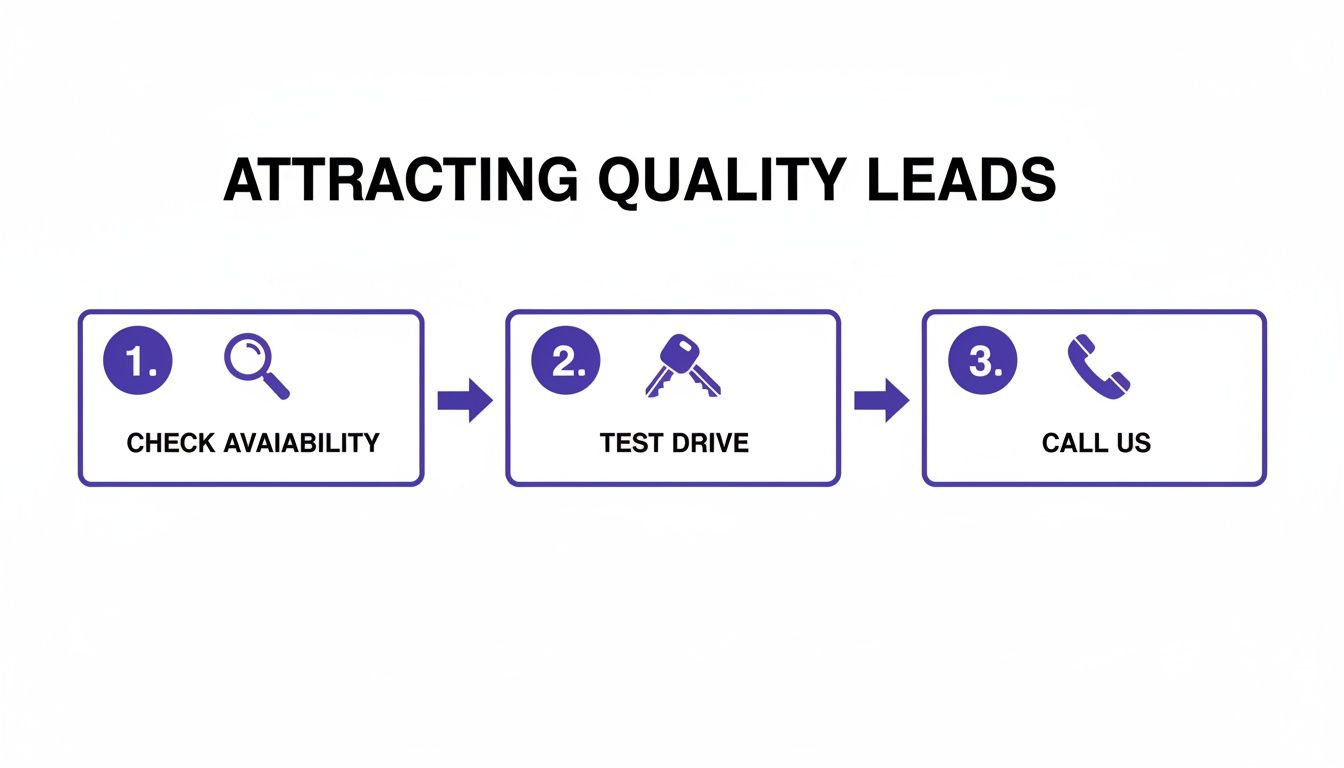
    Diagram illustrating a 3-step sales process: check availability, test drive, and call us.

    When the path is this clear, you make it easy for motivated buyers to get in touch.

    Flawless Mobile Experience Audit

    With well over half of all car shoppers using their smartphones, your site’s mobile performance isn't optional—it's everything. What looks great on your desktop monitor can be a frustrating mess on a smaller screen. You have to audit the entire user experience on both an iPhone and an Android device.

    Navigate your site on a phone. Can you easily read the text without pinching and zooming? Are the buttons large enough for a thumb to tap accurately? Pay special attention to the mobile menu and the search filters for your inventory. A clunky, slow, or broken mobile experience will send potential buyers straight to your competitors.

    Check for these mobile-specific essentials:

    • Tap-to-Call Functionality: Ensure every phone number on the site, especially in the header and on VDPs, actually starts a call when you tap it.
    • Form Usability: Can you fill out lead forms without the phone's keyboard covering up the fields you need to see?
    • Image Loading Speed: Do vehicle photos load quickly on a cellular connection, not just when you're on Wi-Fi?

    Google Integrations and Analytics Setup

    Finally, make sure you're ready to track your success from the very first visitor. Your website needs to be properly connected to essential Google services that give you invaluable data on how it's performing.

    First, confirm that your Google Analytics tracking code is installed and actively recording traffic. The easiest way to check this is to visit the site from your phone and watch yourself appear in the "Realtime" report in Analytics. This confirms data is flowing.

    Next, ensure your website is submitted to Google Search Console. This tool is vital for monitoring your site's health, indexing status, and performance in search results. It’s also where you’ll be alerted to any crawling errors or mobile usability issues that Google finds.

    Pre-Launch Website Quality Assurance Checklist

    Before you announce your new site to the world, use this final checklist to run through a comprehensive quality assurance (QA) review. This process helps you catch small mistakes before they become big problems for your customers.

    Checklist Item Verification Step Status (Not Started / In Progress / Complete)
    Cross-Browser Compatibility Load the website on Chrome, Firefox, Safari, and Edge to check for display issues.
    Mobile & Tablet Responsiveness Test on multiple devices (iPhone, Android, iPad) to ensure layout and functionality are correct.
    Inventory Data Sync Add and then remove a test vehicle in your DMS to confirm it appears and disappears on the site.
    VDP Information Accuracy Spot-check 5-10 VDPs for correct price, mileage, VIN, and features.
    Lead Form Submission Fill out and submit every form on the site. Confirm notifications are received at the correct email.
    Click-to-Call Functionality Tap every phone number on a mobile device to ensure it initiates a call.
    Internal & External Links Click all navigation links, buttons, and external links (e.g., social media) to find any broken ones.
    Image & Video Loading Browse the homepage, VDPs, and other key pages to ensure all media loads correctly.
    Google Analytics Tracking Visit the site and check the "Realtime" report in Google Analytics to confirm your visit is tracked.
    Google Search Console Setup Confirm the site's sitemap has been submitted and there are no critical errors reported.
    Page Load Speed Test Run the homepage and a VDP through Google's PageSpeed Insights to check performance.
    Favicon and Logo Display Ensure the dealership's favicon appears in the browser tab and the logo is clear on all pages.

    Completing this checklist gives you the confidence that your website is truly ready for business. A smooth, error-free launch sets the right first impression and ensures you're ready to capture leads from day one.

    Your Top Dealership Website Questions, Answered

    Even with a solid plan, building a new website always brings up questions. As an independent dealer, you need straight answers to make smart choices for your business. This is where we tackle the most common questions we hear from dealers just like you.

    Think of this as a quick-fire round to clear up any confusion and get you ready to move forward with confidence.

    "How Long Is This Going to Take?"

    This is always the first question, and the honest answer is: it depends entirely on the route you choose.

    If you go the traditional route with a design agency building a fully custom site, you're looking at a three to six-month project, easy. That timeline includes all the back-and-forth on design, development, content writing, and testing. It's a major commitment of both time and money.

    But there's a much faster way. Modern website platforms built specifically for dealers can get you up and running in a matter of hours, sometimes even minutes. Because the heavy lifting—the design, features, and inventory logic—is already done, all you have to do is sign up, plug in your dealership's info, and link up your inventory feed.

    "How Do I Keep My Online Inventory Up to Date?"

    Manually adding and removing cars from your website is a recipe for disaster. It's tedious, prone to human error, and a massive time-sink. The only way to go is with automated inventory syncing.

    It sounds technical, but the concept is simple. Your website connects directly to your Dealership Management System (DMS) or another inventory source.

    Here’s how it works day-to-day:

    1. You add a new car to your DMS, just like you always do.
    2. Your DMS automatically pushes all the vehicle data—photos, VIN, price, specs—straight to your website.
    3. A new, fully detailed Vehicle Detail Page (VDP) for that car instantly appears online.
    4. When you sell the car and mark it as sold in your DMS, it automatically disappears from the site.

    This hands-off system ensures your online inventory is always accurate. You never have to worry about a customer calling about a car you sold last week.

    For a small dealership, time is your most valuable asset. Any website that forces you to manually add, edit, or remove sold vehicles is stealing that time and costing you money.

    "What Kind of Ongoing Maintenance Is Required?"

    Again, this comes down to the platform you choose. If you have a custom site built on something like WordPress, you (or someone you pay) are on the hook for a whole list of technical chores.

    You'll constantly be dealing with things like:

    • Software Updates: Keeping the core system, themes, and plugins updated to prevent security holes.
    • Security Monitoring: Keeping an eye out for hackers trying to break in.
    • Performance Tuning: Messing with caching and server settings to keep the site from slowing down.
    • Daily Backups: Making sure you have a recent copy of your site in case it crashes.

    The alternative is a SaaS (Software-as-a-Service) platform built for auto dealers. With this model, the provider takes care of everything behind the scenes. Security, speed, backups, and updates are all part of the package. You get to focus on selling cars, not on being a part-time IT manager.


    Ready to launch a professional, SEO-optimized website that automates your inventory and captures high-quality leads without the technical headaches? AutoFire™ delivers a clean, mobile-first site designed for independent dealers, getting you online in minutes. Start your free plan today at goautofire.com and see how simple a powerful dealership website can be.
  • Choosing the Best Used Car Dealer Website Templates

    Choosing the Best Used Car Dealer Website Templates

    Think of a used car dealer website template as a pre-built foundation for your online showroom. It’s a customizable framework that gives you all the essential tools—inventory listings, search filters, lead capture forms—without forcing you to build everything from scratch. This lets you get a professional, high-quality site up and running fast.

    Why a Modern Website Isn't Optional Anymore

    Your digital showroom has become your single most important asset. The days of depending on foot traffic and a Saturday ad in the local paper are over. The entire car-buying journey has moved online, and for an independent dealer, that's both a massive challenge and an even bigger opportunity.

    A professional website is the cornerstone of selling cars today. It's your 24/7 salesperson and the very first impression a potential buyer gets of your dealership. We all know how much first impressions matter in this business.

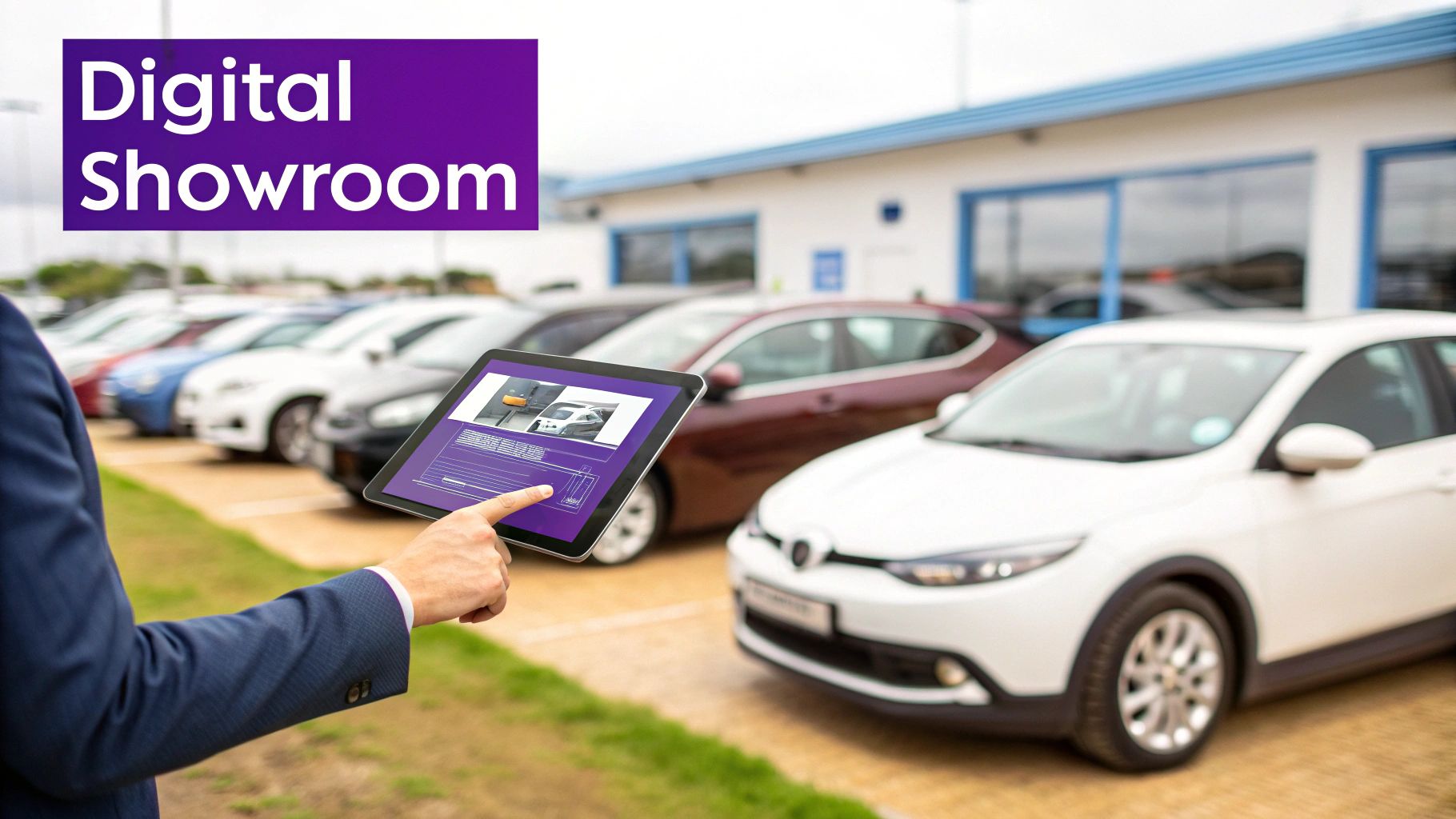
    A hand interacts with a tablet displaying a digital car showroom, with vehicles on a dealership lot.

    Your Website Is Your Dealership's Reputation

    An outdated website that’s slow or a pain to use doesn't just look unprofessional—it actively costs you business. The numbers don't lie: according to industry research, the vast majority of car shoppers now do their research online before they ever dream of stepping onto a lot.

    Even more telling, a study by Stanford University found that a staggering 75% of people admit to judging a company's credibility based purely on its website design. A clunky, amateur site can kill trust before you ever get a chance to build it. You can discover more automotive marketing statistics and see just how critical that online presence has become.

    This is exactly why choosing the right used car dealer website templates is a core business decision, not just an IT task. A modern template ensures your dealership:

    • Builds Instant Credibility: A clean, professional look tells visitors you're a serious, trustworthy business.
    • Meets Buyer Expectations: Today’s shoppers expect high-res photos, detailed vehicle specs, and intuitive navigation. Anything less is a deal-breaker.
    • Captures Leads Proactively: Strategically placed forms and clear calls-to-action can turn a casual browser into a hot lead.

    Leveling the Playing Field for Independent Dealers

    Big franchise stores might have huge marketing budgets, but a top-notch website is the great equalizer. With a superior online experience, a smaller, independent lot can absolutely compete with the big guys.

    By creating a seamless, intuitive, and trustworthy digital showroom, you can capture a buyer's interest and secure their business before they even think about visiting a larger competitor. Your website becomes your unfair advantage.

    In the end, a modern website template isn't just a facelift for your brand. It's a fundamental tool for survival and growth. It transforms your online presence from a static brochure into a lead-generating machine that works for you around the clock, making sure you never miss a chance to connect with your next customer.

    What a High-Converting Website Template Actually Needs

    It's easy to get sidetracked by flashy designs when you're looking at used car dealer website templates. But I've learned from years in this business that what sells cars are the features that work behind the scenes, not just the pretty visuals. A great website isn't an online brochure; it's your hardest-working salesperson.

    The heart and soul of your dealership's site is the inventory system. Put yourself in your customer's shoes for a minute. They're busy. They want to find the right car, right now, with zero hassle.

    A hand holds a smartphone displaying a car search application with a blue car in the background.

    This means your template must have a powerful search function with plenty of filters—make, model, price, mileage, body style, you name it. Today's buyers also expect to see the full financial picture upfront, so built-in payment calculators and clear financing info aren't just perks anymore; they're standard.

    To help you sort through the noise, I've put together a quick comparison of what you absolutely need versus what's nice to have. This should help you focus on the features that directly impact your bottom line.

    Must-Have vs. Nice-to-Have Template Features

    Feature Must-Have (For Core Business) Nice-to-Have (For Enhanced Experience)
    Inventory System Advanced search with multiple filters (make, model, price, mileage). Saved searches and vehicle comparison tools.
    Vehicle Pages (VDPs) High-res photo galleries, VIN-specific details, and clear pricing. 360-degree interior/exterior views, integrated CARFAX reports.
    Lead Capture Simple contact forms on every VDP ("Request Info," "Schedule Test Drive"). Live chat integration and "text us" buttons.
    Mobile Design Fully responsive, mobile-first design that passes Google's tests. Dedicated mobile app or progressive web app (PWA) features.
    Financing Tools Built-in payment calculator on each vehicle page. Full online credit application with secure submission.
    SEO Foundation Customizable title tags, meta descriptions, and clean URL structures. Automated schema markup for vehicle listings.

    Focusing on the "Must-Have" column first ensures your website can do its primary job: generate qualified leads from your inventory. The "Nice-to-Have" features are fantastic for building a premium user experience once your core functionality is solid.

    The Tools That Build Trust and Drive Leads

    To really set your dealership apart, your template needs to do more than just list cars. It should anticipate and answer customer questions, building trust before they even pick up the phone. These are the features that turn a passive browser into an active lead.

    Your template absolutely must include:

    • Immersive Photo and Video Galleries: Don't skimp here. High-resolution photos from every angle are the bare minimum. The best templates also make it easy to upload video walkarounds for each car, giving buyers a much more transparent and engaging look at what you're selling.
    • Integrated Finance Calculators: Placing a payment calculator directly on every Vehicle Detail Page (VDP) is a game-changer. It keeps potential buyers on your site, lets them see what they can afford, and effectively pre-qualifies them.
    • Strategic Lead Capture Forms: Make it incredibly easy for someone to get in touch. A simple, clear form to "Request More Info" or "Schedule a Test Drive" should be prominently displayed on every single vehicle page.

    A website's job isn't just to display cars; it's to start a conversation. Every feature should be designed to make it as easy as possible for a visitor to take the next step, whether that's calculating a payment or booking a visit.

    If It’s Not Flawless on a Phone, It’s Broken

    Let's be real: your customers are on their phones. They're scrolling through your inventory on their lunch break, waiting in line for coffee, or sitting on their couch. If your website is a pain to use on a small screen, you are losing sales. It's that simple.

    A truly responsive design does more than just shrink your desktop site to fit a smaller screen. It intelligently re-arranges the content for an effortless mobile experience. Think big, easy-to-tap buttons, text that’s readable without pinching and zooming, and images that load fast without looking pixelated.

    When you're choosing a template, make sure it was built with a mobile-first philosophy. This ensures you're meeting your customers exactly where they are. You can see how we've implemented this and other powerful tools by checking out AutoFire™'s key features.

    Connecting Your Inventory for Seamless Automation

    Let's be honest: manually updating your online inventory is a soul-crushing task. You sell a car, but forget to take it off the website. A potential buyer calls, gets excited, and then you have to break the bad news. It’s frustrating for them and looks unprofessional for you.

    On the flip side, a fresh trade-in sits on the lot for days before you find the time to list it online, missing out on eager eyes. This is precisely the headache that modern used car dealer website templates are built to solve.

    The entire goal is to eliminate double-entry. Your website shouldn't be another island of data you have to manage separately. A top-tier template will plug directly into your Dealer Management System (DMS), making it the single source of truth. When you mark a car as sold in your DMS, it should vanish from your site. Instantly. No extra clicks.

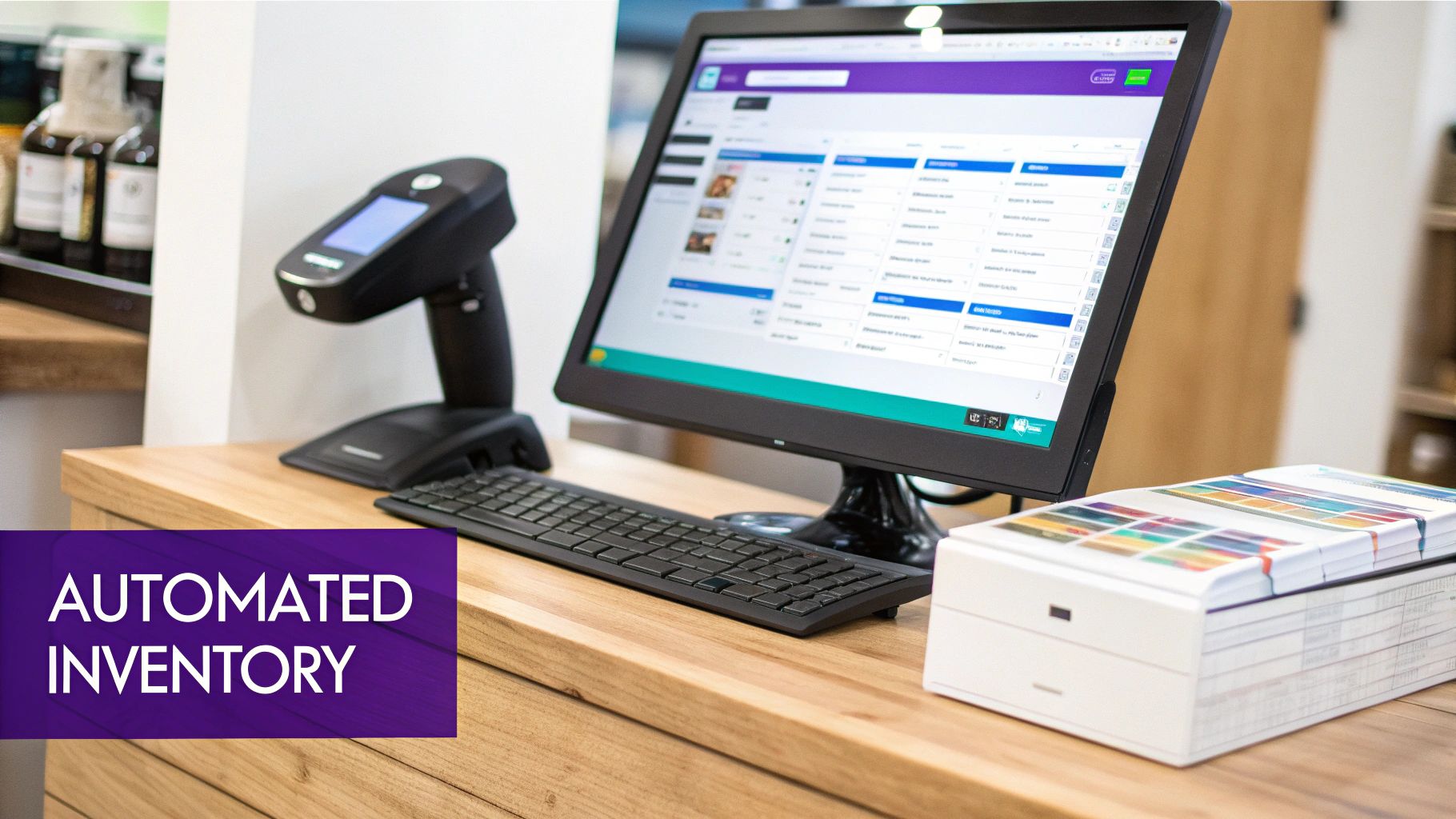
    A modern point-of-sale system with a monitor, scanner, and keyboard on a wooden counter, highlighting automated inventory.

    From VIN Scan to Live Listing in Seconds

    Think about the sheer amount of time you spend punching in vehicle details. It's repetitive and prone to mistakes. This is where automatic VIN decoding becomes your best friend. Instead of manual data entry, you just scan the VIN.

    The system does the heavy lifting, instantly populating the listing with critical details:

    • Core Vehicle Specs: Year, make, model, trim, and engine information appear automatically.
    • Factory Options: The decoder pulls in the specific packages and add-ons that car left the factory with.
    • Standard Equipment: All the base features are listed, ensuring nothing is missed.

    This isn't just a time-saver; it’s a trust-builder. An inaccurate listing can kill a potential sale before it even begins. Getting the details right from the start is non-negotiable. If you want to dig deeper into streamlining this, we have a great resource on mastering online inventory management with simplicity in our guide for independent dealerships.

    Syndicate Your Inventory Effortlessly

    Your own website is crucial, but you also need to be where the buyers are. That means places like CarGurus, Autotrader, and even Facebook Marketplace. But who has time to post and update listings on a half-dozen different platforms? It’s a full-time job in itself.

    A powerful website template should function as your inventory command center. You manage your cars in one place, and the system automatically pushes them—and any updates—out to all the third-party marketplaces you use.

    This "enter once, display everywhere" method is a game-changer for independent dealers. It guarantees consistency across every platform and puts your inventory in front of thousands more shoppers without adding a single minute to your workload. You get to focus on selling cars, not on endless data entry.

    Driving Traffic with Smart SEO and Conversion Tactics

    Let's be blunt: a beautiful website that nobody can find is just an expensive billboard in the desert. You can launch the slickest site on the planet, but if local buyers can't find it when they search, you've wasted your time and money. This is where you have to get serious about attracting the right kind of traffic and then, just as importantly, turning those visitors into real, actionable leads.

    For any independent dealer, your world revolves around your Vehicle Detail Pages (VDPs). Think of them as your digital showroom. Each VDP is your one shot to grab a search engine's attention and make a powerful sales pitch to a potential buyer.

    Getting Your Digital Showroom Ranked on Google

    The single biggest mistake I see dealers make, over and over again, is copying and pasting the generic, manufacturer-provided descriptions for their vehicles. This is an absolute killer for your SEO. Google and other search engines are designed to reward unique, helpful content, not duplicate text they've already seen on a hundred other sites.

    To get your VDPs to actually work for you, you need to do a few things right:

    • Write Your Own Descriptions: Ditch the spec sheet and tell a story. Talk about the car's actual condition, point out a unique feature, and describe the ideal person for that vehicle. A single, well-written paragraph from your own experience is infinitely more valuable than a generic list of features.
    • Put Schema Markup to Work: This is some simple code that works behind the scenes to tell Google exactly what's on your page. With the right vehicle schema, Google can pull your car's price, mileage, and VIN directly into the search results. This makes your listing pop and gives buyers the info they need at a glance.
    • Dominate Local Search: Nobody is just searching for "used F-150." They're searching for "used F-150 near me." Getting your Google Business Profile in order is non-negotiable. Make sure your dealership name, address, and phone number are perfect, and start actively asking your happy customers for reviews.

    A solid SEO foundation puts you right in front of local buyers the moment they're ready to shop. If you really want to dig in and get ahead of your competition, we cover a lot more ground in our complete guide on SEO for the automotive industry.

    Turning Clicks into Customers

    Getting people to your site is just step one. Once they land on a VDP, your job is to make it incredibly easy for them to take the next step. This is all about conversion rate optimization (CRO), and a few small changes can have a huge impact on your lead count.

    Your website’s design should make the next step obvious and easy. Every button, image, and form should be strategically placed to remove friction and encourage a customer to connect with you.

    Here are a few tactics that flat-out work for dealers:

    • Make Your Calls-to-Action (CTAs) Impossible to Miss: Buttons like "Schedule Test Drive" or "Check Availability" need to be the most prominent thing on the page besides the car itself. Use a color that contrasts with your site's design so it really stands out.
    • High-Quality Photos are Non-Negotiable: Grainy, poorly lit photos scream "untrustworthy." You don't need a professional studio, but a decent smartphone and some good light can make all the difference. Get at least 20-30 high-resolution pictures of every car, showing the interior, exterior, and any notable features or flaws.
    • Offer Instant Communication: A buyer might just have one quick question. If they have to hunt for a contact form, they'll just leave. Tools like live chat or a "click-to-text" button give them an instant way to get an answer, keeping them on your site and away from your competitors.

    When you pair a great website template with smart inventory management, the results speak for themselves. Car buyers spend a significant amount of time researching online before ever stepping on a lot. They expect to find detailed information and have easy ways to inquire right from your site. This is exactly why your template needs to be more than just a pretty face—it has to be a sales machine. You can discover more about how website templates drive leads at RCTHEME.com. By combining sharp SEO with user-focused conversion tactics, your website stops being a cost and starts becoming a powerful engine for growth.

    Your Practical Launch and Maintenance Plan

    Launching a new website can feel a bit like handing a customer the keys to their new car—you want to be absolutely sure everything is perfect before they drive off the lot. A solid plan takes the guesswork out of the process, turning a potentially chaotic launch into a smooth, controlled rollout.

    Let's break this down into what you need to do before you go live and what you need to do to keep things running smoothly after.

    The Pre-Launch Checklist

    Think of this as your final inspection. You wouldn't let a car leave your dealership with a check-engine light on, and the same principle applies here. Nailing these details now saves you from major headaches and lost leads later.

    • Inventory Data Migration: Go through your inventory on the new site with a fine-tooth comb. Has every single vehicle from your DMS or previous system been imported correctly? Look for missing photos, wonky pricing, or scrambled vehicle descriptions. A single typo can kill a deal.
    • Lead Notification Configuration: This is critical. Send a test lead from every form on your site—the main contact form, the finance application, every "Schedule a Test Drive" button. Confirm that the notifications hit the right inboxes instantly. A lead that gets lost in cyberspace is a lost sale.
    • Functionality Testing: Get hands-on and click everything. Does the finance calculator actually calculate? Do the inventory search filters work as expected? Can you sort by price, make, and model without errors? Now is the time to find and squash any bugs.

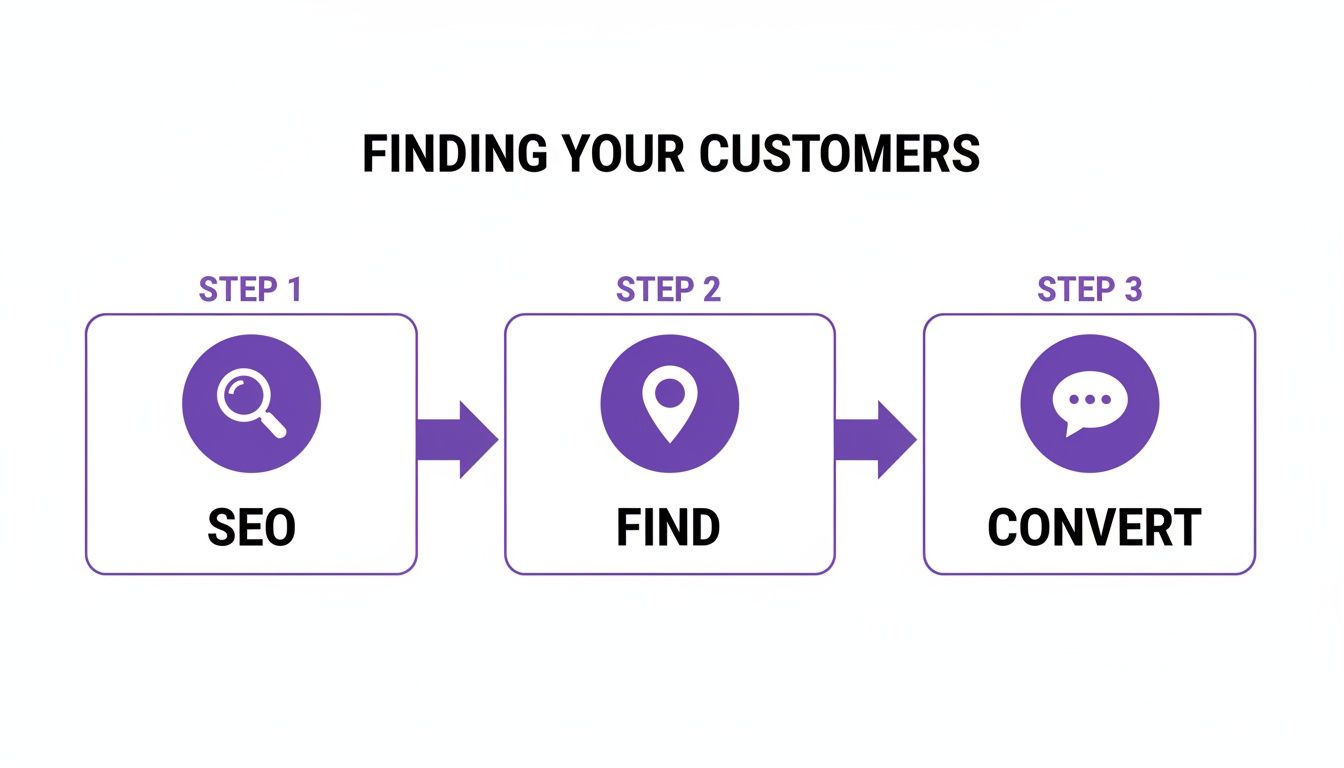
    The whole point of this new website is to get customers from search engines to your showroom floor. The process is simple but powerful when everything works together.

    Three-step process diagram for finding customers: SEO (magnifying glass), Find (location pin), Convert (chat bubble).

    This flow—Find, Evaluate, Convert—is the engine of your online business. A flawless launch ensures it runs smoothly from day one.

    Your Post-Launch Maintenance Routine

    Getting the site live is just the beginning. A great website is never really "done." Consistent, ongoing maintenance is what separates the top performers from the sites that fizzle out after a few months.

    Your website is a living asset, not a static brochure. Regular check-ins ensure it continues to perform at its peak, adapting to new browser updates, security needs, and customer behaviors.

    You don't need to spend hours on this every day, but setting aside a little time each month to run through a quick health check is a smart move.

    1. Monitor Site Speed: Pop your URL into Google's PageSpeed Insights once a month. Pay close attention to the mobile score. A slow-loading site, especially on a phone, will send potential buyers running to your competitor.
    2. Check Analytics: Log into your Google Analytics account and see what's happening. Which cars are getting the most clicks? What pages are people leaving from? This data is pure gold—it tells you exactly what your customers are interested in and where your site might be falling short.
    3. Keep Content Fresh: You don't have to be a professional blogger, but adding new content helps. Post pictures of happy customers with their new cars, write a quick post about a new batch of inventory, or add a few new testimonials. Fresh content tells search engines your business is active and relevant, which is fantastic for your SEO.

    Website Launch & Maintenance Workflow

    To make it even easier, here’s a simple workflow you can follow. Think of it as a repeatable process for ensuring your most important digital asset is always working for you.

    Phase Task Key Objective
    Pre-Launch Finalize All Content & Images Ensure every page has accurate, high-quality content before going live.
    Pre-Launch Test All Forms & Lead Notifications Verify that every potential customer inquiry reaches your team instantly.
    Pre-Launch Check Mobile Responsiveness Confirm the site looks and works perfectly on various phones and tablets.
    Launch Day "Go Live" – Point Domain to New Site Make the new website publicly accessible on your official domain.
    Post-Launch Submit Sitemap to Google Tell Google to crawl and index your new site for search results.
    Post-Launch Set Up Monthly Analytics Review Establish a routine to track visitor behavior and find growth opportunities.
    Post-Launch Perform Quarterly Speed & Security Audit Proactively check for performance issues and security vulnerabilities.

    Sticking to a simple routine like this demystifies website management. It ensures your initial investment continues to pay off by consistently generating leads and driving sales for your dealership.

    Common Questions About Dealership Website Templates

    Choosing a website template always brings up a few key questions. I've heard them all over the years. Getting straight answers is the only way to feel good about your decision, making sure you're putting your money and effort in the right place.

    Let's walk through some of the biggest concerns I see independent dealers grapple with when they're ready to get a new site off the ground.

    How Much Should I Expect to Pay for a Good Template?

    This is the big one, and the answer is: it really depends. The price for a solid dealership template can swing wildly, so you have to look at the whole picture, not just the sticker price.

    You’ve got basic themes on marketplaces that you can buy outright for $50 to $100. Seems like a steal, right? The catch is that you're on your own for everything else. You'll have to find and pay for hosting, security, and all the essential plugins. Those costs and the time spent managing it all add up fast.

    The other route is an all-in-one platform. These services bundle everything you need—hosting, DMS integration, support, and updates—into a monthly subscription. You'll see these range anywhere from $100 to over $500 a month. When you're weighing your options, think in terms of "total cost of ownership." The time you save on technical headaches and the value of having everything work together seamlessly often makes a subscription the smarter financial move for a busy dealership.

    Can I Switch Templates Without Losing My Inventory Data?

    Absolutely. This is a common fear, but switching your website's look and feel without losing your vehicle data is usually pretty painless if you do it right. The secret lies in how your inventory is managed.

    If you’re already using a Dealer Management System (DMS), the transition is a piece of cake. Your new website template simply needs to be connected to your DMS, and it will pull all your vehicle data right in. If you’re managing inventory through a plugin on your current site, most of those have tools to export your data, which you can then import into the new system.

    Here's a piece of advice I give every dealer: always, always perform a full backup before you touch anything. And be smart about timing—plan the switch for your slowest time of day to make sure your customers see a smooth, professional changeover.

    What Is the Most Important SEO Factor for a Car Dealer Site?

    If you take away only one thing about SEO, let it be this: the quality of your Vehicle Detail Pages (VDPs) is everything. These pages are the heart and soul of your website. They are what your customers are searching for, and they are what Google cares about most when ranking your dealership.

    To get it right, every single VDP needs:

    • A unique page title. It must include the year, make, and model.
    • A detailed, original description. Don't just copy and paste the manufacturer's specs. Write something helpful.
    • A full gallery of high-res photos. Show every angle, inside and out.
    • Complete and accurate vehicle specs. Don't leave anything out.

    On top of that, you need to implement vehicle schema markup. Think of it as a special language that helps Google instantly understand all the details about your car. Getting this right is how you show up in those special search results, which can massively boost your visibility and bring more buyers to your site.


    Ready to launch a professional website that turns visitors into leads, without the technical nightmare? AutoFire provides clean, SEO-optimized, and mobile-first website templates designed specifically for independent dealers. Get your free dealership website with AutoFire and start selling more cars today.

  • How to Generate Leads for Car Sales A Modern Dealership Guide

    How to Generate Leads for Car Sales A Modern Dealership Guide

    To really generate leads for car sales, you have to stop thinking of your website as a digital brochure. It needs to be your hardest-working salesperson, converting casual online lookers into qualified buyers around the clock. Your site is the absolute foundation of any modern sales strategy.

    Create a Digital Showroom That Captures Leads 24/7

    A laptop and smartphone on a wooden desk display car sales content with an 'Instant Leads' sign.

    In today’s world, your website is your showroom. For most customers, it’s the first impression you’ll ever make, and it needs to do more than just show off your cars. It has to actively capture a visitor's interest and information.

    Think about it: according to a study by Cox Automotive, a significant majority of vehicle buyers use digital as a key source of information. They're comparing models, checking prices, and sizing up your dealership long before they even think about setting foot on the lot.

    This means every single part of your website has to be built with one purpose: getting that visitor to take the next step. If your site is clunky, slow to load on a phone, or makes it hard to find basic information, that potential buyer is gone. They'll just click over to your competitor down the street. A fast, modern, and easy-to-use site isn’t just a nice-to-have anymore; it's the price of admission. You can learn more about what goes into a high-performance site by checking out the essential features of a modern website builder for auto dealers.

    Transform Vehicle Pages into Lead Magnets

    Your Vehicle Detail Pages (VDPs) are the most valuable real estate on your entire website. This is the make-or-break moment where a shopper decides if they're interested enough to reach out. A VDP that's just a list of specs and a price is a huge missed opportunity.

    A truly effective VDP builds trust and makes it incredibly simple for a buyer to show interest. To do this, you have to nail these key elements:

    • Stunning Visuals: We're talking high-resolution photos from every possible angle, walkaround videos, and even 360-degree interior views. These aren't just pictures; they help a buyer form an emotional connection with the car.
    • Transparent Information: Don't make people dig for the price or vehicle history. Put the CARFAX report, clear pricing, and detailed specs front and center. This transparency builds instant credibility.
    • Strategic Lead Forms: Stop making visitors hunt for a generic "Contact Us" page. Place simple, direct calls to action right there on the VDP. Think "Check Availability," "Request More Photos," or "Schedule a Test Drive."

    A potential buyer is never more engaged than when they're looking at a specific car. By placing multiple, easy-to-use conversion points on the VDP—like a trade-in estimator or a financing pre-approval tool—you capture their intent right in that moment. This simple change can dramatically increase your lead volume.

    Making It Easy to Say "Yes"

    At the end of the day, your goal is to reduce friction. Every extra click, every confusing step, every moment of hesitation is another reason for a potential lead to give up and leave. By building user-friendly tools directly into your inventory pages, you empower customers to move forward on their own terms.

    Consider adding a payment calculator or a prominent trade-in value estimator. These tools give the visitor instant value, and in return, you get their contact information for your sales team to follow up. This approach shifts the whole dynamic. You're no longer just selling; you're providing a helpful service, which makes customers far more willing to give you their details and start a conversation.

    Win Your Neighborhood and Grab Local Buyers

    Your website is your home base, but for an independent dealer, winning the local game is everything. When a buyer down the street pulls out their phone and types in "used SUVs near me," you absolutely have to be there. This is where a killer local search presence goes from a nice-to-have to your most powerful sales tool.

    Think about it. Google doesn't just give them a list of websites anymore. It shows a map, a handful of top-rated dealerships, and even specific cars for sale right there in the search results. If you’re not showing up in those prime spots, you're invisible to the hottest leads in your own backyard.

    Your Google Business Profile: The New Front Door

    Treat your Google Business Profile (GBP) like the digital storefront for your dealership. For most local shoppers, it’s the very first impression they'll have of you. If it's sloppy, incomplete, or has old information, it sends a clear message that you don't care about the details—and that's a terrible look when you're selling cars.

    Dialing in your GBP is one of the highest-impact things you can do to bring in local customers. Go through it with a fine-tooth comb and make sure everything is perfect:

    • Nail the Basics: Your name, address, phone number (NAP), and business hours have to be 100% accurate and consistent everywhere they appear online.
    • Define Your Turf: List out the specific towns, zip codes, and neighborhoods you serve. This helps you show up when someone searches for a dealer in a neighboring community.
    • Show, Don't Just Tell: Keep a fresh stream of high-quality photos flowing. Post pictures of your lot, your team, and especially your newest inventory. A quick walkaround video of a hot-ticket truck can work wonders for engagement.

    Get Your Cars Directly on Google

    This is a big one. Google Vehicle Ads put your actual inventory right on the search results page. So, instead of a shopper just seeing your dealership's name, they see the exact 2019 Honda CR-V you have in stock, complete with a picture, the price, and the mileage.

    This is a massive shortcut. It puts your best inventory in front of buyers at the exact moment they’re looking for it, often getting them to skip other websites and click straight to your Vehicle Detail Page. For a deeper dive on mastering this, check out our complete guide to local SEO for car dealerships.

    Your Reputation is Your Best Salesperson

    All the visibility in the world can't save you from a 2.5-star rating. Your online reviews are your street cred. A long list of positive reviews from real, happy customers is more convincing than any ad you could ever run. It’s the deciding factor between a buyer choosing your lot or the one down the road.

    Of course, getting those reviews is the tricky part. You need a system that's simple and doesn't feel pushy.

    The secret is to ask when the customer is happiest. That golden moment is right after you've handed them the keys and they're beaming. That's when you strike.

    A simple text or email an hour or two later with a direct link to your Google review page is incredibly effective. Make it dead simple for them—one click and they're writing the review. Build this into your sales process, and you’ll create a powerful engine for trust that keeps bringing new local buyers through the door.

    Drive High-Quality Traffic with Targeted Ad Campaigns

    Let's be honest, organic reach is great, but it takes time. When you need to move metal now, paid advertising is your express lane to active car buyers. A smart ad campaign is one of the quickest ways to put your best inventory right in front of the people who are ready to pull the trigger.

    The secret isn't just spending money; it's spending it on the right people at the right time. This means focusing on high-intent moments.

    Think about the difference between someone searching for "used cars" versus "used Ford F-150 under $25k near me." That second person isn't just browsing—they're shopping. Your ad should take them directly to the VDP for that exact truck, not dump them on your homepage to fend for themselves.

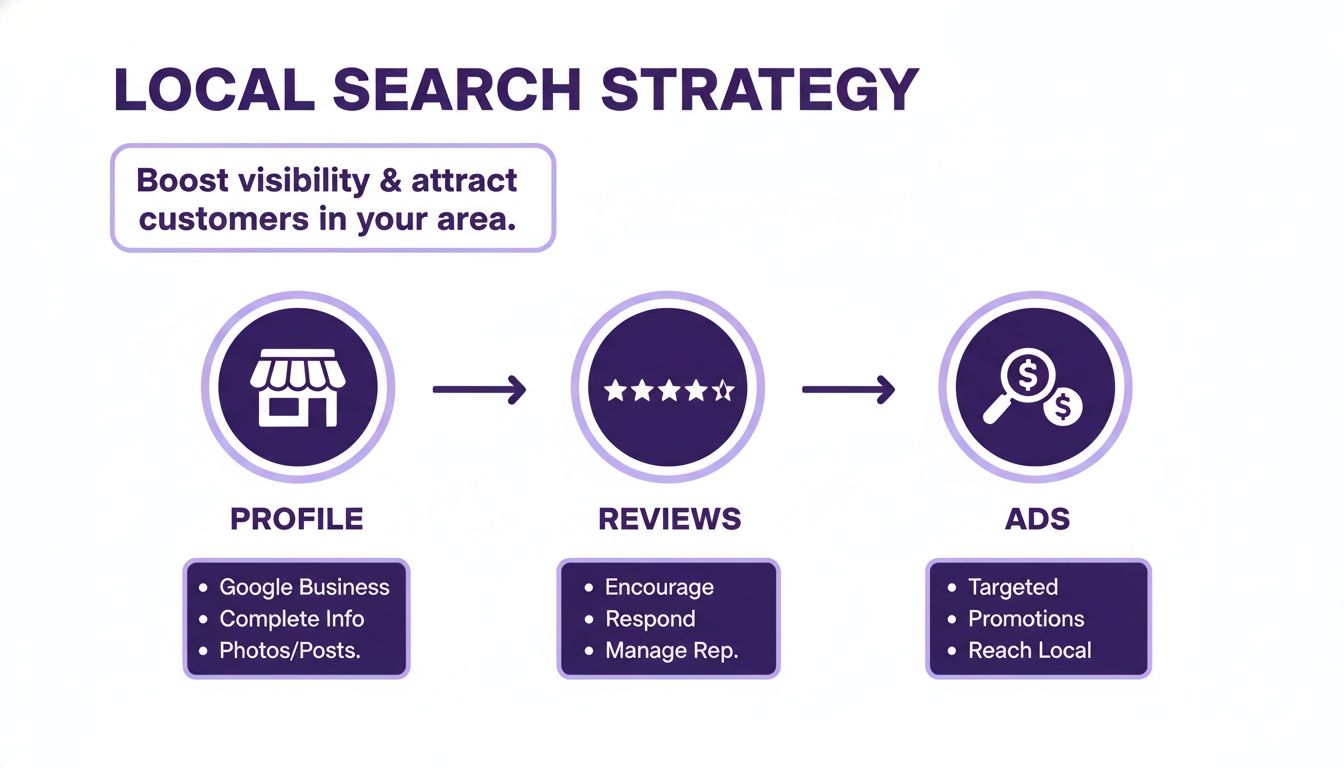
    This is all part of a bigger local strategy. Your paid ads work best when they amplify an already strong digital presence, as this visual breaks down.

    Infographic illustrating a local search strategy to boost visibility and attract customers using profile, reviews, and ads.

    As you can see, your business profile, customer reviews, and targeted ads all work together to win over local buyers.

    Reaching In-Market Buyers on Social Media

    While Google Ads are perfect for capturing people actively searching, platforms like Facebook and Instagram let you find buyers before they even hit Google. These platforms are incredibly good at identifying users showing signs of being "in-market for a vehicle."

    Here, you're not just capturing existing demand—you're creating it. You can run ads featuring your best-looking inventory right into the feeds of locals who've been browsing other car sites or liking automotive content.

    Pro Tip: Don't just post a static photo with the price. That's an ad people scroll right past. Instead, use a short, 15-second walkaround video or a carousel of high-quality interior and exterior shots. The goal is to stop the scroll and make someone think, "Wow, I need to check that car out."

    For a deeper dive into making your inventory look irresistible on social media, check out our complete guide on social media strategies for independent dealerships.

    Making Every Ad Dollar Count

    Paid ads can feel like a money pit if you're not careful. To win, you have to be smarter with your budget.

    To get started, it's helpful to understand the strengths and weaknesses of each platform.

    Digital Advertising Channel Comparison for Car Dealers

    This table breaks down the main digital advertising channels, what they're best for, and how to measure success when your goal is generating real leads.

    Channel Best For Primary Targeting Method Key Metric
    Google Search Ads Capturing high-intent buyers actively searching for specific vehicles. Keyword Targeting (e.g., "used Honda CR-V Boston") Cost Per Lead (CPL)
    Google Vehicle Ads Showcasing specific inventory directly in search results with images/pricing. Inventory Feed Integration VDP Clicks
    Facebook/Instagram Building brand awareness and reaching "in-market" audiences before they search. Behavioral & Demographic Targeting Click-Through Rate (CTR)
    YouTube Ads Engaging visual storytelling with walkarounds and dealership promos. In-Market & Affinity Audiences View-Through Rate (VTR)

    No matter which channels you choose, the key is to track what's working and what isn't. An ad campaign is never a "set it and forget it" activity.

    Here are a few final pointers to keep in mind:

    • Ad Copy That Connects: Speak to your local buyers. Use phrases like "Low mileage," "One-owner trade-in," or "Flexible financing for our neighbors." Make it personal.
    • Visuals Are Everything: On social media, the photo or video is 90% of the battle. Use clean, well-lit photos and snappy videos that highlight a car’s best features.
    • Test and Refine: Always be testing. Run small A/B tests on your headlines, images, and calls-to-action to see what gets the best response. Cut what isn't working and put more budget behind your winners.

    Turn Your Physical Lot into a Lead Generation Engine

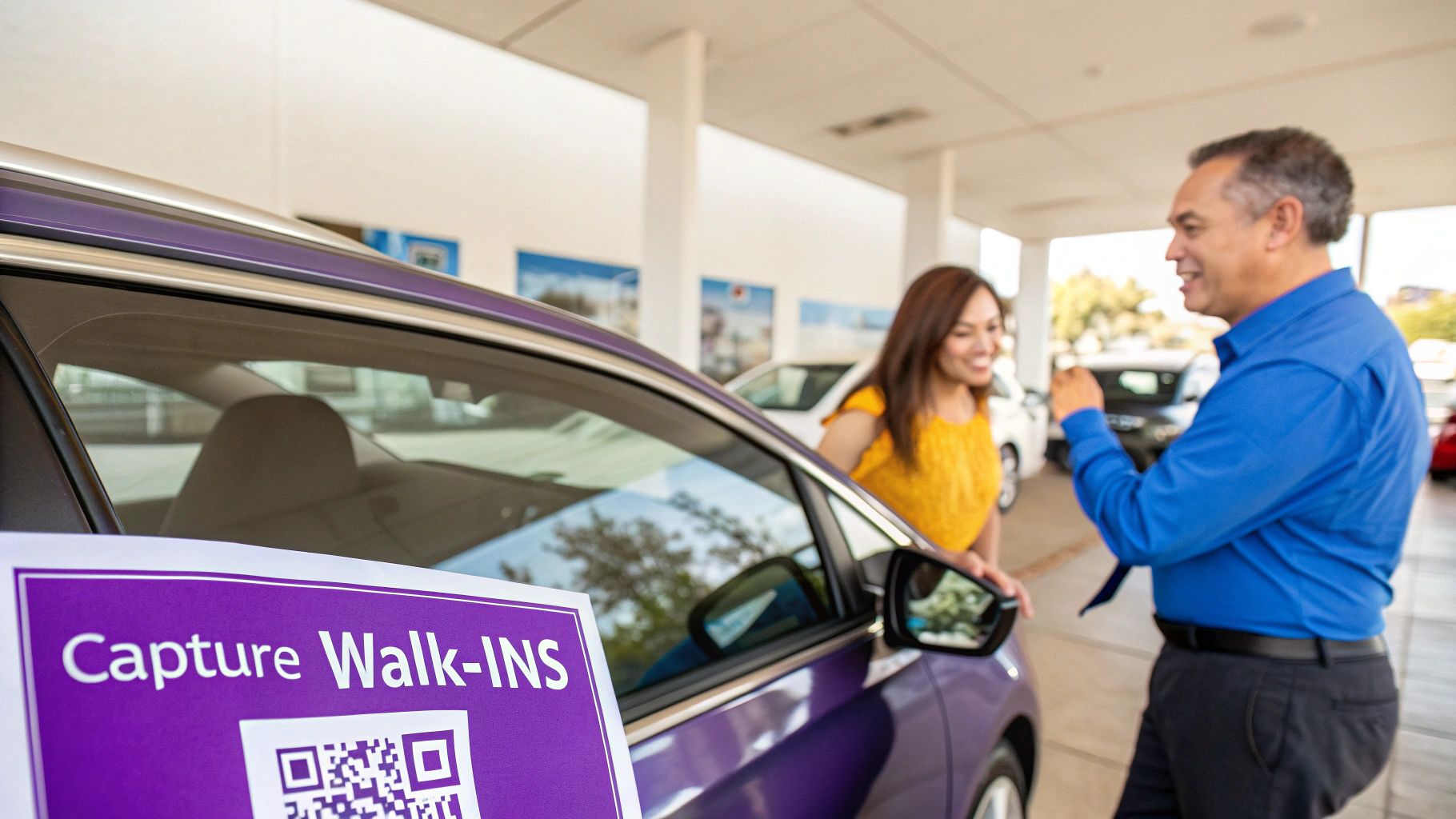
    Car salesperson talks to a female customer next to a purple car with a QR code sign.

    While your digital showroom is humming 24/7, don't sleep on the power of your physical lot. It's still one of the best places to find high-quality leads. Think about it: every person who gets out of their car to browse your inventory is a genuinely interested prospect, even if they're "just looking" today.

    The trick is having a simple, repeatable process for capturing their info without scaring them off.

    Your team’s first impression is everything. A hard sell pushes people away, but a friendly, low-pressure conversation can build instant trust. The goal is to get their contact details as a natural part of the conversation, not by force. This is absolutely critical during a test drive, which is the peak moment of interest for any shopper.

    Capturing Leads During Walk-Ins and Test Drives

    Give your team some easy, effective scripts that sound more like good customer service than a sales pitch. It’s all in the framing. Instead of bluntly asking for a phone number, position it as a benefit for them. This small tweak makes a huge difference.

    Here are a couple of approaches that actually work:

    • For the Walk-in Browser: "I know you're just getting a feel for things today, but we get fresh cars in almost daily. If you'd like, I can shoot you a quick text if a similar SUV with lower miles comes in next week. What's the best number for that?"
    • During the Test Drive: "While you’re taking it for a spin, I can send a link with the full vehicle history report and a copy of the window sticker right to your phone. What's your number?"

    Both of these methods offer immediate value in exchange for contact information. It feels helpful, not pushy.

    Key Takeaway: Every single piece of contact info gathered on the lot needs to go straight into your Customer Relationship Management (CRM) system. This is how a casual Saturday browser turns into a long-term opportunity instead of being forgotten by Monday morning.

    Bridge the Gap with QR Codes

    Let's face it, not every visitor wants to talk to a salesperson, especially if they're browsing after hours. This is where you can blend your physical lot with your digital strategy using QR codes.

    Placing a unique QR code on every window sticker is a game-changer. A quick scan with a smartphone instantly connects a shopper to a wealth of online info.

    A well-placed QR code can link directly to:

    • The Vehicle Detail Page (VDP): They can immediately see more photos, watch a walkaround video, and check the CARFAX report right from the driver's seat.
    • A Simple Lead Form: Pair it with a compelling call to action like "Scan to Lock In This Price" or "Get Notified of a Price Drop."

    This simple strategy turns your entire lot into an interactive, 24/7 lead capture machine. It ensures that even when your dealership is closed, you’re still filling your pipeline for the next day.

    Build a Follow-Up System That Converts Leads into Sales

    Getting a lead is just the starting line. The real race is won or lost in the minutes, hours, and days that come after. Let a hot inquiry sit unanswered for too long, and you can bet that customer is already on the phone with your competitor down the street.

    Speed isn't just important; it's everything. Think about this: some studies have shown that contacting a new lead within the first five minutes can significantly increase conversion rates. That’s why a repeatable, automated follow-up system isn't a "nice-to-have"—it's your most valuable play in the book. It’s how you guarantee no lead ever goes cold.

    Set Up Instant Automated Responses

    The second someone hits "submit" on your website, a timer starts. Your very first move has to be instant and automated. A simple Customer Relationship Management (CRM) system can be your best friend here, firing off an immediate text and email without you lifting a finger.

    This first touchpoint isn’t about going for the hard sell. It's about acknowledging the customer and setting expectations.

    • Automated Text Message: "Hi [First Name], we got your inquiry for the [Vehicle Make/Model]. A member of our team is looking it over and will call you from our dealership number shortly. Thanks!"
    • Automated Email: Your email can be a bit more detailed. Confirm the vehicle they're interested in, include your dealership's contact info, and maybe even link to a few similar cars on your lot.

    This immediate contact accomplishes two critical things: it lets them know their form went through, and it shows you're on the ball. That initial professionalism builds trust from the get-go.

    Map Out a Multi-Touch Follow-Up Cadence

    After that first automated ping, you need a smart sequence that mixes automation with a real human touch. Most prospects need to hear from you a few times before they’re ready to book a test drive. A structured follow-up plan, or cadence, ensures every single lead gets a consistent, professional experience.

    You don't need anything overly complicated. A simple, effective sequence could look like this:

    1. 5-15 Minutes After Inquiry: A real salesperson needs to pick up the phone. This is the most important step. If they don't answer, leave a quick, friendly voicemail.
    2. Day 2: Send a personal email. Mention the car they liked and ask a simple, open-ended question. "What was it about the F-150 that caught your eye?" works wonders.
    3. Day 4: Shoot them a text with something valuable. It could be a link to a video walkaround of that specific car or a heads-up that you just got a similar vehicle in stock.
    4. Day 7: Time for another phone call. Just a quick check-in to see where they are in their search and if they have any new questions.
    5. Ongoing: If they haven't bought yet, drop them into a long-term nurture campaign. A monthly email with your newest inventory or service specials keeps your dealership on their radar.

    A structured follow-up process is your safety net; it prevents leads from slipping through the cracks. By blending automated texts and emails with personal phone calls, you create a persistent but helpful presence that keeps your dealership top of mind.

    This systematic approach is quickly becoming the main competitive advantage in our industry. In fact, by 2025, the dealerships that are methodically capturing and using their own data—like website visits, test drive records, and phone calls—are going to see much higher close rates.

    It all starts with making sure 100% of your leads get into your CRM within minutes and are acted on immediately. If you want to dive deeper, you can learn more about how first-party data is shaping automotive marketing.

    Answering Your Top Questions on Car Sales Leads

    Even the sharpest dealers have questions. Once you start digging into lead generation, it's natural to wonder what's "normal" and where you can get an edge. Let's break down some of the most common questions I hear from independent dealers trying to grow their business.

    What's a Realistic Cost Per Lead for My Dealership?

    This is the big one, and the answer isn't always straightforward. Industry-wide, you'll see averages for automotive leads bouncing between $200 and $300. But for an independent lot with a smart, localized strategy, you can often beat that number.

    The key is to look past the cost-per-lead (CPL) and focus on your cost-per-sale. A $250 lead that turns into a customer is a win. Dozens of cheap, tire-kicker leads that waste your team's time? Not so much. Quality over quantity is the name of the game here.

    How Fast Do I Really Need to Respond to Online Leads?

    I can't stress this enough: you need to be lightning-fast. The data is absolutely brutal on this point. Research has shown that if you can get in touch with a new web lead within the first five minutes, your conversion rates can increase substantially. The chances of even having a meaningful conversation plummet after the first hour.

    Waiting 30 minutes is like waiting a week in internet time. Your goal should be an instant, automated text or email confirming you got their request. That simple "we got it!" message buys you a few minutes for a real person to pick up the phone and make a call.

    That immediate response doesn't just improve your odds; it shows the customer you're on the ball and respect their time. It’s your first chance to make a great impression.

    Where Should I Spend My Time on Social Media for Leads?

    When it comes to generating actual, ready-to-buy leads, you want to go where the targeting is best. Right now, that's Facebook and Instagram. Nothing else really comes close for a local dealership.

    Their advertising platforms let you zero in on exactly who you want to reach. You can get incredibly specific:

    • Location: Target people in your exact city, zip code, or even a few miles around your lot.
    • Interests: Show your ads to users who follow specific car brands or pages like Car and Driver.
    • Behaviors: This is the goldmine. You can directly target people whose online activity shows they are "in-market for a vehicle."

    And don't forget about Facebook Marketplace. It continues to be an absolute powerhouse for connecting with local buyers who are actively searching for cars right now. While platforms like TikTok are fun for brand awareness, Facebook’s tools are built to drive sales.


    Ready to turn your website into a 24/7 lead generation machine? AutoFire™ delivers modern, SEO-optimized websites designed specifically for independent dealers. Get online in minutes and start capturing high-quality leads without any technical headaches. Start your free trial today at https://goautofire.com.

  • Choosing a Car Dealer Website Builder That Drives Sales

    Choosing a Car Dealer Website Builder That Drives Sales

    A car dealer website builder is a platform built specifically for one job: creating websites that sell cars. Unlike generic tools, it comes packed with features essential for automotive sales, like automated inventory management and VIN decoding. It’s designed from the ground up to help dealerships get their vehicles seen, capture buyer leads, and climb the ranks in local search results.

    Why Generic Website Builders Fall Short for Dealerships

    Trying to run a car dealership's website on a generic platform like Wix or Squarespace is like trying to build a high-performance engine with a standard home toolkit. Sure, you have a hammer and a wrench, but you're missing the specialized machinery needed to handle the complex moving parts of automotive sales.

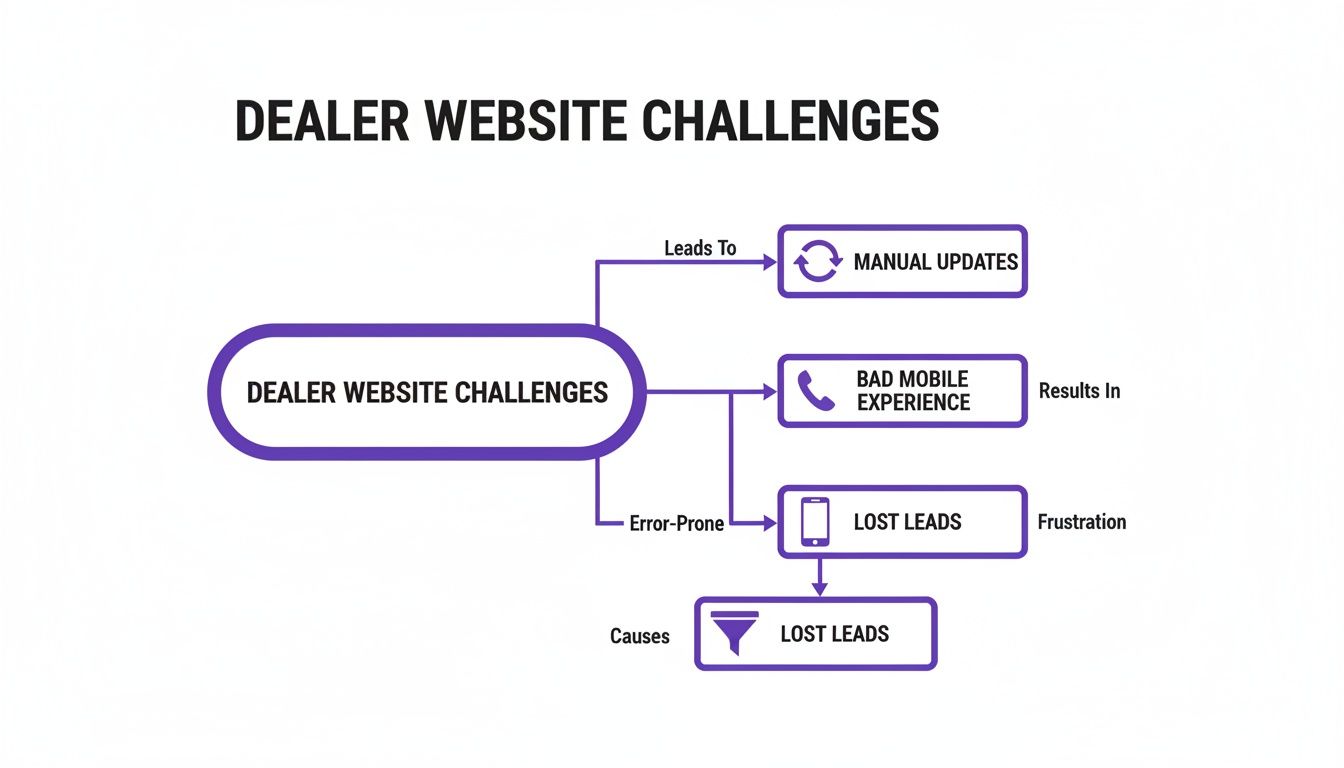
    For a dealership, this approach leads to a frustrating cycle of manual work, missed opportunities, and a clunky experience for potential buyers. Staff waste hours manually updating inventory, a tedious task ripe for errors. You might end up advertising a car you sold yesterday or listing the wrong features. Worse yet, leads from various forms get scattered across inboxes instead of funneling into a system built to manage them. It’s a recipe for chaos.

    The Digital Showroom Dilemma

    Let’s face it: the car buying journey no longer starts on the lot. It starts on a screen. Modern car shoppers overwhelmingly turn to online resources before they ever set foot in a dealership.

    These buyers aren't just browsing; they're deep in research, often visiting multiple websites and spending a significant amount of that time on their phones. A seamless digital experience isn't a "nice-to-have" anymore—it's absolutely essential. You can dig deeper into these automotive digital marketing trends and see how they're reshaping the industry.

    This is where a purpose-built car dealer website builder stops being an upgrade and becomes a necessity. It’s not just a different tool; it’s an entirely different machine designed for one thing: selling cars online.

    Think of it as your dealership's digital command center. It’s an all-in-one system engineered to sync inventory automatically, capture high-quality leads with car-specific forms, and dominate the local search results where your customers are actually looking.

    Built for a Specific Purpose

    The core issue is that generic builders weren't designed to handle the unique demands of the car business. It's not in their DNA. Trying to force them to work often exposes critical gaps.

    For example, they don't have:

    • Automated Inventory Sync: There are no built-in connections to your Dealer Management System (DMS) for real-time stock updates.
    • VIN Decoding: The ability to instantly pull vehicle specs from a VIN is a feature you simply won't find out of the box.
    • Automotive SEO: They lack the specialized tools needed to get your inventory showing up in Google Vehicle Listings, which is crucial for attracting ready-to-buy shoppers.

    To really illustrate the difference, let’s compare a generic builder to a platform designed for dealerships.

    Generic Builder vs. Specialized Automotive Platform

    Key Function Generic Website Builder (e.g., Wix) Car Dealer Website Builder
    Inventory Management Manual data entry for each car. Prone to errors and delays. Automatically syncs with your DMS. Real-time updates.
    VIN Decoding Not available. All vehicle details must be entered by hand. Instant VIN lookup populates specs, features, and history.
    Lead Capture Forms Basic contact forms. Not tailored to auto sales inquiries. Custom forms for test drives, trade-ins, and financing apps.
    SEO for Cars General SEO tools. No specific features for vehicle listings. Optimized for Google Vehicle Listings and local auto searches.
    Integrations Limited to general apps (e.g., email, calendars). Connects to DMS, CRM, and auto marketing platforms.
    Mobile Experience Mobile-responsive, but not designed for vehicle browsing. Mobile-first design for easy inventory search and viewing.

    The table makes it clear: while a generic builder can put you online, a specialized platform is what gives you the power to actually compete.

    Ultimately, a solution built for dealers is the key to turning online browsers into showroom visitors. It provides the powerful, integrated framework you need to build a stronger, more efficient sales pipeline from the ground up.

    So, What Exactly Is a Car Dealer Website Builder?

    Let’s get straight to it. A car dealer website builder isn't just another tool like Squarespace or Wix with a car-themed template slapped on top. It’s a complete, purpose-built platform designed specifically for the business of selling cars online.

    Think of it like this: a generic website builder gives you an empty garage. You have the space, but you still have to source all the tools, build the car lifts, and figure out how to run the diagnostics yourself. A specialized dealer platform, on the other hand, is a fully-equipped, turn-key service bay. Everything you need is already there, integrated, and ready to go from day one.

    The Engine Room: Automated Inventory Management

    The absolute heart of any dealer website builder is its inventory management system. This is the engine that drives your entire online operation. It’s not just a gallery to upload photos; it’s a living, breathing system that syncs directly with your dealership's reality.

    It hooks into your Dealer Management System (DMS), creating a seamless connection between your physical lot and your digital showroom. When a car sells, it automatically disappears from the website. No more awkward phone calls explaining that the "2019 Civic they just saw online is already gone."

    A key part of this engine is the VIN decoder. You just plug in the vehicle's VIN, and the system instantly pulls in all the critical details—trim level, engine size, factory options, the works. This saves you countless hours of mind-numbing data entry and, more importantly, ensures your listings are accurate. Accuracy builds trust, and trust sells cars.

    The flowchart below shows what happens when this engine sputters. Manual updates, a clunky mobile site, and confusing navigation don't just create headaches for you; they actively drive potential buyers away.

    Flowchart illustrating car dealer website challenges, including manual updates, bad mobile experience, and resulting lost leads.

    As you can see, a weak foundation leads to a domino effect of problems that ultimately costs you real leads and sales.

    The Framework: Built for Mobile Shoppers and Sales

    Next, let's talk about the chassis—the underlying structure of the website itself. For any car dealership today, this has to be mobile-first. Period. The vast majority of your customers start their car search on their phone, often while standing on another dealer's lot. If your site is a pinch-and-zoom nightmare on a small screen, you’ve already lost them.

    A proper dealer platform is designed from the ground up to give mobile users a smooth, intuitive experience. Browsing inventory, filtering by make or price, and viewing vehicle details should feel effortless. The entire layout is engineered to guide visitors from a casual search toward taking the next step, whether that's getting a trade-in value or scheduling a time to come in.

    A purpose-built platform isn't just a passive online brochure. It's an active sales assistant. Every button, every form, and every photo gallery is strategically placed to do one thing: turn a curious browser into a qualified lead in your CRM.

    The Showroom Floor: Tools That Engage and Convert

    Finally, you have the customer-facing features—the digital equivalent of your showroom floor. These are the interactive tools that let shoppers kick the virtual tires and get genuinely engaged with your inventory.

    These aren't just fancy add-ons; they are essential for modern car sales:

    • High-Resolution Photo Galleries: Crystal-clear images from every angle are non-negotiable. Shoppers want to see it all before they even think about visiting.
    • Walk-Around Video: A simple video tour gives a much better sense of a car's condition and presence than static photos ever could.
    • Payment & Financing Calculators: Empowering buyers to crunch the numbers and see what they can afford makes them far more likely to take the next step.
    • Integrated Lead Forms: Smart, simple forms for everything from test drive requests to credit applications, placed right where the customer needs them.

    When the engine, framework, and showroom all work together seamlessly, your website transforms from a simple online listing into a powerful, 24/7 sales machine. Your inventory is always up-to-date, customers have a great experience on any device, and the site actively works to bring them through your dealership's door.

    Features That Turn Online Traffic Into Test Drives

    A specialized car dealer website builder isn't just a digital business card; it's an active sales machine humming in the background 24/7. The right features don't just look good—they create a straight line from a casual online search to a scheduled test drive. These are the non-negotiable tools that transform your website from a passive online brochure into an engine for serious growth.

    A smartphone displays a white car on a website, next to a purple sign that reads 'CONVERT VISITORS'.

    Automated Inventory and VIN Decoding

    First things first: imagine never having to manually update your online inventory again. This is the single biggest time-saver a dedicated platform can offer. Automated inventory synchronization plugs directly into your Dealer Management System (DMS), making sure your website always shows what’s actually on your lot.

    When a car sells, it's gone from the site automatically. When you get a new vehicle, it pops up online within minutes. This simple feature is huge for customer trust—no more angry calls about a car you sold yesterday.

    Tied directly to this is VIN decoding. Instead of painstakingly typing out every single feature and spec, you just enter the VIN. The system instantly fills in the listing with the correct trim level, engine type, and factory options. This not only saves you hours of tedious work but also prevents costly mistakes in your listings.

    A Mobile-First Design for Today's Buyers

    Let’s be honest, modern car shoppers aren’t waiting to get home to their desktops. They’re browsing for their next car on their phone during a lunch break, on the couch, or even while standing on a competitor's lot. If your website is a clunky, slow-loading mess on a small screen, you've already lost them.

    This is why a mobile-first design is non-negotiable. It means your website was built for a phone from the ground up, not just a shrunken-down version of your desktop site. A great mobile experience boils down to a few key things:

    • Large, Tappable Buttons: No fat-fingering tiny links. Controls for filtering cars and viewing details should be easy to use.
    • Blazing-Fast Load Times: People are impatient. Pages and photos need to load instantly to keep them engaged.
    • Simple Navigation: A clear, intuitive menu helps shoppers find exactly what they're looking for without getting frustrated.
    • Click-to-Call Functionality: A potential buyer should be able to call you with a single tap.

    Focusing on the mobile journey is just smart business. As the automotive retail landscape evolves, buyers expect everything from payment calculators to vehicle history reports at their fingertips, and a solid website builder is what makes that possible.

    A website that works flawlessly on a phone isn't just a nice-to-have; it's a powerful lead-gen tool that meets customers where they are. It respects their time and gives them the confidence to take the next step.

    Automotive SEO and Google Vehicle Ads Integration

    Having a website is one thing, but getting found is another. Generic website builders offer basic SEO tools, but they’re completely outgunned in the competitive car sales market. A specialized platform comes with automotive SEO baked right in, specifically designed to help your inventory show up for high-intent local searches like "used Honda CR-V near me."

    A big part of this is handling the technical stuff, like schema markup for vehicles, which helps Google understand your listings. Even better, a good builder integrates directly with Google Vehicle Ads. This lets your cars appear at the very top of Google's search results with photos, pricing, and mileage—placing your inventory right in front of motivated buyers at the exact moment they're looking. It’s one of the best ways to get free, highly qualified traffic to your site.

    Advanced Lead Forms and CRM Integration

    Okay, so a shopper is interested. Now what? You need a smooth, easy way to capture their info. A proper car dealer website builder knows a generic "contact us" form won't cut it. You need specialized forms that match exactly what the buyer wants to do next.

    These are the essential lead capture tools you should look for:

    1. Test Drive Request Forms: Simple forms that let a user quickly book an appointment to see a specific car.
    2. Trade-In Valuation Forms: Allows a potential customer to submit details on their current vehicle to get a trade-in estimate, starting a crucial conversation.
    3. Financing Applications: Secure forms that capture the info needed to get the credit approval process started.

    And here’s the most important part: those leads shouldn't just die in a cluttered email inbox. They need to flow directly into your Customer Relationship Management (CRM) system. This CRM integration ensures every single lead is tracked, assigned to the right salesperson, and followed up on quickly, so potential sales don't fall through the cracks. Exploring the full range of available features shows just how deeply these tools can tie into your existing sales process.

    Your Framework for Evaluating Website Builder Providers

    Picking the right partner for your dealership’s website is a huge decision, maybe just as important as the technology itself. The platform gives you the tools, sure, but the company behind it is what really dictates your long-term success through support, updates, and genuine guidance.

    To make the right call, you need a smart way to cut through the sales pitches and evaluate providers on what actually matters to your business. This simple framework will help you ask the right questions and compare your options head-to-head. By zeroing in on four critical areas, you'll get a crystal-clear picture of who will be a real growth partner for your dealership.

    Inventory and DMS Integration

    Let's be honest, your inventory is the heart and soul of your dealership. That means a seamless connection to your Dealer Management System (DMS) is absolutely non-negotiable. A clunky or unreliable integration creates a domino effect of problems: inaccurate listings, hours of wasted time, and seriously frustrated customers.

    So, when you’re looking at a car dealer website builder, start by digging into how their inventory system really works.

    Don't just ask, "Do you integrate with my DMS?" Ask how they do it. Is it a real-time, two-way sync, or just a lazy data dump that happens once a night? A delay of even a few hours could mean you’re still advertising a car you sold that morning.

    Here are the essential questions you need answered:

    • Does your platform support my specific DMS? You need a firm "yes" for your exact system, not a vague "we support most of them."
    • How often does the inventory sync run? You should be looking for real-time or, at the very least, updates every few minutes to keep everything accurate.
    • Is the VIN decoder built-in, and how accurate is it? Make them prove that it automatically pulls the correct trim levels and factory options. This saves you a massive amount of manual work.

    Marketing and SEO Tools

    A beautiful website that nobody can find is just a very expensive digital brochure. Your website platform has to come loaded with marketing and search engine optimization (SEO) tools built specifically for dealers. Generic SEO plugins from WordPress just won’t cut it when you’re fighting for local car buyers.

    The absolute must-have feature here is built-in support for Google Vehicle Listings. This is what gets your inventory to pop up directly in Google's search results when someone is looking for a specific make and model near you. It’s one of the single most powerful ways to get in front of shoppers who are ready to buy right now.

    A provider that treats automotive SEO as an afterthought is setting you up for failure. The platform should be engineered from the ground up to make your vehicles as visible as possible on search engines where your customers are actively looking.

    Lead Management and Customization

    Once you get shoppers to your site, its primary job is to turn those clicks into leads. The lead management tools a provider offers will have a direct impact on your sales pipeline. Basic "contact us" forms aren't enough—you need tools designed for the car buying journey.

    Check out how customizable their lead forms are. Can you easily create forms for test drive requests, trade-in appraisals, or financing pre-approvals? And just as important, where do those leads end up? The system needs to plug right into your dealership’s CRM so every single lead is tracked and followed up on immediately. A good provider can show you exactly how this works—and you can see it for yourself by requesting a personalized demo to understand the lead flow.

    Support and Onboarding

    Finally, you have to think about the people behind the product. When something inevitably goes wrong or you need a hand making a change, what’s their support like? A fantastic product with terrible support will become a major headache, fast.

    Ask about their onboarding process. Will they hold your hand through migrating all your data and getting your team comfortable with the new system? Get a clear understanding of their support channels (phone, email, chat) and their typical response times. A company that invests in quality support is a partner that's invested in your success, making sure you have the help you need, right when you need it.

    Provider Comparison Scorecard

    Choosing a partner is a big commitment. Use this checklist to score potential website builder providers across the most important features and services for your dealership. It's a simple way to keep your evaluation objective and focused on what truly matters for your bottom line.

    Evaluation Criteria Provider A Score (1-5) Provider B Score (1-5) Notes
    DMS Integration Quality Real-time sync? Accurate data?
    VIN Decoder Accuracy Pulls correct trims/options?
    Google Vehicle Listings Is it built-in and automated?
    Automotive SEO Tools VDP optimization, local SEO, etc.
    Lead Form Customization Can you build specific forms easily?
    CRM Integration Does it connect to your system?
    Onboarding Process Do they handle migration? Training?
    Support Quality & Speed Phone support? Fast response?
    Mobile-First Design How does it look/work on a phone?
    Overall Value for Price Is the cost justified by features?

    After scoring each potential partner, the right choice should become much clearer. The provider with the highest score in the areas most critical to your dealership is likely the best long-term fit.

    How to Navigate Pricing and Avoid Hidden Fees

    A great website platform shouldn't come with financial surprises. Investing in a car dealer website builder is a smart move, but you need to get a firm handle on the costs to budget properly and avoid getting hit with unexpected bills later on. The first step is understanding how these services are typically priced.

    The online car market is on fire right now. Recent data from IBISWorld shows the online car dealer industry in the U.S. has grown to a significant market size and has been expanding steadily for the past five years. This incredible growth proves that a powerful, cost-effective online presence isn't just nice to have—it's essential for any dealership that wants to compete. You can find more data on the online car dealer market on ibisworld.com.

    Decoding Common Pricing Structures

    As you start looking at different providers, you'll run into a few common pricing models. Each one is structured a bit differently, so knowing what you're looking at will help you compare your options apples-to-apples.

    Most modern platforms run on a monthly subscription model. This is a predictable, recurring fee that usually covers hosting, security updates, and basic customer support. It makes budgeting simple.

    You might also see a one-time setup fee. This usually covers the initial legwork of building your site, pulling in inventory from your old system, or setting up your DMS integration. It’s less common with today's SaaS platforms, but it’s always something to ask about.

    Finally, many plans are tiered based on your inventory size. A small, independent lot with 20 cars on the ground will pay less than a larger dealership managing over 100 vehicles. This approach makes sense—you only pay for what you actually use.

    Exposing the Hidden Costs

    Be careful, because the price on the sales page isn't always the final price. Hidden fees can quickly inflate what you thought was a good deal, turning it into a real budget-buster.

    A transparent provider will be upfront about all potential costs. If you have to dig for information on pricing for essential features, consider it a red flag. True partners want you to succeed, not to surprise you with invoices.

    Keep an eye out for these common extra charges:

    • Third-Party Integration Fees: Will they charge you extra to connect to your specific DMS or CRM? This is one of the first questions you should ask.
    • Advanced Feature Add-Ons: Sometimes, critical tools like a VIN decoder or advanced SEO features are locked behind a pricier plan or sold separately.
    • Premium Support Charges: Basic email support might be included, but what if you need to talk to someone on the phone? Or want a dedicated account manager? Find out what level of help your plan includes.
    • Data Migration Costs: Moving your current inventory and customer data over to the new platform might come with its own service charge.

    The best way to protect yourself is to ask the right questions before you commit. Before signing anything, get in touch with the provider and get the total cost in writing, including any add-ons you might need down the road. A simple conversation today can save you from a major headache tomorrow.

    A Smooth Launch Plan for Your New Dealership Website

    Three diverse professionals collaborate on project planning, reviewing documents and making notes at a white table.

    Switching to a new website can feel like trying to swap out an engine while the car is still running. But it doesn't have to be that chaotic. With a solid plan, the entire process becomes much more manageable, moving from a source of stress to a straightforward project.

    A smart launch is all about breaking it down into clear, logical steps. Think of it in three key stages: what you do before you flip the switch, what happens on launch day, and how you fine-tune everything afterward. This approach helps you sidestep common headaches like your site going down, your Google rankings tanking, or your inventory data getting scrambled.

    The Pre-Launch Preparation Phase

    This is where all the important groundwork happens. Before anyone sees your new site, your website provider should be deep in the details, getting everything just right. This stage is all about gathering your assets, moving your data, and locking in the final look of your new digital showroom.

    Your main job here is to provide the raw materials:

    • Content and Asset Gathering: You'll need to hand over high-quality logos, photos of your team, the "About Us" story that makes your dealership unique, and any other brand content.
    • Design Finalization: This is your chance to review and approve the site’s layout, colors, and overall vibe. Does it feel like your dealership? Now's the time to say so.
    • Data Migration Review: You'll work with your provider to double-check that all your existing inventory specs, customer info, and other essential data are mapped correctly for a clean transfer.

    Think of this phase as the final walk-around before a customer takes delivery. It’s your chance to check every detail, confirm all the features are in place, and give the final sign-off before the keys are handed over.

    The Go-Live Process

    Once all the prep work is done, it's time for the technical launch. This part is almost entirely handled by your car dealer website builder partner—they do the heavy lifting behind the scenes. The goal is a seamless switchover with zero disruption to your business.

    Here’s what’s typically happening on their end:

    1. Final Technical Setup: They'll be configuring the server, installing security certificates, and making sure the site is rock-solid and ready for visitors.
    2. DMS Integration Activation: The live connection to your Dealer Management System gets turned on, ensuring your inventory is syncing perfectly in real time.
    3. Quality Assurance Checks: One last, thorough sweep of the live site is done to catch any broken links, weird formatting, or bugs on mobile devices.

    Post-Launch Optimization and Success

    Congratulations, your new website is live! But the job isn't quite finished. The first few weeks are critical for making sure the site is performing as it should and that your team is comfortable using it. Now is the time to watch your analytics, get your people trained up, and hit the gas on your marketing.

    Your focus should shift to these key activities:

    • Staff Training: Make sure your sales team and office staff know their way around the new system. Can they easily manage leads? Can they update a vehicle description?
    • Performance Monitoring: Keep a close eye on your website analytics. You’ll want to track traffic, how many lead forms are being filled out, and whether people are sticking around or bouncing right off the site.
    • Marketing Campaign Activation: It's time to drive traffic. Launch those new marketing campaigns you've been planning and start taking advantage of your site's new SEO power and better lead-gen tools.

    Got Questions? Here Are the Answers

    Moving to a new website platform is a big step, and it's smart to have questions. To give you some extra clarity, we've pulled together the most common things we hear from dealers who are thinking about a car dealer website builder. Getting good, honest answers is the only way to feel confident you're making the right move for your lot.

    Let's tackle these questions head-on so you know exactly what to expect.

    How Long Does It Take to Get My New Site Online?

    This is usually the first thing dealers ask. The timeline really depends on the provider you choose and how complex your setup is, but a modern platform should have you up and running quickly. We’re talking weeks, not months.

    The launch process generally breaks down into a few simple stages:

    • Discovery and Design: Nailing down the look and feel you want.
    • Data Integration: Hooking up your DMS so your inventory syncs perfectly.
    • Adding Your Content: This is where you add your dealership’s story, staff photos, and other custom pages.
    • Final Look-Over and Launch: One last check before you hit the big green button.

    Can I Keep My Current Domain Name?

    Of course. In fact, you absolutely should. Your domain name is a huge part of your brand and holds all the SEO value you've worked hard to build. Starting over is the last thing you want to do.

    The switch is straightforward. When your new website is ready, you'll just need to update your domain's settings to point to the new hosting servers. Any good website partner will give you clear instructions or even handle this part for you to make sure everything goes off without a hitch.

    A professional car dealer website builder will never ask you to change your domain. Their job is to make the switch seamless, protecting the online reputation and search engine trust you've already earned.

    What Kind of Support Can I Expect?

    Support levels can be all over the map, so this is a big one to dig into. Most providers offer different tiers of support to fit what your dealership needs and can afford.

    Typically, a standard plan will get you email or ticket-based help for any technical hiccups. If you go with a more premium plan, you might get perks like direct phone support, a dedicated person to call, or faster help when something urgent comes up. Make sure you ask exactly what's included so there are no surprises when you need a hand.

    How Does a New Website Actually Help Me Sell More Cars?

    At the end of the day, this is what it’s all about. A great website builder helps you sell more cars by smoothing out all the bumps in the online car-shopping process. It’s not just about having a prettier site; it's about having one that works smarter.

    A platform built for dealers connects all its features to real-world results:

    • It gets you better leads. Optimized forms for test drives, financing, and trade-ins capture buyers who are serious, not just kicking tires.
    • It makes you more visible. With built-in automotive SEO and integrations like Google Vehicle Ads, your cars show up right when local shoppers are searching for them.
    • It converts mobile shoppers. So many customers browse on their phones. A fast, easy-to-use mobile experience keeps them on your site and turns that interest into an appointment.

    Ready to see how a modern, purpose-built website can drive more leads and simplify your operations? With AutoFire™, you can launch a professional, mobile-first website in minutes and start showcasing your inventory where buyers are searching. Get started for free today.