Tag: automotive CRM

  • Finding the Best CRM for Car Dealers

    Finding the Best CRM for Car Dealers

    If you're still running your dealership off spreadsheets and sticky notes, you're not just disorganized—you're leaving money on the table. Finding the best crm for car dealers is about installing a central command center specifically designed for the unique chaos of automotive sales. It’s no longer a nice-to-have; it's a must-have for staying competitive.

    Why a Specialized CRM Is a Necessity for Modern Dealerships

    Salesperson and customer discussing a modern dealership CRM on a laptop in a car showroom.

    The game has changed. Today’s car buyer starts their journey online, long before they ever walk onto your lot. They've already researched models, compared pricing, and sifted through reviews. By the time they reach out, they’re not just browsing; they’re well-informed and expect you to keep up.

    Trying to manage these savvy customers with a patchwork of outdated tools is a recipe for disaster. Leads fall through the cracks, follow-ups get missed, and sales are lost to competitors who provide a smoother experience. A CRM built for auto dealers is engineered to handle this modern sales cycle from the first click to the final handshake.

    The Central Hub for Dealership Operations

    Think of a good automotive CRM as the brain of your entire operation. It connects every text, email, phone call, and showroom visit into a single, coherent customer story. No more digging through different systems to figure out what’s going on. This is crucial for a true omnichannel customer service approach where every interaction feels connected.

    This unified view gives your team the power to deliver great service at every turn:

    • Initial Lead Capture: Funnel all inquiries from your website, third-party sites, and social media directly into one organized system.
    • Automated Follow-Up: Set up automatic texts and emails to nurture leads so your sales team doesn't have to chase every single one manually.
    • Inventory Integration: Pull up vehicle details, history, and availability in seconds while you’re talking to a customer.
    • Service Reminders: Keep customers coming back by automating service reminders and special offers, building that long-term loyalty.

    A dedicated CRM does more than just organize contacts—it creates a predictable sales engine. It’s your safety net, ensuring no lead gets forgotten and every customer feels like a priority. That’s how you build repeat business and a steady stream of referrals.

    Leveling the Playing Field for Independent Dealers

    For independent dealers, the right CRM is the ultimate equalizer. It lets a smaller, scrappier team punch well above its weight, competing directly with the big franchise stores. The technology automates the tedious administrative tasks, freeing up your people to do what they do best: build relationships and sell cars. This is the foundation of effective https://goautofire.com/blog/digital-retailing-automotive, where the online experience flows seamlessly into the in-person one.

    The market proves it. The global Auto Dealership CRM Software market was valued at USD 8.1 billion in 2025 and is expected to surge to USD 22.6 billion by 2034. This isn’t just a passing trend; it's a fundamental shift in how cars are sold. By adopting a system built for your world, independent dealers can deliver the organized, responsive, and personal experience that modern buyers expect.

    Core Features Every Automotive CRM Must Have

    When you're trying to pick the right CRM for your dealership, it's easy to get distracted by fancy dashboards. But the real test is whether the software is built for how a dealership actually operates. A generic, off-the-shelf CRM just won't cut it—it doesn't understand the unique rhythm of automotive sales, from managing inventory to the complexities of desking a deal.

    You need a toolkit designed specifically for selling cars, not a general-purpose hammer. Before you even look at demos, you need a baseline of must-have features. These are the non-negotiables that separate a purpose-built system from one that will create more problems than it solves.

    Lead Capture and Management

    These days, leads come from everywhere: your website, third-party sites like Cars.com or Autotrader, social media, and good old-fashioned walk-in traffic. A solid automotive CRM has to pull all of these sources into one clean, organized pipeline. If it can’t do that, you’re right back to managing everything with spreadsheets.

    But just collecting leads isn't enough. The system needs to be smart. It should instantly route new inquiries to the right salesperson, log every single interaction, and give you a crystal-clear timeline of every call, text, and email. This is how you make sure no one falls through the cracks, especially when you consider that many car buyers ultimately go with the dealership that responds to them first.

    The gold standard here is multi-source lead routing with instant notifications. If a lead for a specific F-150 comes through your website at 10 PM, the CRM shouldn't let it sit in an inbox until morning. It should assign it and ping a salesperson's phone right away.

    Vehicle Inventory and DMS Integration

    A CRM that doesn't know what cars you have on the lot is fundamentally broken. Seamless integration with your vehicle inventory is absolutely non-negotiable. Your sales team needs to be able to pull up vehicle details, photos, pricing, and history in seconds while they're on the phone or texting with a customer.

    This kind of connection stops you from making embarrassing mistakes, like trying to sell a car that’s already gone or quoting the wrong price. The CRM should also tie every customer conversation to a specific vehicle of interest (VOI), giving every follow-up crucial context.

    Just as important is a deep integration with your Dealer Management System (DMS). Your CRM and DMS need to speak the same language, constantly sharing data on sales, customer profiles, and service history. This creates a single source of truth across the dealership, which means no more double data entry and every department is working from the same playbook.

    Before we move on, let's consolidate these foundational features into a quick checklist. This table outlines the absolute must-haves for any automotive CRM you're considering.

    Essential Automotive CRM Feature Checklist

    Feature Category Must-Have Functionality Why It's Critical for Dealers
    Lead Management Multi-source lead capture (website, 3rd parties, etc.) with automated routing. Ensures no lead is missed and the first salesperson to respond wins the business.
    Inventory Integration Real-time sync with your on-the-lot vehicle inventory. Prevents selling unavailable cars and gives sales staff instant access to vehicle data.
    DMS Integration Two-way data sync for customer, sales, and service records. Creates a single source of truth, eliminates duplicate data entry, and unifies operations.
    Communication Tools Built-in SMS, email, and click-to-call functionality. Allows for fast, tracked, and consistent communication without leaving the platform.
    Automation Customizable workflows for follow-ups and task reminders. Frees up salespeople from manual tasks so they can focus on selling and building relationships.
    Mobile App A full-featured native app for iOS and Android. Empowers the sales team to work from anywhere on the lot, not just from behind a desk.

    Think of this table as your first-pass filter. If a CRM can't check every one of these boxes, it's probably not the right fit for a modern dealership.

    Communication Tools and Automation

    Consistent follow-up is where deals are won or lost. The best CRM for car dealers comes equipped with communication tools built specifically for the sales floor. Look for:

    • Automated SMS and Email: You should be able to create follow-up campaigns that trigger based on a lead's status, how much time has passed, or actions they've taken.
    • Click-to-Call Functionality: Salespeople should be able to make recorded calls directly from the CRM with a single click, keeping everything logged.
    • Personalized Templates: A good system lets you build a library of pre-written emails and texts for common situations, which keeps messaging professional and consistent.

    Automation is what handles the grind. It takes care of the repetitive tasks, freeing up your team to do what they do best: build relationships. For example, a simple automated workflow can send a text to confirm a test drive, an email thanking them an hour later, and a follow-up reminder three days later if they haven't bought yet.

    Mobile App and Usability

    Your sales team lives on the lot, on test drives, and out in the community—not chained to a desk. A clunky, browser-only CRM is a recipe for poor adoption and bad data. A fully functional mobile app isn't a nice-to-have; it's an absolute necessity.

    The app has to provide real-time access to inventory, customer profiles, and all your communication tools. A salesperson needs to be able to scan a driver's license, add a trade-in, and log a customer visit right from their phone. We dive deeper into this in our guide on the top apps for car dealers that help streamline these tasks. A great mobile experience guarantees the CRM actually gets used, making the data it collects that much more valuable for your dealership's strategy.

    Comparing the Top CRM Platforms for Independent Dealers

    Let's be honest: choosing the right automotive CRM isn't about finding a "perfect" platform. It's about finding the right fit for how your dealership actually operates day-to-day. The monster CRM built for a massive franchise group is almost always the wrong tool for a growing independent lot. This comparison cuts through the generic feature lists to see how the top contenders really perform in the trenches.

    We're going to focus on four things that truly matter: Lead Follow-up Automation, Inventory and DMS Integration, Sales Team Mobile Usability, and Reporting Clarity. By looking at how each CRM handles these core jobs, you can get a much clearer picture of which system will genuinely help your team sell more cars.

    To get started, this flowchart helps map out the initial decision based on your dealership's size and what you're trying to accomplish.
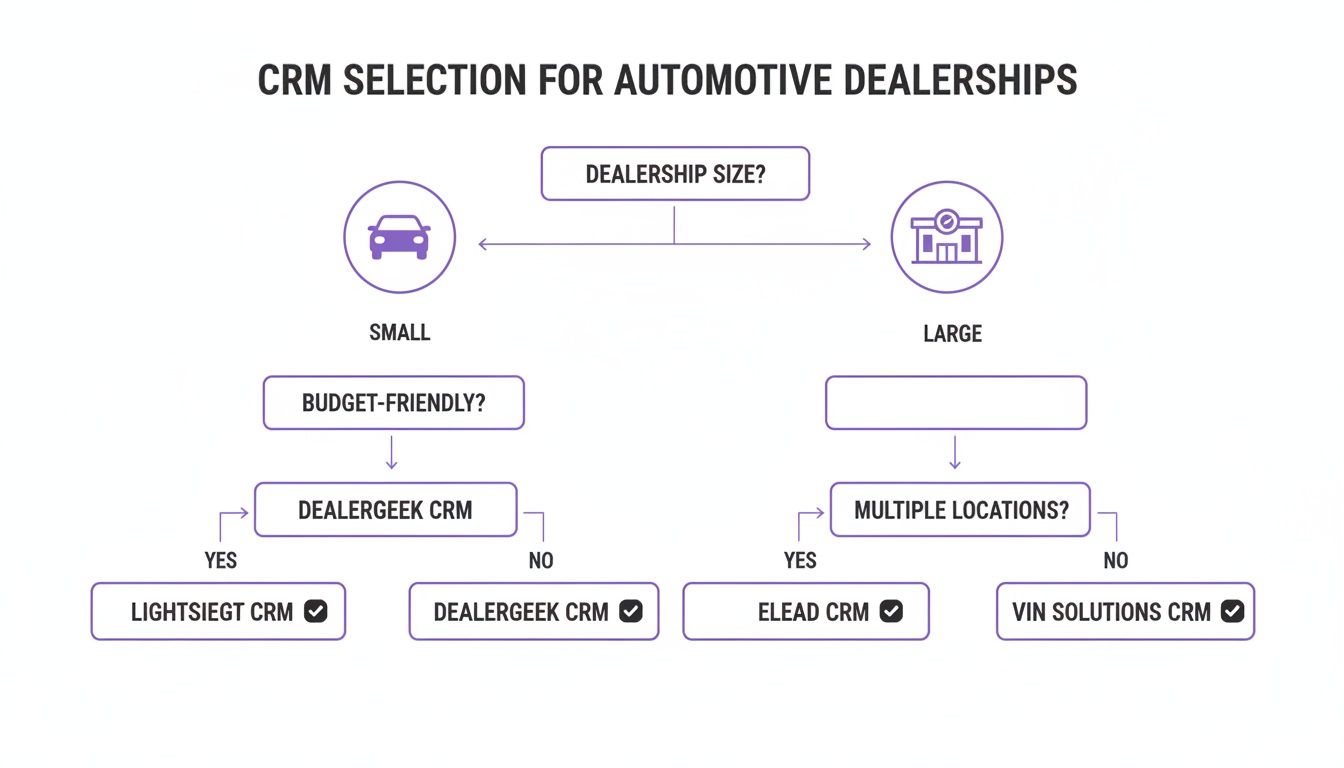
    A flowchart for selecting CRM software for car dealerships based on size, budget, and locations.

    As you can see, smaller independent dealers usually need tools that prioritize simplicity and building relationships, while the big multi-lot operations demand more horsepower for enterprise-level tasks.

    Lead Follow-up Automation

    In this business, speed and consistency are everything. Having an automated system that can jump on a lead 24/7 is a game-changer. But not all automation is created equal.

    Scenario A: The Night Owl Shopper

    A customer fills out a form on a 2019 Ford F-150 at 11 PM on a Tuesday. What happens next?

    • DriveCentric: This is where DriveCentric really shines with its 24/7 AI-powered virtual BDC. The system would almost instantly fire off a conversational SMS response, confirming it got the inquiry and asking a smart qualifying question. Think something like, "Great choice on the F-150! Are you planning to trade in a vehicle?" That immediate, human-like touch makes the customer feel seen and stops them from clicking over to the next dealer's website.

    • AutoRaptor CRM: Built from the ground up for independent dealers, AutoRaptor’s 24/7 AI Sales Assistant is also incredibly strong. Its advantage is its natural language processing—it just feels human. The system would send an instant text or email, often with a slightly more personalized tone, and it's smart enough to re-engage old leads in your database who were looking at similar trucks.

    • VinSolutions: As part of the Cox Automotive world, VinSolutions relies on automated marketing journeys. The 11 PM lead would kick off a pre-built email or text that looks like it came from the assigned salesperson. It’s an effective first touch, but the response might not feel quite as conversational as a dedicated AI assistant.

    The real difference-maker here is the quality of that first AI interaction. A system like DriveCentric or AutoRaptor that can hold a basic, convincing conversation buys your sales team precious time and makes a much better first impression than a generic confirmation message.

    Inventory and DMS Integration

    A CRM that doesn't talk to your inventory and Dealer Management System (DMS) in real-time is creating more problems than it solves. This connection has to be seamless.

    Scenario B: The Mid-Conversation Stock Check

    A salesperson is texting with a customer about a specific vehicle (Stock #54321). The customer asks if it has a sunroof. At that exact moment, another salesperson is closing a deal on that same car.

    • DealerSocket: As a comprehensive platform, DealerSocket gives you a single, unified view of what's happening. A salesperson texting inside the CRM would see the vehicle's status flip to "Sale Pending" immediately, preventing them from continuing to sell a car that's already gone.

    • Elead CRM: Being part of the CDK Global family gives Elead a huge leg up on DMS integration, especially if you're already a CDK dealership. Data syncs happen almost instantly. The salesperson would get an alert or see the status update right inside the customer's profile, keeping everything accurate.

    • Selly Automotive CRM: Designed for smaller dealers, Selly’s integrations are solid, but you might see a slight lag depending on your DMS provider. In this scenario, the salesperson could pull up the inventory data easily, but a small delay between the DMS update and the CRM could create a minor risk of quoting a vehicle that just became unavailable.

    This kind of deep integration is non-negotiable. In the hyper-competitive used car market, customer retention is everything. According to Forbes Advisor, a good CRM system can increase customer retention by as much as 27%, a critical stat for independents who rely on repeat business and referrals. This is exactly why the best CRMs for dealers must work flawlessly with tools like AutoFire™'s lead capture and VIN decoder. You can read more about the research behind those retention numbers to see just how big the impact is.

    Sales Team Mobile Usability

    Your salespeople live on the lot, not behind a desk. A clunky mobile app is a dealbreaker—if it’s not easy to use, your team simply won't use it, and your data will be a mess.

    Scenario C: The Walk-In and Trade Appraisal

    A customer pulls onto the lot without an appointment. Your salesperson greets them, and they mention they have a trade-in.

    • AutoRaptor CRM: The mobile app makes this a breeze. The salesperson can scan the customer's driver's license to instantly create a profile. Then, they can walk over to the trade-in, scan the VIN, snap a few photos, and punch in appraisal notes right on their phone, all without leaving the customer's side.

    • DriveCentric: Known for its modern and clean user experience, DriveCentric’s mobile app is incredibly intuitive. Adding a new customer and their trade is designed to be fast and fluid, minimizing taps so the salesperson stays engaged with the buyer, not buried in their screen.

    • ProMax: While ProMax is a powerhouse for compliance and desking, its mobile UI can feel a bit dated compared to the others. Your salesperson can get the job done, but it might involve navigating through a few more menus, which can slow down the real-world interaction on the lot.

    A great mobile app just gets out of the way. Scanning a VIN and driver's license is table stakes; the best platforms make this process feel effortless, which is the only way to ensure your team actually uses it consistently.

    Reporting and Analytics Clarity

    Data is worthless if you can't easily understand it. The best CRM for car dealers gives managers clear, actionable reports that lead to smarter decisions.

    Scenario D: The Weekly Sales Meeting

    A sales manager needs to review team performance, find out where deals are stalling in the pipeline, and see which lead sources are actually making money.

    • VinSolutions: It offers powerful, user-friendly dashboards that are easy to set up. A manager can quickly pull a report showing lead volume by source (e.g., website, Autotrader, walk-in), see conversion rates for each salesperson, and check average response times. Everything is presented in a clean, visual way that's easy to digest.

    • DealerSocket: This platform provides enterprise-level analytics, which is fantastic for large dealer groups. A manager can drill down into incredibly granular detail across multiple rooftops. For a single independent lot, however, the sheer number of reporting options can sometimes feel overwhelming if it isn't configured perfectly from the start.

    • Selly Automotive CRM: Selly’s reporting is all about simplicity and clarity, making it perfect for smaller teams. A manager can see the key metrics that matter—appointments set, demos completed, and deals closed—without getting bogged down in data they don't need. It gives you the essentials without the noise.

    At the end of the day, the right choice comes down to your dealership's DNA. A tech-savvy team might fall in love with DriveCentric’s slick interface, while a relationship-driven independent dealer will see huge value in the purpose-built simplicity of AutoRaptor. Use these real-world scenarios to guide you when you're watching demos and ask specific questions about how each platform handles the daily grind on your sales floor.

    Connecting Your CRM and Website to Generate More Leads
    A tablet on a white counter displays a white car image and 'Capture Leads' text in a modern dealership.

    Let's be blunt: the most advanced CRM on the planet is dead weight if it isn't getting a steady diet of quality leads. Your dealership website is the primary engine for feeding it. Think of your site as your digital showroom and your most tireless salesperson, working 24/7.

    The connection between your website and CRM isn't some minor IT task; it’s the central nervous system of your sales operation. A fast, well-built website doesn't just show off cars—it grabs a visitor's attention and turns that fleeting interest into solid, actionable data for your sales team. This is what transforms your site from a simple online brochure into an active lead-gen powerhouse, a critical function when you’re hunting for the best CRM for car dealers.

    Turning Website Traffic into CRM Opportunities

    The entire goal is a seamless, automated handoff. When a shopper lands on one of your Vehicle Detail Pages (VDPs) and fills out a form, that lead needs to hit your CRM instantly. No delays. It should be assigned to the right salesperson and flagged for immediate follow-up.

    This all hinges on having a website platform built for the way dealerships actually operate. The right platform has specific features designed to pull in as many leads as possible and pipe that data cleanly into your CRM.

    • Integrated Lead Capture Forms: These are much more than basic "contact us" boxes. We're talking about forms for scheduling test drives, getting pre-approved for credit, or just asking a question—and they need to be right there on every VDP.
    • Mobile-First Inventory Pages: The majority of your customers start their search on a phone. If your VDPs are slow or clunky on a small screen, you're losing leads. Calls-to-action must be obvious and easy to tap.
    • Built-in SEO for Vehicle Listings: A smart website platform automatically optimizes your inventory to show up in Google Vehicle Listings. This drives organic traffic from shoppers with high purchase intent straight to your cars.

    The moment a shopper hits "submit" on a form, the clock is ticking. A perfect integration means that lead's data—name, email, phone, and the exact car they're looking at—is automatically mapped into the right fields in your CRM. This should instantly kick off your follow-up process without anyone having to lift a finger for data entry.

    Ensuring a Flawless Integration

    A broken link between your site and CRM is a sales killer. It means lost leads, frustrated customers, and a sales team staring at an empty pipeline. To get this right, you have to nail the field mapping. The "First Name" field on your web form has to talk directly to the "First Name" field in the CRM. It sounds simple, but it's where most integrations fail.

    Just as important is tracking where your leads come from. Your CRM needs to know if a lead came from a Google search, a Facebook ad, or a third-party site like Cars.com. This data is gold. It’s how you calculate your marketing ROI and double down on the channels that actually bring you paying customers. You can dive deeper into this with our guide to lead generation for car dealerships.

    When your website and CRM are in perfect sync, you've built a powerful, automated system. A buyer can find a specific car on Google, land on your SEO-optimized VDP, submit their info, and instantly pop up as a prioritized lead in your CRM. Your team just has to pick up the phone and close the deal.

    A Practical Framework for Selecting Your Dealership CRM

    Choosing a CRM is a serious investment. You're not just buying software; you're committing your team's time and shaping your dealership's future. To move from a spreadsheet of features to a confident final decision, you need a plan. This framework will help you focus on what really matters and ask the tough questions to find a true partner.

    Start with an honest look in the mirror. A small independent lot selling 30 cars a month has completely different needs than a multi-rooftop group pushing 200 units. Your sales volume, team size, and current tech stack—like your DMS and website provider—are the foundational pieces that will dictate what you need.

    Prioritizing Your Dealership’s Needs

    It’s easy to get mesmerized by flashy features you’ll never actually use. Instead, focus on fixing your biggest operational headaches first. A great exercise is to map out your current sales process, from lead to delivery, and pinpoint where things fall apart.

    For example, is your main problem that internet leads are going cold because of slow follow-up? If so, you should be hunting for a CRM with killer automation and maybe even AI-powered responses. Or are your salespeople losing deals on the lot because they can't access inventory details on their phones? Then a slick, powerful mobile app becomes non-negotiable.

    The goal is to select a tool that fits your current workflow while providing the structure to improve it. Don't change your entire business to fit a piece of software; choose software that amplifies what you already do well and fixes what you don't.

    This decision doesn't happen in a vacuum, either. The global market for the best CRM for car dealers is shifting. Asia Pacific is set for explosive growth at a 12.3% CAGR from 2025-2033, while North America is growing at a still-impressive 8.5%. This trend underscores why dealers everywhere need CRMs that integrate seamlessly with modern websites for things like SEO-friendly inventory and Google Vehicle Listings. You can explore the global market dynamics to get a feel for where the industry is heading.

    Evaluating Pricing and Support Models

    Once you have a shortlist of CRMs that meet your feature requirements, it's time to dig into the money and support. Most CRM pricing falls into one of two buckets: a per-user, per-month fee or a flat-rate package for the whole dealership. Make sure you calculate the total cost of ownership, which includes easily overlooked fees for setup, data migration, and advanced training.

    Just as important is the quality of their onboarding and ongoing support. A fantastic platform with terrible support will become a very expensive source of frustration. When you're talking to vendors, ask them directly about their standard support response times and what level of training is included right out of the box.

    Critical Questions for Your CRM Demo

    The demo is your moment of truth. This is where you get to see if the platform can walk the walk. Don't let them drive with a generic, canned presentation; make them show you how their system handles your dealership's real-world situations.

    Use this checklist to keep the conversation focused and productive:

    • Integration Workflow: Show me, step-by-step, how a lead from my website lands in the CRM and gets assigned to a salesperson. In real-time.
    • Mobile Functionality: Can my salesperson on the lot scan a VIN with the app, add a trade-in, and text a customer from their phone without any hiccups?
    • DMS Sync: How often does the CRM sync with my DMS? Show me exactly how a closed deal is pushed from the CRM into the DMS.
    • Reporting: How would I build a report to see my team's closing ratio by lead source for last month? Let's build it together right now.
    • Onboarding Process: What does the data migration and team training actually look like? Who is my single point of contact during this process?

    By asking specific, workflow-based questions, you’ll slice right through the sales pitch and get a genuine feel for how the CRM will actually perform day-to-day in your dealership. This methodical approach ensures you're choosing a partner that will help you grow for years to come.

    Your Top Questions About Car Dealership CRMs, Answered

    Let's be honest, diving into the world of automotive CRMs can feel overwhelming when you're also trying to run a dealership. You’ve got questions, and you need straight answers. We've gathered the most common concerns we hear from independent dealers to help you cut through the noise and make a decision you feel good about.

    Think of choosing a CRM less like buying software and more like making a strategic investment in your dealership's future. Getting clear on the details—pricing, features, and the implementation process—is the key to finding a tool that actually helps your team, instead of just adding another login to their list.

    How Much Should an Independent Dealer Expect to Pay for a CRM?

    The price tag on a CRM for an independent dealership can swing pretty widely, but you can generally expect to pay somewhere between $50 to $300 per user, per month. Some companies also pitch flat-rate packages, which can offer more predictable costs as your team grows. But what's really behind those numbers?

    Several factors come into play:

    • User Count: How many people need access? Think salespeople, managers, and your BDC team.
    • Feature Depth: The fancier the tools, the higher the price. Things like AI assistants, complex desking calculators, or built-in marketing automation will push you toward the higher end of the range.
    • Integration Complexity: The more systems you need your CRM to talk to—like your specific DMS or other third-party tools—the more it can influence the cost.

    Here's a pro tip: Don't just look at the monthly fee. Always ask for a full breakdown of all potential costs. This means digging into one-time setup fees, data migration charges, and any extra costs for premium support or training. This gives you the true total cost of ownership, so you don't get hit with surprise bills later.

    What's the Real Difference Between a General CRM and an Automotive-Specific One?

    Sure, you could try to bend a generic CRM like Salesforce or Zoho to your will, but an automotive-specific CRM is built from the ground up for the way a dealership actually operates. The main difference is what you get right out of the box. An automotive CRM arrives ready to work, pre-loaded with the tools you use every single day.

    We're talking about built-in essentials like VIN decoding, direct inventory management, DMS integration, and desking tools. These aren't add-ons; they're core to the system. It understands the unique sales funnel from the first "hello" to the test drive and into F&I, all while tying every interaction back to a specific vehicle. Trying to force a generic CRM to do all this usually means a long, expensive, and frustrating custom development project. An industry-specific solution is simply more efficient from day one.

    How Hard Is It to Switch to a New CRM and Get My Team on Board?

    Implementing a new CRM isn't the headache it used to be. Modern, cloud-based systems are worlds away from the clunky, server-based software of the past. The whole process really hinges on the provider’s support and onboarding structure. A good partner will assign you a dedicated specialist to walk you through everything.

    This person’s job is to handle the heavy lifting, like migrating your customer data and setting up the system to mirror your dealership's sales process. But the real make-or-break factor is team training. User adoption is everything. You need a provider that offers plenty of resources—live webinars, a library of video tutorials, and a support team you can actually reach. Realistically, you should plan for a two-to-four-week adjustment period before your team feels truly comfortable and proficient in the new system.


    Ready to power up your dealership with a website that feeds your CRM high-quality leads? AutoFire delivers fast, mobile-first websites with built-in SEO and lead capture forms designed to convert shoppers into customers. Launch your professional site in minutes and start generating the opportunities your sales team needs to close more deals. Get started for free at AutoFire.
  • Apps for Car Dealers: Streamline Inventory, Sales, and Operations

    Apps for Car Dealers: Streamline Inventory, Sales, and Operations

    The most effective apps for car dealers are the ones that work together, saving you from juggling dozens of different tools that don't talk to each other. Successful dealerships have figured this out. They bring key operations like inventory management, lead capture, and marketing under one roof, which demolishes data silos and helps the sales team work smarter, not harder.

    Why Your Dealership Is Drowning in Apps

    A man views multiple tablets showcasing car dealer apps in a modern showroom environment.

    Does your dealership's tech setup feel more like a messy garage than a high-performance engine? It’s a common story. You might have one app for taking vehicle photos, another for posting on social media, a third for tracking new leads, and yet another for sending customer emails. While each tool solves one specific problem, together they create a much bigger headache: a disjointed, clunky, and downright frustrating workflow.

    This patchwork of single-purpose apps for car dealers leads to data silos, trapping critical information in isolated corners of your business. A salesperson ends up manually copying a new lead from a website form into the CRM, which is a waste of time and an open invitation for typos and errors. That kind of disjointed process hits your bottom line, plain and simple.

    The Real Cost of a Disconnected Tech Stack

    This isn't just about being annoyed; it's about losing deals. In this market, you have to be fast. A deep-dive industry analysis found something shocking: the average dealer response time to a new lead is a whopping 9.2 hours. That’s a lifetime when you consider most buyers make a decision within 48-72 hours of reaching out. Having integrated dealership applications is the only way to get in front of customers before your competition does. You can dig into the numbers yourself in this 2026 automotive trends analysis.

    Why the delay? That lead information has to bounce between multiple systems that aren't connected before it ever lands in a salesperson's hands. Every manual hop adds another delay, slowing down the entire sales cycle.

    A dealership's technology should act as a cohesive system, not a collection of separate parts. The goal is to create a smooth path from a customer's first click to the final handshake, and that's impossible when your tools don't communicate.

    Building a Foundation for Success

    Instead of just piling on more single-function apps, the real fix is to build on a solid foundation. A modern dealership website platform should be the central hub for all your critical activities. Think of it as the chassis—the core frame—of your entire digital operation.

    A purpose-built platform can handle several key functions right out of the box, all in one place:

    • Inventory Display: It automatically builds SEO-optimized pages for every vehicle, making sure your cars and trucks actually show up on Google.
    • Lead Capture: Forms are built right into your vehicle pages, so every inquiry is captured and routed the second it comes in.
    • Marketing Integration: Sharing inventory to social media and major listing sites becomes simple, without needing extra tools to do it.

    When you start with a foundational platform that manages these core jobs, you immediately cut down on the number of apps you need. This approach doesn't just save you time and money; it creates a more powerful, efficient system designed for one thing: selling more cars.

    The Core App Categories Every Dealer Needs

    Trying to figure out which apps your dealership actually needs can feel like a full-time job. The market is flooded with tools, but you don't need to chase every shiny new object. Successful dealers know the secret: master the five fundamental software categories that truly drive the business.

    Think of it like building a high-performance engine. Each part has a specific job, and they all have to work together perfectly. You've got your engine block (DMS/CRM), the fuel system (Inventory Management), the ignition (Lead Capture), the exhaust (Marketing), and the dashboard (Analytics). When they're all in sync, your dealership runs smoothly and powerfully.

    Let's break down what each of these core components does.

    DMS and CRM: The Central Nervous System

    At the very center of your dealership's universe, you'll find the Dealer Management System (DMS) and the Customer Relationship Management (CRM) platform. They're often sold as a package, but they handle two distinct, vital functions. The DMS is your operational command center—it’s where deals get structured, financing is processed, and the back-office accounting happens.

    Your CRM, on the other hand, is all about people. It's the memory bank for every customer interaction, logging every call, email, and showroom visit. This gives your sales team the power to follow up with a personal touch, remember the little details, and build the kind of trust that brings customers back for years. Without a solid DMS/CRM, you’re basically flying blind.

    Inventory Management: Your Digital Showroom

    Your inventory is your most valuable asset, and how you manage it online can make or break a sale. Inventory management apps are the workhorses that ensure every vehicle detail page (VDP) is accurate, attractive, and perfectly synced across your website and every third-party marketplace.

    These systems do the heavy lifting, from decoding a VIN to automatically populating a vehicle's features, options, and specs. This is a huge time-saver, but more importantly, it prevents the kind of embarrassing errors that can kill a buyer's confidence. A great inventory tool keeps your pricing consistent, your photos sharp, and your descriptions optimized to grab attention. For a deeper dive, check out our guide on modern automotive inventory management software.

    The moment a car hits your lot, your inventory management system should spring to life. It becomes the single source of truth that fuels your entire online sales strategy.

    Lead Capture and Management: Turning Clicks Into Customers

    Getting shoppers to your website is just the first step. The real magic happens when you turn that passing interest into a real sales lead, and that’s where lead capture tools come in. They are the bridge that connects a casual browser to a serious buyer.

    These are the tools that power your "contact us" forms, live chat widgets, and "text us" buttons—all the little things that make it effortless for a customer to raise their hand. The second they do, the system instantly alerts the right salesperson and gives them the full context, like which car the person was looking at. In this market, that immediate, organized response is often what wins the deal.

    Marketing Automation and Syndication: Expanding Your Reach

    You have the cars. Now you need to make sure people know about them. Marketing automation and syndication apps act as a megaphone for your dealership, broadcasting your inventory to the widest possible audience with almost zero manual work.

    Syndication tools are brilliant—they automatically push your vehicle listings out to dozens of major marketplaces like Autotrader and Cars.com, and even across social media. This makes your inventory discoverable wherever buyers are searching. At the same time, marketing automation software nurtures those leads by sending follow-up emails, price drop alerts, and service reminders that keep your dealership top-of-mind.

    Analytics and Reporting: Making Data-Driven Decisions

    Finally, how do you know if any of this is actually working? That’s the job of analytics and reporting software. Think of these tools as the dashboard for your entire operation, displaying your most important numbers in a way that’s easy to understand. They help you stop guessing and start making smart, informed decisions.

    With good analytics, you can easily track:

    • Website Traffic: Find out which vehicles are getting all the attention.
    • Lead Sources: See exactly which marketing channels are giving you the best bang for your buck.
    • Sales Performance: Monitor closing rates and see which members of your team are crushing it.

    This data is pure gold for optimizing your marketing budget and fine-tuning your sales process. Digital tools are a top priority for dealers, as the industry continues to evolve with technology like AI to help qualify leads, automate tasks, and recommend deals that close faster and more efficiently.


    To tie this all together, here's a quick look at how these essential app categories function and the value they deliver.

    Core Dealership App Categories and Their Business Impact

    App Category Primary Function Key Business Value
    DMS/CRM Manages deals, accounting, and customer interactions. Creates operational efficiency and builds long-term customer loyalty.
    Inventory Management Creates and maintains accurate, compelling vehicle listings. Saves time, prevents errors, and ensures a consistent online presence.
    Lead Capture & Management Converts website traffic into actionable sales opportunities. Increases lead volume and improves salesperson response time.
    Marketing & Syndication Distributes inventory listings and automates follow-ups. Maximizes audience reach and keeps potential buyers engaged.
    Analytics & Reporting Tracks key performance indicators (KPIs) across all operations. Enables data-driven decisions to optimize marketing spend and sales strategy.

    Mastering these five areas provides the foundation for a modern, efficient, and profitable dealership.

    How to Choose the Right Tools for Your Dealership

    Picking the right apps for car dealers isn’t about chasing the latest shiny object. It’s about building a smart, lean technology toolkit that actually helps you move more metal. With a sea of options out there, it’s easy to get overwhelmed. The secret is to zero in on a few core criteria to make sure the software you pick works for you, not against you.

    Think of your dealership’s software like a high-performance engine. Every component has to fit perfectly and talk to the others instantly. If one part is out of sync, the whole system sputters, costing you power and efficiency. Your mission is to find tools that integrate so smoothly that they eliminate the very data headaches you’re trying to escape.

    Your Core Evaluation Checklist

    When you're sitting through a software demo, you need to go in with a sharp set of questions. Don’t let a slick sales pitch distract you from the realities of a busy dealership. Use this checklist to cut through the noise and figure out if a tool can actually handle the daily grind.

    • Ease of Use: Could your least tech-savvy salesperson learn this in an afternoon? Complicated software that needs weeks of training almost never gets used to its full potential.
    • Mobile Accessibility: Many car buyers now use their phones to shop. Your team needs tools that are just as mobile. Can they manage inventory, answer leads, and update deals from their phones while walking the lot?
    • Integration Capabilities: This is the big one. Does this app play nice with your current DMS? Can it push a new lead straight into your CRM? A tool that can't talk to your other systems is just another silo.
    • Transparent Pricing: Are there hidden setup fees or surprise charges? Look for clear, predictable pricing that makes sense for the value it delivers, without locking you into a long, complicated contract.
    • Scalability: Will this tool grow with you? A system that works for a 20-car inventory should be just as effective when you hit 100. Don't get stuck with a solution that puts a ceiling on your growth.

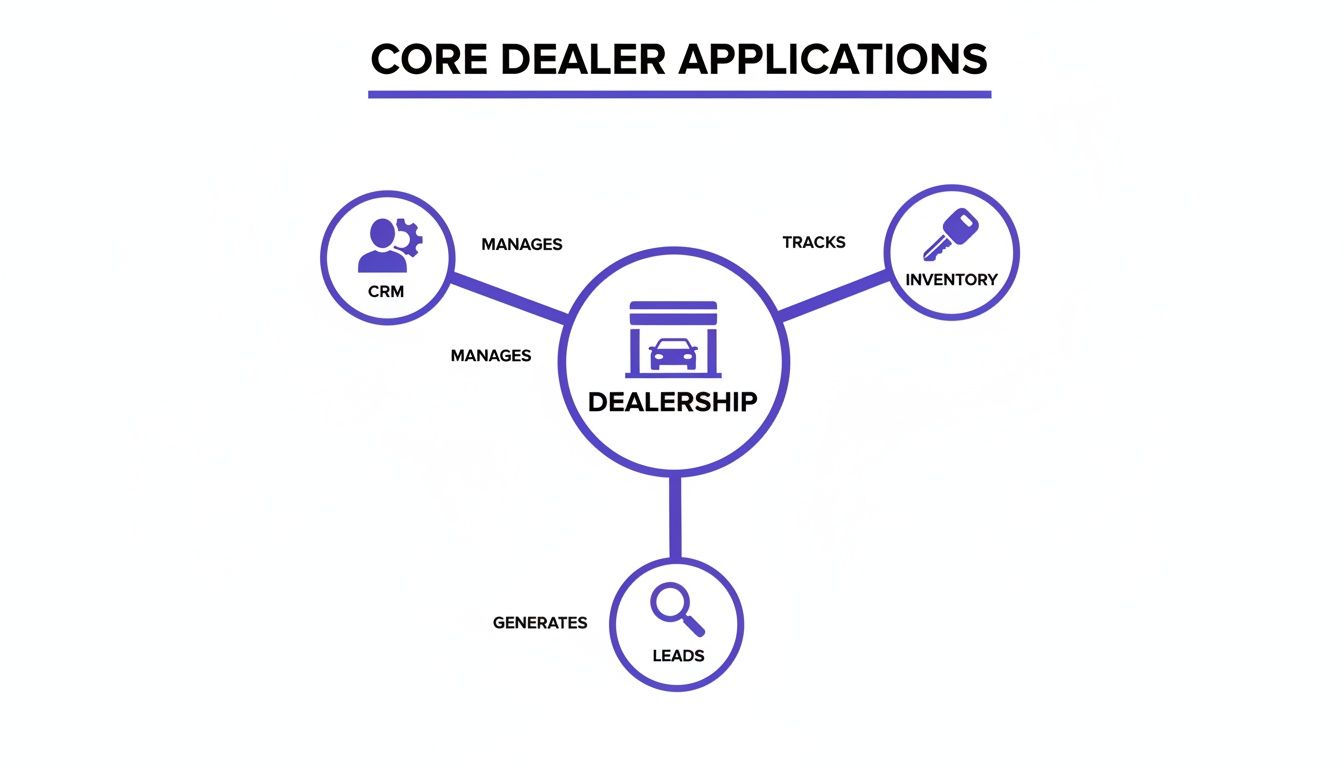
    This diagram shows how your most critical apps—CRM, inventory, and lead management—should all revolve around your dealership's core operations.

    A diagram illustrating core dealer applications: CRM manages, Inventory tracks, and Leads are generated, all centered around the Dealership.

    The image drives home the point: a truly connected system ensures that customer, vehicle, and sales data flows effortlessly between these vital functions.

    Key Questions to Ask During a Demo

    Arm yourself with pointed, practical questions that reveal how an app will actually perform in the wild. Vague promises won't help you on a busy Saturday morning.

    1. "Show me exactly how this connects to my current DMS and CRM." Make them walk you through the integration workflow on screen, not just tell you it’s possible.
    2. "Can my team manage this entire process from their phones out on the lot?" This is a simple yes or no. If you can, test it yourself during the demo.
    3. "What happens when a lead comes in at 10 PM on a Friday?" Get the specifics on the notification process. Does it send a text? An email? Or does someone have to be logged into a desktop dashboard to see it?
    4. "How long does it take to get a car from our lot onto our website with this tool?" Speed to market is everything. The process should take minutes, not hours.

    Choosing technology is a strategic decision, not just an operational expense. The right tools should act as a force multiplier for your team, automating the busywork so they can focus on what they do best—building relationships and closing deals.

    Start with a Powerful Foundation

    Instead of trying to duct-tape a dozen different apps together, a much smarter approach is to start with a foundational platform that handles multiple jobs from the get-go. A purpose-built dealership website platform like AutoFire™ can be a far more efficient and cost-effective way to build your tech stack.

    Think about it: a modern website platform already has many of the features you’d otherwise pay for separately.

    • Built-in VIN Decoder: Instantly populates vehicle specs, slashing the time spent on manual data entry.
    • SEO-Optimized Listings: Automatically creates vehicle detail pages (VDPs) that are designed to rank high on Google.
    • Integrated Lead Capture: Ensures every inquiry from your site is captured and routed correctly without needing a separate form-building tool.

    By choosing a platform with these features baked in, you immediately reduce complexity and cost. This lets you build a powerful, integrated system that helps you compete—without needing a massive budget or a full-time IT department. It’s all about working smarter, not harder.

    Building an Integrated and Seamless Workflow

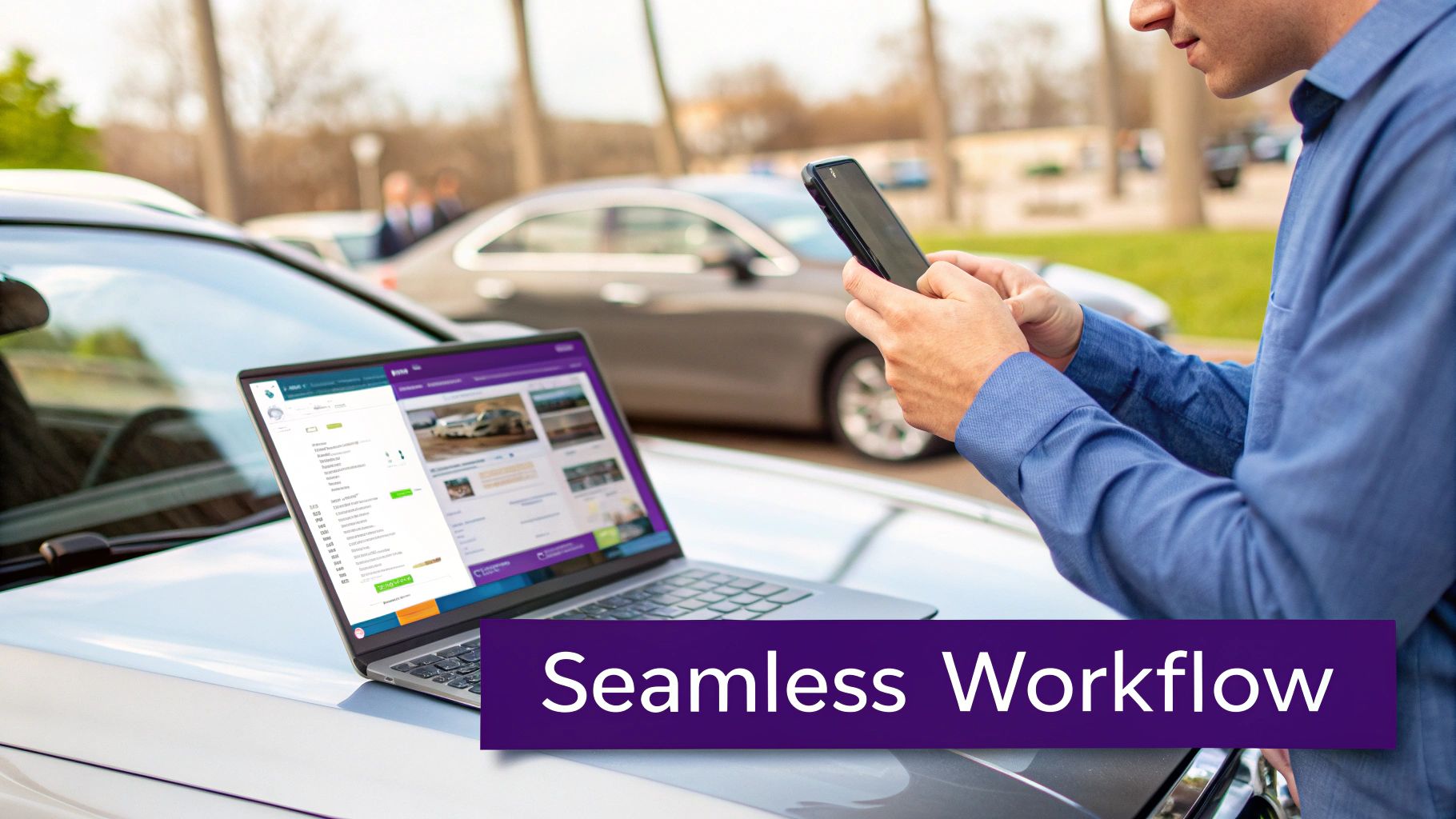
    A person uses a smartphone and laptop on a car hood, showing car inventory for seamless dealership workflow.

    Having a list of powerful apps for car dealers is a great start, but making them actually talk to each other is what separates the pros from the amateurs. The real win isn't just owning the tools; it's building a cohesive system where data flows automatically from one step to the next. This creates a smooth ride for both your team and your customers.

    Think of it like an automotive assembly line. Each station has a specific job, but the magic happens because the car moves effortlessly from one to the next without stopping. A disconnected app stack is the complete opposite. It's like having to manually carry the car frame between stations, creating bottlenecks and mistakes at every single handoff.

    Tracing the Customer Journey in an Integrated System

    To see how this works on the ground, let's follow a potential buyer we'll call Sarah. Her journey is a perfect example of how an integrated workflow turns a casual search into a real sales opportunity.

    It all starts with a simple search.

    1. Discovery on Google: Sarah is looking for a reliable used SUV and, like most people, starts her hunt online. Because your dealership website is properly set up, one of your vehicles pops up in the Google Vehicle Listings.
    2. Visiting the VDP: She clicks and lands on a clean, professional vehicle detail page (VDP) on your website. The page loads fast on her phone and gives her everything she needs: great photos, clear specs, and a no-nonsense price.
    3. Submitting a Lead: Impressed, she fills out a simple contact form to ask about the vehicle's history.

    This is the moment of truth—where an integrated system proves its worth. With a clunky setup, that lead might sit in an email inbox for hours, getting colder by the minute. But in a seamless workflow, a series of automated actions kicks off instantly.

    The Power of Instant Automation

    The second Sarah hits "submit," the real work starts behind the scenes. Your connected apps begin communicating without anyone lifting a finger, turning her simple question into a hot sales lead.

    Here’s what’s happening in the background:

    • Instant CRM Entry: The lead info from your website form is automatically pushed into your CRM. A new contact is created for Sarah, and the exact SUV she's interested in is linked to her profile.
    • Sales Team Notification: At the same time, the CRM fires off a notification directly to an available salesperson's phone.
    • Immediate Follow-Up: The salesperson sees the alert, opens Sarah's profile, and has all the context they need to make a relevant, timely call or text.

    This entire process—from a customer submitting a form to your salesperson getting notified—should take seconds, not hours. The difference is automation. It eliminates the risk of leads falling through the cracks from manual data entry or simple delays.

    This level of speed isn't a luxury anymore; it's a requirement to compete. By automating the handoff between your website, CRM, and sales team, you drastically shrink your response time and engage buyers while they are still highly interested.

    Your Website as the Central Hub

    The key to making this all work is to treat your website as the central hub of your entire digital operation. It's the main stage for every customer interaction and the front door for nearly all your sales leads. A modern dealership website platform is built to be this hub, acting as the bridge between your online marketing and your back-end sales systems.

    A well-built website doesn't just show off cars; it integrates cleanly with the other essential apps for car dealers, like your DMS or CRM. This ensures every piece of customer data captured on the front end is immediately available to your sales team. This connectivity is the foundation of a modern sales process. You can dig deeper into these strategies in our guide on lead generation for car dealerships.

    By building an integrated workflow around a strong website, you create a powerful system that saves time, prevents lost opportunities, and delivers the fast, professional experience today's buyers have come to expect.

    How a Modern Website Can Reduce Your App Overload

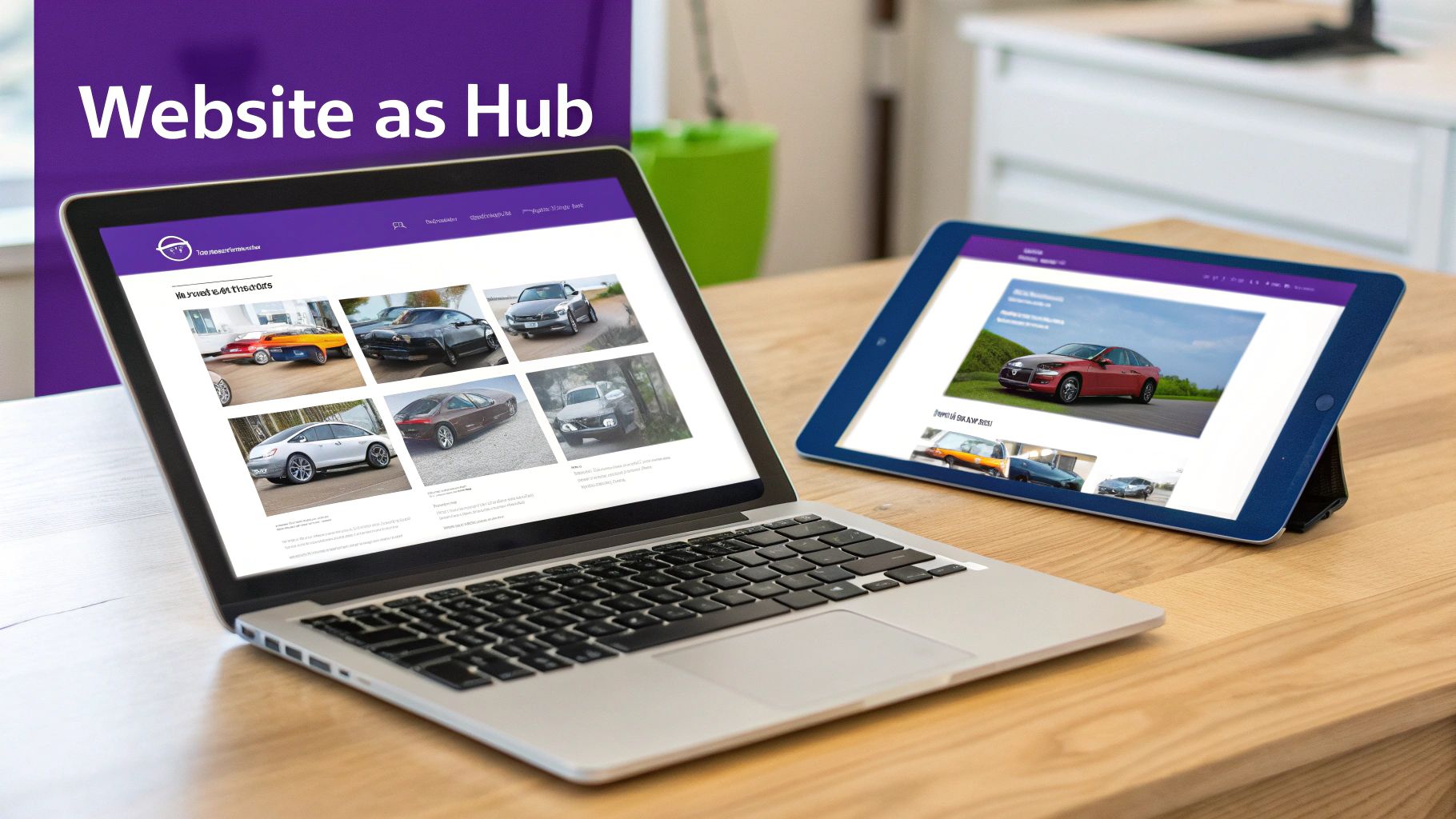
    Laptop and tablet showcasing a car dealership website with various vehicle models, illustrating a digital hub.

    After you've connected your core systems, you might find yourself wondering if there's a smarter way to build your dealership's tech stack. It's easy to get caught in a cycle of adding more and more apps for car dealers, each with its own subscription and login. But what if you could eliminate a huge chunk of that app overload from the very beginning?

    The secret is to start with the right foundation: a modern dealership website. Instead of seeing your site as just an online brochure, think of it as the central hub for your entire operation. A purpose-built platform isn't just one more tool to juggle; it's a core system designed to do the job of multiple apps, simplifying your workflow and cutting costs right out of the gate.

    From Multiple Apps to a Single Platform

    A truly effective dealership website does so much more than display your cars. It should be actively working for you—attracting buyers, capturing leads, and syndicating your inventory—and in the process, it can replace several standalone apps you might otherwise be paying for.

    Here’s how a modern website platform can absorb the functions of other tools:

    • It replaces a separate SEO tool. With search engine optimization baked right in, every vehicle you list automatically gets a properly structured, keyword-rich page that's built to rank on Google.
    • It eliminates third-party form builders. Integrated lead capture forms are built directly into your vehicle detail pages, making sure every inquiry is captured instantly and reliably without a hitch.
    • It reduces the need for separate listing tools. The best platforms automatically format and push your inventory to major channels like Google Vehicle Listings, saving you time and manual effort.

    When you consolidate these functions, you create a system that's not only less complicated but also far more powerful. Your team has fewer dashboards to check, and you have fewer monthly bills to pay.

    Your Website as a Competitive Advantage

    The auto market is only getting more complex. For independent dealers, the ground is constantly shifting, with projections showing nearly 120 new EV nameplates are expected to hit the market by the end of 2026. This means dealership websites have to be smarter and more flexible than ever, ready to showcase a diverse range of inventory and give buyers the transparent information they demand. You can get more valuable insights from DealerClick on these automotive market trends.

    A modern website platform is built for this new reality. It gives you the flexibility to present different fuel types, features, and specs in a way that’s crystal clear to your customers, helping your dealership stand out from the competition.

    Your website shouldn't just be an online catalog; it should be your hardest-working salesperson. It works 24/7 to attract customers, answer their initial questions, and hand them off to your team as warm, qualified leads.

    Building a Leaner, More Powerful Tech Stack

    Starting with the right website platform is the key to building a more efficient and affordable tech stack. It becomes the core of your digital operations, with other essential tools like your DMS and CRM plugging into it, not the other way around. This model helps dealers compete without needing a dedicated IT department to manage a dozen different apps.

    For a deeper dive into what makes a high-performing site, our guide on choosing an automotive website builder breaks it all down.

    Ultimately, this approach is more than just a matter of convenience. It’s a strategic move that gives you a more robust, secure, and future-proof digital presence. It frees up your team from fighting with technology so they can focus on what they do best: selling cars.

    Dealership Apps: Answering Your Top Questions

    Jumping into new technology can feel overwhelming, especially when your main focus is on moving metal. I get it. Over the years, I've heard the same questions and concerns from hundreds of independent dealers trying to figure out which apps for car dealers are actually worth the investment. Let's clear the air and tackle those common hurdles head-on.

    Think of this like a pre-purchase inspection for your dealership's software. You wouldn't buy a car without kicking the tires, and you shouldn't invest in tech without getting straight answers. My goal here is to help you cut through the noise and make smart, confident decisions.

    What Are the Absolute Must-Have Apps for a New Independent Dealer?

    When you're just starting out, the game is all about getting the fundamentals right without torching your budget. You need to look professional online, know exactly what's on your lot, and have a system for handling anyone who shows interest.

    Forget the fancy bells and whistles for now. Focus on these three core tools:

    1. A Professional, Mobile-First Website: This is your digital showroom. A solid platform will automatically create SEO-friendly vehicle detail pages (VDPs) and have lead capture forms built right in.
    2. An Inventory Management System: You have to track your cars, your costs, and all the important details. This is often a core feature of a good Dealer Management System (DMS), which is the central nervous system of most dealerships.
    3. A Simple CRM or Lead Tracker: Even a basic spreadsheet is better than nothing, but a simple customer relationship management (CRM) tool is a game-changer. It ensures you follow up with every lead and no opportunity slips through the cracks.

    The smartest move? Start with an all-in-one website platform that nails that first point. It gives you a strong, affordable foundation that can easily plug into your inventory system and CRM, creating a powerful trifecta from day one.

    How Do I Get All My Different Dealership Apps to Talk to Each Other?

    This is the million-dollar question. Integration is the secret sauce that saves you from mind-numbing data entry and the costly mistakes that come with it. Before you sign on the dotted line for any software, this should be one of your first questions.

    Make vendors show you exactly how their tool connects with your existing systems, especially your DMS. Look for direct, pre-built integrations. If that’s not an option, ask if they support platforms like Zapier, which acts as a bridge between different apps without needing a developer.

    The best strategy I've seen is to pick a central "hub" for your dealership's data—usually your website or CRM. From there, every new app you add should be able to feed information into that hub, not create its own separate database. This gives you a single source of truth for all your customer and vehicle info, keeping everyone on the same page automatically.

    This simple approach prevents you from having customer data trapped in one system and inventory data in another, which is a recipe for chaos.

    Do I Really Need to Build a Custom Mobile App for My Dealership?

    For almost every independent dealer out there, the answer is a hard no. A custom-built mobile app is a money pit. It's incredibly expensive to develop, a headache to maintain, and the return on that investment is practically zero.

    A much smarter, more effective strategy is to invest that money in a top-notch, mobile-responsive website. A modern site is designed to look and feel just like an app on any smartphone browser, but nobody has to download a thing. It’s always up-to-date and gives customers everything they need—browsing inventory, checking out photos, and submitting leads—right from their phone. Since a majority of car shoppers use their mobile devices for research, a fast, responsive site isn't a luxury; it's essential.

    How Much Should I Actually Budget for Software and Apps?

    Your software budget will obviously depend on the size of your operation, but the guiding principle should always be return on investment. Always prioritize platforms that roll multiple functions into one package instead of buying a dozen niche apps that only do one thing.

    For example, a modern website platform can bundle your professional site, inventory listings, SEO, and lead capture tools into a single, predictable monthly subscription. That’s almost always going to be more cost-effective than paying four different vendors for each of those services.

    Here’s a practical way to approach it: start with your non-negotiables, which are your DMS and a great website platform. After that, only add specialized tools if you can draw a straight line from that new expense to more sales, better efficiency, or a happier customer. This keeps your tech stack lean, mean, and budget-friendly.


    Ready to build a powerful, efficient digital presence without the app overload? AutoFire delivers a modern, mobile-first website platform that consolidates your inventory management, SEO, and lead capture into one easy-to-use system. Launch your professional dealership site in minutes and start turning online shoppers into real customers. Learn more and get started for free at goautofire.com.

  • Lead Generation for Car Dealerships Winning Buyers

    Lead Generation for Car Dealerships Winning Buyers

    Your website isn't just a digital business card; it's your 24/7 sales engine. To get it generating real leads, you need to think of it less like a brochure and more like your best salesperson. It all starts with creating an online experience that pulls customers in, builds immediate trust, and makes it incredibly easy for them to take the next step.

    Build Your Digital Showroom to Convert

    Let's be honest, a slick-looking website is table stakes these days. What really matters is whether it turns casual browsers into hot leads for your sales team. The secret is designing it for how people actually shop for cars today: on their phones.

    A mobile-first design isn't a "nice-to-have" anymore; it's everything. If a potential buyer has to pinch and zoom just to read vehicle specs or find your phone number, they’re gone. They'll bounce right over to your competitor's site without a second thought. Every single part of your site, from inventory search to credit applications, has to be flawless on a small screen.

    Establish Instant Credibility

    You have about three seconds to convince a new visitor that you're a legitimate, trustworthy dealership. Car buyers are naturally wary, so you have to win them over fast. This is where trust signals come into play.

    Think of it like keeping your physical lot clean and professional. You want to showcase things that make customers feel comfortable and confident.

    • Splash your best customer reviews and testimonials right on the homepage.
    • Display any industry awards or local business certifications you've earned.
    • Make sure your site has a visible HTTPS lock icon, showing their data is secure.
    • A clear, easy-to-find privacy policy also goes a long way.

    These small details add up, telling a visitor that you’re a professional operation they can rely on.

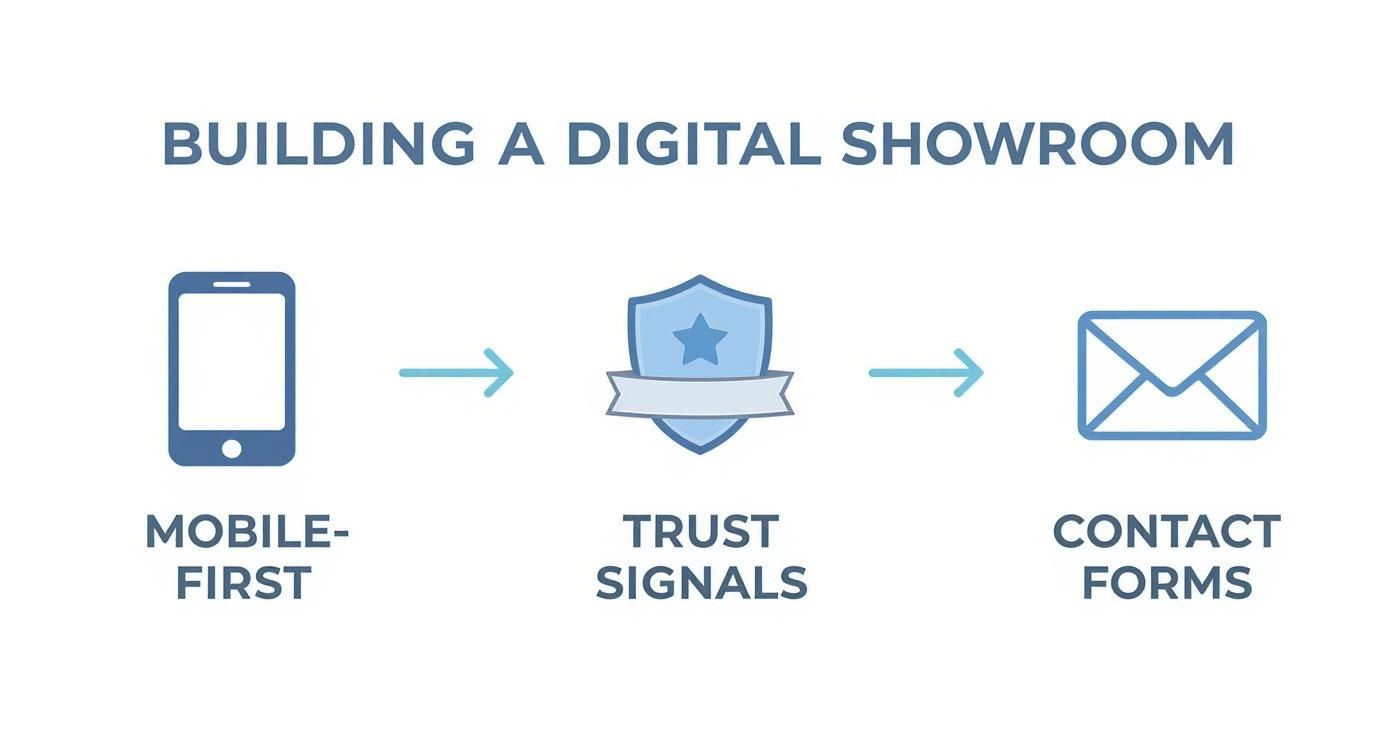
    Diagram illustrating steps to build a digital showroom: mobile-first, trust signals, and contact forms.

    As you can see, it's a simple formula: get the mobile experience right, layer on the trust, and then make it dead simple for them to reach out.

    Make Contact Effortless

    Okay, you've got them on your site, and they trust you. Now what? You have to make the next step completely obvious. Every single Vehicle Detail Page (VDP) needs clear, compelling calls-to-action (CTAs). And I don't just mean a generic "Contact Us" button buried in the footer.

    Your goal is to remove all friction between a visitor's interest and their action. If a potential buyer has to hunt for a way to contact you, you’ve already lost them. Every page should present an obvious next step.

    Give them multiple ways to raise their hand and show they're interested.

    • Simple Contact Forms: Perfect for quick questions or "check availability" requests.
    • "Schedule Test Drive" Buttons: This is a high-intent CTA for serious buyers. Make it big and bold.
    • Online Financing Applications: Capture leads who are already thinking about the numbers and are ready to buy.

    This is exactly what platforms like AutoFire™ are built for. They integrate clean, mobile-first designs with lead capture forms that are already optimized to convert. If you're tired of a website that doesn't pull its weight, you can explore a demo of the AutoFire platform to see how it all works.

    Get Found by Local Buyers: Mastering Inventory SEO

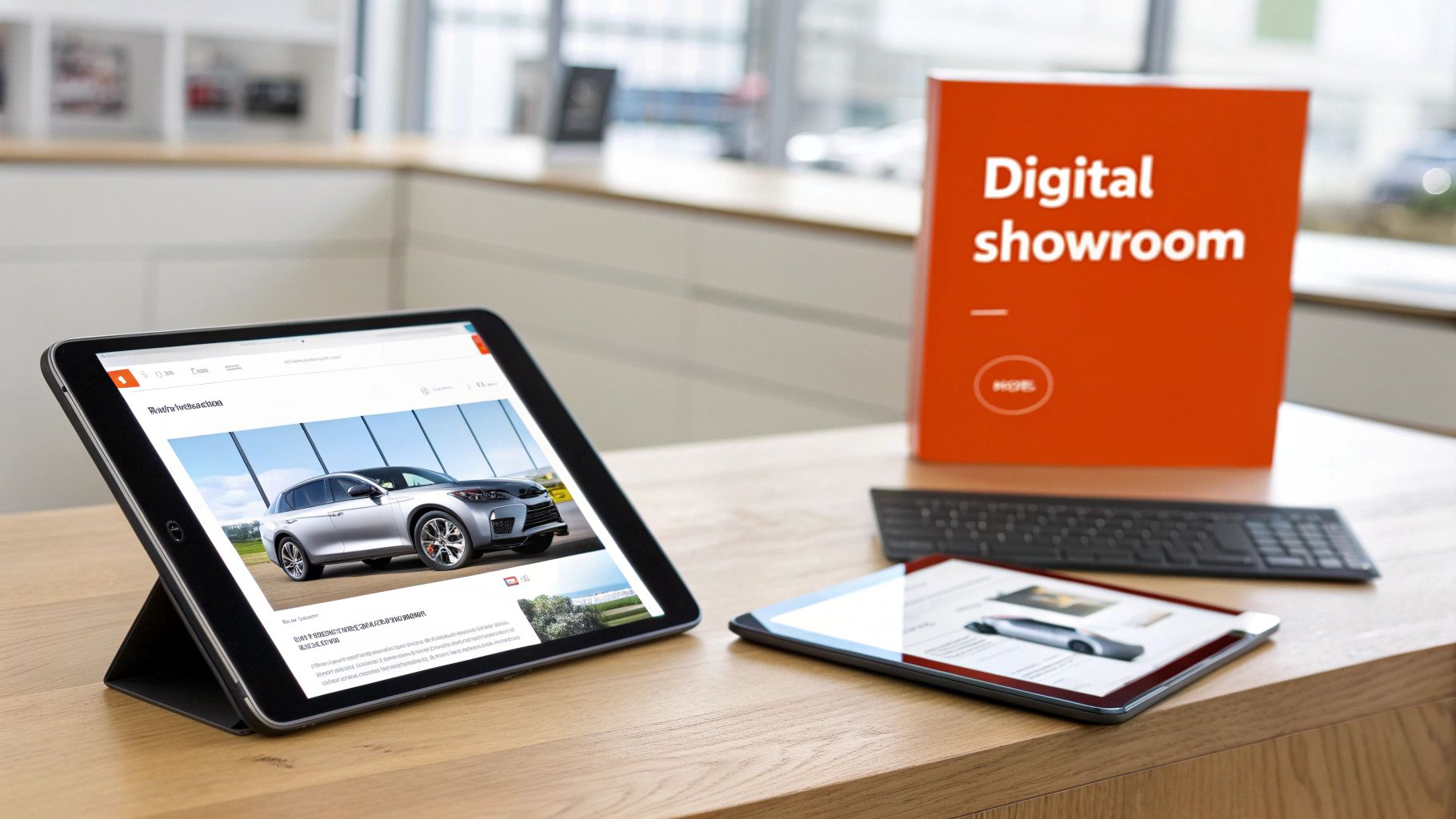
    Tablets displaying cars, a 'Digital showroom' sign, and a keyboard on a wooden desk.

    When a serious buyer in your area pulls out their phone and searches for a "used Honda CR-V with leather seats," you need to be the first dealership they see. Not just your dealership's homepage, but the exact car they want. This is what powerful inventory SEO is all about—transforming your website from a simple online catalog into a customer-magnet.

    The entire strategy hinges on your Vehicle Detail Pages (VDPs). Each VDP isn't just a page; it's a unique, digital storefront for a specific car. Relying on the generic, cookie-cutter descriptions from a manufacturer's feed is a recipe for getting lost in the crowd. To really stand out, every single VDP needs a unique, keyword-rich description written for an actual human being.

    Making Your Vehicle Detail Pages Work for You

    Stop and think about how your customers actually search. They aren't typing in "pre-owned compact sport utility vehicle." They’re much more specific, searching for things like "used blue Ford Explorer for sale in Phoenix." Your VDPs need to speak that language.

    Weaving in local terms is a game-changer. Simply mentioning your city or even a specific neighborhood in the description helps Google connect that vehicle to local searchers. It’s a simple move that signals you’re the relevant, local option they’ve been looking for.

    A top-performing VDP needs more than just good text:

    • A Killer Photo Gallery: Don’t skimp here. Aim for at least 20-30 crystal-clear photos of the vehicle from every conceivable angle. Get shots of the dashboard, the tires, the engine, and any special features that make it stand out.
    • All the Specs: Go deep. List out every package, feature, and aftermarket upgrade. The more detail you can provide, the more you build trust and answer questions before they're even asked.
    • Upfront Pricing: Be transparent. Show the price clearly, and if you can, embed a payment calculator to keep potential buyers engaged on the page longer.

    A great VDP is all about answering a buyer's questions before they even have to ask. When a page is comprehensive and well-optimized, it builds instant trust. It also pre-qualifies your leads, so when someone finally reaches out, you know they're serious.

    Supercharge Your Reach with Google Vehicle Listings

    Once your VDPs are dialed in, it’s time to put them directly in front of buyers on Google. This is where Google Vehicle Ads come in. Forget traditional paid search ads—this is a dynamic, feed-based system that displays your actual inventory, complete with photos and pricing, right on the search results page.

    The whole thing runs on your inventory feed. This is a data file containing everything about each car—make, model, VIN, price, photos, and the link to your VDP—which you send to Google. This can get technically complicated, which is why platforms like AutoFire are so valuable. They automate the entire process, making sure your feed is always fresh and correctly formatted.

    Keep an eye out for common feed errors that can kill your visibility:

    • Missing or outdated pricing
    • Broken image links or low-quality photos
    • Information in the feed that doesn't match what's on the VDP

    When you combine sharp, on-page VDP optimization with a technically sound Google Vehicle Ads feed, you’ve created a powerful one-two punch. Your inventory gets seen by the most motivated local buyers, driving clicks from qualified shoppers directly to the specific car they’re ready to buy.

    Turn Website Visitors Into Actionable Leads

    Getting eyes on your dealership's website is a solid first step, but let's be honest, traffic doesn't pay the bills. The real challenge—and where the money is made—is turning those anonymous clicks into actual, qualified leads your team can work with. This is where your on-site lead capture strategy needs to shine, creating a smooth, easy path for a curious browser to become a serious buyer.

    Simply put, you need to give people multiple, convenient ways to raise their hand and say, "I'm interested." A basic "Contact Us" form buried on a back page just doesn't cut it anymore. Today’s car shoppers expect helpful tools that give them answers and move them forward in their journey, directly from your website.

    Go Beyond Basic Contact Forms

    To catch buyers at every stage of their process, you need a full toolkit of lead capture options. Think of it like having different conversation starters for different types of customers.

    • Trade-In Valuation Tools: So many deals hinge on the trade-in. An instant trade-in estimator is a killer lead magnet because it gives the customer something they genuinely need to know before they can even think about buying.
    • Financing Pre-Approval Forms: This one is for your high-intent shoppers, the ones who are ready to talk numbers. A secure, simple pre-approval form not only captures a lead but qualifies them, giving your sales team a massive head start.
    • "Check Availability" Inquiries: On every single Vehicle Detail Page (VDP), you should have a low-pressure way for someone to express interest. This simple button is often the easiest first step for a hesitant buyer.

    These aren't just forms; they're intelligence-gathering tools. They pull in crucial data that tells your team what a customer needs before you even pick up the phone.

    Engage Buyers Instantly with Chat

    In this business, speed is everything. We've all seen it: the dealership that responds first usually gets the deal. The impact of rapid response is significant, with studies showing that contacting a lead within the first few minutes can dramatically boost conversion rates. It's no wonder so many dealers are using AI-powered virtual agents and chat tools to engage people the second they land on the site. You can dig into more research on the massive impact of lead response time, but the takeaway is clear: be fast.

    Live chat and AI chatbots act as your 24/7 digital BDC. They’re always there to answer common questions, schedule test drives, and grab contact info, even when your team is swamped or gone for the day.

    Here’s a look at a popular chat tool that shows how you can guide visitors and get their info without making them fill out another boring form.

    The key is to be present and helpful the exact moment a buyer shows intent. An AI chatbot can answer "Is this car still available?" at 11 PM on a Saturday, capturing a lead that would have otherwise been lost forever.

    When you combine value-driven forms with instant engagement tools, you create a powerful lead-gen machine. You’ll capture everyone from the shopper who's just starting to look, to the one who’s ready to fill out a full credit app. For dealerships wanting to add these features without the tech headaches, it’s worth seeing how an integrated platform can help you get in touch with more qualified buyers.

    Bring In Qualified Buyers With Smart Advertising

    Laptop on a wooden desk displaying website analytics and a 'Convert Visitors' speech bubble.

    Alright, your website is tuned up and ready to convert visitors into leads. Now, it's time to open the floodgates and get people there. A great site is useless without traffic, so we need to actively drive local car shoppers to your digital showroom.

    This is where a targeted advertising strategy comes into play. We'll focus on the local and social channels where your future customers are already looking for their next vehicle.

    The absolute cornerstone of your local marketing is your Google Business Profile (GBP). Seriously, don't sleep on this. It’s often the very first impression a buyer has of your dealership, and treating it as a "set it and forget it" task is a massive mistake. A well-managed, active profile is one of the most powerful free tools you have for generating local leads.

    To get the most out of it, you need to do more than just list your address and hours.

    • Post Regularly: Share your latest inventory, special offers, or even just some news from the dealership at least once a week. This tells Google you're an active business worth showing to searchers.
    • Keep Photos Fresh: Don't just upload inventory shots. Add pictures of your lot, your team, and especially happy customers with their new cars (always ask for permission first!).
    • Push for Reviews: Make it a habit to ask every happy customer to leave a review. A steady flow of fresh, positive reviews builds incredible trust with both Google and potential buyers.

    Find Ready-to-Buy Shoppers on Social Media

    While your GBP is perfect for capturing people actively searching on Google, social media ads let you get in front of buyers before they even search. Platforms like Facebook and Instagram have incredibly powerful targeting options that let you put your best vehicles directly in the newsfeeds of people in your area who are showing signs of being in the market for a car.

    This isn't about just blasting an ad to everyone in your zip code. You can create specific audiences based on demographics, interests (like pages they follow for specific car brands), and online behaviors that signal they're car shopping.

    Think about it this way: you can run a carousel ad showing off that new 2021 Ford F-150 that just hit your lot. The ad can feature a gallery of high-quality photos, the price right up front, and a clear call-to-action like "View All 30 Photos."

    The real magic of social ads is the precision. You can target people within a 25-mile radius of your dealership who have recently browsed sites like Autotrader or Cars.com. This ensures your ad budget is spent only on people who are genuinely potential customers.

    The key to making any of this work is obsessively tracking your Return on Investment (ROI). You have to connect your ad campaigns back to real business results. With the right setup, you can see exactly which ads are leading to phone calls, finance applications, and even test drives. This data lets you confidently pour more money into what’s working and kill the campaigns that are just wasting your cash.

    Mastering Follow-Up with Your CRM

    Getting a lead is just like having a customer step onto your lot—it's the very beginning of the conversation. The real work, where you actually win or lose the deal, all comes down to the follow-up. A name in a spreadsheet is just a name until you make a real connection. Your Customer Relationship Management (CRM) system is the engine that powers this entire process.

    Without a solid CRM in place, leads are guaranteed to slip through the cracks. Think about it: an email from your website, a message from Facebook, and a phone inquiry can all end up in different inboxes. Funneling every single lead source directly into your CRM creates one central hub, ensuring nothing ever gets missed.

    This isn’t just about plugging leaks in your process. It’s about giving your sales team the context they need to win. When a salesperson can see every interaction—every car a customer viewed online, every form they filled out—they can skip the small talk and have smarter, more relevant conversations from the get-go.

    Building Your Automated Follow-Up Cadence

    Great follow-up is a mix of persistence and perfect timing. Trying to track every lead manually is a recipe for disaster, which is exactly why automation is your best friend here. A well-thought-out follow-up plan uses a blend of communication channels to stay on a customer's radar without being a pest.

    The key is a multi-channel approach that layers different touchpoints.

    • The Instant Text Message: The second a lead hits your system, an automated text should fire off. Keep it simple: "Hi [Name], thanks for your interest in the [Vehicle]! A real person from our team will call you shortly to answer any questions." This buys you time.
    • The Value-Add Email: Within the first hour, follow up with an email that gives them something useful. This could be a link to similar cars on your lot or even a PDF of the vehicle's Carfax report.
    • The First Phone Call: The automated messages handle the immediate response, freeing your team up to make a genuine, personal phone call within a few hours.

    The goal of automation isn’t to replace your sales team; it’s to empower them. Automated texts and emails handle the immediate response, freeing up your team to focus on having high-quality, personal conversations that actually close deals.

    For smaller independent dealerships, combining a solid lead program with a built-in follow-up process can be a game-changer. A structured approach can lead to significant growth in a short amount of time, turning a higher percentage of leads into actual sales by ensuring consistent and timely communication. This kind of disciplined process is what drives a strong return on investment.

    A structured follow-up plan ensures no lead is forgotten. This table outlines a sample multi-channel cadence for new web leads.

    Sample 7-Day Lead Follow-Up Cadence

    Day Action Channel Notes
    1 Instant Auto-Response SMS & Email Acknowledge inquiry immediately. Let them know a person will reach out.
    1 Personal Phone Call Phone Call within the first hour. If no answer, leave a brief voicemail.
    2 Follow-Up Email with Alternative Vehicle Email "Thought you might also like this one…" Shows you're paying attention.
    3 Check-In Text SMS "Just checking in to see if you had any questions about the [Vehicle]."
    4 Second Phone Call Attempt Phone Try calling at a different time of day (e.g., evening).
    5 "Breaking the Pattern" Email Email Send a video walkaround of the car or a text about a new special.
    7 Final Follow-Up Call & Email Phone/Email Last attempt before moving the lead to a long-term nurture sequence.

    This kind of structured approach keeps you consistently in front of potential buyers without overwhelming them, dramatically increasing your chances of making the sale.

    Tracking Every Interaction to Refine Your Strategy

    Your CRM is more than just a digital rolodex; it's a goldmine of data that shows you what’s actually working. By tracking every call, email, and text, you can start spotting patterns. Which email subject lines get opened the most? Is Tuesday afternoon really the best time to make calls?

    This data-driven approach takes the guesswork out of your follow-up and turns it into a repeatable, scalable process. You can fine-tune your cadences, double down on the strategies that work, and turn your marketing spend into pure profit. A modern platform like AutoFire is built to integrate with your CRM, ensuring the powerful features you use to capture leads feed seamlessly into your follow-up workflow. This is how you build a true lead generation machine.

    Common Questions on Dealership Lead Generation

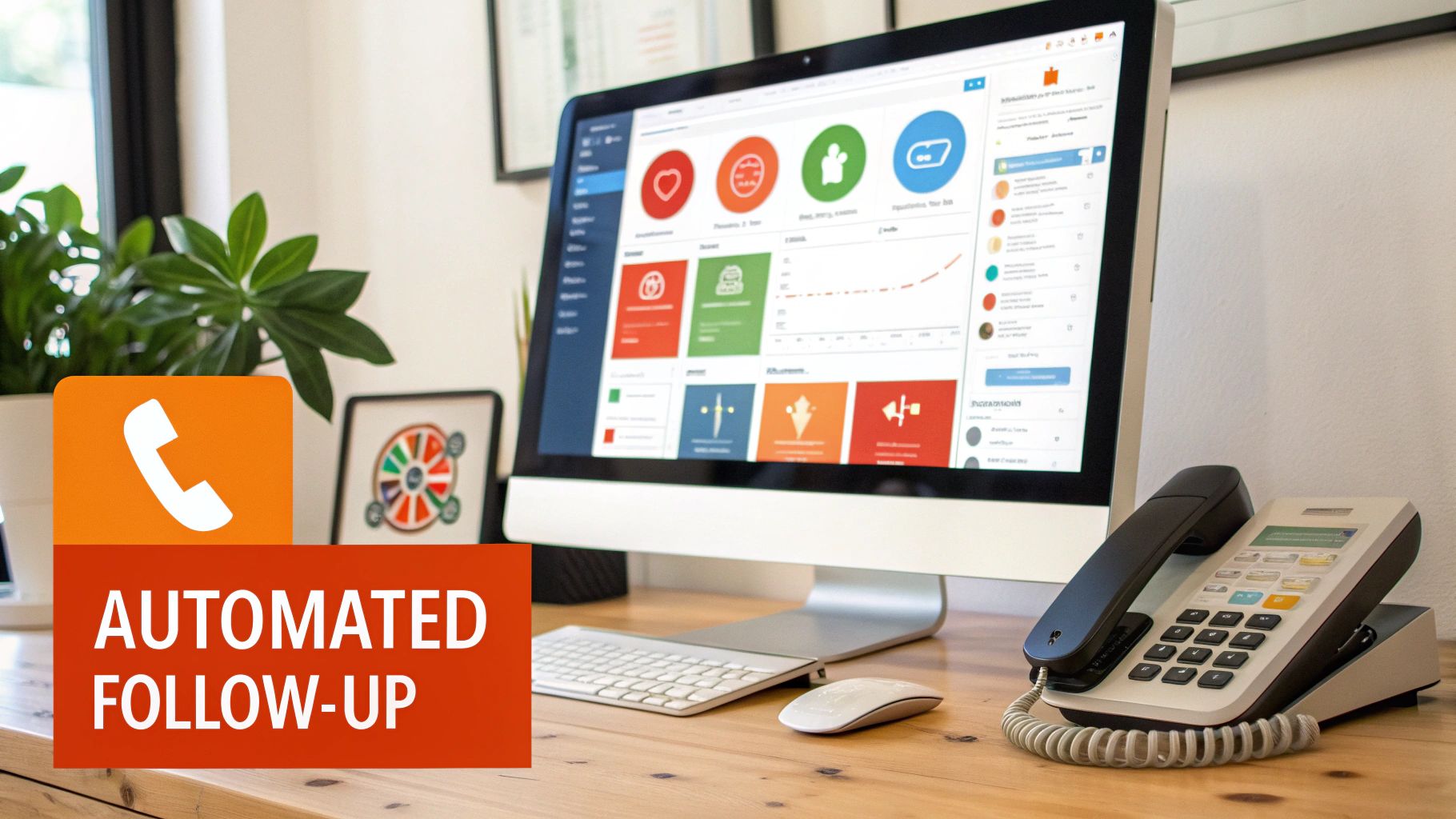
    A desk with a computer displaying a dashboard, a landline phone, and a plant, promoting 'AUTOMATED FOLLOW-UP'.

    Running a dealership comes with its own set of challenges, and I get these questions all the time. Let's cut through the noise and get you some straight answers on how to generate more, and better, leads in this market.

    How Much Should a Dealership Spend on Lead Generation?

    There’s no one-size-fits-all answer here, but I can give you some solid starting points I’ve seen work time and again. A good rule of thumb is to dedicate 10-15% of your gross profit goal to your overall marketing budget. That bucket covers everything you do for lead generation.

    Another way to look at it is budgeting a specific cost-per-sale. For most independent lots, that number usually falls somewhere between $200 and $400 per vehicle sold.

    My best advice? Start with a budget you can track meticulously. Put your first dollars into the channels with the highest potential return, like dialing in your Google Business Profile and local SEO. Once you see what’s actually bringing people to your lot, you can confidently ramp up your spending.

    What Is the Best Lead Source for Used Car Dealerships?

    Hands down, your two most valuable lead sources will almost always be your own website and your Google Business Profile. I can't stress this enough. These channels are absolute gold because they connect you with buyers who are already searching for the exact cars you have in stock.

    Sure, third-party listing sites and paid ads can goose your numbers and bring in volume. But a killer organic presence? That delivers a consistent flow of high-quality leads that don't cost you an arm and a leg per click. Best of all, you own them completely.

    The highest quality leads often come from the channels you own. An optimized website and a well-managed Google Business Profile attract serious buyers who are looking for a local, trustworthy dealership—not just the lowest price.

    How Can I Get Better Quality Car Sales Leads?

    Getting better leads isn't about casting a wider net; it's about using the right bait. It all starts with being incredibly specific in your marketing to attract the right kind of buyer from the get-go.

    • Go After Long-Tail Keywords: Stop targeting generic terms like "used cars." Get specific. Think like your customer and target phrases like "used Ford F-150 with tow package in Austin." This brings in shoppers who've already done their homework.
    • Show, Don't Just Tell: High-resolution photos from every angle and obsessively detailed vehicle descriptions are non-negotiable. This builds trust, answers questions upfront, and helps pre-qualify people before they even contact you.
    • Add Qualifying Tools to Your Site: A financing pre-approval form or a trade-in value estimator does more than just capture contact info. These tools give your sales team crucial context, helping them spot the most serious, ready-to-buy customers in the pipeline.

    Ready to turn your website into a lead-generating machine without the technical headaches? AutoFire provides independent dealerships with modern, mobile-first websites that are optimized for SEO and Google Vehicle Listings right out of the box. Start capturing more qualified leads today by visiting https://goautofire.com.

    Article created using Outrank