Category: Dealership Websites

Practical guidance for dealership websites, mobile experiences, templates, conversion, and domains.

  • Choosing Auto Dealer Website Templates That Drive Sales

    Choosing Auto Dealer Website Templates That Drive Sales

    So, what exactly are auto dealer website templates? Think of them as pre-built websites, specifically designed for dealerships. They provide the complete foundation you need—from showcasing your cars to capturing customer info—turning a simple online page into your most powerful sales tool. It's the key to creating a digital showroom that's open 24/7.

    Your Digital Showroom: Why a Modern Website Template Matters

    Imagine your physical showroom, but it never closes and is accessible to every single car buyer in your area. That’s what a modern website does for your dealership. In a world where almost every car purchase starts with a Google search, your site isn't just a nice-to-have; it's the front door to your entire business.
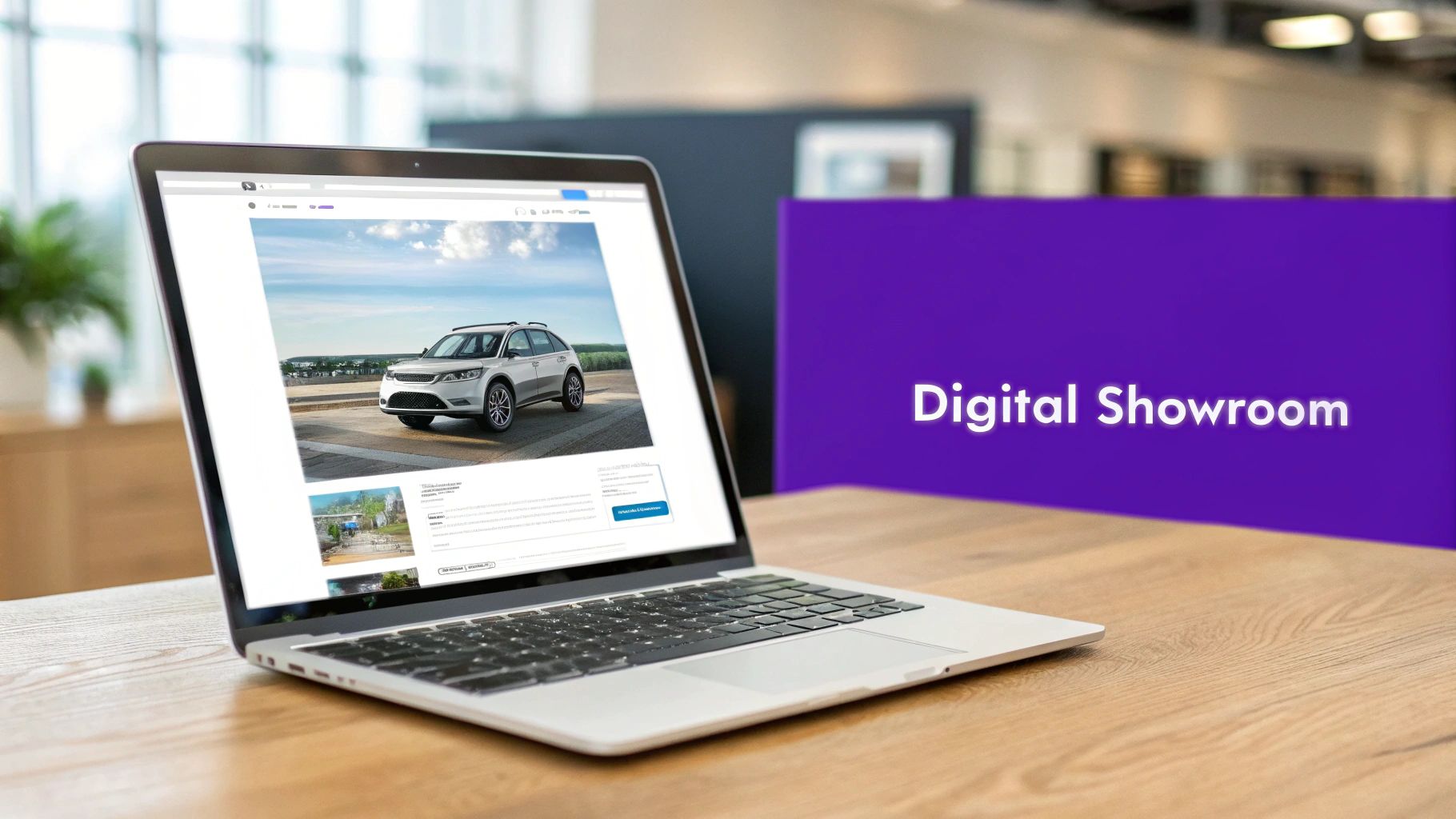
    A silver laptop on a wooden table displays an auto dealer website featuring a white SUV and 'Digital Showroom' text.

    This is where a template built for auto dealers becomes a non-negotiable. It’s not just about looking good. These are specialized blueprints, engineered from the ground up for the unique demands of the car business. A generic website builder just can't keep up.

    Engineered for Dealership Success

    Let’s use an analogy. A standard website template is like an empty commercial building. Sure, you could try to sell cars out of it, but you'd be missing the service bay, the showroom floor, and the finance offices.

    An auto dealer template, on the other hand, is like a purpose-built dealership facility. It comes equipped with all the essentials you need to start moving metal from day one.

    These fundamentals include:

    • Inventory Management Systems: Built to let you easily upload, update, and display your entire stock of new and used vehicles.
    • Lead Capture Forms: Placed strategically to prompt visitors to book a test drive, ask for a quote, or get pre-approved for financing.
    • Vehicle Detail Pages (VDPs): These are rich, detailed layouts designed for showing off photos, specs, and features for every car, creating an immersive shopping experience right from the couch.

    The whole point is this: the right template turns your website from a passive online brochure into an active, high-performance sales engine. It works around the clock to build trust and bring in leads long before a customer ever sets foot on your lot.

    A professional and responsive website is the cornerstone of modern automotive sales. It builds immediate trust, showcases your inventory effectively, and guides potential buyers from casual browsing to serious inquiries.

    The Competitive Advantage

    In the cutthroat world of car sales, a strong online presence is a massive advantage. Studies show that the vast majority of car shoppers begin their journey online. With thousands of dealerships in the US all fighting for attention, many are still stuck with clunky, outdated sites. They're missing out on a significant number of buyers who prefer to handle more of the purchase process digitally.

    Ultimately, picking the right website template is one of the most important marketing decisions you'll make. It’s the foundation of your digital strategy and directly impacts your ability to attract and convert today's car buyers.

    For independent dealerships who need an all-in-one solution, platforms like AutoFire™ provide a modern SaaS alternative to get a high-performing site up and running fast.

    The Must-Have Features of a High-Converting Template

    Looks are one thing, but a website template that actually sells cars is a whole different beast. The real power lies in the features working behind the scenes—the tools that turn your website from a simple online brochure into a lead-generating machine.

    Think of it like this: the design is the shiny paint job, but these features are the engine, the transmission, and the GPS. They're what actually drive performance.
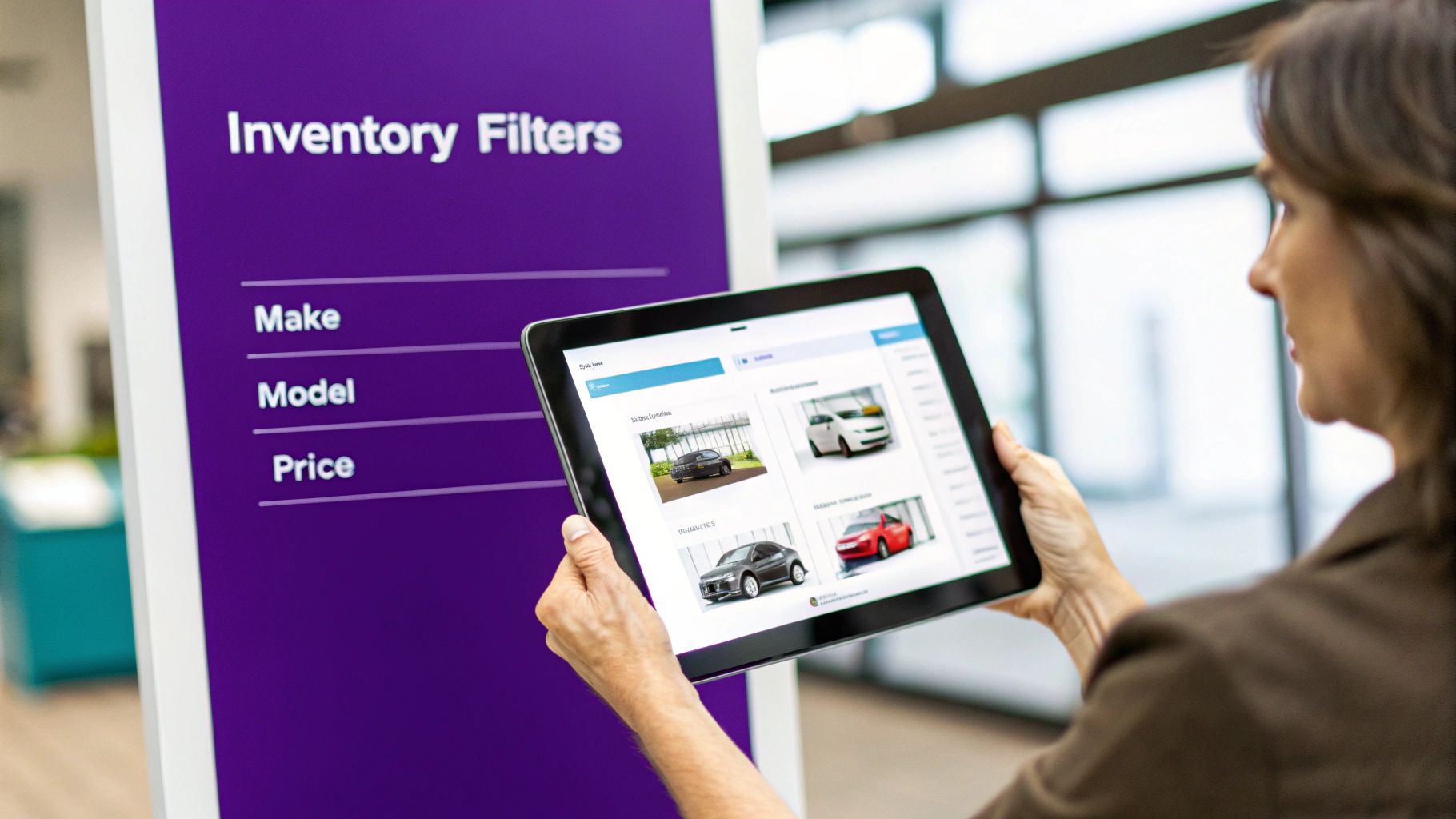
    A person uses a tablet to browse car inventory with digital filters for make, model, and price.

    Without these core functions, even the most stunning website will just sit there, failing to turn visitors into real, paying customers. A great template is engineered to guide a buyer from their first curious click all the way to a test drive request. Let's dig into the non-negotiables.

    To make it easier to spot a winner, here's a quick checklist of the essential features you should be looking for in any template or platform.

    Essential Features Checklist for Auto Dealer Website Templates

    This table breaks down the must-have features, explaining why they are so critical and what specific functionality to look for when you're evaluating your options.

    Feature Why It's Critical for Your Dealership Key Functionality to Look For
    Dynamic Inventory & Search This is your digital lot. If customers can't easily find what they want, they'll leave in seconds. Advanced filters (make, model, price, body style), fast loading speeds, and an intuitive management system for your team.
    Immersive VDPs The Vehicle Detail Page (VDP) is your online sales pitch. It's where a browser becomes a serious buyer. High-resolution photo/video galleries, 360-degree views, and automated vehicle spec population.
    Automatic VIN Decoding Saves dozens of hours and eliminates data entry errors that can kill a deal. One-click VIN input that auto-populates all factory specs, options, and features accurately.
    Strategic Lead Capture A website without lead forms is a salesperson who never asks for the sale. Multiple, targeted forms like "Schedule Test Drive," "Get ePrice," and "Value Your Trade" placed on every VDP.
    Mobile-First Design A majority of car shoppers use their phones. If your site is clunky on mobile, you're invisible to most of your audience. A fully responsive layout that looks and works perfectly on any screen size, with large, easy-to-tap buttons.

    Having this checklist in hand ensures you're not just picking a pretty design, but a powerful sales tool that will actively grow your dealership's bottom line.

    Dynamic Inventory Management and Search

    The heart and soul of your website is your vehicle inventory. It has to be seamless. A top-tier template gives you a dynamic inventory management system that makes uploading, updating, and featuring vehicles dead simple for you and your staff.

    For the customer, the experience has to be even better. They need advanced search and filtering tools that let them instantly slice and dice your inventory. This turns an overwhelming list of cars into a short, manageable list of perfect matches.

    At a minimum, they need to be able to filter by:

    • Make and Model: The absolute basics.
    • Price Range: So they can shop within their budget.
    • Year and Mileage: To find newer or low-mileage options.
    • Body Style: To zero in on the exact type of vehicle they need (SUV, truck, sedan, etc.).

    An intuitive inventory search is like a great salesperson. It listens to what the customer wants and immediately presents them with the best options, building confidence and accelerating the path to a sale.

    Immersive Vehicle Detail Pages

    Once a shopper finds a car they like, the Vehicle Detail Page (VDP) is where you close the deal. This is your digital pitch for that specific car, and it has to be compelling. A high-converting template will have a VDP layout that's both packed with information and visually stunning.

    The single most important element here is a high-resolution photo and video gallery. People want to see everything—every angle, inside and out. Blurry or limited photos are an instant red flag and will send visitors clicking away to your competitor. Your template must support big, crystal-clear images and embedded videos for virtual walkarounds.

    On top of that, automatic VIN decoding is an absolute game-changer. Instead of typing out every last feature and spec by hand, you just enter the VIN. The system does the rest, auto-populating the VDP with accurate manufacturer data. This saves you countless hours and prevents costly mistakes.

    Strategic Lead Capture Forms

    A beautiful website is useless if it doesn't capture leads. This is where you have to be smart about placing contact forms. A good template doesn't just stick a "Contact Us" form on a forgotten page; it weaves lead capture opportunities right into the shopping experience.

    These forms need to be designed for specific actions a buyer is ready to take, such as:

    • Requesting a Test Drive: This form should be big, bold, and right on the VDP for high-intent leads.
    • Applying for Financing: Place this on VDPs and in a main "Financing" section to move buyers down the funnel.
    • Valuing a Trade-In: Make this easy to find from the main navigation to engage customers with a car to trade.
    • Getting an "ePrice": A clear call-to-action on vehicle listings for price-sensitive buyers ready to talk numbers.

    By making it incredibly easy for customers to take the next step, these forms turn passive browsing into active sales opportunities. You can see a full breakdown of these lead-generating tools by exploring the features of a modern dealer platform.

    How Performance and SEO Get Your Dealership Found Online

    A beautiful website that nobody can find is like a dealership hidden down a backroad with no signs. It doesn't matter how great your inventory is if potential buyers can't get there. This is where the technical guts of your auto dealer website templates become your most powerful marketing tool, directly impacting how you show up on Google.

    A modern workspace with a smartphone, keyboard, monitor, and plants, featuring a 'MOBILE-FIRST SEO' banner.

    Think of a slow-loading website like having only one salesperson on the floor during a massive weekend sale. Customers get impatient and leave before they even see what you have to offer. It’s not just a feeling; Google’s own research shows that when a page’s load time goes from one second to three, the chance of a visitor bouncing increases by a whopping 32%. A high-performance template keeps your digital doors wide open and ready for business.

    Performance in a Mobile-First World

    The modern car buyer lives on their smartphone. They’re researching models during a lunch break, comparing prices while standing on another dealer’s lot, and scheduling test drives from their couch. Their entire journey is mobile, which makes a mobile-first, responsive design non-negotiable for your dealership.

    A responsive template automatically resizes and rearranges its layout to fit any screen, from a big desktop monitor to the phone in their hand. This isn't just about looking pretty; it’s about making the site work. Buttons need to be easy to tap with a thumb, images have to load fast over a cellular connection, and inventory filters must be simple to use on a small touchscreen.

    When you're looking at templates, you'll run into a couple of key terms:

    • Retina-Ready: This just means your website's photos will look incredibly sharp on high-resolution screens, like those on newer smartphones and laptops. Grainy, pixelated images can make even a pristine vehicle look cheap.
    • Cross-Browser Compatibility: This ensures your site works perfectly whether a customer is using Chrome, Safari, Firefox, or something else. It prevents broken pages or missing features that will frustrate a buyer and send them elsewhere.

    A great mobile experience is mission-critical, since that's where most car searches start. The best templates are built for flawless performance on any device, which boosts both user engagement and your Google rankings. To get a feel for what this looks like, you can explore various automotive templates with these features and see them in action.

    SEO: The Blueprint for Getting Found

    Search Engine Optimization (SEO) is simply the work you do to make your website more attractive to search engines like Google. A template with a strong SEO foundation gives you a massive head start—it's like having the perfect blueprint for Google’s crawlers to follow.

    The two biggest ingredients here are clean code and fast load times. Search engines reward websites that are well-structured and deliver information to users quickly. A template built with clean, modern code is easy for Google's bots to read and understand, helping you rank higher. Slow speeds, on the other hand, are a major penalty.

    Schema Markup: Your Secret SEO Weapon

    Beyond sheer speed, one of the most powerful SEO tools an auto dealer template can have is built-in schema markup. Think of schema as a set of secret "tags" you add to your website's code to tell Google exactly what your content is about.

    For a dealership, this is a game-changer. Schema can label specific bits of information on your Vehicle Detail Pages (VDPs), such as:

    • The vehicle's make and model
    • Its price and mileage
    • The VIN and body style
    • Your dealership's name and location

    When Google can clearly understand this information, it can show it directly in the search results as a "rich snippet." Suddenly, your listing stands out from the competition with photos, pricing, and key details, grabbing the shopper's attention and making them far more likely to click through to your site.

    How to Pick and Personalize Your Website Template

    Choosing from the endless ocean of auto dealer website templates can feel a lot like trying to pick one specific car from a lot filled with a thousand vehicles. It's overwhelming. To get it right, you need a clear plan that takes you from just browsing options to launching a website that truly represents your brand.

    This isn't about finding a template that just looks pretty. You're looking for a genuine business tool—a solid foundation you can build on without calling a developer every time you want to tweak something small. Let's walk through how to actually evaluate these templates and find one that fits your dealership like a glove.

    A Practical Evaluation Process

    Before you sign on the dotted line, you have to take the template for a test drive. Seriously. Don't just glance at screenshots or skim a list of features. Getting hands-on is the only way to know what the experience will be like for you and, more importantly, for your customers.

    Here’s a simple, three-step evaluation you can follow:

    1. Run Through Live Demos: Pretend you're a car shopper. Go to a live demo of the template and use it. Play with the search filters, browse the VDPs, click on a few cars, and try to fill out a contact form. Does it feel smooth and easy, or did you hit a few frustrating bumps?
    2. Test It On Your Phone: This is non-negotiable. Pull up the demo on your smartphone and do it all again. How easy is it to tap the buttons? Can you actually see the photos clearly? Is the text readable without pinching and zooming? If it’s a pain to use on mobile, you’re going to lose a massive chunk of your audience.
    3. Assess the Customization Level: How much can you actually change? Dig into the template's settings or admin panel. Can you upload your logo, swap out the colors, and change the text and images yourself, or does it feel locked down?

    The best templates give you the power to make the site your own. They provide the heavy-duty structure but hand you the keys to customize the branding, messaging, and calls-to-action so it feels like your dealership.

    Making the Template Uniquely Yours

    Once you've found a solid template, it's time to make it your own. This is where you turn a generic design into your dealership's digital showroom. It’s all about putting your brand's stamp on everything to build trust and recognition with shoppers.

    Start with the visual basics:

    • Upload Your Logo: Your logo needs to be front and center, usually in the website header. It’s the first thing people should see.
    • Apply Your Brand's Color Palette: A good template lets you easily change the main colors—for things like buttons and links—to match your dealership’s branding.
    • Choose Your Fonts: Pick fonts that are easy to read and match your brand's vibe, whether that's modern and sleek or classic and trustworthy.

    Beyond the look and feel, you need to make sure the template's tools work for you. This means setting up lead forms to send inquiries straight to the right person on your sales team or directly into your CRM. The goal is a seamless handoff from the customer's click to your team's follow-up.

    Putting in the effort here really pays off. A well-structured template can manage a massive inventory and deliver incredible results, including a significant jump in website sessions, top SEO rankings, and a strong return on investment. The right choice and customization can drive real-world success, as many dealer case studies show. You can read more case studies on rctheme.com to see how these features drive real-world success.

    Common Mistakes to Avoid With Dealer Templates

    Getting your hands on an auto dealer website template is a great starting point, but it's not a magic bullet. I've seen dealers make the same few mistakes over and over, turning a potentially powerful tool into a real money pit. Let's walk through the most common pitfalls so you can sidestep them and get your digital showroom humming from day one.

    Choosing and launching a template isn't just a single click. It's a process that requires a bit of strategy to get right.
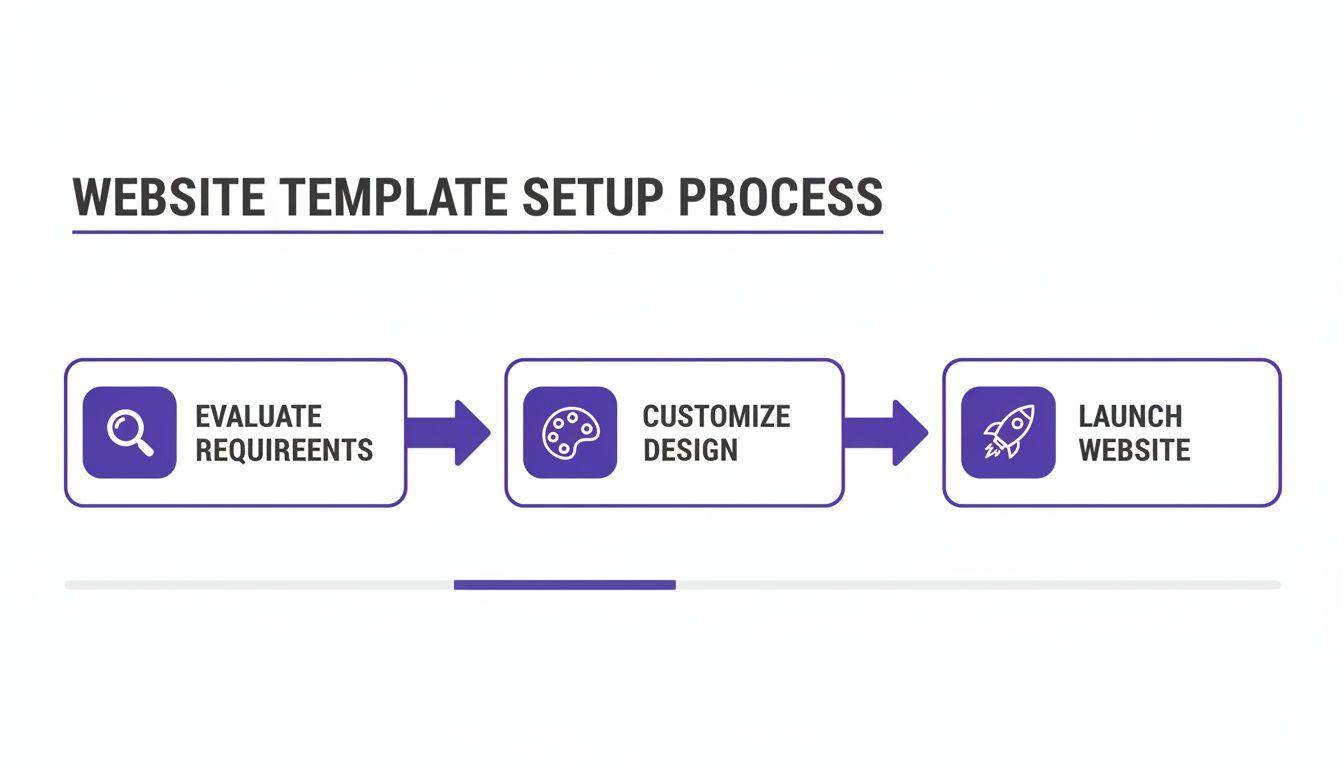
    A three-step diagram outlining the website template setup process: evaluate requirements, customize design, and launch website.

    Think of it this way: a successful website launch comes from a series of smart decisions, starting with a careful evaluation, moving through branding, and ending with a well-executed public reveal.

    Mistake 1: Focusing Only on Visuals

    One of the biggest traps you can fall into is picking a template based purely on looks. Sure, it has to look good, but a stunning design is completely useless if the site is slow, a nightmare to use on a phone, or invisible to Google. It's like buying a car with a slick paint job but never bothering to pop the hood and check the engine.

    You need to find a healthy balance between form and function. Before you commit to any template, run its demo through Google's PageSpeed Insights to check its speed. Even more importantly, pull it up on your own phone. If the experience isn't smooth and intuitive, walk away.

    Mistake 2: The "Set It and Forget It" Mentality

    Another huge misstep is launching your site with the template's default settings and then never touching it again. This "set it and forget it" mindset leaves you with a cookie-cutter website that looks exactly like a hundred other dealerships using the same theme. It does absolutely nothing to tell customers who you are or why they should buy from you.

    Your website template is the foundation, not the finished house.

    A template gives you the framework, but your brand, your story, and your unique offers are what connect with customers. A generic website makes your business feel just as generic.

    To avoid this, you have to put in the work to make it your own. That means:

    • Uploading your logo and making sure it's crisp and clear.
    • Customizing the color scheme to match your brand's colors on buttons, links, and headers.
    • Writing a genuine "About Us" page that tells the story of your dealership.
    • Featuring real testimonials from happy customers to build social proof.

    This is how you turn a generic template into your digital storefront.

    Mistake 3: Neglecting High-Quality Content

    Finally, remember that even the most brilliantly designed template can't save you from bad content. This is especially true when it comes to your vehicle listings—the heart and soul of your website. Blurry photos and lazy, one-line vehicle descriptions will kill a customer's trust in a heartbeat.

    Online shoppers are leaning on your website to get a real sense of a car before they ever step foot on your lot. If your pictures are terrible, they'll assume the car is, too.

    Make great content a non-negotiable. Invest the time to take at least 15-20 clear, well-lit photos of every single vehicle. Get all the angles, inside and out. Then, write descriptions that do more than just list features—sell the car. Paint a picture for the buyer and tell them why that specific vehicle is a fantastic choice. That extra effort shows you care and gives customers the confidence they need to reach out.

    Taking the Next Step: Why Automotive SaaS Platforms Outpace Templates

    A top-notch auto dealer website template is a fantastic starting point—it's the blueprint for your digital showroom. But what if you could have the entire showroom built, staffed, and managed for you? That's the leap from a template to a dedicated automotive SaaS platform. We're no longer just talking about a website; we're talking about an integrated sales and marketing engine.

    Here’s a good way to think about it. A website template is like getting a world-class engine. It's powerful, for sure, but you still have to build the car around it, wire up all the electronics, and find a crew to keep it running. An automotive SaaS (Software-as-a-Service) platform, on the other hand, is the whole race-ready car, complete with a professional pit crew.

    The Power of an All-in-One System

    The single biggest difference is integration. When you start with a template, you’re the one responsible for bolting on other tools. You have to find and connect a CRM, an inventory manager, marketing plugins, and analytics software. This patchwork approach often creates compatibility nightmares, opens up security holes, and eats up your time with technical busywork.

    A SaaS platform, however, is built from the ground up with all these critical functions already woven together into one seamless system.

    A dedicated automotive SaaS platform lets you stop managing technology and start selling more cars. It takes care of the technical heavy lifting—security, updates, performance—so your team can focus on what really moves the needle.

    Key Benefits of the SaaS Approach

    Dealers who make the switch to a SaaS model find they have a serious competitive advantage. Why? Because their operations and technology are streamlined, and the benefits hit the bottom line directly.

    • Simplified Operations: Imagine managing everything in one place. No more juggling multiple software subscriptions and logins. From updating a vehicle's price to tracking a new lead, it all happens within a single dashboard.
    • Worry-Free Updates and Security: The SaaS provider manages all the technical headaches behind the scenes. Security patches, software updates, and new features are rolled out automatically. Your site is always up-to-date and secure, and you didn't have to do a thing.
    • Truly Advanced Tools: The best platforms offer features that are incredibly difficult to piece together yourself. Think about automated email campaigns that trigger when a car's price drops, or deep analytics that show you a customer's entire journey, from their first Google search to the moment they book a test drive.
    • Guaranteed Performance: The software and hosting are built to work in perfect harmony. This means SaaS platforms deliver the kind of speed and reliability that's essential for keeping visitors happy and ranking high on Google.

    For any dealership serious about long-term growth and leading the market, a SaaS solution is the logical next step. While a template can get you in the game, an integrated platform like AutoFire provides the end-to-end system you need to scale your business and outmaneuver the competition. It's not about looking down on templates, but about knowing when your dealership is ready to graduate to something more powerful.

    Frequently Asked Questions

    When you start digging into website templates for your dealership, a few common questions always pop up. Let's tackle them head-on so you can move forward with confidence.

    How Much Should a Good Template Cost?

    You'll find that template pricing generally falls into two buckets. First, there are the one-time purchase themes, which you can often find for anywhere between $50 and $100. These are a decent starting point, but the catch is you're usually on your own for security patches and updates down the road.

    The other, more common model today is a monthly subscription. These can run from $30 to over $200 per month, and the price really depends on what's included. The higher-end plans typically wrap in powerful features like automatic VIN decoding, dedicated support, and continuous security updates, which means less for you to worry about.

    Can a Template Integrate with My Inventory System?

    This is a big one. The short answer is yes, but you absolutely have to verify this before you commit. The best templates are specifically designed to sync up with dealership inventory systems. You'll want to look for compatibility with standard data feed formats like XML or CSV.

    This integration is what makes your website a living, breathing part of your business. When a car is sold or a new one comes in, your site updates automatically. No more manual data entry. This kind of automation is a game-changer for keeping your listings accurate and your team sane.

    A template that doesn’t sync with your inventory is like a showroom that never gets updated. It creates confusion for customers and headaches for your team, making seamless integration a non-negotiable feature.

    How Long Does It Take to Launch a Website?

    Using a template is hands-down the fastest way to get your dealership online. A fully custom website can take months of development, but a template gives you a massive head start.

    Realistically, you could be looking at a launch timeline anywhere from a few days to a couple of weeks. The template provides the foundation, but the final timing depends on you—things like getting your branding just right, writing the content for your pages, and uploading your entire vehicle inventory. The more you have your photos and data ready to go, the faster you'll cross the finish line.


    Ready to launch a professional, high-performance website without the technical headaches? AutoFire provides an all-in-one platform designed to get your dealership online and capturing leads in minutes. Explore our features and see how easy it can be.
  • Choosing Car Dealership Website Templates That Drive Sales

    Choosing Car Dealership Website Templates That Drive Sales

    Think of your website as your best salesperson. It never sleeps, never takes a day off, and works 24/7 to bring customers to your lot. Car dealership website templates are the blueprints for this digital showroom, giving you a solid foundation to turn casual online browsers into real, qualified leads. They offer a fast, reliable, and much more affordable way to get a professional dealership site up and running.

    Your Digital Showroom: Why Templates Matter

    Not too long ago, getting a dealership website meant sinking a ton of money and time into a custom build. It was a massive headache. Today, high-quality, pre-built templates have become the go-to for independent dealers who want to compete with the big franchise stores without breaking the bank.

    But don't mistake a template for just a pretty design. These are complete operational platforms, packed with the specific tools a dealership needs to function online. This approach takes the guesswork and technical stress out of the equation, letting you get back to what you're good at—selling cars.

    The Modern Car Buyer Is Online First

    The way people buy cars has completely changed. Today's car buyers do most of their research online before they even think about visiting a dealership. Your website is their first impression, and it has to be a good one. The market has exploded with hundreds of templates built specifically for dealers, making it easier than ever to meet customers where their journey starts. You can find more insights on this digital shift from the experts at rctheme.com.

    This online-first reality means your website is the heart of your operation. It’s the place where potential customers will:

    • Check out your current inventory
    • Compare different models, features, and prices
    • Play with financing calculators
    • Book a test drive

    A well-designed template makes every single one of these steps smooth and easy for the user.

    Your website isn’t just an online brochure; it's a strategic tool designed to guide a visitor from initial curiosity to a scheduled appointment. The right template streamlines this journey, directly impacting your lead generation and sales from day one.

    At the end of the day, using a template gets you online faster, cuts your upfront costs, and gives you a proven, industry-tested foundation to grow on. It’s all about using smart design and functionality to build a powerful digital showroom that captures leads and drives revenue.

    Anatomy Of A High-Converting Dealership Template

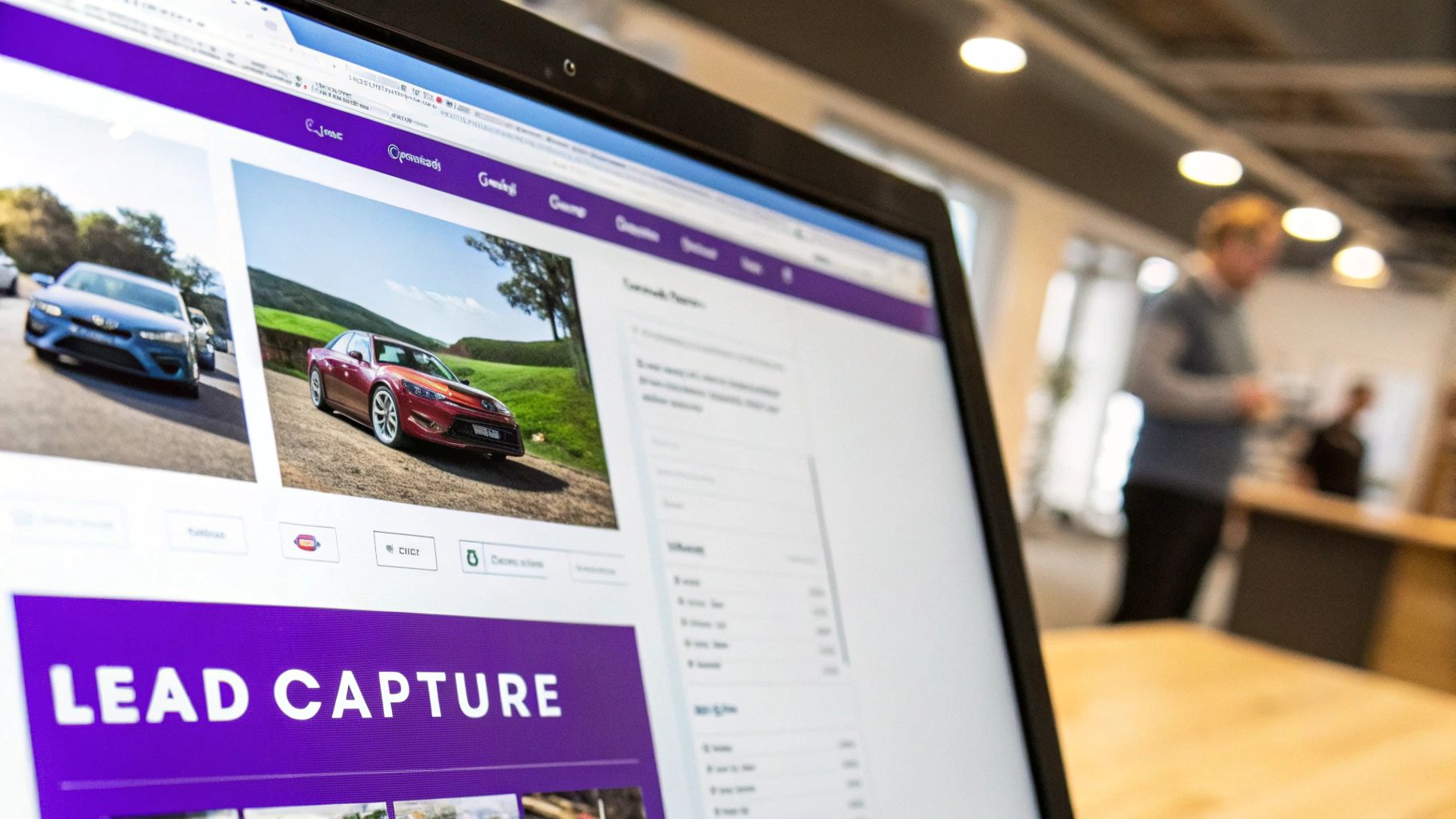
    Close-up of a laptop screen displaying a car dealership website with two car images and lead capture section.

    Let’s get one thing straight: the best car dealership website templates are much more than just a pretty face. They’re lead-generating machines, built from the ground up with one goal in mind—turning casual browsers into serious buyers. Think of your website less like a digital brochure and more like your best salesperson working 24/7.

    Every piece of a great template is designed to guide a potential customer from the moment they land on your site to the second they book a test drive. These are the core features that stop your website from being just another business expense and start turning it into a real revenue driver.

    A Powerful And Intuitive Inventory System

    The absolute heart and soul of any dealership website is the inventory. This isn't just about listing cars; it's about giving customers an interactive catalog they can actually use and enjoy. A template built to convert makes digging through your stock feel effortless.

    The most critical part? An advanced search filter. Your customers want to slice and dice their options instantly—by make, model, year, price, even mileage. The faster they can find the exact car they're dreaming of, the more likely they are to stick around.

    A seamless inventory search is the digital equivalent of a helpful salesperson asking, "What can I help you find today?" It immediately directs customers to the vehicles most relevant to them, drastically improving their experience and your chances of making a sale.

    From there, each vehicle detail page (VDP) needs to be its own self-contained sales pitch. This is where a built-in VIN decoder is a game-changer. It automatically pulls in all the specs, features, and history, saving you hours of manual data entry and, more importantly, building trust with buyers through total transparency.

    Immersive Visuals And Smart Lead Capture Tools

    People buy with their eyes first, especially when it comes to cars. Your template absolutely must support high-resolution photo galleries and, ideally, video. A good gallery lets a user zoom in, check for dings, and get a real feel for the car before they ever set foot on your lot.

    But amazing photos are only half the story. You have to capture that initial spark of interest. This is where smart lead capture forms come into play. These shouldn't be buried on a "Contact Us" page; they need to be right there, on the VDP, where the buying decision is happening.

    Look for templates with crystal-clear calls-to-action (CTAs) on every vehicle page, like:

    • Schedule a Test Drive: This is your money-maker, the CTA that turns a "maybe" into an appointment.
    • Request More Info: Perfect for catching buyers who are still in the research phase but have questions.
    • Get ePrice: A fantastic tool for capturing leads from shoppers who are focused on the bottom line.

    These little forms create a direct line from browsing to inquiry. An online financing calculator is another must-have. It lets buyers figure out their potential monthly payments and even get pre-qualified right on your site, which means the leads you get are that much more serious. Seeing how all the different AutoFire™ features work together can give you a solid idea of how a truly integrated system should feel.

    Essential Features Checklist For Dealership Templates

    Looks can be deceiving. A flashy design means nothing if the engine underneath can't perform. Use this checklist to prioritize functional features over purely aesthetic ones, ensuring your template is actually built to sell cars.

    Feature Category Must-Have Feature Why It's Critical For Sales
    Inventory Management Advanced Search & Filtering Lets buyers find their perfect car in seconds, reducing bounce rates.
    Inventory Management Automatic VIN Decoder Builds trust with transparent data and saves countless hours of manual entry.
    Lead Generation VDP Lead Capture Forms Captures interest at the peak moment of excitement, directly on the vehicle page.
    Lead Generation Online Finance Application/Calculator Pre-qualifies buyers and moves them down the funnel, delivering higher-quality leads.
    Visual Experience High-Resolution Photo & Video Galleries Allows customers to visually inspect the car, building confidence to take the next step.
    User Experience Mobile-First, Responsive Design Ensures a flawless experience for the significant number of users browsing on their phones.
    SEO & Performance Fast Page Load Speed Prevents users from leaving out of frustration and is a major Google ranking factor.
    SEO & Performance SEO-Friendly Structure (Clean URLs, Meta Tags) Helps your vehicles show up in local search results when customers are looking to buy.

    Remember, every feature should have a purpose: to make the customer's journey easier and your sales process more efficient.

    Ultimately, a template that truly converts is a powerful combination of a rock-solid inventory system, compelling visuals, and intelligent lead capture tools. Each feature has a job to do—build trust, answer questions, and make it ridiculously easy for a customer to say, "Yes, I want to know more."

    Powering Your Site With SEO And Performance

    A gorgeous digital showroom is completely useless if local car buyers can't find it. Think of your website's design as the sleek body of a sports car; its Search Engine Optimization (SEO) and performance are the high-powered engine that actually makes it go. This is what gets your inventory in front of real customers the moment they type "used trucks near me" into Google.

    The best car dealership website templates come with these critical performance features already built-in, saving you from a world of technical headaches. They are engineered from the ground up to be visible to search engines and deliver a fast, satisfying experience for every visitor. This isn't just a nice-to-have feature—it’s absolutely essential for turning online searches into on-the-lot sales.

    The Need For Speed And Mobile Responsiveness

    These days, speed is everything. If your vehicle detail pages take more than a couple of seconds to load, potential buyers will simply click away out of pure frustration. It’s a lost lead. A well-built template is optimized for speed, using clean, efficient code that loads inventory images and details almost instantly.

    Just as important is a mobile-first design. With well over half of all web traffic now coming from smartphones, your website must look and work perfectly on a small screen. A responsive template automatically adjusts its layout to fit any device, ensuring customers can easily browse your cars, fill out a credit app, and get directions, whether they're on a desktop at home or on their phone during a lunch break.

    Speaking Google’s Language With Structured Data

    Beyond raw speed, your website needs to communicate clearly with search engines. This is where structured data, also known as schema markup, comes into play. Think of it as a special set of labels you add to your website's code that tells Google exactly what it’s looking at, leaving no room for guesswork.

    A template built specifically for dealerships will automatically apply this special schema to your vehicle listings, labeling key details that shoppers want to see:

    • Make and Model: Clearly identifying the vehicle.
    • Price: Showing the cost directly in search results.
    • Mileage: Providing a crucial data point for any used car shopper.
    • VIN (Vehicle Identification Number): Offering a unique identifier for that specific car.

    When your site uses structured data, Google can show off your cars as "rich snippets" right in the search results—complete with photos, pricing, and availability. This makes your listings far more eye-catching and informative than a simple blue link, driving more clicks from serious, qualified buyers.

    Building Authority With Clean URLs And Content

    Finally, a strong SEO foundation relies on a logical site structure and valuable content. Quality templates create clean, readable URLs for each vehicle (like yourdealership.com/inventory/2022-ford-f150-laramie) instead of messy, confusing strings of numbers and characters. This simple detail helps both users and search engines understand what the page is about at a glance.

    Many of the top templates also come with an integrated blog. This isn't just for posting company news; it’s a powerful tool for attracting local buyers. By writing helpful articles like "Best Family SUVs for Under $20,000" or "What to Check When Buying a Used Truck," you build authority and capture search traffic from customers who are still early in their buying journey.

    The impact of getting this right is enormous. One case study from NTT Motor Group, a network of over 50 dealerships, saw its website sessions jump by 300% after implementing optimized templates. This overhaul moved their average SEO positions from the forgotten third page of Google straight to the first, generating millions in new profit in just six months. You can explore the full story of how strategic templates boost dealership visibility. It's clear that choosing a template with a powerful SEO engine isn't an expense—it's a direct investment in your dealership’s growth.

    How To Choose The Right Template For Your Dealership

    Picking a website template is a lot like choosing the right lot for your dealership. Get it wrong, and you'll be wondering why no one's stopping by. Get it right, and you’re perfectly positioned to draw in traffic and close deals. This is your playbook for making a smart choice that actually fits your business and the customers you want to attract.

    First things first, you need to be crystal clear about who you are and what you need. Are you a big, multi-franchise operation that has to sync inventory across several locations? Or are you a small, independent lot that specializes in classic cars or affordable vehicles for first-time buyers? The answer will tell you exactly which features are non-negotiable.

    A high-volume dealer needs a template built to handle thousands of listings and heavy traffic. A boutique lot, on the other hand, might get more mileage out of a design that showcases beautiful photo galleries and features that help tell each car's story. Don't let a slick design distract you if it doesn't actually help you sell cars.

    Analyze Live Demos Like A Customer

    Once you’ve got a shortlist of potential car dealership website templates, it’s time to stop thinking like a dealer and start thinking like a customer. Every provider has live demos—use them. And I don’t mean just clicking around for a minute. You need to actively try to do what a real car shopper would do.

    Your mission is to test the entire journey. Can you find the search bar right away? How easy is it to filter by make, model, and price? Pick a car and see how fast you can get to its vehicle detail page (VDP), browse all the photos, and find the "Schedule Test Drive" button.

    The best way to judge a template's user experience is to test it with a specific goal. If you get lost or frustrated trying to find a specific SUV or a contact form, you can bet your customers will too. And they'll just leave.

    Most importantly, do all of this on your phone. A design that looks amazing on a big desktop monitor can feel cramped and impossible to use on a mobile screen. A huge chunk of your traffic will come from people on their phones, so a bad mobile experience is an absolute deal-breaker.

    Key Evaluation Criteria For Your Shortlist

    After you’ve kicked the tires on the customer-facing side, it’s time to look under the hood. The technical and support elements are just as critical as the design itself because they'll impact your day-to-day operations.

    • Quality of Developer Support: What’s the plan when something breaks at 5 PM on a Friday? Dig into reviews and forums to see what kind of support the template developer actually provides. Is there a dedicated team you can call, or are you stuck with a basic FAQ page? Quick, knowledgeable support is worth its weight in gold when your site is down.

    • Third-Party Tool Compatibility: Your website isn't an island. It has to talk to your other critical business systems, like your CRM for managing leads or your DMS for tracking inventory. Before you sign on the dotted line, confirm the template plays nice with the software you already use. This is crucial for seamless inventory updates and making sure new leads go where they're supposed to.

    • Customization Potential: You're starting with a template, but you need the freedom to make it yours. Can you easily change the colors to match your branding, upload your logo, and tweak the homepage to feature your latest promotions? A great template provides a solid skeleton but lets you put your own skin on it so you don't look like a carbon copy of your competitor down the street.

    The market for these templates is massive. Platforms like Colorlib offer over 18 top car dealer templates, and you can find 75+ designs on Figma, covering everything from rentals to repair shops. The best ones focus on user-friendly design. Dealer.com, for example, excels with inventory tools and marketing features that are perfect for large franchises. To get a feel for the wide range of possibilities, you can explore some of these diverse automotive template options yourself.

    Making The Template Your Own With Customization

    Let's tackle the biggest fear dealers have about using a template: looking generic. It's a fair point. If you and the dealership across town start with the same blueprint, how do you make your digital showroom stand out?

    Here's the secret: a quality template isn't a rigid box. It's a flexible foundation, a starting point designed for you to build upon. Think of it like a brand-new, move-in-ready building. The structure is solid, the layout is smart, but the walls are bare. It’s up to you to hang your sign, paint the walls, and arrange the inventory in a way that tells your story.

    This isn't just about avoiding a cookie-cutter look. It's about injecting your brand's personality into every pixel to build trust and create an experience that separates you from the competition.

    Infusing Your Brand Identity

    First things first: branding. This is where you swap out the placeholder elements for your own, a quick process that completely changes how customers see your business online.

    Your logo is the face of your dealership, so it needs to be front and center. A good template will have a designated spot for it right in the header. Make sure you upload a high-resolution version so it looks crisp and professional on every device, from a big desktop monitor to a smartphone.

    Next up, your color scheme. Most modern templates come with a simple color palette customizer. This is where you’ll plug in your primary and secondary brand colors for things like headlines, buttons, and links. This simple step creates a cohesive look that reinforces who you are the second a visitor lands on your site.

    Aligning Typography With Your Market Position

    Fonts do more than just display words—they set a mood. The typography you choose should match your market position and the kind of buyer you’re trying to attract. Are you a high-end luxury dealer, or do you specialize in affordable, reliable cars for first-time buyers?

    • Luxury & Premium Dealerships: Consider clean, elegant serif fonts (like Garamond or Playfair Display) for headlines. They convey a sense of sophistication and class. Pair them with a simple, readable sans-serif font for the main body text.

    • Budget-Friendly & Family Lots: Friendly, modern sans-serif fonts (like Lato, Montserrat, or Roboto) are often the way to go. They feel approachable and clean, which fits perfectly with a brand built on trust and value.

    Many templates integrate with Google Fonts, giving you hundreds of professional options to choose from without touching a line of code.

    The goal isn't just to pick a font you like. It's to select one that subconsciously communicates your brand's core values. This subtle detail helps build a connection with your target audience before they even read a single word about your cars.

    Customizing The Homepage Layout

    Your homepage is your digital storefront window, and a flexible template gives you control over the display. You don't have to be stuck with the default layout. Modern templates often use a block-based or drag-and-drop editor, letting you rearrange sections to highlight what makes your dealership different.

    Is your service department a huge part of your business? Move that section higher up the page. Running a big holiday sale? Add a promotional banner right at the very top. This control ensures your most compelling offers and unique selling points are the first things visitors see. You can explore a live demo to see how modern features come together to create a powerful, customized user experience.

    Planning A Smooth Website Launch

    Rolling out a new website can feel like prepping for a big Saturday sale—a little chaotic, but totally worth it when done right. The whole point is to switch over to your new, high-powered car dealership website templates without a single hiccup for your customers or a drop in your hard-earned SEO rankings.

    A smooth launch plan actually starts long before the "go-live" date. First things first: back up your current site. I'm talking about your entire inventory database, all those blog posts you wrote, and every custom page. Treat it like an insurance policy for your digital assets. You can't afford to lose a thing.

    Your Pre-Launch Migration Checklist

    Once your data is safely tucked away, it's time to start moving everything over. This is where you migrate your vehicle listings and blog content into the new template's framework. You need to be meticulous here to avoid confusing Google or frustrating visitors with broken links and missing pages.

    301 redirects are absolutely non-negotiable. Think of them as a digital change-of-address form. They tell search engines exactly where a page has moved, transferring all its SEO value to the new URL. Skipping this is like moving your dealership to a new lot and forgetting to leave a forwarding address—nobody will find you.

    This migration is also the perfect time for a little spring cleaning. Make sure your vehicle data is spot-on, the photos are crisp, and the descriptions are compelling before they go on the new site. You want to start fresh with your best foot forward.

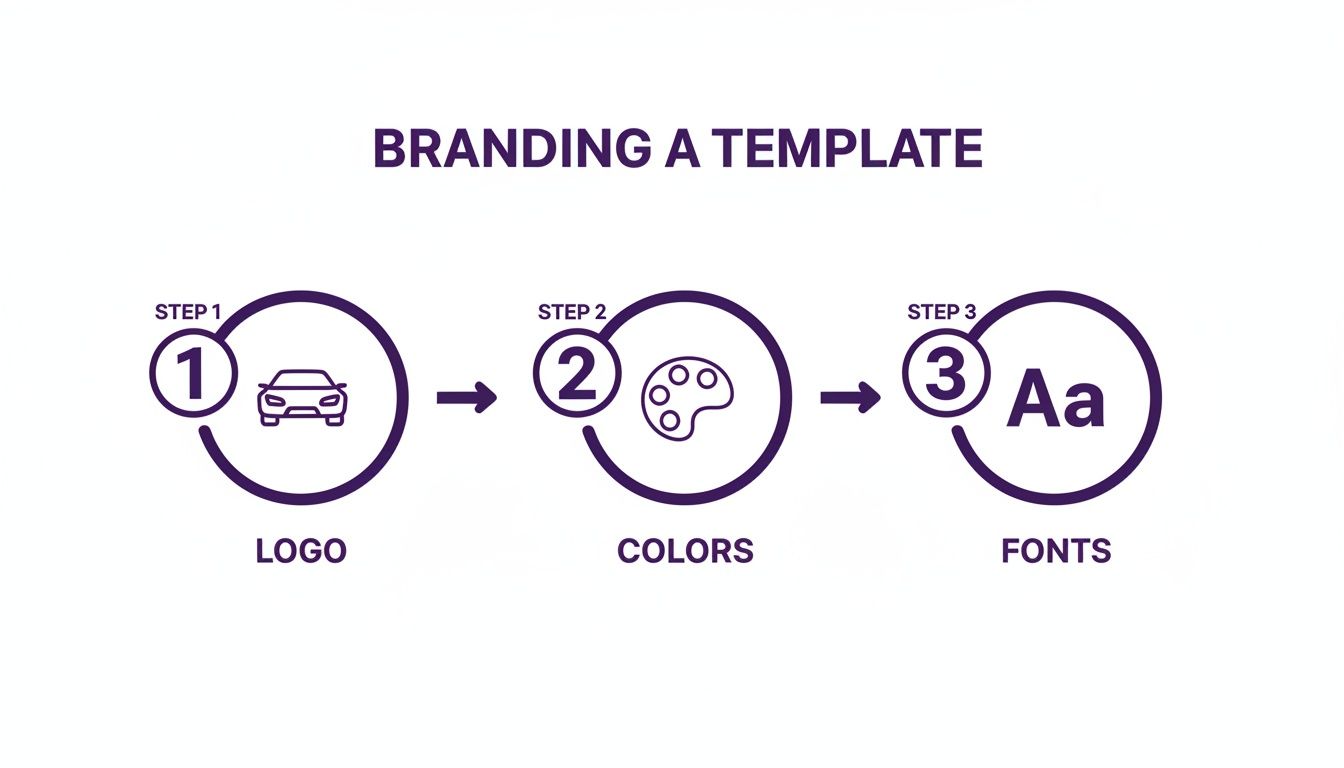
    The next step is making the template your own by adding your dealership's unique branding—your logo, color scheme, and fonts. It's a straightforward but vital process to ensure the site looks like your dealership, not a generic clone.

    A three-step guide to branding a template, showing steps for logo design, color selection, and font choice.

    As you can see, just a few key changes are all it takes to transform a great template into a website that feels completely custom to your brand.

    To keep everything on track, a checklist is your best friend. Follow this simple guide to make sure nothing gets missed during the transition.

    Pre-Launch Website Migration Checklist

    Follow this step-by-step checklist to ensure a smooth and successful transition to your new website template.

    Phase Task Status
    Preparation Full backup of existing website (database, files, images). ☐
    Preparation Audit existing content and URLs for redirect mapping. ☐
    Migration Transfer all inventory data to the new platform. ☐
    Migration Migrate blog posts, articles, and other static content. ☐
    SEO Implement 301 redirects from old URLs to new URLs. ☐
    Branding Apply new logo, color palette, and brand typography. ☐
    Testing Test all forms (contact, finance, trade-in) and lead routing. ☐
    Testing Check website functionality on desktop, tablet, and mobile. ☐
    Final Review Final crawl of the new site to check for broken links (404s). ☐
    Launch Update DNS settings to point to the new server. ☐
    Post-Launch Monitor Google Analytics and Search Console for issues. ☐

    Having a structured plan like this takes the guesswork out of the process and minimizes the risk of costly mistakes.

    Final Checks And Go-Live

    With your content in place and the branding dialed in, it's time to kick the tires. And I mean really kick them. Click through every single page. Fill out every form. Test every link on a desktop, a tablet, and especially your phone. Double-check that every lead form actually lands in your sales team's inbox. If you need a hand getting your lead management process set up, our team is ready to help when you contact our support experts.

    The payoff for getting this right can be huge. A successful platform migration can lead to significant growth in website traffic and improved search engine rankings, potentially adding millions to gross profit. A well-chosen template built for powerful inventory management and content marketing can be the secret to this success.

    Once you’ve confirmed everything is working flawlessly, you're ready to flip the switch. A successful launch isn't about luck—it's about following a detailed plan to protect your business and set your new digital showroom up for success from day one.

    A Few Final Questions

    Jumping into the world of car dealership website templates usually brings up a handful of last-minute questions. It's smart to get clear answers before you pull the trigger. Here are the things most dealers ask right before they make a decision.

    Are Premium Templates Really Worth It Over Free Ones?

    The short answer is yes, and the difference is huge. It all boils down to features and support. A free template can get a basic site up, but that's about it. They almost always miss the critical sales tools and dedicated support you'll need when something goes wrong.

    Think of a premium template as an investment in your sales pipeline. It’s what gives you the good stuff—like VIN decoders, trade-in estimators, and online financing calculators—that actually turn casual browsers into solid leads.

    How Much of a Tech Whiz Do I Need to Be?

    Honestly, not much at all. Modern dealership website builders are made for car guys, not coders. Most come with simple dashboards and drag-and-drop editors. If you can update your dealership's Facebook page, you've got all the skills you need to manage your website and keep your inventory fresh.

    For the initial setup or moving a ton of data from an old system, you might want a developer for a couple of hours, but after that, you should be able to fly solo.

    Can I Hook Up My Current Dealer Management System?

    Absolutely. In fact, if a template can't connect to your DMS, you should walk away. Any high-quality platform is built to integrate with the major Dealer Management Systems using data feeds or an API.

    Crucial Tip: Before you buy anything, double-check that the template is compatible with your specific DMS. Read the documentation or just email the provider and ask. This is non-negotiable. A solid DMS integration is what keeps your online inventory perfectly in sync with your lot, saving you from a world of manual data entry headaches.

    This link is the key to automating your business and making sure a car a customer sees online is actually available.

    How Often Will I Need to Update This Thing?

    You'll want to handle updates in two different ways. First, whenever the template provider releases a security patch or a small feature update, apply it right away. These are usually quick and keep your site safe and running smoothly.

    As for a complete visual overhaul? It's a good rule of thumb to rethink your website’s overall design every 3 to 4 years. Technology and customer expectations change fast. A refresh every few years keeps your digital showroom from looking like a relic from the past and ensures you're giving buyers the modern experience they expect.


    Ready to launch a professional, lead-generating website in minutes? AutoFire provides a modern, mobile-first platform built for independent dealers. Get started for free and see how easy it is to showcase your inventory and attract more buyers. Explore your options at goautofire.com.